1. Bubuka
This manual provides essential information for the safe and efficient operation of your NOUUI 63W PD 3.0 & QC 3.0 5-Port USB C Charging Station. Please read these instructions thoroughly before use and retain them for future reference.

Figure 1: NOUUI 63W 5-Port USB C Charging Station
2. Produk Langkungview
The NOUUI 63W PD 3.0 & QC 3.0 5-Port USB C Charging Station is designed to provide efficient and simultaneous charging for multiple devices. It features one USB-C Power Delivery (PD 3.0) port and four USB-A Quick Charge (QC 3.0) ports, delivering a total output of 63W. Its compact design makes it suitable for various environments, from home to office or travel.
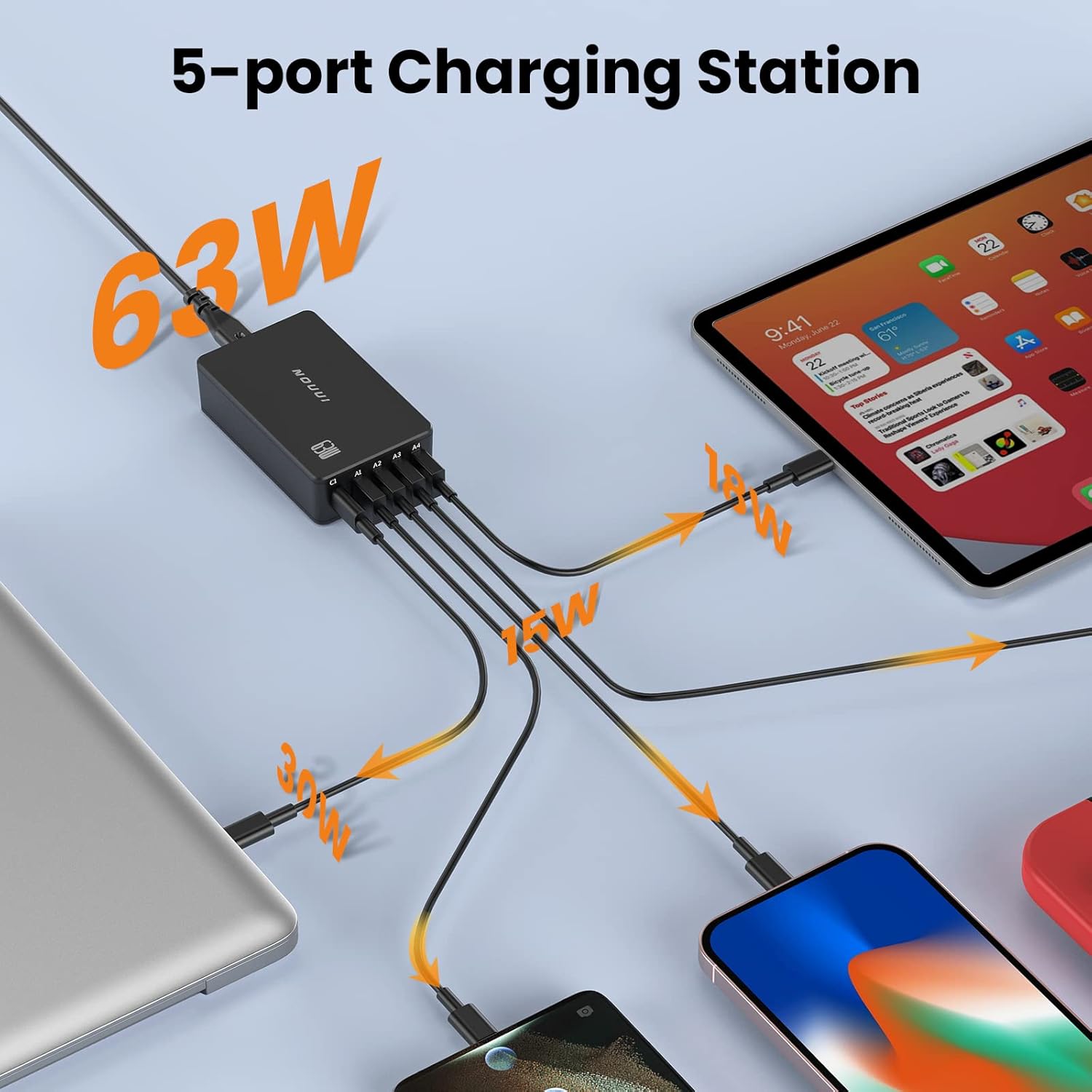
Figure 2: Simultaneous Charging with NOUUI 5-Port Station

Figure 3: NOUUI 5-in-1 63W Charging Station Features
3. Naon dina Box
- NOUUI PowerPort 5 (63W 5-Port USB Charging Station)
- 5ft Detachable Power Cord
- Manual pamaké
Video 1: Official product video demonstrating the NOUUI 5-port Desktop USB Charging Station, highlighting its features and use cases.
4. Parentah Setup
- Unpack the NOUUI 63W PD 3.0 & QC 3.0 5-Port USB C Charging Station and its accessories.
- Connect the provided 5ft detachable power cord to the power input port on the charging station.
- Colokkeun tungtung kabel listrik anu sanés ka stop kontak témbok standar.
- The charging station is now ready for use.
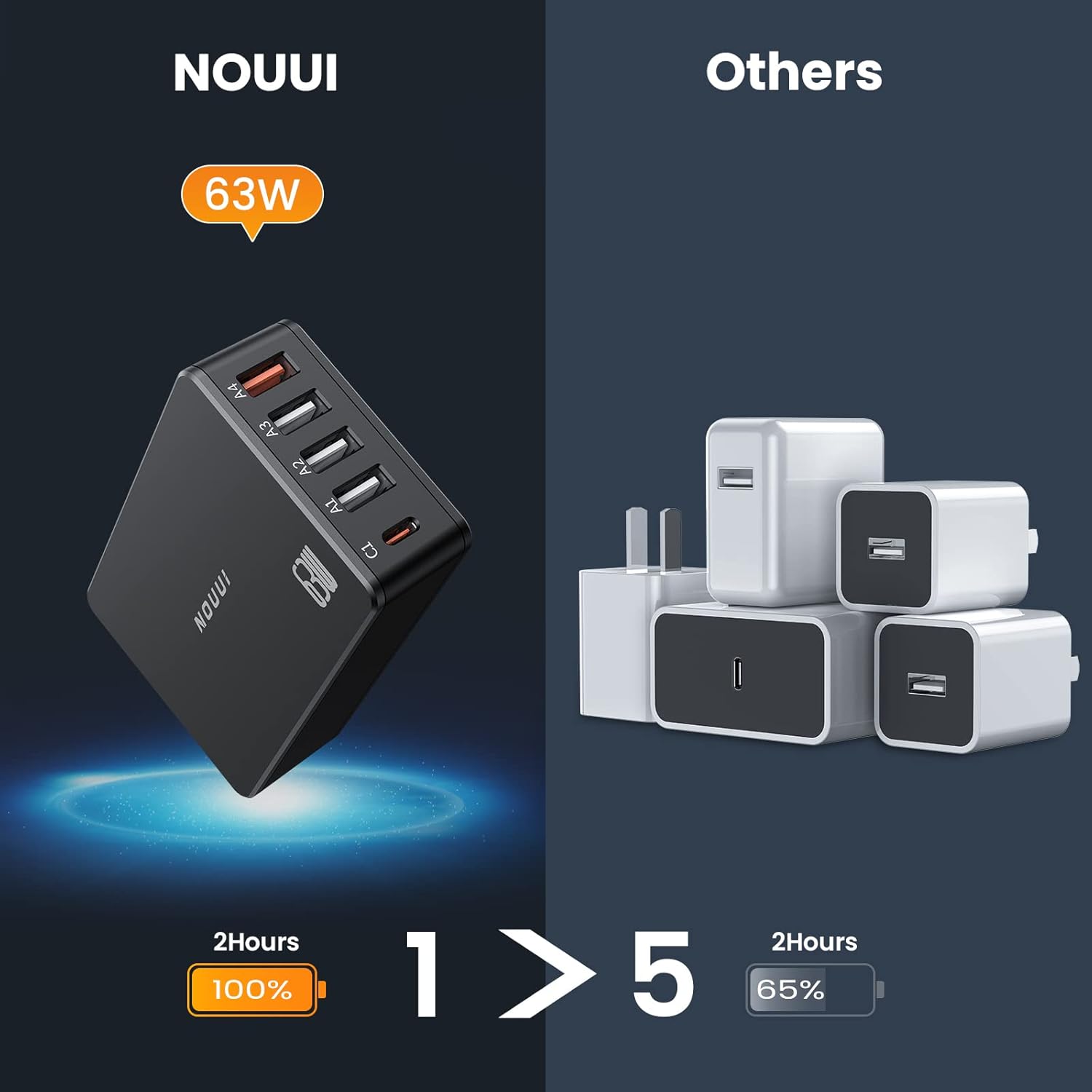
Figure 4: Connecting the Charging Station to Devices
5. Parentah Operasi
To charge your devices, connect them to the appropriate ports on the NOUUI Charging Station using compatible USB cables (not included).
5.1 USB-C PD 3.0 Port
Use the USB-C port (labeled 'C1') for devices that support Power Delivery (PD 3.0) for fast charging, such as laptops, tablets, and compatible smartphones. This port can deliver up to 30W max output.
5.2 USB-A QC 3.0 Ports
Use the four USB-A ports (labeled 'A1' through 'A4') for devices that support Quick Charge (QC 3.0) or standard USB charging. These ports are suitable for smartphones, smartwatches, and other USB-powered accessories. Each QC 3.0 port can deliver up to 18W max output.
The charging station intelligently detects the connected device and delivers the optimal charging current for efficient and safe charging.

Figure 5: Fast Charging Performance
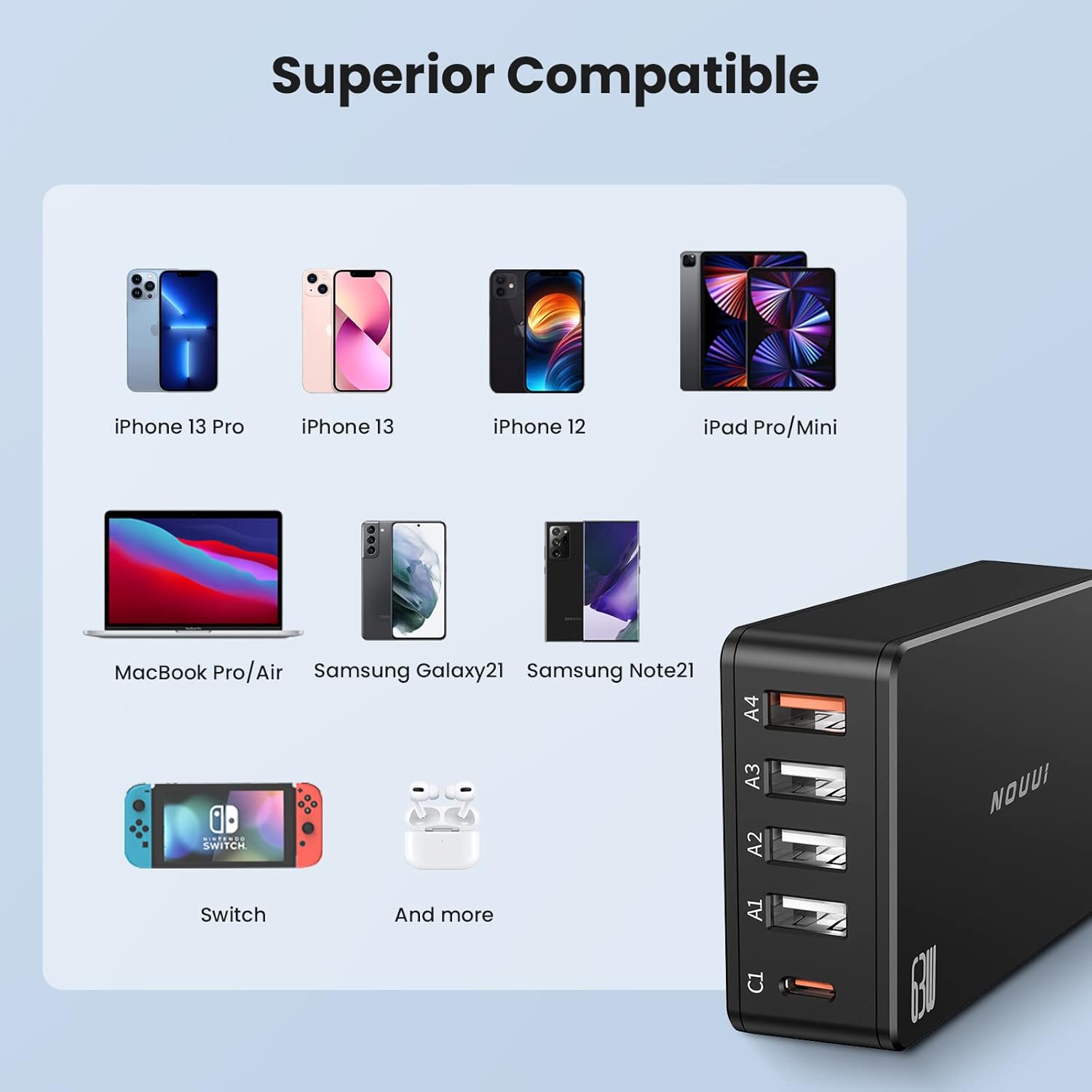
Figure 6: Efficiency and Space-Saving Design
6. Kasaluyuan
The NOUUI 63W PD 3.0 & QC 3.0 5-Port USB C Charging Station is compatible with a wide range of devices, including but not limited to:
- Laptop: MacBook Pro/Air, and other USB-C powered laptops.
- Tablet: iPad Pro/Mini, and other USB-C/USB-A powered tablets.
- Smartphone: iPhone 13 Pro, iPhone 13, iPhone 12, Samsung Galaxy S21, Samsung Note 21, and other USB-C and USB-A enabled smartphones.
- Konsol Kaulinan: Nintendo Pindah.
- Asesoris: AirPods, Smartwatches, and other USB-powered devices.
Gambar 7: Kompatibilitas Alat anu Lega

Figure 8: Incredible Compatibility Overview
7. Protection Kasalametan
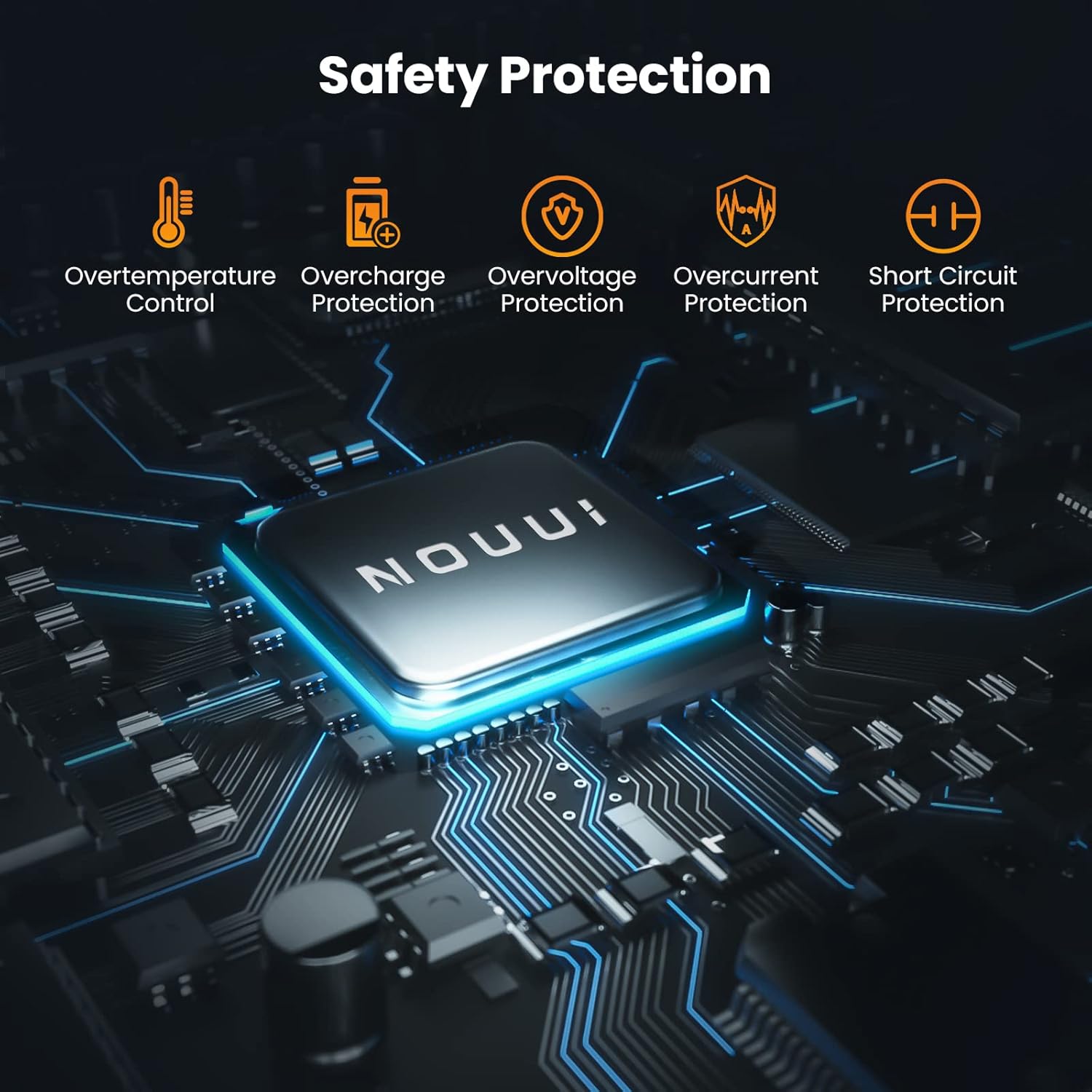
The NOUUI Charging Station incorporates multiple safety features to protect your devices and the charger itself:
- Overtemperature Control: Nyegah overheating salila operasi.
- Perlindungan panyebaran: Safeguards devices from being overcharged.
- Overvoltage panyalindungan: Ngajaga tina voltase anu kaleuleuwihitage asupan.
- Perlindungan arus leuwih: Nyegah karusakan tina aliran arus anu kaleuleuwihi.
- Perlindungan sirkuit pondok: Otomatis pareum bisi aya sirkuit pondok.

angka 9: Protections Kasalametan terpadu
8. Spésifikasi
| Parameter | Nilai |
| Nomer modél | NU-PC010 |
| merek | NOUUI |
| Total palabuhan USB | 5 (1x USB-C, 4x USB-A) |
| Wattage | 63W (Total Output) |
| Kaluaran USB-C | PD 3.0 (Up to 30W Max) |
| USB-A Kaluaran | QC 3.0 (Up to 18W Max per port) |
| Masukan Voltage | 240 volt |
| Ampumur | 0.26 Amps |
| Fitur husus | Ngecas Gancang |
| Item Beurat | 10.8 ons |
| Ukuran Paket | 4.84 x 4.33 x 1.42 inci |
9. Cara ngungkulan
- Alat teu ngecas: Ensure the charging station is properly plugged into a live wall outlet. Verify that the charging cable is securely connected to both the device and the charging station. Try a different port or cable to rule out cable or port issues.
- Ngecas lalaunan: Confirm that your device and cable support fast charging protocols (PD 3.0 for USB-C, QC 3.0 for USB-A) if you expect rapid charging. Ensure you are using the correct port for fast charging (USB-C for PD, specific USB-A for QC). Charging multiple devices simultaneously may distribute the total wattage, potentially affecting individual port speeds.
- Charging station feels warm: It is normal for the charging station to become warm during operation, especially when charging multiple devices or high-power devices. If it becomes excessively hot, disconnect it from the power source and devices, and allow it to cool down.
10. Pangropéa
- Keep the charging station dry and away from moisture.
- Bersihkeun alat ku kaen anu lemes sareng garing. Ulah make cleaners abrasive atawa pangleyur.
- Avoid exposing the charging station to extreme temperatures or direct sunlight.
- Nyimpen dina tiis, tempat garing lamun teu dipaké.
11. Garansi jeung Rojongan
For warranty information or technical support, please refer to the contact details provided with your purchase or visit the official NOUUI websitus. Simpen bukti pameseran anjeun pikeun klaim garansi.


