1. Bubuka
The PIVOT A20A Atlas Robust Tablet Case is engineered to provide superior protection and versatility for your iPad Air (4th gen) and iPad Pro 11-inch (1st, 2nd, and 3rd gen). Designed with professional pilots and general aviation in mind, this case offers robust durability, advanced cooling, and seamless integration with PIVOT mounting systems. This manual provides essential information for the proper setup, operation, and care of your PIVOT A20A case.
2. Fitur konci
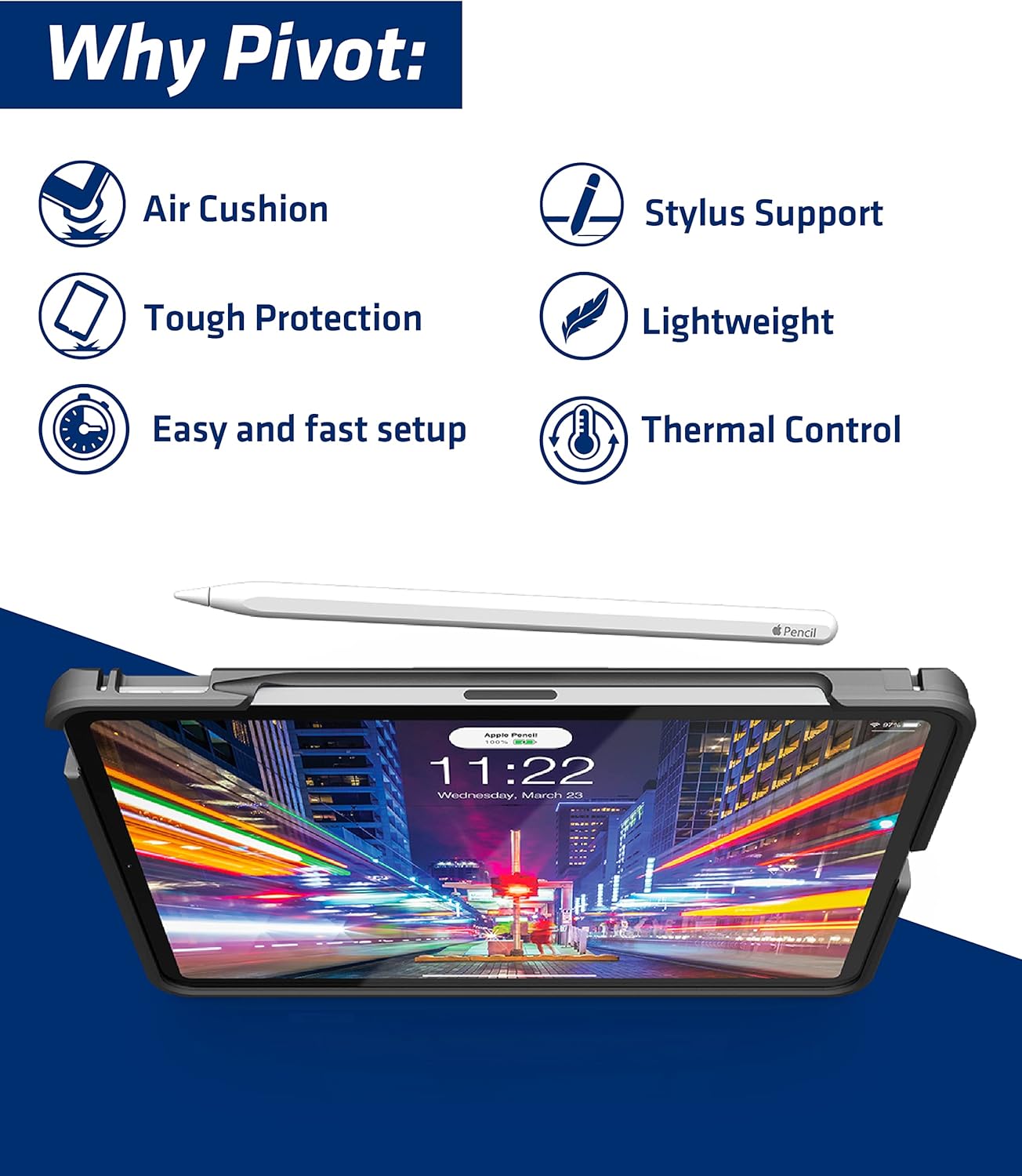
- Device Protection & Durability: Constructed from hardened, impact-resistant polycarbonate and TPU rubber, the case shell and screen cover offer unbeatable damage protection from drops and scratches, meeting stringent military standards without excessive bulk.
- PIVOT Screen Cover & Kickstand: The removable screen cover supports auto-wake/sleep functions and doubles as a stable, non-slip surface. The reinforced 2nd generation PIVOT Kickstand provides 120-degrees of adjustability for various horizontal and vertical viewdina sudut.
- Rojongan Apple Pencil: Features PIVOT Pencil Edge for full support of Apple Pencil (2nd gen) pairing and charging, and PIVOT Pencil Grip for secure storage on the back of the case.
- Superior Cooling: Only 18% of the case back directly contacts the iPad, minimizing heat transfer and allowing air circulation through integrated vents.
- Click-Connect System: Simple and intuitive mounting system. Slide the case onto a mounting plate until it clicks securely into place. To remove, press the top of the integrated clip and slide the case off.
3. Kasaluyuan
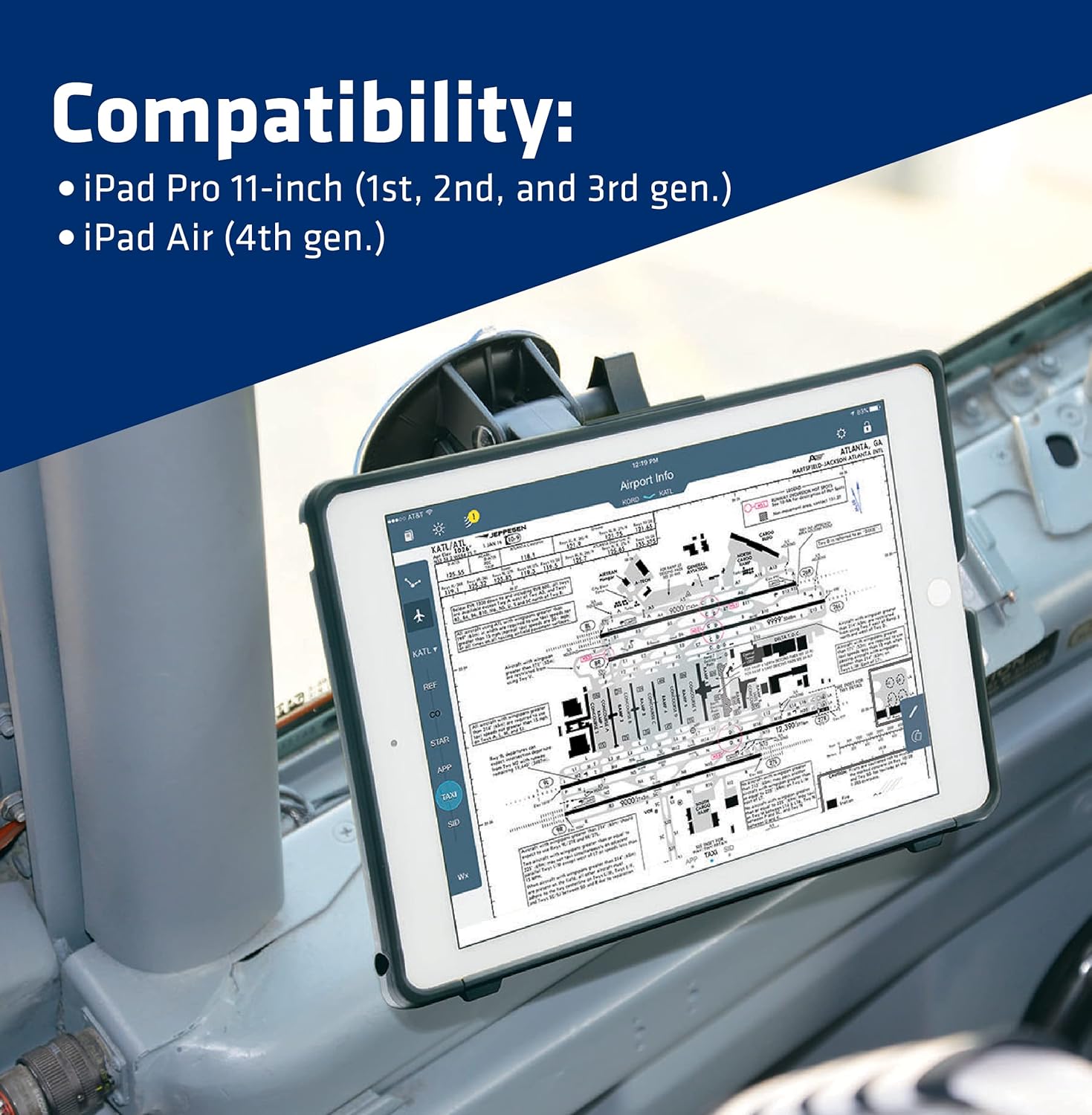
The PIVOT A20A Atlas Robust Tablet Case is compatible with the following Apple iPad models:
- iPad Pro 11-inch (1st Generation)
- iPad Pro 11-inch (2nd Generation)
- iPad Pro 11-inch (3rd Generation)
- iPad Air (4th Generation)

4. Setup jeung Instalasi
4.1 Installing Your iPad into the Case
- Ensure your iPad is clean and free of debris.
- Carefully align your iPad with the case, ensuring all ports and buttons are correctly positioned.
- Gently press the iPad into the case, starting from one corner and working your way around, ensuring a snug fit. Do not force the iPad, as this may cause damage to the device or the case.
- Verify that all edges of the iPad are fully seated within the case's protective frame.
4.2 Attaching the PIVOT Screen Cover
The PIVOT Screen Cover provides additional screen protection when your iPad is not in use.
- Align the screen cover with the front of the case. The cover is designed to magnetically attach and support the auto-wake/sleep function of your iPad.
- To remove, gently lift the cover from any edge.
4.3 Using the Click-Connect Mounting System
The Click-Connect system allows for quick and secure attachment to PIVOT mounting plates (sold separately).
- Locate the Click-Connect mounting channel on the back of your PIVOT case.
- Align the case with the PIVOT mounting plate.
- Slide the case onto the mounting plate until you hear an audible "CLICK," indicating that the integrated clip has secured it in place.
- To remove, press the top of the integrated clip to release the lock, then slide the case off the mount.

5. Parentah Operasi
5.1 Utilizing the PIVOT Kickstand
The integrated kickstand provides versatile viewing angles for your iPad.
- To deploy the kickstand, gently pull it outwards from the back of the case until it locks into position.
- Adjust the kickstand to your desired viewing angle (up to 120 degrees).
- To retract, push the kickstand back into its recessed position until it sits flush with the case.

5.2 Apple Pencil Integration
The PIVOT A20A case is designed to fully support the Apple Pencil (2nd gen).
- Nyapasangkeun sareng Ngecas: The PIVOT Pencil Edge allows the Apple Pencil to magnetically attach to the side of the iPad for pairing and charging without removing the case.
- Panyimpenan Aman: The PIVOT Pencil Grip on the back of the case provides a secure and protected location to store your Apple Pencil when not in use.
6. Pangropéa
Proper care will extend the life and maintain the appearance of your PIVOT A20A case.
- beberesih: Ngagunakeun lemes, damp cloth to wipe down the exterior of the case. For stubborn dirt, a mild soap solution can be used. Avoid harsh chemicals or abrasive cleaners, as these can damage the material.
- Pamariksaan: Periodically inspect the case for any signs of wear, cracks, or damage, especially around the edges and the kickstand mechanism.
- Panyimpenan: Simpen wadahna di tempat anu tiis sareng garing, jauh tina sinar panonpoé langsung upami henteu dianggo salami waktos anu lami.
7. Cara ngungkulan
7.1 Difficulty Inserting/Removing iPad
- Masalah: iPad is difficult to insert or remove from the case.
- Solusi: Ensure the iPad is correctly aligned with the case. Apply even pressure when inserting, starting from one side. When removing, gently peel back one corner of the case and work your way around. Avoid excessive force, which can damage the iPad or the case.
7.2 Kickstand Instability
- Masalah: The kickstand does not hold the iPad securely or feels flimsy.
- Solusi: Ensure the kickstand is fully extended and locked into one of its adjustable positions. Verify that the surface the iPad is resting on is flat and stable. If the kickstand appears damaged, discontinue use and contact support.
7.3 Kahariwang overheating
- Masalah: iPad feels warm while in the case.
- Solusi: The PIVOT A20A case is designed with superior cooling features, minimizing contact with the iPad's back and allowing air circulation. Ensure the vents on the bottom of the case are not obstructed. If overheating persists, remove the iPad from the case and allow it to cool down.
8. Spésifikasi
| Fitur | Rincian |
|---|---|
| Dimensi produk | 10.08 x 7.38 x 0.77 inci |
| Item Beurat | 7.8 ons |
| Nomer Modél Item | PC-A20A |
| Fitur husus | Heavy Duty Protection, Screen Protector |
| Faktor Bentuk | Kasus |
| Warna | Hideung/Jelas |
| Produsén | PIVOT |
| Negara asal | AS |
| Alat nu cocog | Tablets (iPad Air 4th gen, iPad Pro 11-inch 1st-3rd gen) |
| Jenis cangkang | Hibrida |
9. Garansi jeung Rojongan
For warranty information and customer support regarding your PIVOT A20A Atlas Robust Tablet Case, please refer to the official PIVOT website or contact the manufacturer directly. You can also visit the PIVOT Store on Amazon kanggo sumber daya tambahan sareng pilihan kontak.