Bubuka
This manual provides detailed instructions for the setup, operation, and maintenance of your ORIA Key Lock Box (Model OUS-HA102B-OR). Please read this guide thoroughly before using the product to ensure proper function and security.
The ORIA Key Lock Box is designed to securely store keys for indoor and outdoor use. It features a 4-digit combination lock and a removable chain for flexible placement.
Fitur produk
- Kombinasi 4-Digit: Offers up to 10,000 possible combinations for enhanced security. The combination is easy to set and reset.
- Kapasitas Panyimpenan ageung: The inner dimensions are approximately 2.17 inches wide and 1.14 inches deep, capable of holding up to 5 standard house keys or 3 larger keys.
- Pamasangan Gampang: Designed for convenience, it requires no tools for installation. The removable shackle allows for versatile hanging options.
- Konstruksi awét: Made from high-strength zinc alloy and hardened steel shackles, providing resistance against cutting and sawing.

Gambar: Leuwihview of the ORIA Key Lock Box highlighting its reinforced metal body, flexible shackle, and 4-digit combination mechanism.
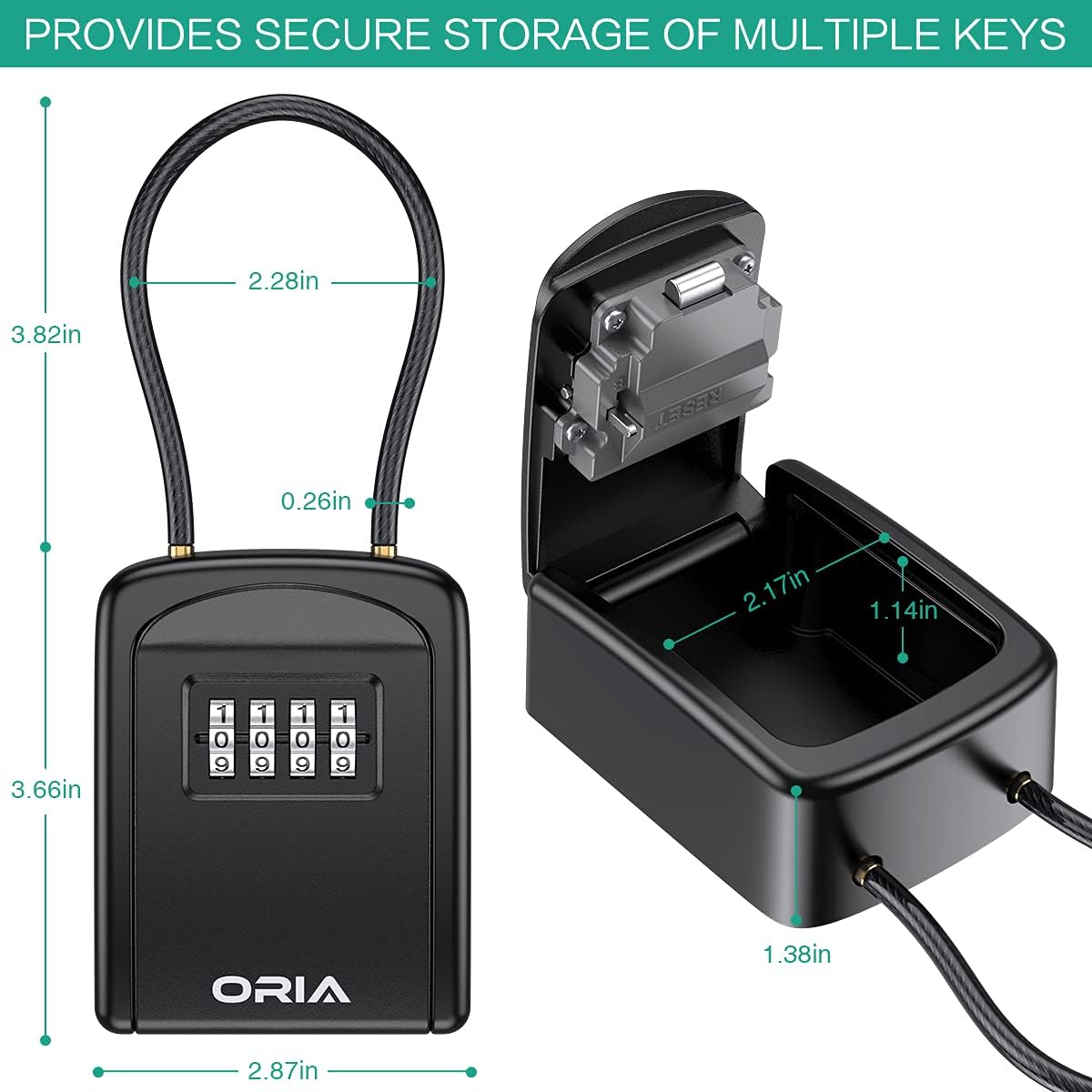
Image: Detailed dimensions of the ORIA Key Lock Box, showing its height, width, and depth for both the exterior and interior storage space.
Persiapan: Nyetél Kombinasi Anjeun
Follow these steps to set or reset the 4-digit combination for your ORIA Key Lock Box.
- Open the Lock Box: Dial the default code (0-0-0-0) to open the key box.
- Locate Reset Lever: Inside the lock box, on the back of the door, find the reset lever.
- Move Lever to Position B: Push the RESET lever from position A to position B.
- Atur Kombinasi Anyar: With the lever in position B, scroll the numbers on the dials to your desired 4-digit combination.
- Return Lever to Position A: Push the RESET lever back to position A. Your new combination is now set.
- Panginget penting: After setting a new password, it is highly recommended to record it immediately, either by taking a photo or writing it down. Forgetting the combination will prevent you from unlocking the box.

Image: Visual instructions demonstrating the process of setting a new 4-digit combination for the key lock box.
Video: This video demonstrates how to easily reset the combination code on your ORIA Key Lock Box. It shows the steps of opening the box, locating the reset lever, setting a new code, and securing it.
Pamasangan sareng Penempatan
The ORIA Key Lock Box is designed for flexible installation without the need for tools.
- Remove Shackle: To attach or detach the shackle, push the button on the top of the lock box. While holding the button, pull up the shackle.
- Hang Anywhere: The flexible shackle allows you to hang the key box on various fixtures such as doorknobs, car handles, railings, or fences.
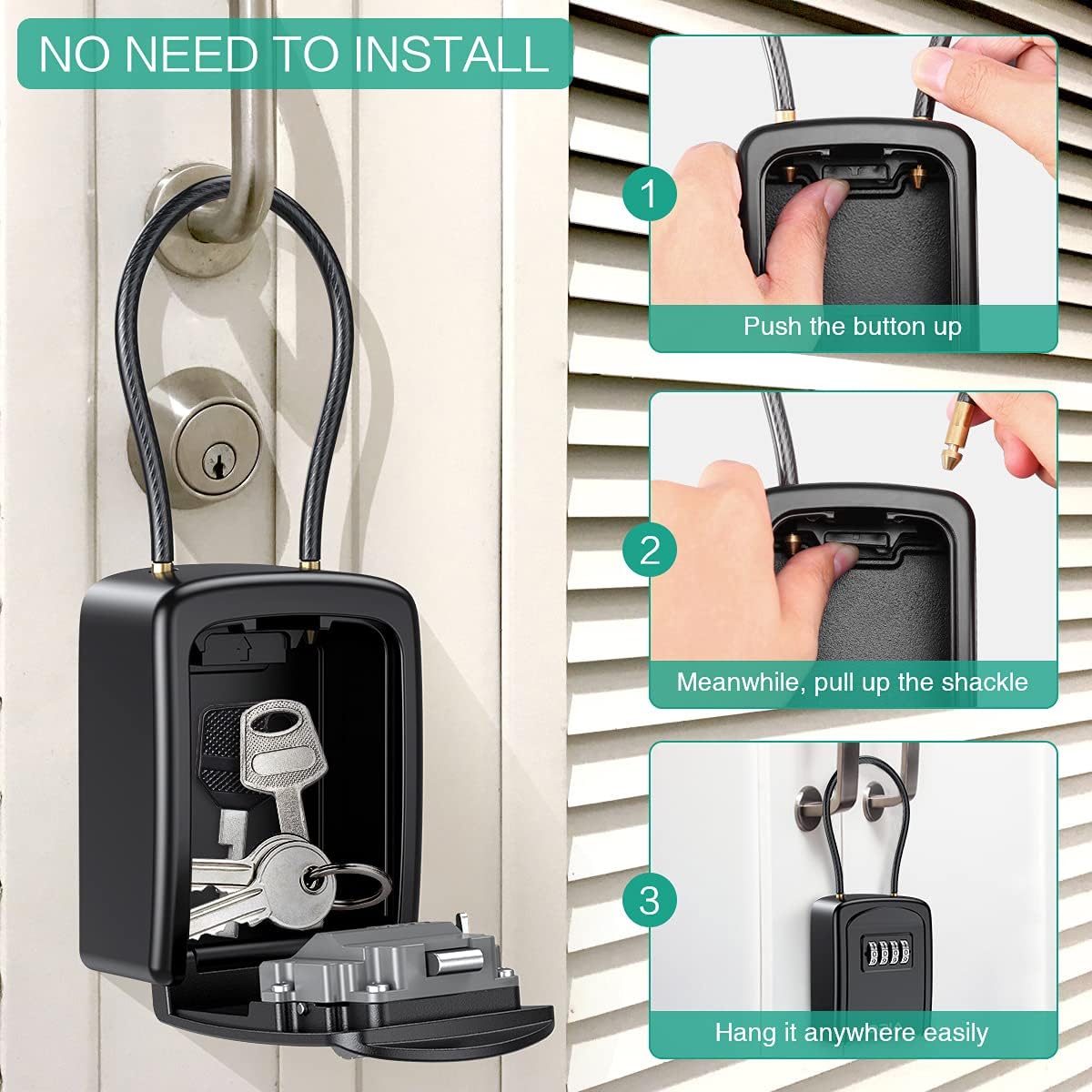
Image: Visual guide on how to easily hang the key lock box using its removable shackle, illustrating the button press and shackle removal.
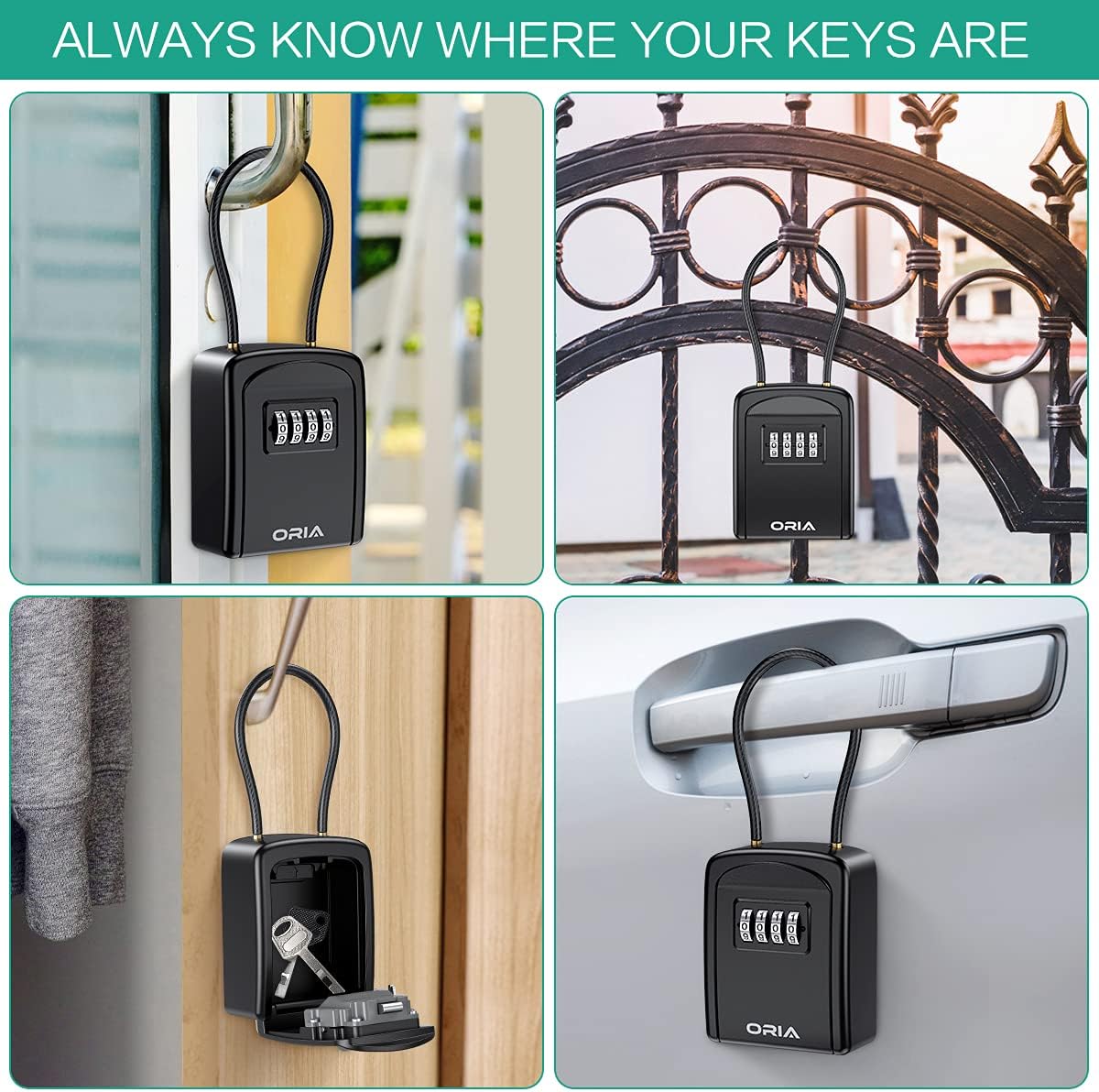
Gambar: Examples of the ORIA Key Lock Box in various common usage scenarios, demonstrating its versatility for key storage.
Operating the Lock Box
Opening the Lock Box
- Ensure the shackle is securely attached if in use.
- Rotate the dials to your set 4-digit combination.
- Press the release button or pull the front cover down to open the compartment.
Closing the Lock Box
- Place keys or other items inside the compartment.
- Close the front cover firmly until it clicks shut.
- Scramble the combination dials to secure the lock box.
Pangropéa
To ensure the longevity and proper function of your ORIA Key Lock Box, consider the following maintenance tips:
- beberesih: Ngusap luar ku hipu, damp lawon. Hindarkeun pembersih abrasive atanapi pangleyur anu tiasa ngaruksak finish.
- Lubrication: Periodically apply a small amount of graphite lubricant to the combination dials to ensure smooth operation, especially in outdoor environments.
- Paparan Lingkungan: While durable, the lock box is henteu tahan cai. For outdoor use, consider placing it in a sheltered location to protect it from direct rain and extreme weather conditions, which can affect its internal mechanisms over time.
Pamérésan masalah
- Teu Bisa Dibuka ku Kombinasi Anu Leres:
- Ensure each dial is precisely aligned with the indicator mark.
- Try rotating the dials a full turn past the combination and then back to the correct numbers.
- Verify that the reset lever inside the box is fully in position A.
- Dialna kaku:
- Apply a small amount of graphite lubricant to the dials.
- Clean any dirt or debris from around the dials.
- Forgot Combination:
- Unfortunately, if the combination is forgotten and not recorded, there is no master key or backdoor to open the lock box. The only solution is to try all 10,000 combinations, which is time-consuming, or replace the unit. This highlights the importance of recording your combination as advised during setup.
spésifikasi
| merek | ORIA |
| Nomer modél | OUS-HA102B-OR |
| Dimensi produk | 1.14 "D x 2.17" W x 3.82" H |
| Tipe Konci | Kombinasi |
| Warna | Hideung |
| Bahan | Alloy Steel, Nylon, Zinc |
| Tipe Pamasangan | Ngagantung |
| Item Beurat | 10.2 ons |
| Tingkat Résistansi Cai | Henteu Tahan Cai |
Garansi sareng Rojongan
ORIA is committed to providing high-quality products and customer satisfaction. Your ORIA Key Lock Box comes with the following:
- Garansi 1 Taun: Ngawengku cacad produksi.
- 90-Day Free Replacements: For eligible issues within 90 days of purchase.
- Pulangan Gratis 30 Dinten: Hassle-free returns within 30 days.
- Rojongan Palanggan 24/7: Assistance available around the clock.
- Rojongan Téknis Hirupna: Bantosan téknis anu terus-terusan salami umur produk.
Pikeun rojongan, mangga buka di ORIA Store on Amazon or contact customer service directly.


