1. Bubuka
Thank you for choosing the Retevis RA79 Two Way Radio. This manual provides essential information for the safe and efficient operation of your device. The RA79 is a high-power, dual-band ham radio featuring 128 channels, designed for reliable long-range communication. Please read this manual thoroughly before use.
Eusi pakét:
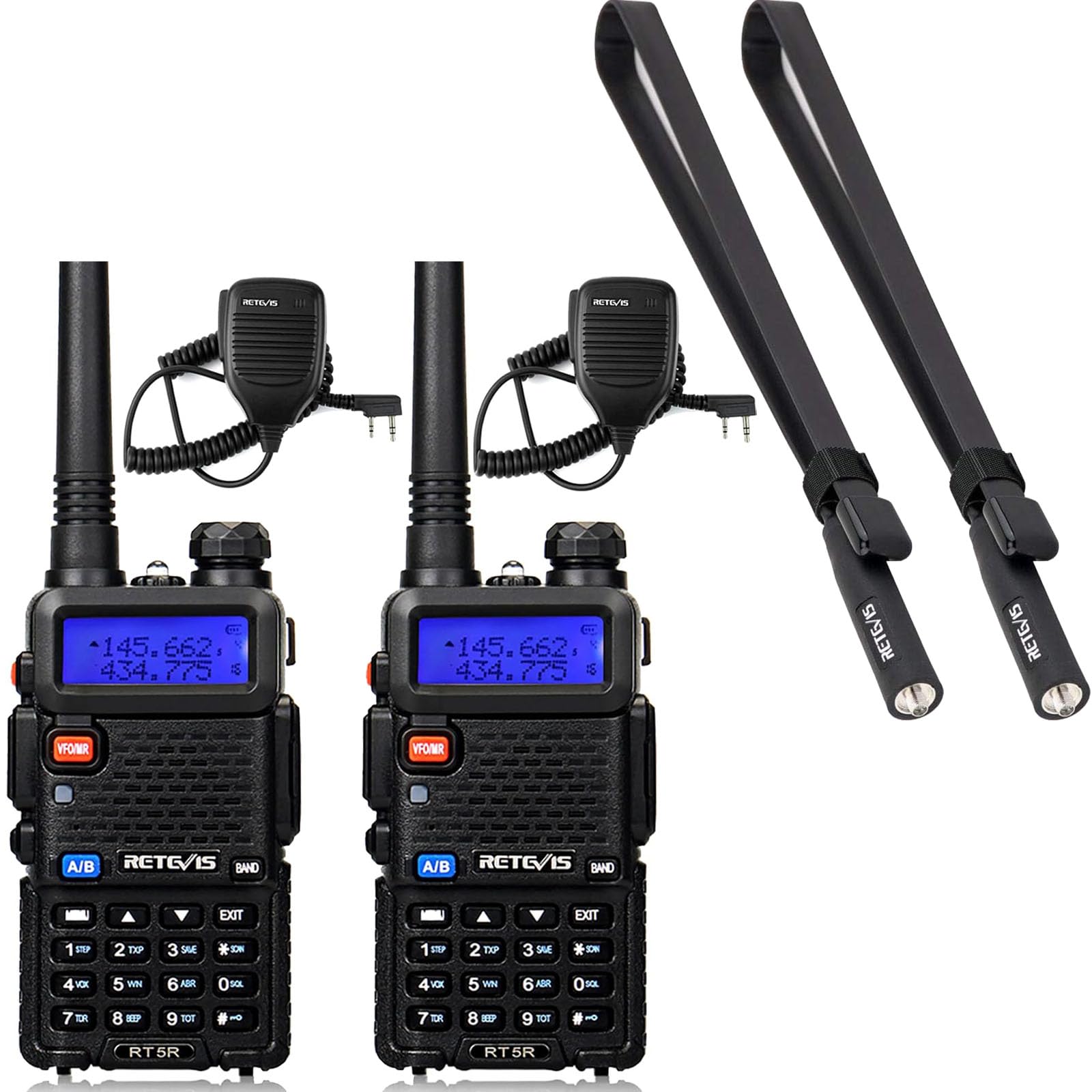
- 2 x Retevis RA79 Two Way Radio
- 2 x Antena Standar
- 2 x Foldable Tactical Antenna
- 2 x Earpiece
- 2 x Pakét Batré Li-ion
- 2 x carjer
- 2 x Sabuk Klip
- 2 x Sleting
- 2 x adaptor
- 2 x Speaker Mic
2. Setélan
2.1 Pamasangan batré
- Sejajarkeun pak batré jeung alur dina tonggong radio.
- Geser pak batré ka luhur nepi ka ngaklik kana tempatna.
- Pikeun nyabut, pencét kancing pelepasan batré sareng geser batré ka handap.
2.2 Kantétan Antena
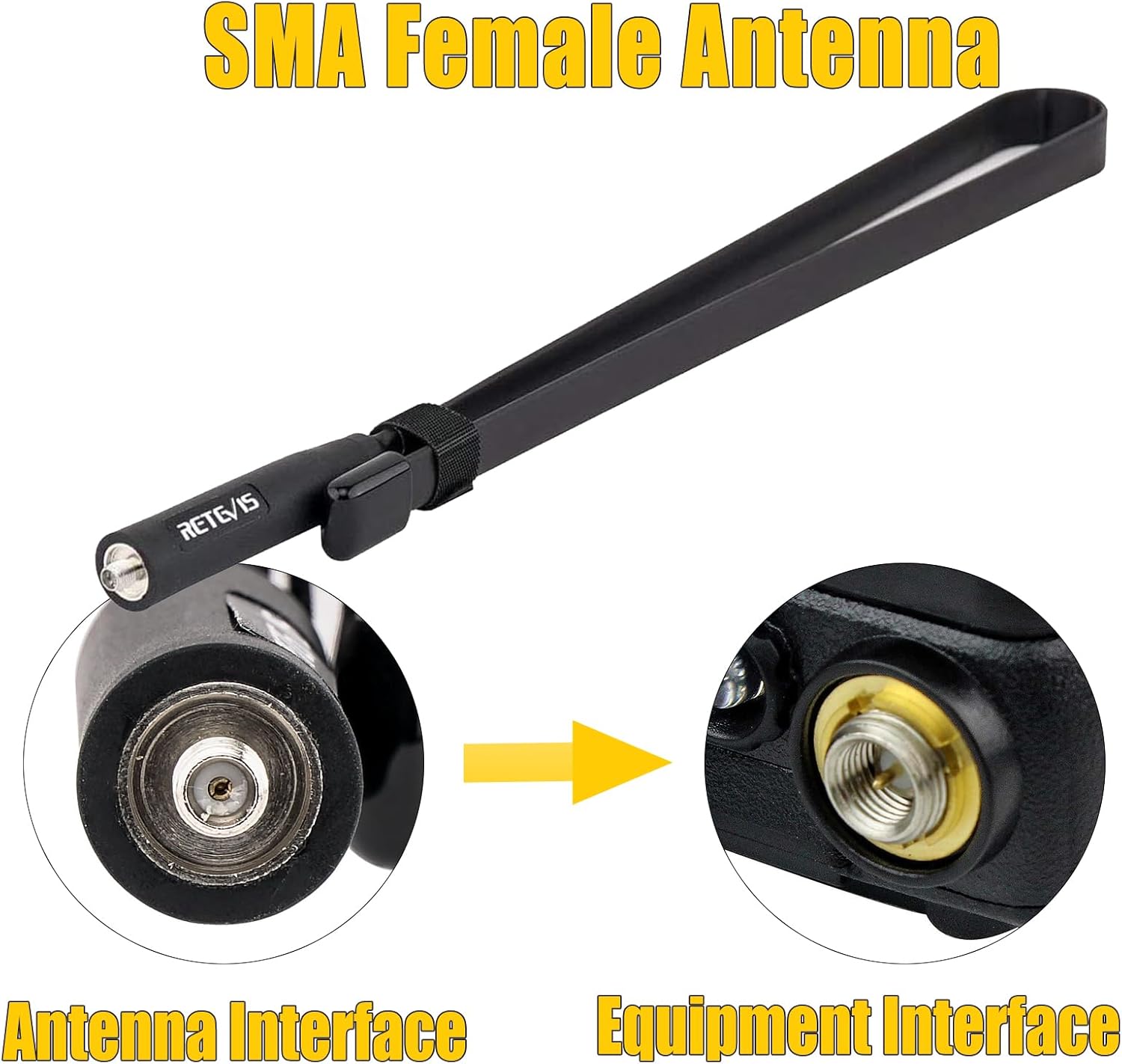
The RA79 uses an SMA female antenna interface. You can choose between the standard antenna or the foldable tactical antenna for enhanced signal strength.
- Screw the desired antenna clockwise into the antenna connector on top of the radio until it is finger-tight. Do not overtighten.
- Pastikeun sambungan aman pikeun pagelaran optimal.

2.3 Ngecas Batré
- Connect the adapter to the charger base.
- Colokkeun adaptor ka colokan listrik.
- Place the radio with the battery attached (or just the battery pack) into the charger base.
- Lampu indikator carjer bakal némbongkeun status ngecas (biasana beureum pikeun ngecas, héjo pikeun dicas pinuh).
2.4 Ngalampirkeun Asesoris
- Klip sabuk: Pasangkeun klip sabuk ka tukang radio nganggo sekrup anu disayogikeun.
- Earpiece/Speaker Mic: Plug the earpiece or speaker mic into the accessory jack on the side of the radio.
3. Parentah Operasi
3.1 Powering on / Pareum
- Daya Hurung: Puterkeun kenop daya/volume searah jarum jam nepi ka anjeun ngadangu sora klik.
- Pareum listrik: Puterkeun kenop daya/volume ka arah anu sabalikna tina jarum jam dugi ka anjeun ngadangu sora klik.
3.2 Nyaluyukeun Volume
Rotate the power/volume knob clockwise to increase volume and counter-clockwise to decrease volume.
3.3 Channel Selection and Dual-Band Display
The RA79 supports 128 channels and features a dual-band display, allowing you to monitor two different frequencies simultaneously. Use the keypad to directly input frequencies or navigate through programmed channels.


3.4 Nepikeun jeung Narima
- Narima: Nalika radio hurung sareng disetel ka saluran anu aktip, éta bakal otomatis nampi transmisi anu lebet.
- Ngirimkeun: Press and hold the Push-to-Talk (PTT) button on the side of the radio. Speak clearly into the microphone. Release the PTT button to stop transmitting and return to receive mode.
3.5 CHIRP Software Support
The Retevis RA79 supports CHIRP software, allowing for personalized programming of channels, frequencies, and other settings. This enables users to customize the radio's functionality to meet specific operational needs. Refer to the CHIRP software documentation for detailed programming instructions.

4. Pangropéa
4.1 Perawatan Batré
- Ngeusi batre sapinuhnya sateuacan dianggo heula.
- Hindarkeun ngeusi batre kaleuleuwihan atanapi ngeusi batre lengkep pikeun manjangkeun umurna.
- Simpen batré di tempat anu tiis sareng garing upami henteu dianggo.
4.2 Ngabersihan Radio
Lap beungeut radio ku kaén nu lemes,amp cloth. Do not use harsh chemicals or abrasive cleaners. Ensure the radio is powered off and dry before cleaning.
4.3 Perawatan Antena
The foldable tactical antenna is designed for durability and flexibility. While it can bend easily, avoid excessive force or sharp angles that could damage the internal wiring. Ensure the antenna connection remains tight.
4.4 Pangaturan Umum
The RA79 is built with an anti-falling design for enhanced durability. However, avoid dropping the radio from significant heights or subjecting it to severe impacts to prevent damage.

5. Cara ngungkulan
If you encounter issues with your Retevis RA79 radio, please refer to the following common problems and solutions:
- Radio teu hurung:
- Pastikeun batréna leres dipasang sareng dicas.
- Check that the power/volume knob is rotated clockwise past the 'off' position.
- Teu tiasa ngirim atanapi nampi:
- Pastikeun anteneu parantos dipasang kalayan pageuh.
- Pastikeun anjeun aya dina frékuénsi/saluran anu leres.
- Pariksa lamun tingkat batré cukup.
- Ensure no squelch settings are too high, blocking weak signals.
- Kualitas audio goréng:
- Saluyukeun tingkat polumeu.
- Pariksa sambungan anteneu.
- Ensure you are within range of the other radio or repeater.
- If using an earpiece/speaker mic, ensure it is fully plugged in and functional.
If these steps do not resolve the issue, please contact Retevis customer support.
6. Spésifikasi
| Fitur | Spésifikasi |
|---|---|
| merek | Retevis |
| Modél | RA79 |
| Jumlah Saluran | 128 |
| Pita frékuénsi | Dual Band (VHF & UHF) |
| Kaluaran kakuatan | High Power (5W) |
| Jenis anteneu | SMA Awéwé |
| Antenna Gain (Tactical) | 5dBi |
| Antenna Length (Tactical) | 73.5cm / 28.9 inci |
| Impedansi anteneu | 50Ω |
| Fitur tampilan | LCD, Dual-band Display |
| Pemrograman | Supports CHIRP |
| Daya tahan | Anti-falling design |

7. Garansi jeung Rojongan
For warranty information, please refer to the documentation included with your product or visit the official Retevis website. Retevis provides customer support for product inquiries, technical assistance, and warranty claims.
Anjeun tiasa manggihan inpo nu leuwih lengkep sareng wincik kontak dina Retevis Store on Amazon.


