1. Bubuka
Thank you for choosing the ESSAGER 20000mAh Portable Charger Power Bank. This device is designed to provide reliable and fast charging for your electronic devices on the go. It features a high-capacity battery, multiple output ports, and supports various fast charging protocols.
Please read this manual carefully before using the product to ensure safe and optimal performance.
2. Produk Langkungview
The ESSAGER 20000mAh Power Bank (Model ES-D016) is equipped with a 20000mAh lithium polymer battery, offering substantial power for multiple charges. It features PD 20W two-way fast charging, QC 3.0, FCP, and AFC quick charge support. The power bank includes three output ports (USB-A x2, USB-C x1) and two input ports (Micro USB x1, USB-C x1) for versatile connectivity.

Gambar: Hareupeun view of the ESSAGER 20000mAh Portable Charger Power Bank, showing its sleek design and port layout.

Gambar: Detil view of the power bank's input and output ports, including their respective voltage and current specifications for various charging protocols.
3. Setup jeung Pamakéan Awal
3.1 Ngecas Bank Daya
Before first use, fully charge the power bank. Use a compatible USB charger and cable to connect to either the Micro USB input port or the USB Type-C input/output port.
- Connect the charging cable to the power bank's input port.
- Sambungkeun tungtung kabel anu sanésna kana adaptor témbok USB (teu kalebet).
- The LED power display will indicate the charging status. A full charge is indicated when all LED segments are lit and stable.
For optimal charging speed, use a PD 20W compatible charger with the USB Type-C port. A full charge with a 20W PD charger typically takes approximately 7 hours.

Image: The power bank connected to a wall outlet via a Type-C 20W PD charger, illustrating the charging process.
3.2 Power Indicators
The power bank features an LED display to show the remaining battery capacity:
- 75%-100%: All four segments lit.
- 50%-75%: Three segments lit.
- 25%-50%: Two segments lit.
- 5%-25%: One segment lit.
- A flashing segment indicates active charging or discharging.

Image: A diagram showing the power bank's LED indicator segments and its physical dimensions compared to a smartphone.
4. Parentah Operasi
4.1 Ngecas Alat Anjeun
Pikeun ngecas alat éléktronik anjeun:
- Connect your device's charging cable to one of the power bank's output ports (USB-A or USB Type-C).
- Sambungkeun tungtung kabel anu sanés ka alat anjeun.
- The power bank will automatically begin charging your device. If not, press the power button once to activate charging.
Power bank ieu tiasa ngecas dugi ka tilu alat sakaligus.
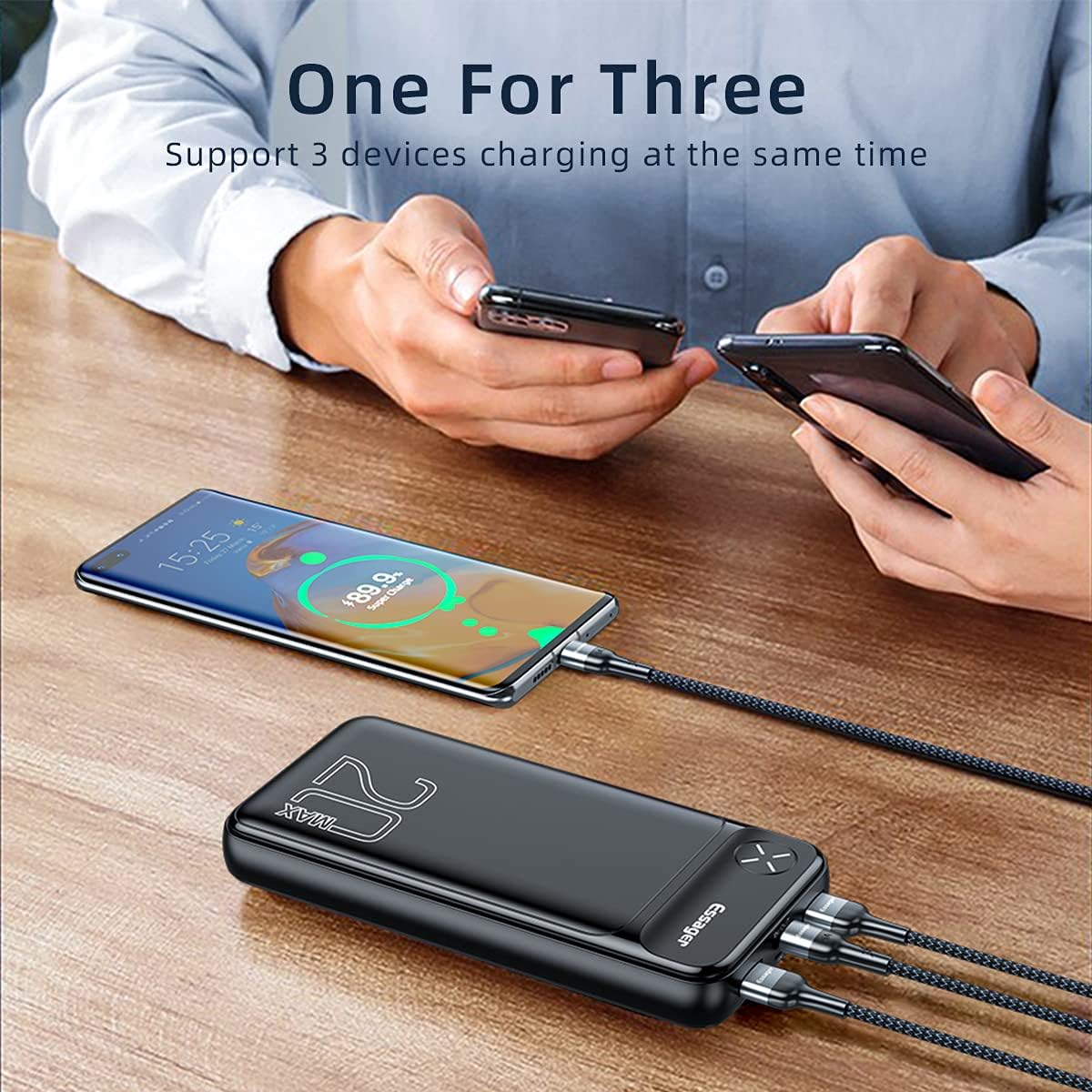
Image: A person charging a smartphone, tablet, and wireless earbuds simultaneously using the power bank's multiple output ports.
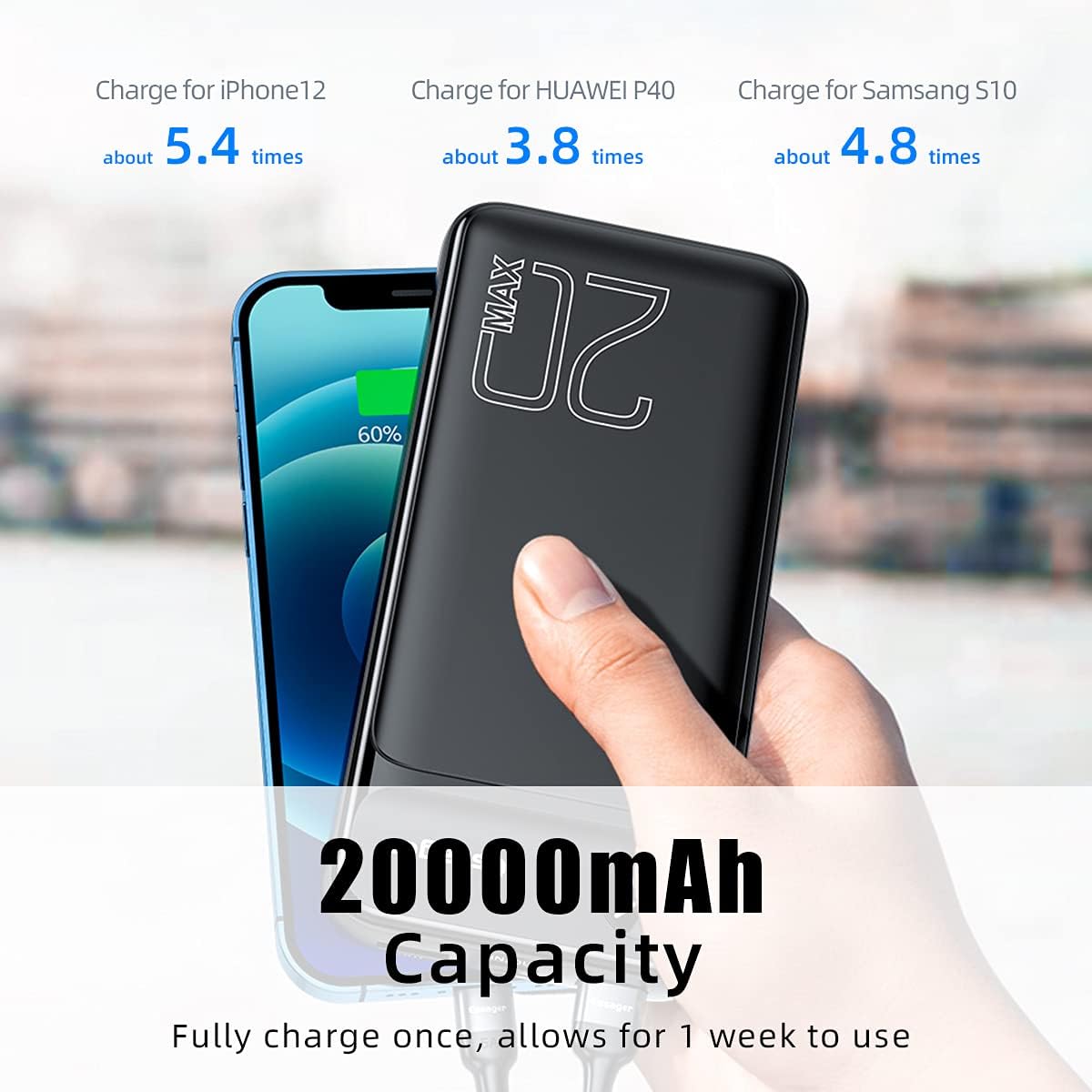
Image: An illustration demonstrating the 20000mAh capacity, showing it can charge an iPhone 12 approximately 5.4 times, a Huawei P40 3.8 times, and a Samsung S10 4.8 times.
4.2 Kompatibilitas Ngecas Gancang
This power bank supports various fast charging protocols:
- PD 20W: For compatible devices like iPhone 12 series.
- PD 18W: For devices like iPhone 11/iPhone X/iPhone 8.
- QC 18W: For compatible Android devices such as Samsung and LG.
- 5V 3A High-speed Mode: For general phones, tablets, earphones, smartwatches, and other USB-powered accessories.

Image: A visual chart illustrating the power bank's compatibility with various devices and fast charging modes, including PD 20W, PD 18W, QC 18W, and 5V 3A.
4.3 Video Demonstrasi
Watch this video for a visual guide on using the ESSAGER 20000mAh Power Bank:
Video: An official demonstration of the ESSAGER 20000mAh Power Bank, showcasing its features, compatibility, and ease of use for charging multiple devices simultaneously and its portability.
5. Pangropéa sarta perawatan
- Panyimpenan: Store the power bank in a cool, dry place away from direct sunlight and extreme temperatures.
- beberesih: Use a soft, dry cloth to clean the exterior of the power bank. Do not use liquid cleaners or abrasive materials.
- Perawatan batré: To prolong battery life, avoid fully discharging the power bank frequently. Recharge it when the capacity is low. If storing for extended periods, charge it to about 50-70% every 3-6 months.
- Kasalametan: Do not disassemble, puncture, or expose the power bank to fire or water. Keep away from children.

Gambar: Hiji internal view highlighting the built-in temperature sensor, which provides multiple protections against overheating.
6. Cara ngungkulan
- Power Bank Teu Ngecas:
- Ensure the charging cable and wall adapter are functioning correctly.
- Verify that the cable is securely connected to both the power bank's input port and the power source.
- Coba kabel ngecas atawa adaptor béda.
- Alat Teu Ngecas tina Power Bank:
- Pastikeun power bankna cukup dayana (pariksa lampu LED-na).
- Verify the charging cable is securely connected to both the power bank's output port and your device.
- Pencét tombol daya dina power bank pikeun ngamimitian ngecas upami éta henteu otomatis dimimitian.
- Try a different output port or charging cable.
- Ensure your device is compatible with the power bank's output specifications.
- Ngecas Lambat:
- Ensure both the power bank and your device support fast charging protocols (PD, QC) if you expect fast charging.
- Anggo kabel anu kualitasna luhur sareng cocog sareng ngecas gancang.
- Avoid charging multiple devices simultaneously if you require maximum speed for a single device.
- Power Bank Not Holding Charge Well (after extended use):
- Battery capacity naturally degrades over time and with usage cycles. This is normal for all rechargeable batteries.
- Pastikeun bank kakuatan dicas pinuh sateuacan dianggo.
- Hindarkeun ngalaan bank daya ka suhu anu ekstrim.
7. Spésifikasi
| merek | ESSAGER |
| Nomer modél | ES-D016 |
| Kapasitas batré | 20000 Miliamp Jam (mAh) |
| Dimensi produk | 5.69 x 2.76 x 1.18 inci |
| Item Beurat | 15.2 ons |
| Input (Micro USB) | DC 5V/3A, 9V/2A, 12V/1.5A Max |
| Input/Kaluaran (Tipe-C) | DC 5V/3A, 9V/2.22A, 12V/1.67A Max (PD 20W) |
| Kaluaran (USB1/USB2) | DC 4.5V/5A, 5V/4.5A, 5V/3A, 9V/2A, 12V/1.5A Max (QC 3.0) |
| Fitur husus | Fast Charging, Portable Charger, Built-in Temperature Sensor |
| Jenis Batré | Litium Polimér |
8. Garansi jeung Rojongan
8.1 Émbaran jaminan
ESSAGER products are manufactured to the highest quality standards. This product is covered by a standard manufacturer's warranty against defects in materials and workmanship from the date of purchase. Please retain your proof of purchase for warranty claims.
Garansi henteu nutupan karusakan anu disababkeun ku nyalahgunakeun, kacilakaan, modifikasi anu teu sah, atanapi ngagem sareng cimata normal.
8.2 Rojongan Palanggan
For any questions, concerns, or technical support regarding your ESSAGER Portable Charger, please contact our customer service team through the retailer where you purchased the product or visit the official ESSAGER websitus pikeun detil kontak.
Anjeun oge bisa ningali ka ESSAGER Store on Amazon pikeun inpormasi lengkep sareng sumber pangrojong.


