1. Bubuka
This manual provides essential information for the safe and efficient use of your Iproda 1169YM Laptop. The Iproda Laptop is a versatile 2-in-1 convertible device, designed for portability and performance. It features a 360-degree hinge, allowing it to transform between laptop and tablet modes, and an intuitive touchscreen display.
We recommend reading this manual thoroughly to understand all features and ensure proper operation and maintenance of your device.

Image: The Iproda Laptop showcasing its 360-degree convertible design and touchscreen capabilities.
2. Fitur konci
- Desain Convertible 2-in-1: The laptop features a 360-degree hinge, allowing it to be used as a traditional laptop or folded into a tablet. It is ultra-thin at 0.5 inches and weighs 2.2 pounds, making it highly portable.
- Prosesor Kinerja Tinggi: Equipped with an efficient Intel Celeron N4100 processor (up to 2.4 GHz), 4 GB DDR4 RAM, and 64 GB SSD storage, ensuring smooth operation for daily tasks.
- Vibrant Touchscreen Display: Features an 11.6-inch FHD IPS display with 1920x1080 resolution and multi-point precision touchscreen functionality.
- Windows 10 Pro: Comes with an authorized and activated Windows 10 Pro operating system.
- Batré Awét: A 3500 mAh battery provides up to 8 hours of usage for work, reading, browsing, or entertainment.
- Konektipitas serbaguna: Includes a Type-C port (for power), Micro-HDMI (for external display), Micro-USB, Micro-SD card slot (expandable up to 128 GB), and a headphone jack.
- Panyimpenan anu tiasa dilegakeun: Supports M.2 2242 SSD expansion (up to 512 GB) for additional storage capacity.
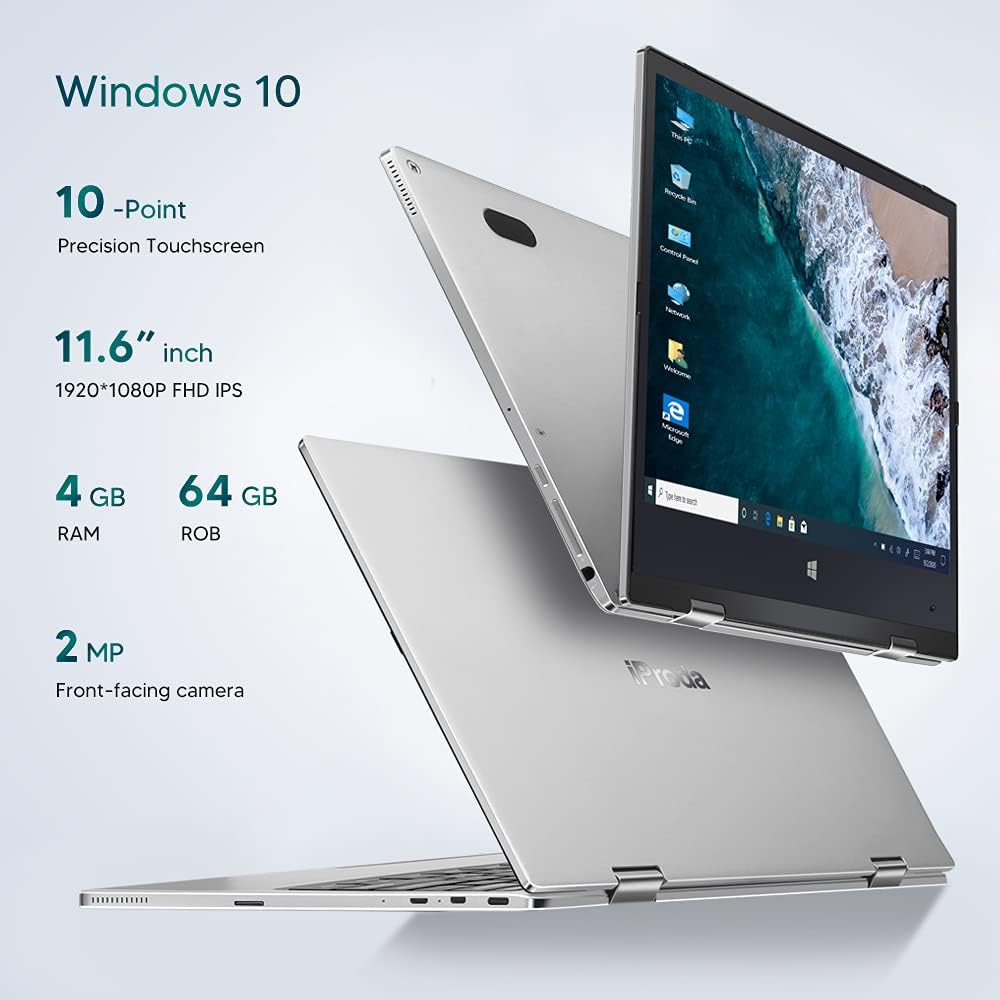
Gambar: Leuwihview of key specifications including display, memory, and camera.
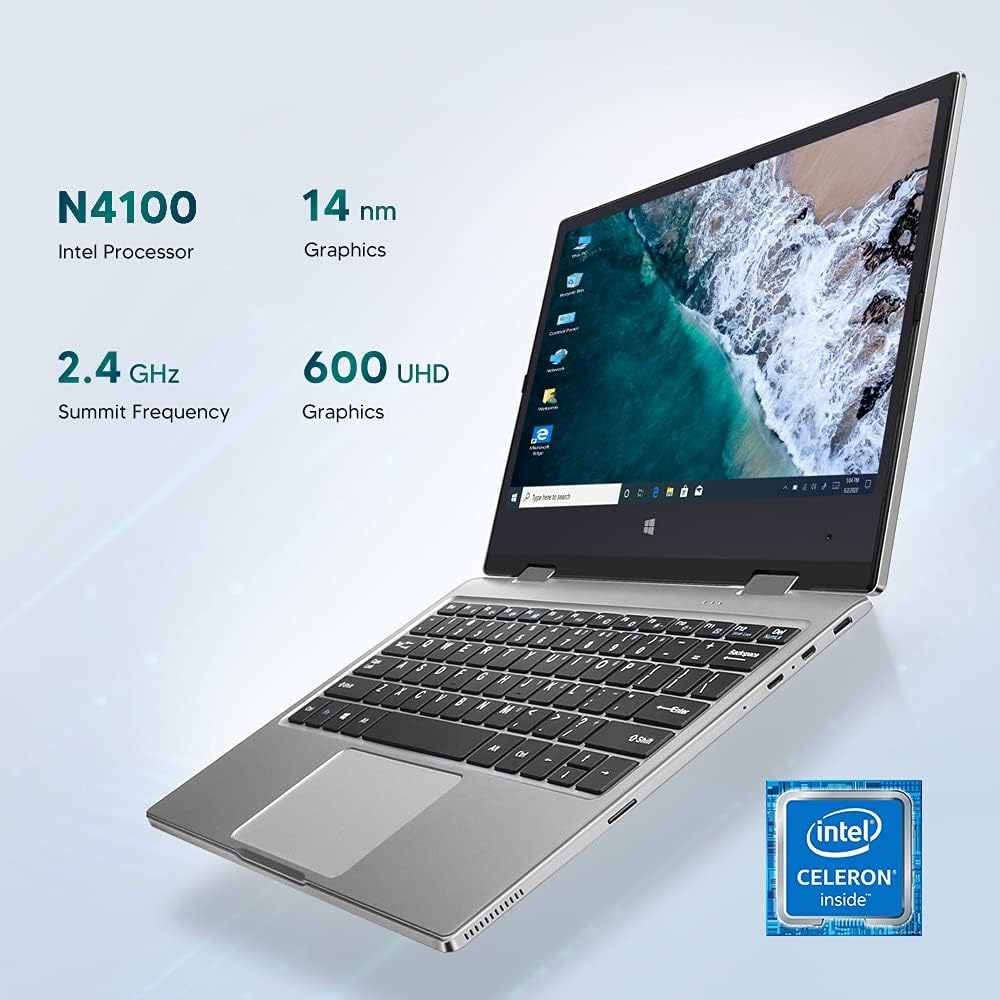
Image: Details of the Intel Celeron N4100 processor and integrated graphics.

Image: The laptop's slim and lightweight design.
3. Setup Awal
- Ngabongkar bungkusan: Kaluarkeun laptop sareng sadaya asesoris tina bungkusna kalayan ati-ati. Pastikeun sadaya komponén aya: laptop, adaptor daya, sareng dokuméntasi.
- Ngeusi batre: Before first use, connect the power adapter to the Type-C port on the laptop and plug it into a power outlet. Allow the battery to charge fully. The charging indicator light will typically change color or turn off when fully charged.
- Daya Hurung: Press and hold the Power Button located on the side of the laptop until the screen illuminates.
- Setup Windows Awal: Follow the on-screen instructions to complete the Windows 10 Pro setup. This includes selecting your language, region, connecting to a Wi-Fi network, and creating a user account.
- Sambungkeun Periferal: If desired, connect external devices such as a mouse, keyboard, or external monitor using the available ports (Micro-USB, Micro-HDMI). Note: For standard USB 2.0 devices, a Micro-USB to USB 2.0 OTG cable is required.

Image: Illustration of the laptop's ports and buttons for connectivity and control.
4. Parentah Operasi
4.1. Using the 2-in-1 Convertible Feature
The Iproda Laptop's 360-degree hinge allows for flexible usage modes:
- Modeu Laptop: Konfigurasi laptop standar pikeun ngetik sareng produktivitas.
- Mode tenda: Fold the screen back to stand the laptop in a "tent" shape, ideal for watching videos or presentations.
- Mode nangtung: Fold the screen back further, resting the keyboard face down, for a compact display.
- Modeu tablet: Fold the screen completely back against the base for a full tablet experience, utilizing the touchscreen.
4.2. Fungsi Layar Toél
The 11.6-inch display supports 10-point precision touch. You can interact with Windows 10 Pro directly on the screen using gestures similar to a smartphone or tablet. Common gestures include tapping, swiping, pinching to zoom, and two-finger scrolling.
4.3. Connecting to External Displays
Use the Micro-HDMI port to connect your laptop to an external monitor or projector. You may need an appropriate Micro-HDMI to HDMI cable (not included). Once connected, you can configure display settings in Windows to extend or duplicate your screen.
4.4. Konferensi Vidéo
The integrated 2MP front-facing camera and microphone enable video conferencing. Ensure you have a stable internet connection and appropriate software (e.g., Zoom, Microsoft Teams) installed.
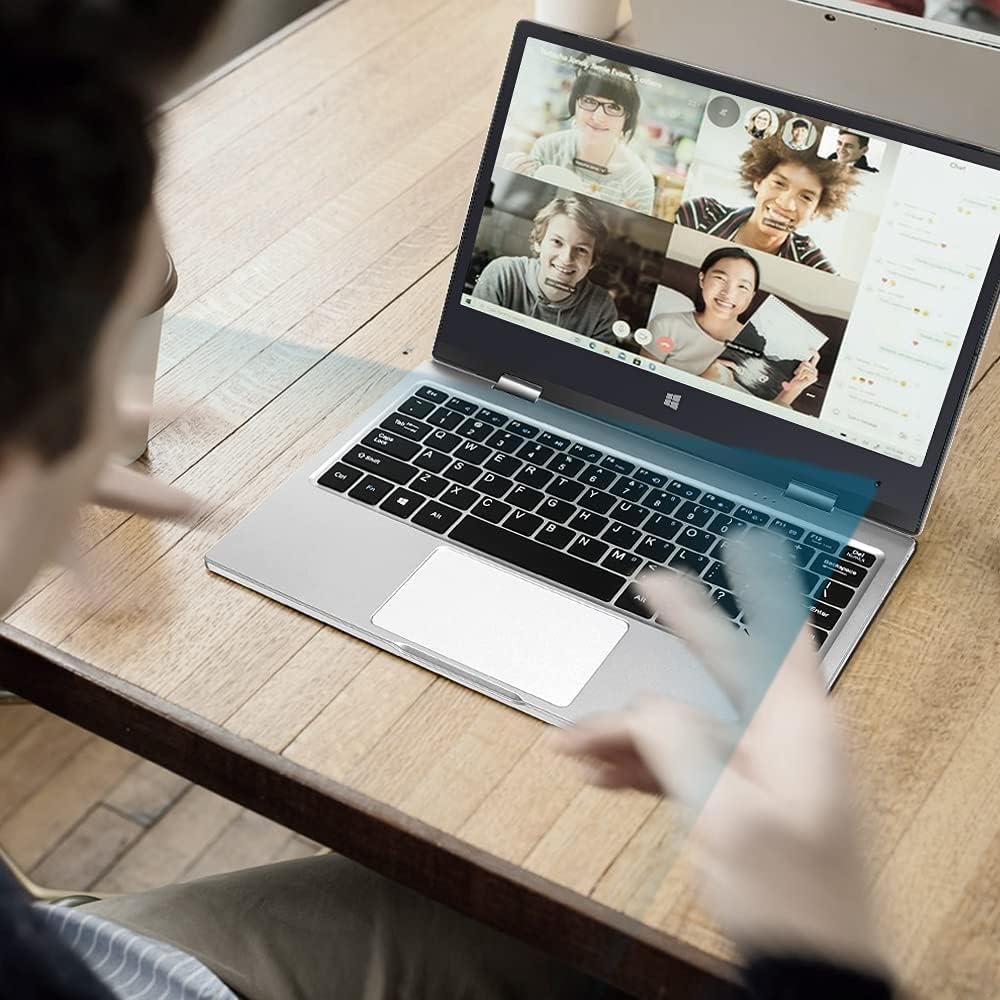
Image: The laptop in use for a video conference.
Image: Detail of the front-facing camera during a video call.
5. Pangropéa sarta perawatan
- Ngabersihan layar: Anggo lawon anu lemes sareng henteu lint anu dirancang khusus pikeun éléktronika. Pikeun smudges nekad, enteng dampen the cloth with water or a screen cleaner solution (avoid harsh chemicals).
- Cleaning the Chassis: Wipe the exterior with a soft, dry cloth. Avoid liquid contact with ports and openings.
- Perawatan batré: To prolong battery life, avoid fully discharging the battery frequently. Store the laptop in a cool, dry place when not in use for extended periods.
- Ékspansi gudang: The laptop supports M.2 2242 SSDs (128GB/256GB/512GB, not included) for expanding storage. Refer to a qualified technician for installation to avoid damaging the device.
- Apdet parangkat lunak: Regularly update Windows 10 Pro and device drivers to ensure optimal performance and security.

Image: Illustration of the M.2 SSD slot for storage expansion.

Gambar: Detil view of the M.2 SSD installation for storage expansion.
6. Cara ngungkulan
If you encounter issues with your Iproda Laptop, try the following common troubleshooting steps:
- Laptop teu hurung:
- Ensure the power adapter is securely connected to both the laptop's Type-C port and a working power outlet.
- Allow the laptop to charge for at least 30 minutes before attempting to power it on again.
- Coba colokan listrik anu béda.
- Layar kosong atanapi teu ngaréspon:
- Press the Power Button briefly to see if the screen wakes up from sleep.
- Perform a hard reset by holding the Power Button for 10-15 seconds until the laptop powers off, then restart it.
- If connected to an external display, ensure the display cable is properly connected and the external display is powered on.
- Masalah konektipitas Wi-Fi:
- Pariksa naha Wi-Fi diaktipkeun dina setélan Windows.
- Balikan deui router Wi-Fi anjeun sareng laptop.
- Pastikeun anjeun aya dina jangkauan jaringan Wi-Fi anjeun.
- Layar rampa teu ngaréspon:
- Balikan deui laptop.
- Pastikeun layar beresih jeung bebas tina lebu.
- Check for any pending Windows updates that might include touchscreen driver fixes.
Upami léngkah-léngkah ieu henteu ngabéréskeun masalah, mangga tingal bagian Garansi sareng Rojongan pikeun pitulung salajengna.
7. Spésifikasi Téknis
| Fitur | Spésifikasi |
|---|---|
| merek | Iproda |
| Nomer modél | 1169YM |
| Warna | pérak |
| Faktor Bentuk | Laptop (2-in-1 Convertible) |
| Ukuran layar | 11.6 inci |
| Resolusi tampilan | 1920 x 1080 Piksel (FHD IPS) |
| Prosésor Brand | Intel |
| Jenis prosésor | Intel Celeron N4100 |
| Laju prosésor | Nepi ka 2.4 GHz |
| Ukuran RAM | 4 GB |
| Téhnologi RAM | DDR4 |
| Ukuran Hard Drive | 64 GB |
| Tipe Hard Drive | SSD |
| Grafik Coprocessor | Intel UHD Grafika 600 |
| Konéktipitas Wireless | Wi-Fi (2.4 GHz) |
| Sistem operasi | Windows 10 Pro |
| Kapasitas batré | 3500 mAh (26.6 Watt-hours) |
| Rata Kahirupan Batré | 8 Jam |
| Palabuhan | Type-C (Power), Micro-HDMI, Micro-USB, Micro-SD Card Slot, Headphone Jack |
| Ukuran (L x W x H) | 27.43 x 18.8 x 1.27 cm |
| Beurat | 997.9 g (kira-kira 2.2 lbs) |
8. Garansi jeung Rojongan
The Iproda Laptop comes with a one-year warranty. This warranty covers manufacturing defects and ensures the quality of all Iproda products. For warranty claims or technical support, please contact Iproda customer service.
If you encounter any problems or have questions regarding your device, please do not hesitate to contact us. Please have your model number (1169YM) and purchase information ready when contacting support.
Inpormasi kontak: Please refer to the retailer's website or your purchase documentation for specific customer service contact details.


