Bubuka
Thank you for choosing the Xgody 3-Channel Dash Cam. This manual provides detailed instructions for the installation, operation, and maintenance of your new dash camera. Please read this manual thoroughly before using the product to ensure proper function and to maximize your user experience. Keep this manual for future reference.
Produk Leuwihview jeung Naon dina Box
The Xgody 3-Channel Dash Cam is designed to record video from the front, inside, and rear of your vehicle simultaneously, providing comprehensive coverage. It features high-definition recording, infrared night vision, G-sensor for emergency locking, loop recording, and parking monitoring.
Eusi pakét:
- Xgody Dash Cam Unit
- Tukangeun View Camera (6M cable)
- Carjer mobil
- Kabel Data USB
- Manual pamaké
- Kartu SD 64GB
- Stiker leket
- Pin Kartu
- Screws (for rear camera installation)
- 3M Glue Stick Card Line
- Linggis (pikeun ngaitkeun kabel)

Figure 1: Xgody Dash Cam and Included Accessories
Fitur konci
Three-Channel Recording
The dash cam simultaneously records video from three perspectives: front (1080p), inside (720p), and rear (720p). For clearer internal and external footage, the front and cabin dual-lens cameras can operate independently at 1080p+1080p.

Figure 2: Three-Channel Recording Overview
Infrared (IR) Night Vision
The inside-facing camera is equipped with 4 IR LED lights and an F/2.0 aperture. This technology automatically increases exposure in low-light or dark conditions, ensuring clear video footage of the vehicle's interior. The operating temperature range is -31°F to 167°F (-35°C to 75°C).

Figure 3: Infrared Night Vision in Operation
Ngarekam Loop
Continuous loop recording automatically overwrites the oldest unlocked video files when the memory card is full. This ensures that recording never stops due to a full card, providing uninterrupted surveillance.

Gambar 4: Fungsi Rekaman Loop
G-Sensor (Emergency Lock)
The built-in G-sensor detects sudden shocks or collisions. When such an event occurs, the dash camera automatically locks the current video footage, preventing it from being overwritten by loop recording. This ensures critical evidence is preserved.
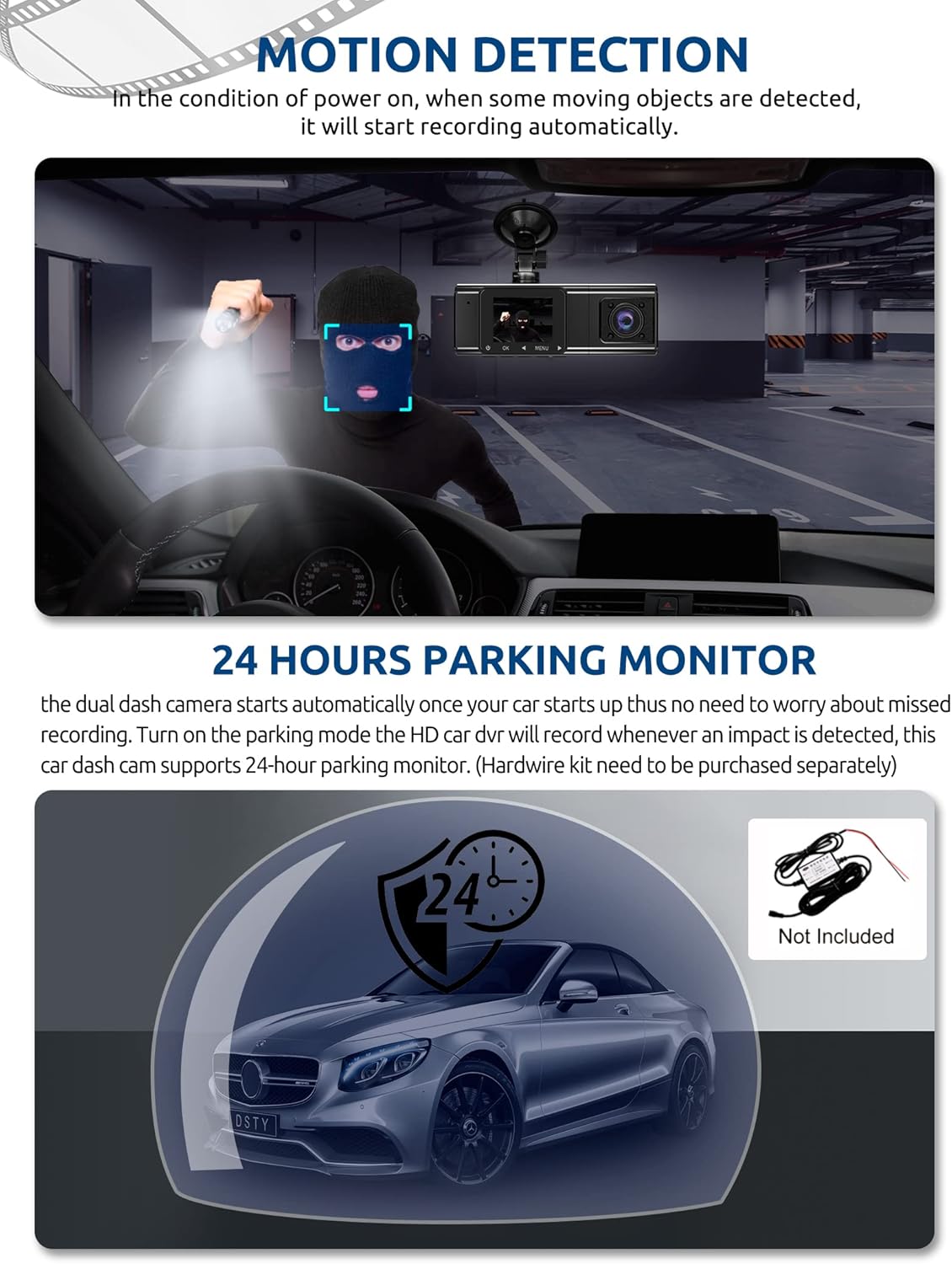
Figure 5: G-Sensor Activating During an Impact
Motion Detection & 24-Hour Parking Mode
In motion detection mode, the video recorder begins recording automatically when it detects movement in front of the camera. For continuous 24-hour surveillance, even when the car is off, the dash cam can be connected to the car battery via a hardwire kit (not included). This enables parking mode, which records when an impact is detected.

Figure 6: Motion Detection and Parking Monitoring
Parentah Setup
1. Insert the SD Card
- Locate the SD card slot on the side of the dash cam.
- Insert the provided 64GB SD card with the gold contacts facing the back of the camera until it clicks into place.
- Pastikeun kartu diselapkeun pinuh.
2. Mount the Dash Cam
- Bersihkeun wewengkon kaca di mana anjeun maksudna pikeun masang dashcam.
- Pasangkeun dudukan cangkir sedot kana dasbor kaméra.
- Press the suction cup firmly against the windshield and lock it into place. Position the camera to ensure a clear view of the road ahead without obstructing your driving vision.
3. Pasang Kaméra Rear
- Sambungkeun kabel kaméra tukang ka unit dasbor utama.
- Route the cable neatly along the vehicle's headliner and trim to the rear of the car. Use the provided crowbar to tuck the cable under panels.
- Mount the rear camera on the rear windshield using the adhesive sticker or screws, ensuring it has a clear view tina jalan tukangeun.
4. Sambungkeun Kakuatan
- Colokkeun carjer mobil kana stop kontak korek rokok kendaraan anjeun.
- Connect the other end of the car charger cable to the dash cam's power input port.
- The dash cam will typically power on automatically when the vehicle starts and power off when the vehicle is turned off.
Parentah Operasi
Daya Hurung/Pareuman
- otomatis: The dash cam powers on and starts recording automatically when connected to power and the vehicle ignition is on. It powers off automatically when the ignition is turned off.
- Manual: Press and hold the power button for a few seconds to manually turn the device on or off.
Modeu Ngarekam
- Rekaman Normal: The default mode, continuously recording video in segments.
- Rekaman Darurat (G-Sensor): Automatically activated upon impact, locking the current video file.
- Ngarekam Deteksi Gerak: Records when motion is detected while the vehicle is parked (requires activation in settings).
- Monitoring Parkir: Records when an impact is detected while the vehicle is parked (requires hardwire kit and activation in settings).
Menu Napigasi
- Use the 'MENU' button to access settings.
- Use the 'UP' and 'DOWN' arrow buttons to navigate through menu options.
- Pencét tombol 'OK' pikeun mastikeun pilihan.
- Common settings include video resolution, loop recording duration, G-sensor sensitivity, parking mode, date/time, and language.
Viewdina Footage
- Dina Alat: Enter playback mode via the menu to view recorded videos directly on the dash cam screen.
- Dina Komputer: Remove the SD card from the dash cam and insert it into a computer's card reader. The video files can then be accessed and played using standard media player software.
Pangropéa
Kartu SD pormat
It is recommended to format the SD card regularly (e.g., once a month) to ensure optimal performance and prevent data corruption. This can typically be done through the dash cam's menu settings. Formatting will erase all data on the card, so back up any important files heula.
Ngabersihan Lensa
Periodically clean the lenses of the front, inside, and rear cameras with a soft, lint-free cloth. Avoid using abrasive cleaners that could scratch the lens surface. Clean lenses ensure clear video quality.
Pembaruan firmware
Check the official Xgody website periodically for any available firmware updates. Updates can improve performance, add new features, or fix bugs. Follow the instructions provided with the firmware update carefully.
Pamérésan masalah
| Masalah | Mungkin Cukang lantaranana | Solusi |
|---|---|---|
| Dash cam teu hurung. | Teu aya catu daya; carjer mobil rusak; sambunganna kendor. | Check car charger connection; ensure vehicle's cigarette lighter socket is functional; try a different power source if available. |
| Eureun ngarékam atanapi files anu ruksak. | SD card full; SD card error; incompatible SD card. | Format the SD card regularly; use a high-speed (Class 10 or U3) SD card; replace the SD card if issues persist. |
| Screen is unresponsive or distorted. | Extreme temperatures; software glitch. | Allow the device to return to normal operating temperature; perform a factory reset (refer to manual for specific steps); ensure the device is not exposed to direct sunlight for extended periods in hot climates. |
| Kualitas pidéona goréng. | Lénsa kotor; pilem pelindung masih kénéh dipasang dina lénsa; setélan résolusi salah. | Clean camera lenses; remove any protective film; check video resolution settings in the menu. |
| G-sensor sénsitip teuing/teu cukup sénsitip. | Setélan sensitipitas G-sensor luhur teuing/handap. | Adjust G-sensor sensitivity in the dash cam's settings menu. |
spésifikasi
| Fitur | Spésifikasi |
|---|---|
| Dimensi produk | 4.25 x 1.77 x 1.57 inci |
| Item Beurat | 1.26 pon |
| Téhnologi konektipitas | USB, Nirkabel |
| Resolusi Capture Video | 1080p (Front), 720p (Inside), 720p (Rear) |
| Ukuran layar | 1.5 inci |
| Tipe Mémori Flash | SD |
| Suhu Operasi | -31°F nepi ka 167°F (-35°C nepi ka 75°C) |
| Komponén Kaasup | Kartu Mémori (64GB) |
| Warna | Hideung |
Garansi sareng Rojongan
Xgody provides 18 months of service for this product. If you have any questions or require assistance regarding your Xgody Dash Cam, please contact our customer support. We aim to respond with helpful advice within 24 hours.
For support, please refer to the contact information provided in the packaging or on the official Xgody websitus.


