1. Émbaran Kasalametan
Mangga baca sadaya parentah kalayan saksama sateuacan nganggo alat ieu sareng simpen kanggo rujukan ka hareup. Gagal nuturkeun parentah ieu tiasa nyababkeun sengatan listrik, kahuruan, atanapi tatu parah.
- Salawasna cabut kipas tina stop kontak sateuacan ngabersihkeun, ngalayanan, atanapi mindahkeunana.
- Do not operate the fan with a damaged cord or plug. If the cord or plug is damaged, contact customer service for repair or replacement.
- Kipas ieu kanggo dianggo di jero rohangan hungkul. Entong dianggo di luar ruangan atanapi di tempat anu baseuh.
- Keep the fan away from water and other liquids. Do not immerse the fan in water.
- Pastikeun kipas disimpen dina tempat anu datar sareng stabil pikeun nyegahna tibalik.
- Jauhkeun barudak sareng piaraan tina kipas nalika operasi.
- Ulah selapkeun ramo atawa objék naon wae kana grille lamun kipas keur beroperasi.
- Do not block air openings or operate near curtains, drapes, or other objects that could block airflow.
- Do not use the fan in areas where flammable liquids or gases are stored.
2. Produk Langkungview
The Amazon Basics 40" 70-Degree Oscillating Digital Tower Fan is designed to provide efficient and customizable cooling for various indoor spaces. It features a sleek, compact design and user-friendly controls.
Komponén
- Unit Kipas Menara
- Base (requires assembly)
- Kadali jauh
Fitur konci
- Cooling efisien: Delivers powerful airflow for effective cooling in enclosed spaces.
- Laju customizable: Four intuitive speed settings to adjust airflow.
- Sababaraha Modeu: Includes Standard, Breeze, and Nature modes for varied airflow patterns.
- Osilasi: 70-degree oscillation for wide-range air flow coverage.
- Fungsi Timer: Timer anu tiasa diprogram dugi ka 15 jam kanggo ngahémat énergi sareng genah.
- Kadali jauh: Convenient remote for adjusting settings from a distance.
- Kadali Digital: Easy-to-use digital control panel located on the top of the fan.
- Desain kompak: Slim tower design (11.4"D x 11.4"W x 39.3"H) fits easily into any room.

Gambar 2.1: The Amazon Basics 40-inch Digital Tower Fan shown with its remote control. The fan is black with a sleek, tall design, and the remote is compact with clearly labeled buttons for power, speed, mode, oscillation, and timer.

Gambar 2.2: A diagram illustrating the key features of the tower fan, including its 40-inch height, 4 customizable airflow speed settings, timer with auto shutoff (1h, 2h, 4h, 8h options), and convenient remote control for adjusting speed, oscillation, and timer. The diagram highlights the digital display and control panel on top of the fan.
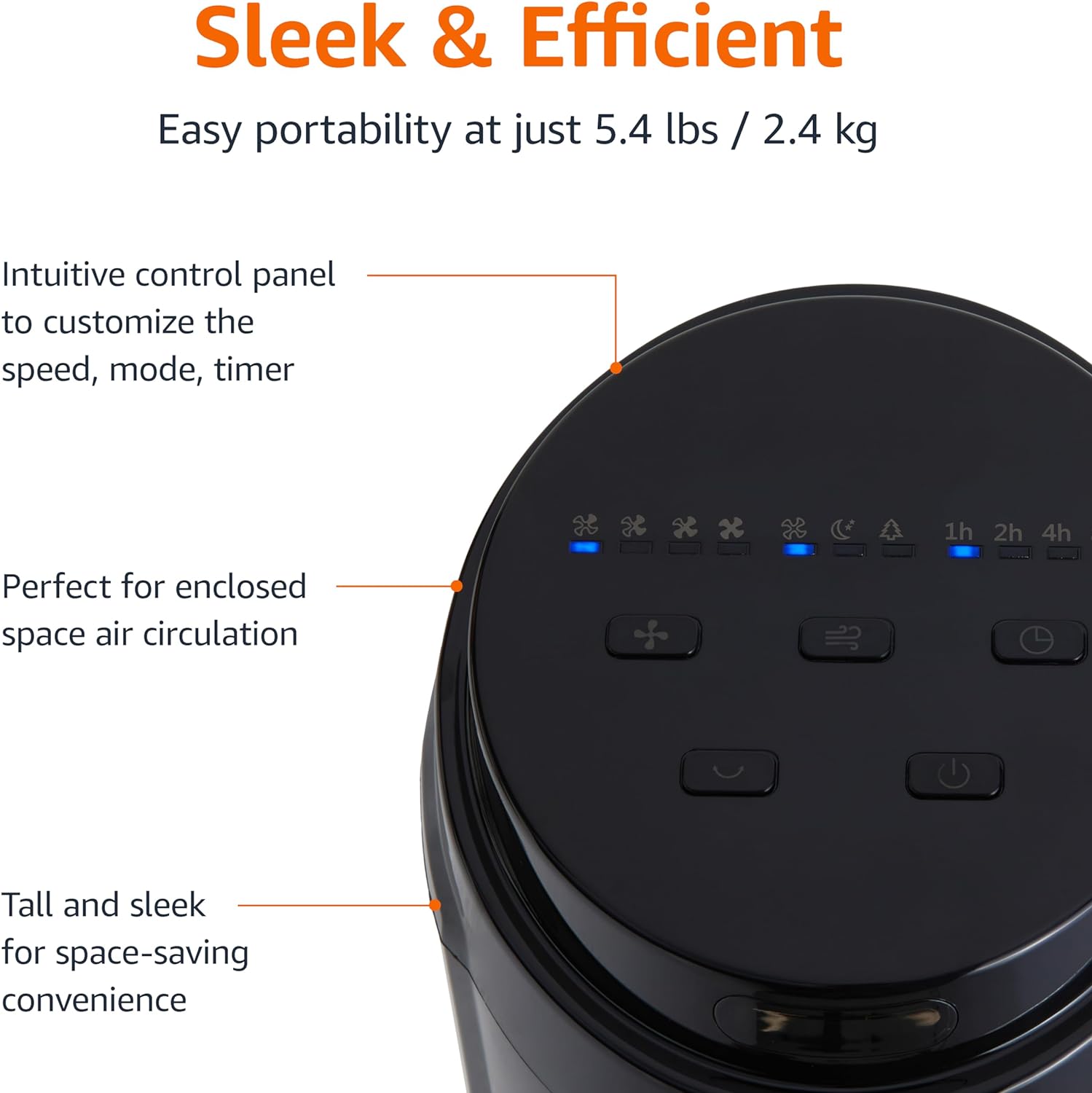
Gambar 2.3: A nutup-up view of the intuitive control panel located on the top of the Amazon Basics Tower Fan. The panel features buttons for speed, mode, power, oscillation, and timer, along with LED indicators for selected settings. This design allows for easy customization of fan operation.
3. Setélan
3.1 Majelis
- Sacara saksama miceun sadaya komponén tina bungkusan.
- Attach the fan base to the main tower unit. Align the slots on the base with the corresponding tabs on the bottom of the fan.
- Secure the base using the provided screws, if any, ensuring it is firmly attached.
3.2 Nempatkeun
- Teundeun kipas dina permukaan anu rata.
- Ensure there is adequate space around the fan for proper air circulation, especially for the oscillation feature.
- Keep the fan at least 1 foot (30 cm) away from walls, furniture, and other objects.
- Plug the power cord into a standard NEMA 5-15 (US Standard Wall Outlet) electrical outlet.
4. Parentah Operasi
The fan can be operated using either the control panel on top of the unit or the included remote control.
4.1 Control Panel & Remote Control Functions
| Tombol / Fungsi | Katerangan |
|---|---|
| Daya (Hidup/Pareum) | Ngahurungkeun atanapi mareuman kipas. |
| Laju | Cycles through 4 fan speed settings (Low, Medium, High, Max). |
| Modus | Milih antara 3 modeu operasi:
|
| Osilasi | Activates or deactivates the 70-degree oscillation feature, allowing the fan to sweep air across a wider area. |
| Timer | Sets the fan to automatically turn off after a specified period (up to 15 hours in 1-hour increments). |
4.2 Pamakéan Remote Control
The remote control allows for convenient operation of all fan functions from a distance. Ensure the remote is pointed towards the fan's control panel for optimal response.
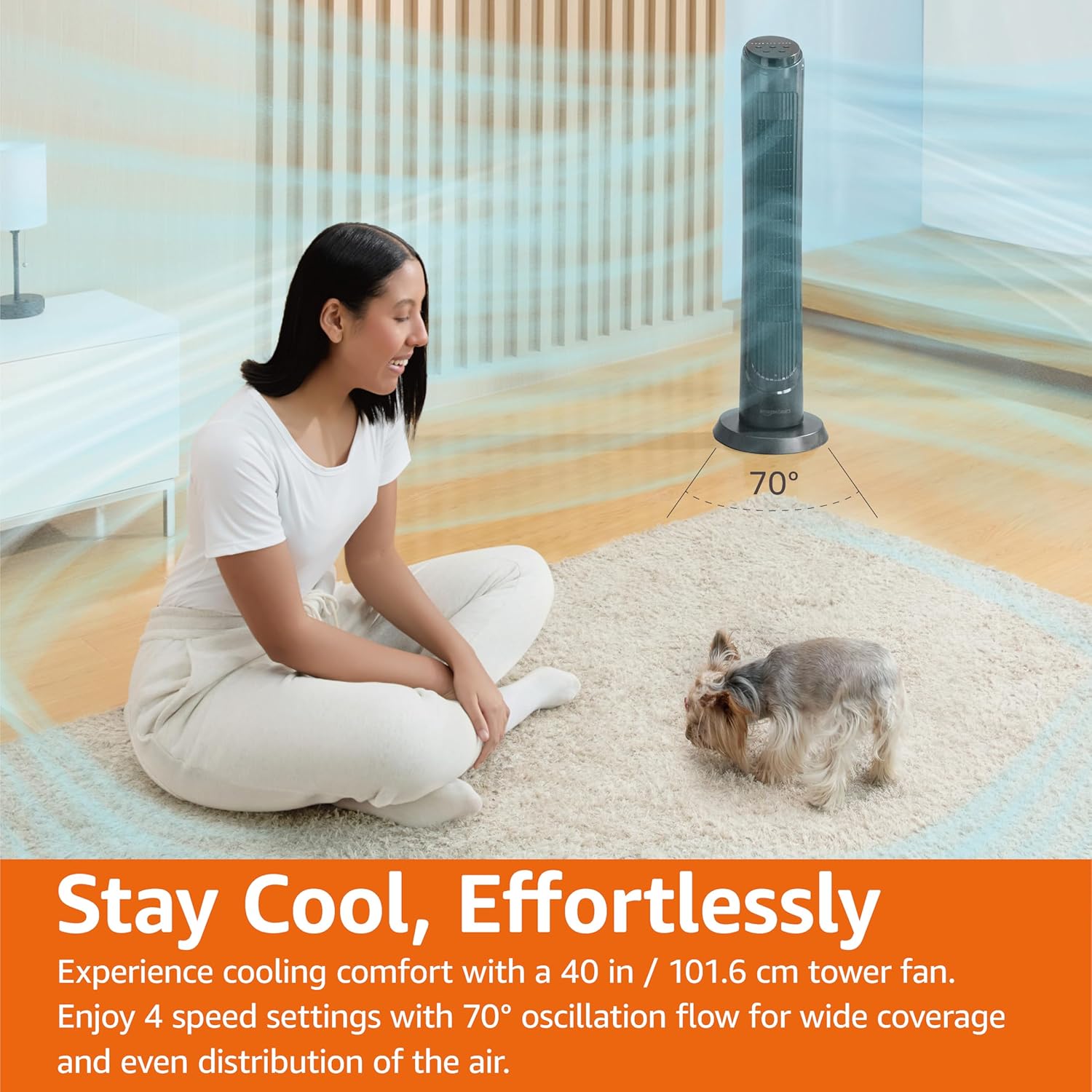
Gambar 4.1: The Amazon Basics Tower Fan oscillating 70 degrees, providing wide coverage and even air distribution in a room. A person and a small dog are comfortably seated on a rug, benefiting from the airflow.

Gambar 4.2: The Amazon Basics Tower Fan positioned in a modern living space, demonstrating its effective airflow. The image visually represents the air movement from the fan, highlighting its ability to circulate air throughout the room.
5. Pangropéa
5.1 beberesih
- Sok cabut kipas angin sateuacan beberesih.
- Ngagunakeun lemes, damp lawon pikeun ngusap surfaces exterior kipas.
- Do not use abrasive cleaners or harsh chemicals, as these may damage the fan's finish.
- For dust accumulation on the air intake or output grilles, use a vacuum cleaner with a brush attachment to gently remove dust.
- Pastikeun kipas angin tos garing sateuacan dicolokkeun deui.
5.2 Panyimpenan
- Upami nyimpen kipas kanggo waktos anu lami, bersihan sacara saksama sapertos anu dijelaskeun di luhur.
- Simpen kipas dina bungkus aslina atanapi dina kotak anu cocog pikeun ngajagi tina lebu sareng karusakan.
- Simpen dina tempat anu tiis, garing.
6. Cara ngungkulan
If you experience issues with your fan, please refer to the following common problems and solutions:
| Masalah | Mungkin Cukang lantaranana | Solusi |
|---|---|---|
| Kipas angin teu hurung. | Taya catu daya; Tombol daya teu dipencet. | Pastikeun kabel daya dipasang pageuh kana stop kontak anu tiasa dianggo. Pencét tombol Daya dina panel kontrol atanapi remot. |
| Lemah atanapi henteu aya aliran hawa. | Air intake/output blocked; Fan speed too low. | Check for any obstructions around the fan grilles. Increase the fan speed setting. |
| Osilasi teu jalan. | Fitur osilasi teu diaktipkeun. | Press the Oscillation button on the control panel or remote. Ensure the fan is on a flat surface. |
| Kadali jauh teu jalan. | Batteries are dead; Remote not pointed correctly. | Replace the remote control batteries. Ensure the remote is pointed directly at the fan's control panel. |
| Sora teu biasa. | Fan not on a level surface; Internal obstruction. | Place the fan on a stable, level surface. Unplug the fan and check for any foreign objects inside the grilles (do not attempt to disassemble). |
Lamun masalah persists sanggeus nyobian solusi ieu, mangga ngahubungan rojongan customer.
7. Spésifikasi
| Atribut | Rincian |
|---|---|
| merek | Dasar Amazon |
| Ngaran modél | DC2021 |
| Warna | Hideung |
| Desain kipas listrik | Kipas Lantai |
| Sumber Daya | Daya AC |
| Gaya | 40" - Digital |
| Dimensi produk | 11.4 "D x 11.4" W x 39.3" H |
| Tipe Kamar | Pangkeng, Ruang Tamu, Kantor |
| Fitur husus | Oscillating, 4 Speeds, 3 Modes, Timer, Remote Control |
| Dianjurkeun Mangpaat | Cooling and Air Circulation for Indoor Spaces |
| Tingkat Noise | 60 dB |
| Wattage | 50 watt |
| Item Beurat | 7.5 Pon (kira-kira 3.4 kg) |
| Komponén Kaasup | Jauh |
| Pamakéan jero rohangan / outdoor | jero rohangan |
| Métode kontrol | Jauh |
| Bahan Sabeulah | palastik |
| Jumlah Tingkat Daya | 4 |
| Jinis Panyambung Daya Utama | NEMA 5-15 (US Standard Wall Outlet) |
| Produsén | Amazon |
| UPC | 840095880428 |
| Negara asal | Cina |
8. Garansi jeung Rojongan
For detailed warranty information, please refer to the official Warranty PDF document provided by Amazon Basics. This document outlines the terms and conditions of your product's warranty.
For further assistance, troubleshooting not covered in this manual, or to inquire about replacement parts, please contact Amazon Basics customer support.
- Buku Panduan Resmi (PDF): Unduh PDF
- Garansi Resmi (PDF): Unduh PDF
- Toko Amazon Basics: Nganjang ka Toko


