1. Bubuka
This manual provides detailed instructions for the setup, operation, and maintenance of your Panasonic SC-HT550GW-K 5.1 Channel Home Theatre System. Please read this manual thoroughly before using the product and retain it for future reference.
The Panasonic SC-HT550GW-K is a 5.1 channel home theatre system designed to deliver an immersive audio experience. Key features include:
- 5.1 channel configuration with 150 W total power output.
- Powerful subwoofer for deep bass.
- Wall-mountable speakers with a stylish design.
- Multiple connectivity options: Bluetooth, AUX, USB, and RCA.
- Easy connection with TV and PC.
- Remote control for adjusting bass, treble, equalizer, and volume.
- Stylish LED indicator.
2. Naon dina Box
Saatos ngabongkar bungkusan, pastikeun sadaya komponén di handap ieu aya:
- Subwoofer
- Speakers (5 units for 5.1 channel)
- Kadali jauh
- Manual pangguna (dokumén ieu)
3. Émbaran Kasalametan
Pikeun mastikeun operasi anu aman sareng nyegah karusakan, punten perhatikeun ieu:
- Jauhkeun unit ieu tina cai, kalembaban, sareng suhu anu ekstrim.
- Avoid placing the unit near heat sources to prevent overheating.
- Entong meungpeung lawang angin.
- Anggo ngan ukur catu daya anu ditangtukeun pikeun alat ieu.
- Ulah nyobian muka atanapi ngalereskeun unitna nyalira. Serahkan sadaya perawatan ka tanaga anu mumpuni.
4. Parentah Setup
Follow these steps to set up your home theatre system for optimal performance.
4.1 Nempatkeun Speaker
For a true 5.1 channel surround sound experience, position the speakers as follows:
- Speaker Kénca hareup jeung Katuhu: Place these on either side of your TV, equidistant from the viewdina posisi.
- Panyatur Tengah: Position directly above or below your TV.
- Speaker Sakuliling Kénca jeung Katuhu: Place these to the sides or slightly behind your main listening position.
- Subwoofers: Can be placed anywhere in the room, typically near a wall or corner for enhanced bass.
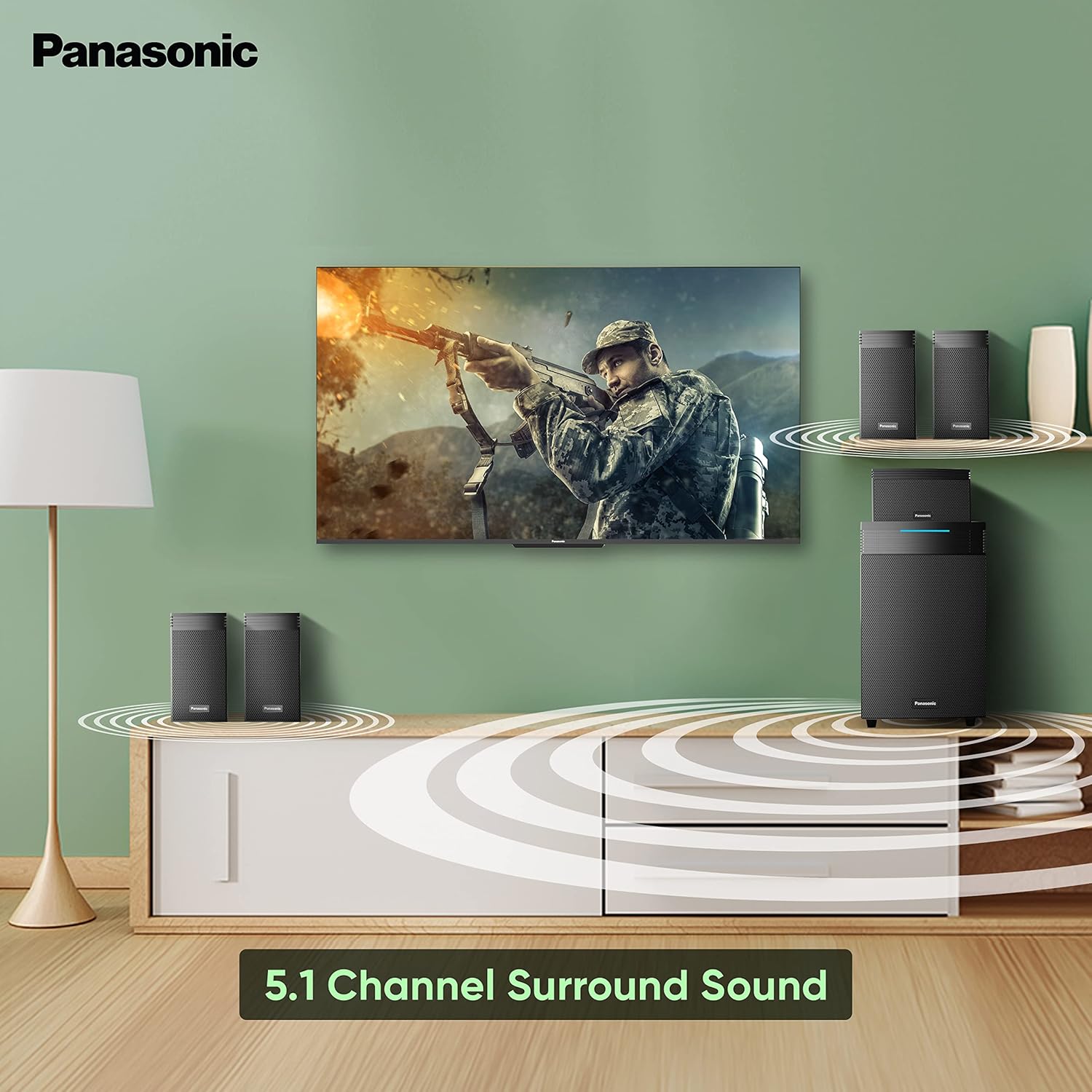
Image: Optimal 5.1 channel speaker placement for an immersive surround sound experience.
4.2 Wall Mounting Speakers
The satellite speakers are designed to be wall-mountable, allowing for flexible placement and space-saving. Ensure you use appropriate wall anchors and screws suitable for your wall type. Consult a professional if unsure.
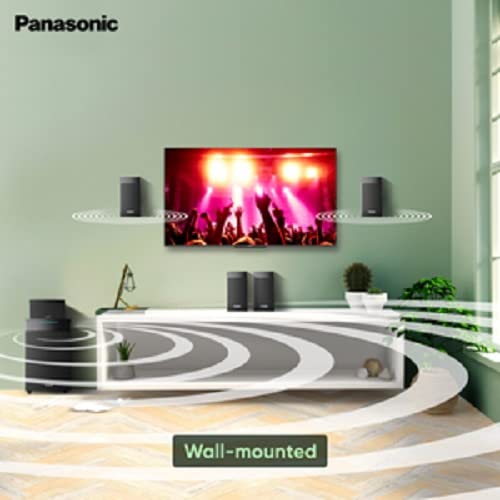
Gambar: Example of wall-mounted speakers integrated into a living space.
4.3 Nyambungkeun Sistim
Connect the speakers to the subwoofer unit using the provided cables. Ensure correct polarity (positive to positive, negative to negative) for each speaker.
Connect the subwoofer to a power outlet. The system supports various audio input sources:
- Bluetooth: For wireless audio streaming from compatible devices like smartphones, tablets, and PCs.
- AUX: Use a 3.5mm audio cable to connect devices with an AUX output.
- USB: Selapkeun USB flash drive pikeun playback audio langsung.
- RCA: Connect to TVs, DVD players, or other audio sources using RCA cables.

Image: The home theatre system highlighting its Bluetooth and AUX input capabilities.
5. Parentah Operasi
Learn how to operate your Panasonic Home Theatre System.
5.1 Daya Hurung / Pareum sareng Pilihan Input
Press the Power button on the main unit or remote control to turn the system on or off. Use the Input/Source button to cycle through available input modes (Bluetooth, AUX, USB, RCA).
5.2 Nyapasangkeun Bluetooth
- Switch the home theatre system to Bluetooth mode. The LED indicator will flash, indicating it's in pairing mode.
- Dina alat anjeun (smartphone, tablet, jsb.), aktipkeun Bluetooth sareng milarian alat anu sayogi.
- Select "Panasonic SC-HT550GW-K" from the list.
- Once paired, the LED indicator will glow steadily. You can now stream audio wirelessly.
5.3 Playback USB
Selapkeun USB flash drive nu ngandung audio files into the USB port. The system will automatically detect the drive and begin playback. Use the remote control to navigate tracks and adjust volume.
5.4 Fungsi Remote Control
The included remote control allows you to manage various settings from a distance:
- Kontrol volume: Ningkatkeun atanapi ngirangan volume sakabéhna.
- Penyesuaian Bass/Treble: Fine-tune the low and high frequencies.
- Preset Equalizer: Select from various sound modes (e.g., Movie, Music, Game).
- Pilihan Input: Pindah antara sumber audio anu béda.
- Jempé: Temporarily silence the audio.

Image: The Panasonic Home Theatre system, illustrating its features including remote control functionality and LED indicator.
6. Pangropéa
Proper care ensures the longevity and performance of your home theatre system.
- beberesih: Use a soft, dry cloth to clean the surfaces of the speakers and subwoofer. Do not use liquid cleaners or abrasive materials.
- Ventilasi: Pastikeun bukaan ventilasi dina subwoofer teu diblokir pikeun nyegah overheating.
- Panyimpenan: Upami nyimpen sistem kanggo waktos anu lami, pegatkeun tina listrik teras simpen di tempat anu tiis sareng garing.
7. Cara ngungkulan
If you encounter issues with your system, refer to the following common solutions:
| Masalah | Mungkin Cukang lantaranana | Solusi |
|---|---|---|
| Taya kakuatan | kabel kakuatan teu disambungkeun; stop kontak listrik lepat. | Pariksa sambungan kabel kakuatan; Coba colokan listrik anu béda. |
| Taya sora | Incorrect input selected; Volume too low; Speaker cables loose. | Select correct input source; Increase volume; Check all speaker connections. |
| Bluetooth teu nyambung | Alat henteu dina mode papasangan; Di luar jangkauan; gangguan. | Ensure system is in Bluetooth pairing mode; Move device closer; Reduce interference. |
| Kadali jauh teu jalan | Batré béak; Halangan antara jarak jauh sareng unit. | Replace remote batteries; Ensure clear line of sight to the main unit's sensor. |
8. Spésifikasi
| Fitur | Rincian |
|---|---|
| Ngaran modél | SC-HT550GW-K |
| Tipe Speaker | Subwoofer |
| Fitur husus | Bluetooth, Nirkabel |
| Dianjurkeun Mangpaat Pikeun Produk | Pikeun Pamuter Musik |
| Alat nu cocog | Komputer Pribadi, Smartphone, Tablet |
| Diaméter Subwoofer | 17 séntiméter |
| Konfigurasi Saluran Sakuliling Sora | 5.1 |
| Warna | Hideung |
| Dimensi produk | 24D x 31.8W x 38.5H Sentimeter |
| Item Beurat | 8600 Gram (8.6 kg) |
| Métode kontrol | Jauh |
| Téknologi Komunikasi Nirkabel | Bluetooth |
| Sumber Daya | Kabel Listrik |
| Tipe Supir Audio | Supir dinamis |
| Panganteur Hardware | Bluetooth, Bluetooth 5, USB |
| Amplifier Tipe | Disebarkeun |
| Input audio cocog sareng barangna | RCA |
| Speaker amptipe lifikasi | Pasip |
| Audio Wattage | 150 Watt |
| Batré Kaasup | Sumuhun |
| Batré Diperlukeun | Sumuhun |
| Komposisi sél batré | Séng Karbon |
| Total palabuhan USB | 1 |
| Jenis média | USB Flash Drive |
| Tipe Pamasangan | Tembok Gunung |
9. Garansi jeung Rojongan
Your Panasonic SC-HT550GW-K Home Theatre System comes with a 1 Taun Produsén Garansi ti tanggal beuli. Mangga nahan resi pameseran Anjeun pikeun klaim jaminan.
For technical support, service, or warranty inquiries, please contact Panasonic customer service:
- Nomer Kontak: 9311211333 / 1800 103 1333 / 1800 108 1333
- Surélék: service.head@in.panasonic.com
- Alamat Pabrikan: Lantai 12, Ambience Tower I, Ambience Island NH-8, Gurgaon, Haryana-122002, India
10. Produk Langkungview Video
Video: A lengkep lengkepview of the Panasonic SC-HT550GW-K Home Theatre System, showcasing fitur sarta desain na.


