Bubuka
This manual provides detailed instructions for the safe and effective use of your Brookstone Powershine Platinum Micro Hair Dryer. Please read all instructions carefully before use and retain this manual for future reference.
Produk Leuwihview
The Brookstone Powershine Platinum Micro Hair Dryer is designed for efficient hair drying with features aimed at reducing frizz and enhancing shine. Its compact and lightweight design makes it suitable for both home use and travel.

Image: The Brookstone Powershine Platinum Micro Hair Dryer, showcasindesain hideung jeung emas mawarna anu ramping.
Fitur konci
- Ionic Generator: Helps to reduce frizz and enhance hair shine by drying hair faster with lower heat.
- Tombol Cool Shot: Provides a burst of cool air to set your hairstyle for a long-lasting hold and added shine.
- Infinity Temperature and Speed Control Wheel: Offers precise adjustment of heat and airflow settings for various hair types and styling needs.
- Desain kelas profésional: Engineered for quiet operation and powerful performance, delivering superior styling results.
- Loop gantung anu merenah: Allows for easy storage, saving counter and cabinet space.
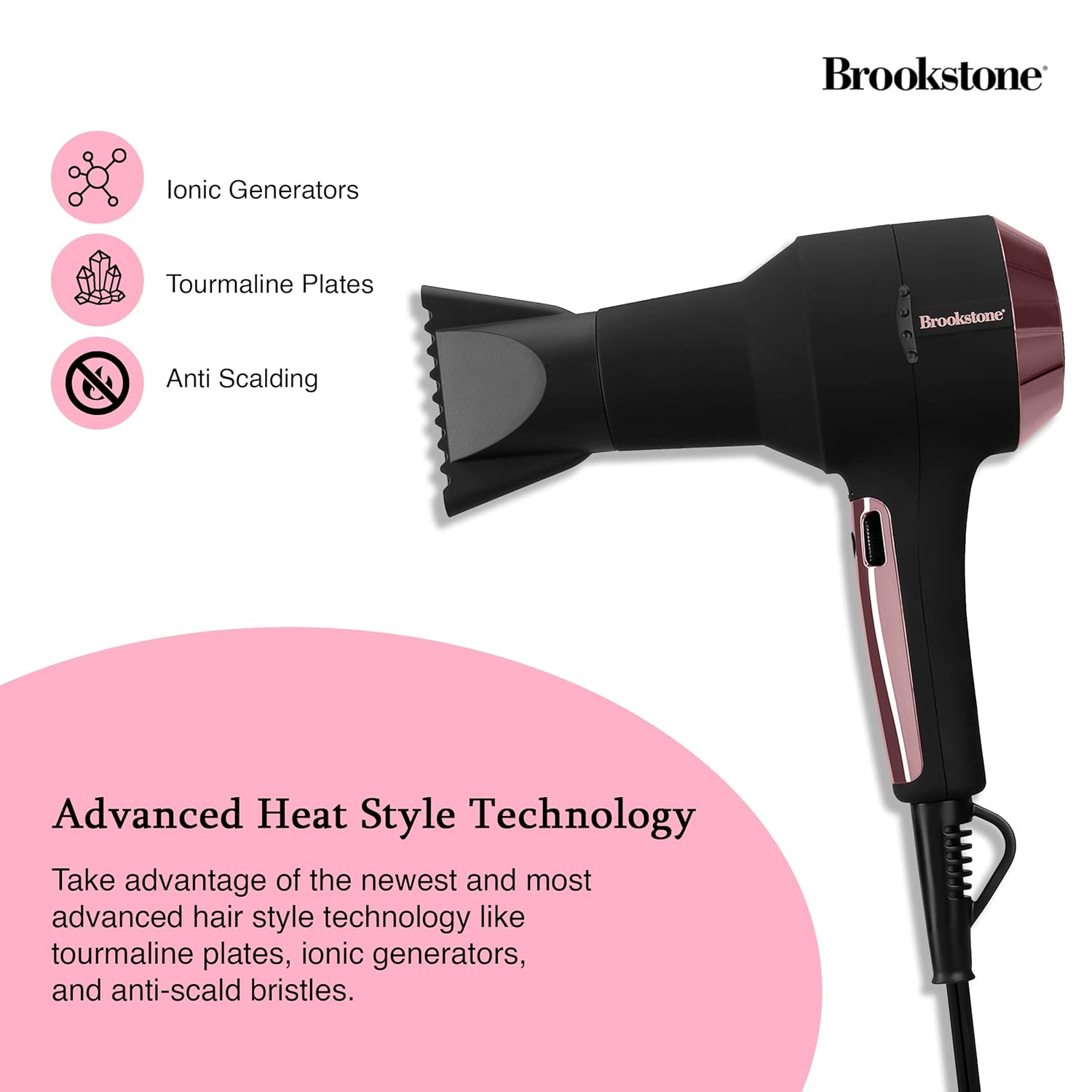
Image: Close-up of the hair dryer with icons indicating Ionic Generators, Tourmaline Plates, and Anti Scalding technology.
Émbaran Kasalametan penting
Pikeun ngurangan résiko shock listrik, kaduruk, seuneu, atawa tatu, salawasna turutan pancegahan kaamanan dasar ieu:
- Jauhkeun tina jangkauan barudak.
- Ulah make bari mandi atawa deukeut cai.
- Ulah beuleum alat dina cai atawa cairan séjén.
- Jauhkeun colokan listrik sareng kabel tina permukaan anu dipanaskeun.
- Ngidinan pengering rambut pikeun niiskeun lengkep sateuacan disimpen.
- Always unplug the hair dryer immediately after use and before cleaning.
- Entong ngajalankeun alat naon waé anu nganggo kabel atanapi colokan anu ruksak, atanapi upami alatna teu tiasa dianggo atanapi parantos turun atanapi ruksak dina cara naon waé.
- Ulah nutup liang hawa atanapi neundeun alat dina permukaan anu lemes, sapertos ranjang atanapi sofa, anu tiasa nyababkeun liang hawa katutup.
- Henteu pernah dianggo nalika bobo.

Image: The hair dryer illustrating protective features such as prevention of scalp burns, overheating, and the inclusion of protective heat sleeves.
Disetél
- Ngabongkar: Sacara saksama cabut pengering rambut sareng sadaya asesoris tina bungkusan.
- mariksa: Pariksa alat pikeun tanda-tanda karusakan. Ulah make lamun ruksak.
- Sambungan Daya: Ensure your hands are dry, then plug the power cord into a standard electrical outlet (120V AC, 60Hz).
- Attachment (Optional): If using a concentrator nozzle, align it with the front of the dryer and push it firmly into place.
Parentah Operasi
Hurungkeun/Pareuman
- To turn the dryer ON, slide the power switch to the desired setting.
- To turn the dryer OFF, slide the power switch to the '0' position.
Adjusting Temperature and Speed
The hair dryer features an infinity control wheel for precise adjustment of both temperature and airflow speed.
- Kontrol Suhu: Rotate the infinity control wheel to increase or decrease the heat level. Lower settings are ideal for fine, fragile, or sensitive hair, while higher settings are suitable for faster drying of thicker hair.
- Kontrol laju: The same infinity control wheel also adjusts the airflow speed. Rotate it to find the optimal speed for your styling needs.
Using the Cool Shot Button
After drying and styling your hair with heat, press and hold the Cool Shot button to deliver a stream of cool air. This helps to seal the hair cuticle, lock in your style, and add shine. Release the button to return to the previous heat setting.
Pangropéa
Ngabersihan Saringan Udara
Regular cleaning of the air filter is essential for optimal performance and to prolong the life of your hair dryer.
- Cabut colokan: Salawasna cabut panyambungna pengering rambut tina stopkontak sateuacan beberesih.
- Cabut Panutup Saringan: Locate the removable rear filter cover. Gently twist or pull to detach it.
- Filter beresih: Use a soft brush or a vacuum cleaner with a brush attachment to remove any accumulated dust, lint, or hair from the filter screen.
- Pasangkeun deui: Once clean, securely reattach the filter cover.
Panyimpenan
When not in use, ensure the hair dryer is unplugged and completely cool. Store it in a dry location. The integrated hanging loop allows for convenient storage on a hook, saving space.

Image: The hair dryer with its integrated hanging loop, illustrating a convenient storage option.
Pamérésan masalah
If you encounter any issues with your Brookstone Powershine Platinum Micro Hair Dryer, please refer to the following common problems and solutions:
- Pangering teu hurung:
- Pastikeun yén kabel listrik dicolokkeun sacara aman kana stop kontak listrik.
- Pariksa naha saklar daya aya dina posisi 'ON'.
- Pariksa yén circuit breaker teu tripped.
- Insufficient heat or airflow:
- Check the infinity control wheel to ensure it is set to a higher heat/speed setting.
- Clean the air intake filter at the rear of the dryer, as a blocked filter can restrict airflow.
- Dryer is excessively noisy:
- A clogged air filter can cause increased noise. Clean the air intake filter.
- Ensure no foreign objects are obstructing the air vents.
- Hair is still frizzy:
- Ensure the ionic generator is functioning (though not visibly indicated, it operates automatically).
- Use the Cool Shot button at the end of your drying routine to help seal the hair cuticle.
- Consider using a heat protectant or anti-frizz styling product in conjunction with the dryer.
Lamun masalah persists sanggeus nyobian solusi ieu, mangga ngahubungan rojongan customer.
spésifikasi
| Dimensi produk | 9.5 x 4 x 12 inci |
| Item Beurat | 3.4 pon |
| Nomer modél | HS1002-BK8 |
| merek | Brookstone |
| Warna | Black/Rose Gold |
| Sumber Daya | Kabel Listrik |
| Fitur husus | Compact, Cool Shot Button, Hanging Loop |
| Dianjurkeun Mangpaat | Ngagaringkeun |
| UPC | 191205489919 |
Garansi sareng Rojongan
Your Brookstone Powershine Platinum Micro Hair Dryer is covered by a limited warranty. Please refer to the warranty card included with your purchase for specific terms and conditions.
For technical support, warranty claims, or further assistance, please visit the official Brookstone website or contact their customer service department using the contact information provided in your product packaging.


