1. Bubuka
Thank you for choosing Kinganda Q71 Bluetooth Earbuds. This manual provides detailed instructions for setting up, operating, and maintaining your new wireless earbuds. Please read this manual carefully before use to ensure proper functionality and to maximize your listening experience.
2. Émbaran Kasalametan
- Ulah ngalaan earbud atanapi wadah ngecas kana suhu anu ekstrim, kalembaban, atanapi lingkungan korosif.
- Hindarkeun dengekeun dina tingkat polumeu luhur pikeun période anu panjang pikeun nyegah karusakan dédéngéan.
- Jauhkeun alat ti barudak jeung piaraan.
- Ulah nyobian ngabongkar atanapi ngarobih produk. Ieu bakal ngabatalkeun garansi.
- Bersihkeun earbud sareng wadah ngecas ngan ukur nganggo lawon anu lemes sareng garing.
3. Eusi Paket
Punten parios yén sadaya barang aya dina pakét anjeun:
- Kinganda Q71 Bluetooth Earbuds (Left and Right)
- Ngecas Case
- Kabel Ngecas USB
- Sababaraha Ukuran tina Tips Ceuli
- Manual pamaké
4. Produk Langkungview
Familiarize yourself with the components of your Kinganda Q71 Bluetooth Earbuds.
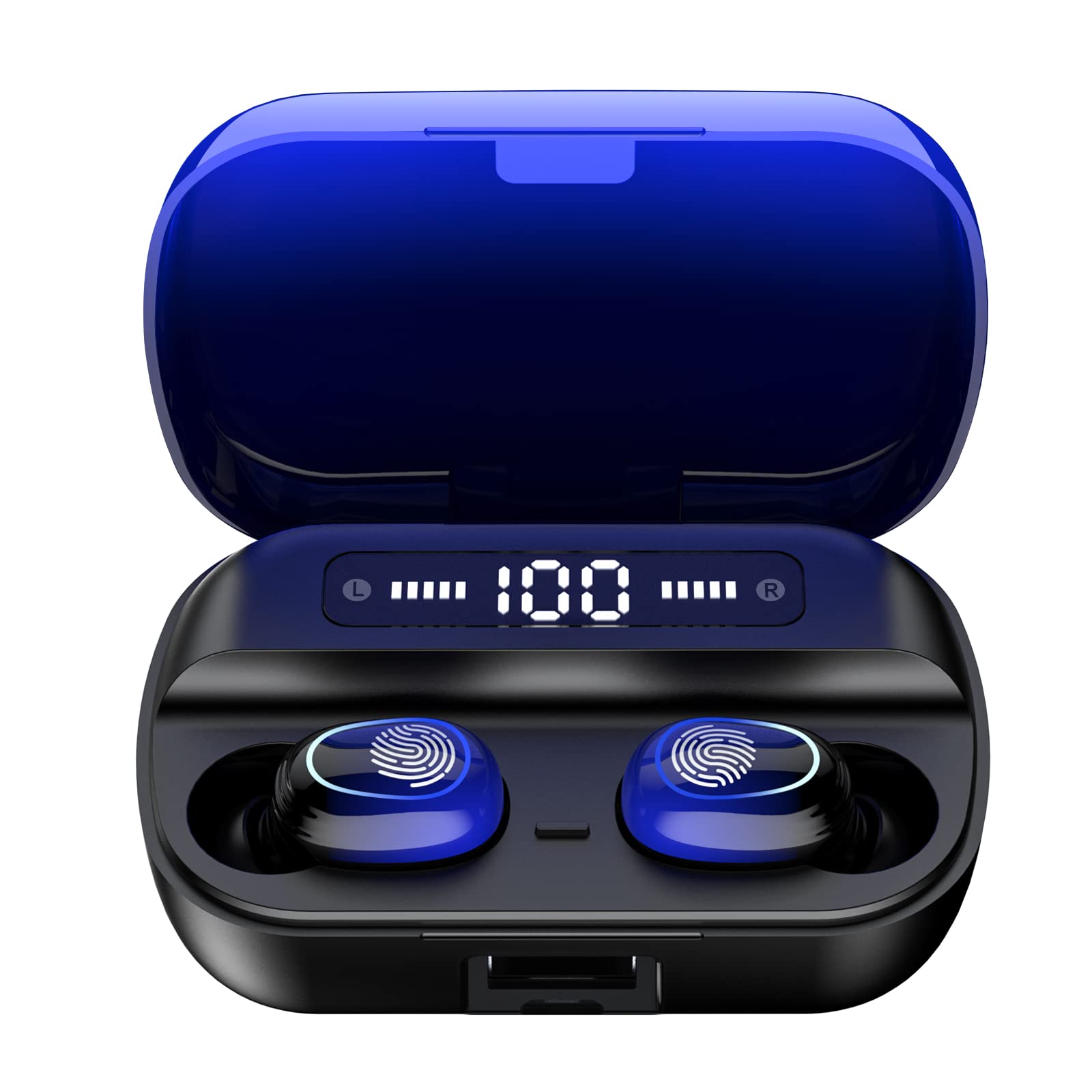
Gambar 4.1: Leuwihview of Kinganda Q71 Bluetooth Earbuds and key features including Bluetooth 5.1, low latency, low power consumption, touch control, clear calls, 10mm speakers, compatibility with iOS and Android, and a 33-foot signal range.
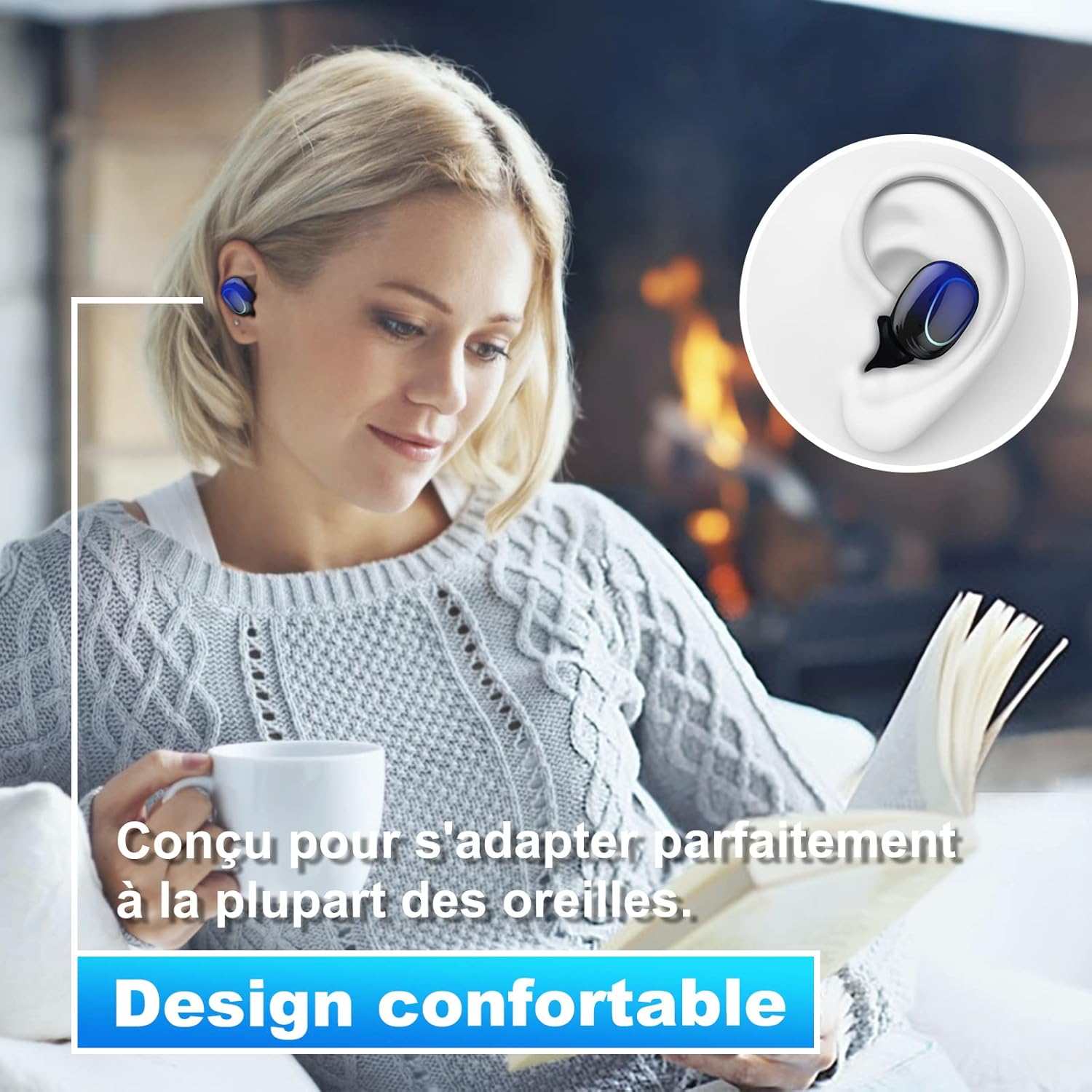
Image 4.2: The Kinganda Q71 earbuds are designed for a comfortable and secure fit in most ears.
5. Setélan
5.1 Ngecas Earbuds sareng Case
Saméméh dipaké munggaran, eusian pinuh wadahna ngecas na earbuds.
- Teundeun earbuds kana wadah ngecas. Pastikeun aranjeunna leres seated.
- Sambungkeun kabel ngecas USB ka port ngecas dina case jeung ka sumber kakuatan (misalna adaptor témbok USB, port USB komputer).
- Lampu indikator dina kasus bakal nunjukkeun status ngecas. Saatos dicas pinuh, lampu bakal nunjukkeun parantosan atanapi pareum.

Image 5.1: The charging case has a 3500mAh battery. Earbuds provide approximately 5 hours of playback, and the case extends total usage to about 150 hours. A full recharge takes approximately 1.5 hours.
5.2 Nyapasangkeun sareng Alat Bluetooth
The earbuds use Bluetooth 5.1 for a stable connection.
- Buka wadah ngecas. Earbuds bakal otomatis hurung tur asup kana mode papasangan.
- Dina alat Anjeun (smartphone, tablet, jsb), aktipkeun Bluetooth.
- Milarian pikeun available Bluetooth devices and select "Kinganda Q71" (or similar name) from the list.
- Saatos nyambung, anjeun bakal ngadangu nada konfirmasi, sareng lampu indikator dina earbud bakal robih.
5.3 Maké Earbuds
For optimal sound quality and comfort, choose the correct ear tip size and ensure a snug fit.
- Select the ear tips that best fit your ear canals.
- Lebetkeun unggal earbud kana ceuli anjeun lalaunan, pulas sakedik dugi ka karasana aman sareng nyaman.
6. Parentah Operasi
The Kinganda Q71 earbuds feature touch controls for easy operation.

Image 6.1: Touch controls for various functions including power, music playback, call management, and voice assistant activation.
6.1 Fungsi Dasar
- Hurungkeun/Pareuman: Earbuds power on automatically when removed from the case and power off when placed back in the case. Alternatively, long-press the touch area for manual power on/off.
- Puter / Reureuh: Ketok tunggal dina boh earbud.
- Lagu salajengna: Ketok dua kali earbud katuhu.
- Lagu Sateuacanna: Ketok dua kali earbud kénca.
- Ngajawab / mungkas Telepon: Ketok tunggal dina boh earbud nalika aya telepon asup.
- Nolak Telepon: Pencet lila boh earbud nalika aya telepon asup.
- Aktipkeun Asisten Sora (Siri): Ketok tilu kali dina boh earbud.
6.2 Modeu Pamakéan
The Kinganda Q71 earbuds support various listening modes.

Image 6.2: The earbuds can be used in mono mode (single earbud) to stay aware of surroundings, TWS stereo mode for immersive sound, or twin mode to share music with another person.
- Modeu mono: Use a single earbud (left or right) to listen to audio while keeping the other ear open to your surroundings. Simply remove one earbud from the case.
- TWS Stereo Mode: Use both earbuds for a full stereo audio experience. Both earbuds will automatically connect to each other and your device when removed from the case.
- Modeu kembar: Share your music with a friend by giving them one earbud. Both earbuds will play the same audio.
7. Pangropéa
7.1 beberesih
Pembersihan rutin ngabantosan ngajaga kualitas sora sareng kabersihan.
- Anggo lawon anu lembut, garing, henteu lint pikeun ngusap earbuds sareng wadah ngecas.
- Cabut tungtung ceuli teras bersihan ku sabun hampang sareng cai upami diperyogikeun, teras garingkeun dugi ka garing sateuacan dipasangkeun deui.
- Ulah make bahan kimia kasar atawa bahan abrasive.
7.2 Panyimpenan
Nalika henteu dianggo, simpen earbuds dina wadah ngecasna pikeun ngajagi sareng tetep dicas.
8. Cara ngungkulan
Upami anjeun mendakan masalah, cobian solusi ieu:
- Earbuds teu dipasangkeun: Ensure both earbuds are charged. Place them back in the case, close it, then open it again to re-initiate pairing mode. Check your device's Bluetooth settings and try reconnecting.
- Ngan hiji earbud jalan: Place both earbuds back in the charging case, close the lid, wait a few seconds, then open the lid and remove them simultaneously. This should force them to re-sync.
- Teu aya sora: Pariksa tingkat volume dina alat anjeun sareng pastikeun earbud parantos disambungkeun kalayan leres.
- Masalah ngecas: Ensure the charging cable is securely connected to both the case and the power source. Try a different charging cable or power adapter.
- Kualitas sora goréng: Ensure the earbuds are clean and properly seated in your ears. Try different ear tip sizes for a better seal.
9. Spésifikasi
| Ngaran modél | Q71 |
| merek | Kiganda |
| Téhnologi konektipitas | Nirkabel (Bluetooth 5.1) |
| Range nirkabel | Nepi ka 33 suku (10 méter) |
| Tipe Supir Audio | Supir dinamis (10mm) |
| Métode kontrol | Toél Control |
| Bahan | Plastik, Silikon |
| Tingkat Résistansi Cai | Waterproof (IPX7) |
| Kahirupan Batré Earbud | Kira-kira. 5 jam |
| Ngecas Case Batré Kahirupan | Approx. 150 hours (with case) |
| Ngecas Kapasitas Case | 3500 mah |
| Recharge Waktos | Kira-kira. 1.5 jam |
| Alat nu cocog | Bluetooth-enabled devices (iOS, Android) |
| Fitur husus | Enteng |

Image 9.1: The 10mm immersive drivers deliver enhanced sound quality with deeper bass.

Image 9.2: With an IPX7 waterproof rating, the earbuds are protected against sweat and water splashes, making them suitable for sports.
10. Garansi jeung Rojongan
Kinganda products are designed for reliability and performance. This product comes with a standard manufacturer's warranty. For specific warranty details, please refer to the warranty card included in your package or contact Kinganda customer support.
If you have any questions, require technical assistance, or need to claim warranty service, please contact our customer support team through the contact information provided on the Kinganda official websitus atanapi platform pameseran Anjeun.


