Bubuka
Hatur nuhun pikeun meuliasing the Core Innovations 150" LCD Home Theater Projector. This manual provides essential information for setting up, operating, and maintaining your projector to ensure optimal performance and longevity. Please read this manual thoroughly before use and retain it for future reference.
Produk Leuwihview
The Core Innovations 150" LCD Home Theater Projector is designed to deliver an immersive viewing experience with its adjustable screen size and versatile connectivity options.

Komponén jeung kontrol
Familiarize yourself with the projector's various ports and controls for seamless operation.

1. Headphone Jack (3.5mm)
2. AV Input
3. Slot Kartu SD Mikro
4. HDMI Inputs 1 & 2
5. Palabuhan USB
6. DC IN (Power Input)

Guide Setup
- Ngabongkar bungkusan: Carefully remove the projector and all accessories from the packaging. Ensure all included components are present: Power Cord, User Manual, HDMI Cable, Remote Control, Projector Lens Cover.
- panempatan: Teundeun proyektor dina permukaan datar anu stabil. Pikeun optimal viewing, position the projector directly in front of your projection surface (screen or wall). Ensure adequate ventilation around the projector.
- Sambungan Daya: Connect the included power cord to the DC IN port (6) on the projector and then plug it into a standard electrical outlet.
- Daya Hurung: Pencét tombol daya dina proyektor atawa kadali jauh pikeun ngahurungkeun alat.
- Penyesuaian fokus: Rotate the focus adjustment knob located near the lens until the projected image appears clear and sharp.
- Koreksi Keystone: If the projected image appears trapezoidal (wider at the top or bottom), use the keystone correction feature to adjust it into a rectangular shape. This is typically done via a dial or digital setting on the projector or remote.

Parentah Operasi
Nyambungkeun Alat
Proyektor ngadukung sababaraha sumber input:
- HDMI: Connect your laptop, gaming console (PS5), Roku, or other HDMI-enabled devices to either HDMI Input 1 or 2 (4).
- USB: Insert a USB flash drive (up to 1000GB) into the USB Port (5) to play media files langsung.
- Kartu SD Mikro: Insert a Micro SD card into the Micro SD Card Slot (3) to access stored media.
- OF: Use the AV Input (2) for older devices with composite video and stereo audio outputs.
- VGA: Connect a computer via the VGA port for video output.


Adjusting Projection Size
The projector supports an adjustable screen size between 32 inches and 150 inches. Adjust the distance of the projector from the screen to achieve your desired projection size. Use the focus knob to maintain image clarity after adjusting the distance.

Kaluaran Audio
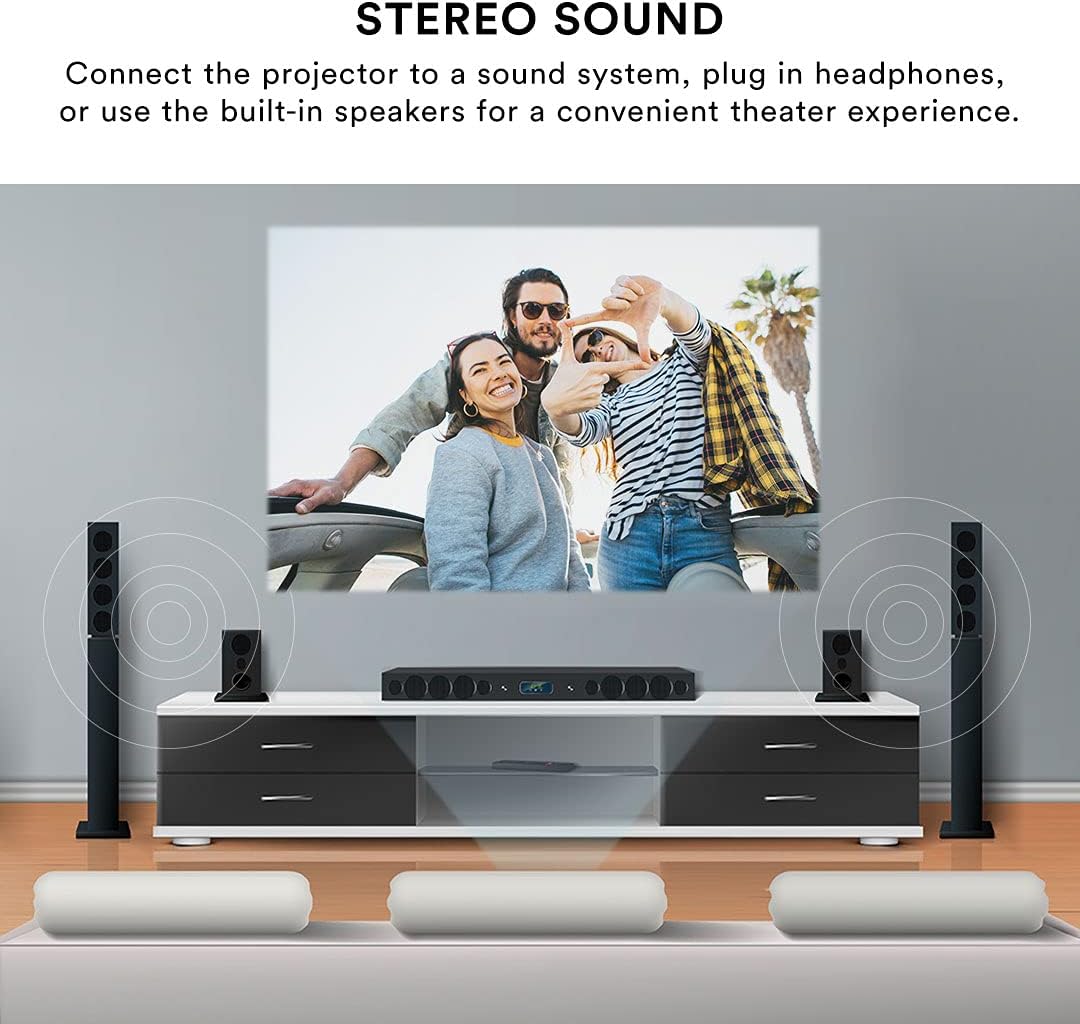
The projector features built-in speakers for convenient audio playback. For enhanced sound quality, you can connect external speakers or headphones using the 3.5mm Headphone Jack (1).
Kadali jauh
The included remote control allows for effortless operation from a distance. Use it to power on/off, select input sources, navigate menus, adjust volume, and control playback.
Pangropéa
Proper maintenance ensures the longevity and performance of your projector.
- Ngabersihan lensa: Anggo lawon anu lemes sareng henteu lint anu dirancang khusus pikeun lénsa optik pikeun ngusap lembut lénsa proyektor. Hindarkeun nganggo pembersih abrasive atanapi gaya kaleuleuwihan, anu tiasa ngagores lensa.
- Bersihan Luar: Ngusap bagian luar proyektor ku kaén anu lembut sareng garing. Pikeun tanda nekad, a rada damp lawon bisa dipaké, tapi mastikeun euweuh cairan asup ka alat.
- Ventilasi: Ensure the projector's ventilation openings are clear and unobstructed. Do not place the projector on soft surfaces that may block airflow. Proper ventilation prevents overheating.
- Panyimpenan: Upami teu dianggo salami lami, simpen proyéktor di tempat anu tiis sareng garing, jauh tina sinar panonpoé langsung sareng suhu anu ekstrim. Anggo panutup lénsa pikeun ngajagi lénsa tina lebu.
Pamérésan masalah
Upami anjeun mendakan masalah sareng proyektor anjeun, tingal masalah sareng solusi umum ieu:
| Masalah | Mungkin Cukang lantaranana | Solusi |
|---|---|---|
| Taya gambar projected | Power cable disconnected; Incorrect input source selected; Device not connected properly. | Check power connection; Select the correct input source (HDMI, USB, AV); Ensure source device is powered on and connected securely. |
| Gambar kabur | Focus not adjusted; Projector too far/close to screen; Lens dirty. | Adjust the focus knob; Adjust projector distance; Clean the lens. |
| Gambar distorsi (trapesium) | Projector teu jejeg layar. | Use keystone correction to adjust the image. |
| Taya sora | Volume teuing leutik; Spiker éksternal teu nyambung; Setélan audio alat sumber. | Increase projector volume; Ensure external speakers are connected and powered; Check audio output settings on your source device. |
| Kadali jauh teu jalan | Batré lemah/pareum; Halangan antara remot sareng proyéktor; Sénsor remot tersumbat. | Replace batteries; Remove any obstructions; Ensure remote is pointed at the projector's IR sensor. |
| Projector is overheating or fan is loud | Diblokir ventilasi; pamakéan berkepanjangan. | Ensure ventilation openings are clear; Allow the projector to cool down if used for extended periods. |
spésifikasi
| Fitur | Rincian |
|---|---|
| merek | Inovasi inti |
| Nomer modél | CJR600BL |
| Dimensi produk | 8.1 x 3.4 x 6.1 inci |
| Item Beurat | 2 pon |
| Ukuran proyéksi | 32" - 150" |
| Babandingan Kontras | 300:1 |
| Resolusi tampilan | 1280 x 720 |
| Téhnologi konektipitas | HDMI (x2), USB, Micro SD, AV, VGA |
| Audio | Built-in speakers, 3.5mm headphone jack |
| Faktor Bentuk | Portabel |
| Komponén Kaasup | Power Cord, User Manual, HDMI Cable, Remote Control, Projector Lens Cover |
Garansi sareng Rojongan
Émbaran jaminan
This Core Innovations projector comes with a 1-taun jaminan kawates from the date of purchase, covering 90 days for parts and labor. Please retain your proof of purchase for warranty claims.
Rojongan Palanggan
For technical assistance, troubleshooting beyond this manual, or warranty inquiries, please contact Core Innovations customer support. Refer to the contact information provided on the product packaging or the official Core Innovations websitus.


