1. Produk Langkungview
The XTOOL Anyscan A30M V2.0 is a wireless OBD2 scanner designed for comprehensive vehicle diagnostics. It offers full system scanning, bidirectional control, and numerous reset functions, making it suitable for both professional mechanics and DIY users. This device connects wirelessly to your smartphone or tablet via Bluetooth, providing a flexible and convenient diagnostic experience.

Figure 1: XTOOL Anyscan A30M V2.0 Device

Figure 2: Wide Application and Ease of Use
2. Setup Guide
2.1 Naon dina Box
- XTOOL A30M Wireless OBD2 Scanner
2.2 Pamasangan Aplikasi
The XTOOL Anyscan A30M V2.0 operates via a dedicated mobile application. Ensure your smartphone or tablet runs Android 5.0 or above, or iOS 10.0 or above.
- Download and install the 'Anyscan' app from the Google Play Store (for Android) or the Apple App Store (for iOS).
- Alternatively, scan the QR code provided on the product packaging for direct download links.

Figure 3: App Compatibility and Download
2.3 Device Connection and Pairing
- Turn the ignition switch on your vehicle to the 'ON' position.
- Panggihan port OBD2 wahana anjeun, ilaharna kapanggih dina dasbor di sisi supir.
- Plug the XTOOL Anyscan A30M V2.0 device firmly into the OBD2 port. The device will power on automatically, indicated by its display.
- Open the 'Anyscan' app on your smartphone/tablet.
- Activate your account and download all necessary software updates via a Wi-Fi connection within the app's 'Update' menu.
- Connect the device via Bluetooth (BT 4.0 wireless connectivity) through the app's 'Settings' menu. The device offers a stable wireless connection up to 33 feet.

Gambar 4: Pituduh Mimitian Gancang
Video 1: Official XTOOL A30M V2.0 Overview (Seller)
3. Parentah Operasi
3.1 Diagnostik Sistim pinuh
The A30M V2.0 provides OE-level full system diagnostics, allowing you to thoroughly scan all available systems in your vehicle, including Engine, Transmission, ABS, SRS, AC, and more. This ensures accurate and in-depth troubleshooting.

Figure 5: OE-Level All Systems Diagnostics
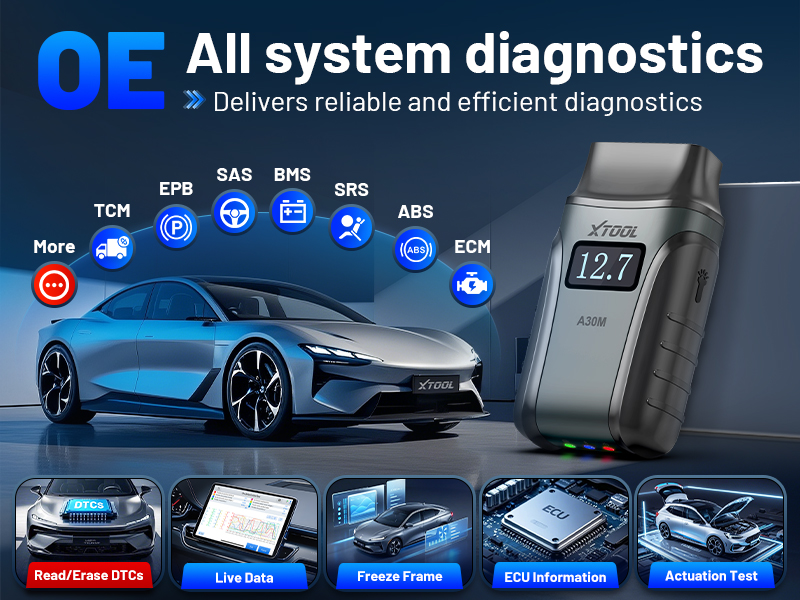
Figure 6: Comprehensive System Diagnostics
3.2 Kontrol Dua Arah (Tés Aktif)
Perform active tests by sending commands to the vehicle's ECU. This feature helps quickly diagnose and test components such as fuel pumps, injectors, A/C clutches, windows, and sunroofs, reducing troubleshooting time.

Figure 7: Bidirectional Control Capabilities

Figure 8: Bidirectional Control in Action
3.3 Special Functions and Resets
The A30M V2.0 includes 23 essential reset and relearn functions to keep your vehicle in optimal condition. These include:
- Reset minyak
- Reset EPB
- SAS (Sénsor Sudut Setir)
- ABS Brake Bleeding
- Throttle Diajar deui
- Injektor Coding
- Crank Sensor Relearn
- Adjustment lampu gede
- Tire Size Reset
- Sareng seueur deui.
Note: Service functions may vary by vehicle model. Always check compatibility before performing any service function.

Gambar 9: Leuwihview of 23+ Special Functions

Gambar 10: Fungsi Husus anu Lengkep
3.4 Live Data Streams Graphing
Gain comprehensive insights into your vehicle’s performance with real-time graphing. The A30M V2.0 supports up to 8 live data streams simultaneously, making it easier to spot issues and detect trends.

Figure 11: Live Data Streams Graphing
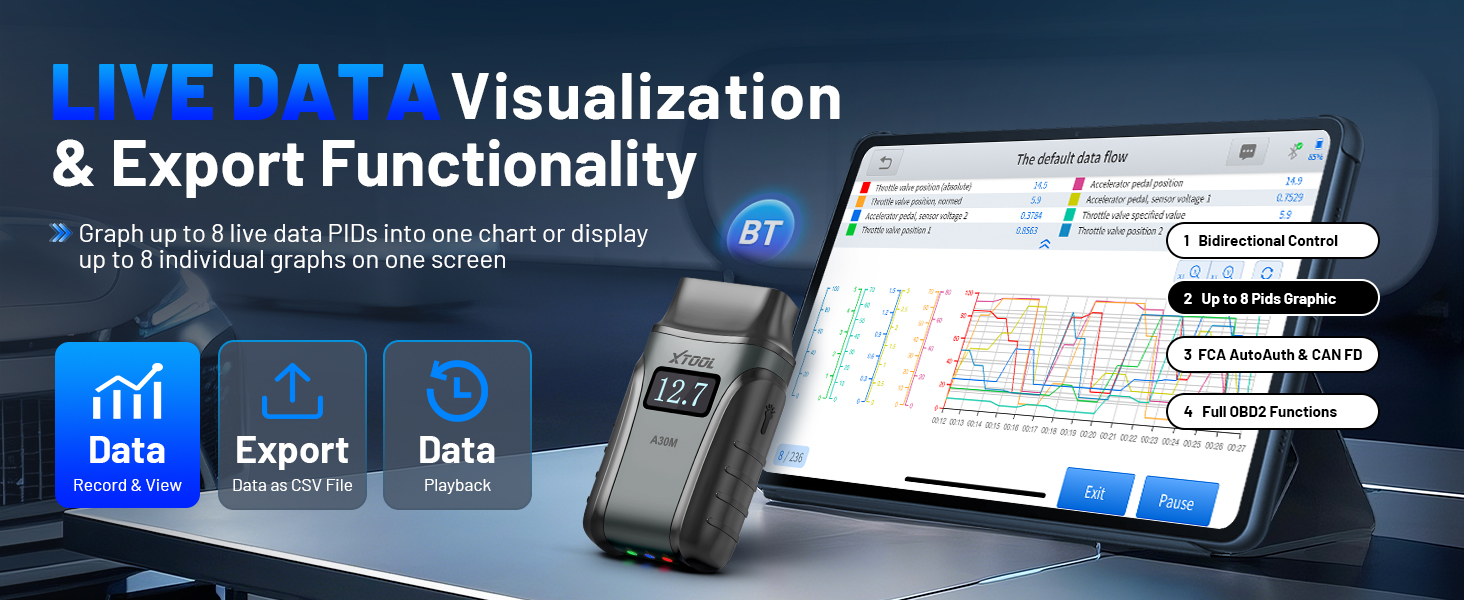
Figure 12: Live Data Visualization and Export
3.5 CAN FD & FCA AutoAuth Compatibility
The A30M V2.0 is updated to support the latest protocols, including FCA AutoAuth access for Chrysler, Jeep, Dodge, and Fiat (2018+) models, and CAN FD for GM (2020+) models, providing wider vehicle coverage.

Figure 13: CAN FD & FCA AutoAuth Support
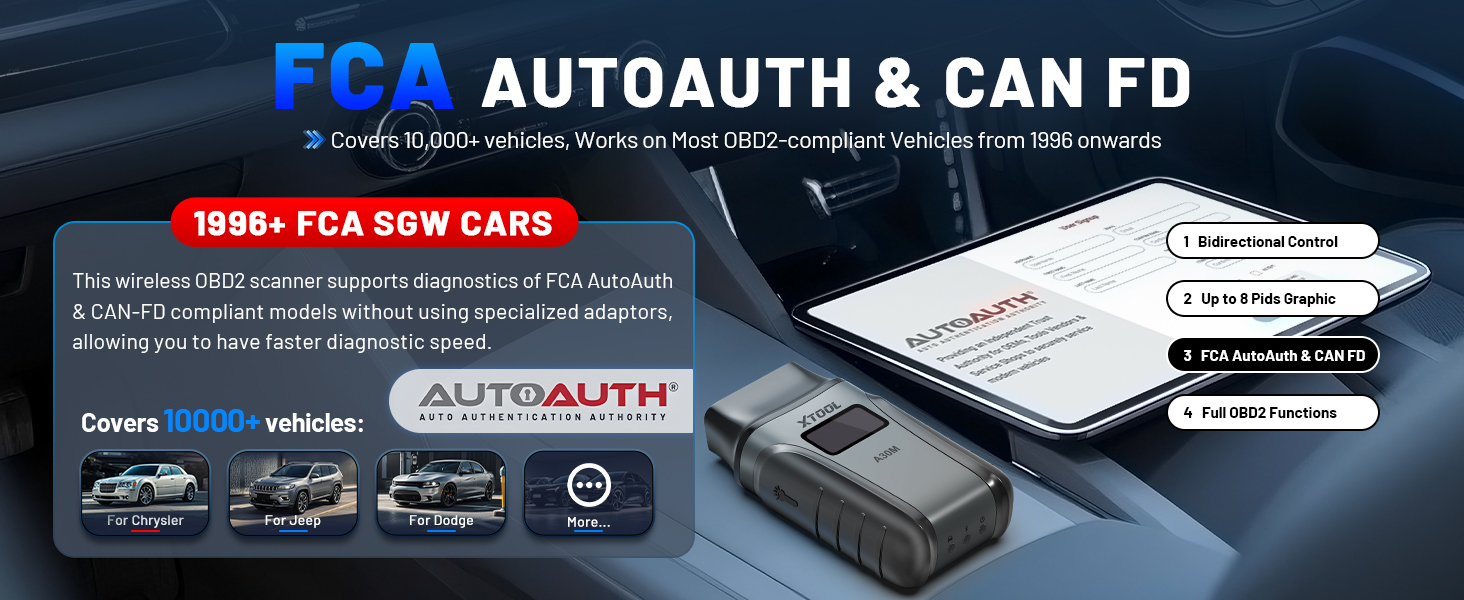
Figure 14: Enhanced Compatibility
3.6 Multiple Language Support
The XTOOL A30M V2.0 scan tool supports 15 languages, enhancing usability and efficiency across diverse regions. English is the default language. To change the language, please contact XTOOL customer support with your device's serial number.

Figure 15: Multilingual Interface
4. Pangropéa
4.1 Lifetime Free Software Updates
The XTOOL Anyscan A30M V2.0 includes free lifetime software updates for all app service functions. This means you enjoy full access to diagnostics, reset tools, and maintenance features without any subscription fees.

Figure 16: Lifetime Free Software Updates
4.2 Scheduled Vehicle Maintenance
Regular use of the A30M V2.0 for scheduled vehicle maintenance can help keep your vehicle in peak condition and potentially save on dealership trips by addressing issues proactively.
5. Cara ngungkulan
The A30M V2.0 is designed for ease of use. If you encounter any issues, the device's full OBD2 functions allow you to read and clear Diagnostic Trouble Codes (DTCs), view live data, and access freeze frame data to identify problems.

Figure 17: Full OBD2 Functions for Troubleshooting

Figure 18: Comprehensive OBD2 Functions
For more complex issues or technical assistance, XTOOL provides professional technical support. Several customer reviews highlight quick and helpful customer support, even for activation codes or usage queries.
6. Spésifikasi
| Fitur | Spésifikasi |
|---|---|
| merek | XTOOL |
| Modél | XTOOL Anyscan A30M |
| Sumber Daya | OBD II Port |
| Sistem operasi | ios, Android |
| Automotive Fit Tipe | Universal Fit |
| Item Beurat | 3.52 ons |
| Ukuran Paket | 5.08 x 3.58 x 1.46 inci |
| Negara asal | Cina |
| UPC | 789605297366 |
7. Rojongan jeung Sumberdaya
7.1 Buku Panduan Pamaké (PDF)
Kanggo vérsi PDF anu lengkep tina manual pangguna, mangga tingali dokumén resmi: Manual Pamaké (PDF)
7.2 Brand Store
Explore other XTOOL products and accessories at their official Amazon store: XTOOL Official Store


