Bubuka
This manual provides comprehensive instructions for the safe and efficient use of your Coby True Wireless Earbuds (Model CETW535). Please read this manual thoroughly before using the product and retain it for future reference.
The Coby True Wireless Earbuds offer a seamless audio experience with Bluetooth 5.3 technology, a smart battery display, and intuitive controls for music and calls. They are designed for comfort and convenience, featuring a built-in microphone for hands-free communication.
Eusi pakét
- Coby True Wireless Earbuds (Left and Right)
- Charging Case with Smart Battery Display
- Kabel Ngecas USB
- Manual pangguna (dokumén ieu)
Disetél
1. Ngecas Awal
Before first use, fully charge the earbuds and the charging case. Connect the charging case to a USB power source using the provided USB cable. The digital display on the case will indicate the charging status and battery level.

Image: The Coby True Wireless Earbuds are shown inside their open charging case, which displays "100%" on its digital screen, indicating a full charge. The earbuds are black and fit snugly into their respective slots.
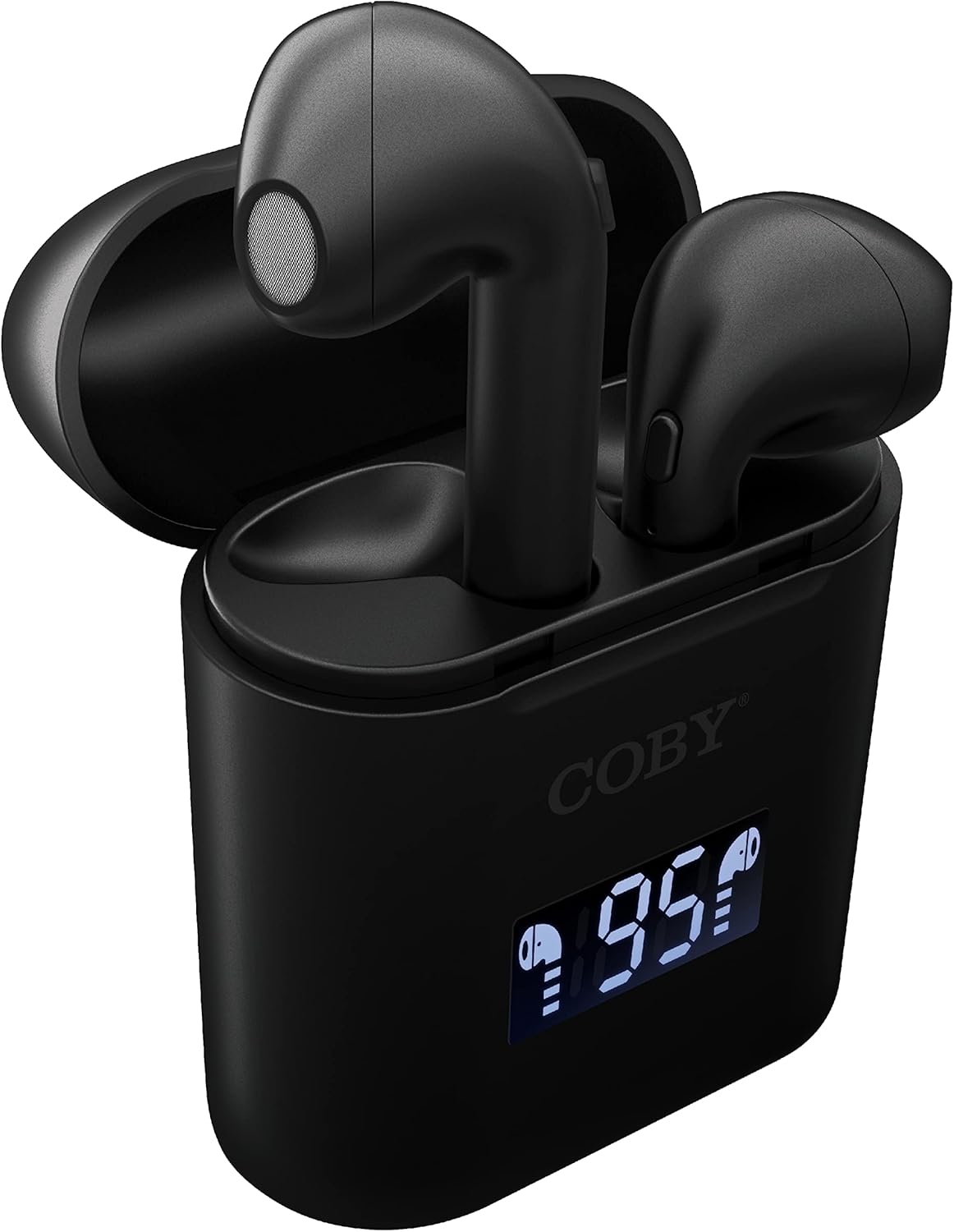
Gambar: A close-up view of the Coby True Wireless Earbuds resting in their open charging case. The case features a digital display showing "95%", indicating the current battery level of the case. The black earbuds are visible, with their microphones facing upwards.
2. Nyapasangkeun sareng Alat Bluetooth
- Pastikeun yén earbuds dieusi sareng di jero wadah ngecas.
- Buka wadah ngecas. Earbuds bakal otomatis hurung tur asup kana mode papasangan.
- Dina alat Anjeun (smartphone, tablet, jsb), aktipkeun Bluetooth.
- Milarian pikeun "CETW535" or "Coby Earbuds" in the list of available Bluetooth devices.
- Pilih nami alat anu bade disambungkeun. Saatos nyambung, anjeun bakal ngadangu sora konfirmasi.
- The earbuds will automatically re-pair with the last connected device when removed from the case, if Bluetooth is enabled on the device.
3. Nyocogkeun Earbuds
Gently insert each earbud into the corresponding ear (L for left, R for right). Adjust them slightly until they feel secure and comfortable. A proper fit ensures optimal sound quality and comfort.

Image: A woman is shown smiling while wearing a black Coby True Wireless Earbud in her right ear, demonstrating a comfortable and secure fit.
Parentah Operasi
Daya Hurung/Pareuman
- Daya Hurung: Open the charging case, or press and hold the touch control area on each earbud for 3 seconds.
- Pareum listrik: Place the earbuds back into the charging case and close the lid, or press and hold the touch control area on each earbud for 5 seconds.
Kadali Musik
The earbuds feature touch-sensitive controls for easy management of your audio playback.
- Puter / Reureuh: Ketok boh earbud sakali.
- Lagu salajengna: Ketok dua kali earbud katuhu.
- Lagu Sateuacanna: Ketok dua kali earbud kénca.
- Volume Up: Ketok tilu kali earbud katuhu.
- Volume Turun: Ketok tilu kali earbud kénca.

Image: A man is shown wearing a Coby True Wireless Earbud in his right ear, taking a drink from a water bottle, illustrating the earbuds' use during active moments.
Kadali Telepon
Manage your calls effortlessly with the built-in microphone and touch controls.
- Ngajawab / mungkas Telepon: Ketok boh earbud sakali.
- Nolak Telepon: Pencét jeung tahan boh earbud salila 2 detik.

Image: A man is depicted wearing a Coby True Wireless Earbud in his left ear while concentrating on a laptop screen, highlighting the earbuds' suitability for work or study environments.
Aktivasina Asistén Sora
Activate your device's voice assistant (Siri or Google Assistant) for hands-free commands.
- Aktipkeun Asisten Sora: Press and hold either earbud for 3 seconds (after powering on, before powering off gesture).
Intelligent Digital Battery Display
The charging case features a digital display that shows the remaining battery percentage of the case and individual charging status of the earbuds.
- The large number indicates the charging case's battery percentage.
- Small icons next to the percentage indicate the charging status of the left and right earbuds.

Image: The Coby True Wireless Earbuds are shown in their open charging case, with the digital display indicating "95%" battery life for the case. The black earbuds are visible, ready for use or charging.
Pangropéa
- beberesih: Anggo lawon anu lemes, garing, henteu lint pikeun ngabersihan earbuds sareng wadah ngecas. Ulah make bahan kimia kasar atawa bahan abrasive.
- Panyimpenan: Nalika henteu dianggo, simpen earbuds dina wadah ngecasna pikeun ngajagi sareng tetep dicas. Nyimpen dina tiis, tempat garing jauh ti suhu ekstrim.
- Ngecas: To prolong battery life, avoid fully discharging the battery frequently. Charge the case and earbuds regularly, even if not in constant use.
Pamérésan masalah
| Masalah | Solusi anu mungkin |
|---|---|
| Earbuds henteu dipasangkeun sareng alat. |
|
| Ngan hiji earbud keur diputerkeun sora. |
|
| Kasus ngecas teu ngecas. |
|
| Kualitas sora goréng atanapi disconnections. |
|
spésifikasi
| Fitur | Rincian |
|---|---|
| merek | Coby |
| Ngaran modél | Earbuds Wireless Leres |
| Nomer modél | CETW535 |
| Téhnologi konektipitas | Bluetooth 5.3 |
| Warna | Hideung |
| Earbud Playtime | Nepi ka 6.5 jam (dina muatan pinuh) |
| Total Playtime (kalawan kasus) | Nepi ka 22 jam |
| Mikropon | Diwangun-di |
| Rojongan Asisten sora | Siri, Asistén Google |
| Ukuran (L x W x H) | 0.99 x 1.85 x 2.44 inci (Kasus Ngecas) |
| Item Beurat | 6.1 ons |
| UPC | 643620020982 |
| Produsén | Summit Electronics, LLC |
Garansi sareng Rojongan
Specific warranty information for the Coby True Wireless Earbuds (Model CETW535) is not provided within this manual. For details regarding warranty coverage, terms, and conditions, please refer to the warranty card included with your product packaging or visit the official Coby websitus.
For technical support or further assistance, please contact Coby customer service through the contact information provided on their official websitus atanapi bungkusan produk.


