Bubuka
Thank you for choosing the Coby Metal Folding Bluetooth Headphones. These over-ear headphones are designed to provide a high-fidelity, wireless audio experience with ultimate portability and comfort. Featuring a durable metal frame and advanced Bluetooth 5.3 connectivity, they are perfect for extended listening sessions on the go. This manual will guide you through the setup, operation, and maintenance of your new headphones.

Gambar: Hareupeun view of the Coby Metal Folding Bluetooth Headphones in blue.
Naon dina Box
- Coby Metal Folding Bluetooth Headphones
- Kabel Ngecas USB
- Kabel Aux 3.5mm
- Manual pamaké

Image: The retail packaging for the Coby Metal Folding Bluetooth Headphones.
Fitur produk
- Premium Wireless Audio Portability: High-fidelity sound with a super-comfort, metal profile that folds for supreme portability and convenience.
- Bluetooth Enabled Wireless Playback: Enjoy up to 10 hours of listening, wirelessly paired to your Bluetooth device up to 33 feet away.
- Sora Kasatiaan Luhur: Equipped with 40mm diameter speaker drivers for full bass reproduction and clear stereo sound. Sensitivity: 100db + 3db.
- Premium Comfort by Design: Adjustable, padded headband and foam-cushioned ear pads provide a comfortable fit for extended use.
- Lampu sareng Portabel: Folding, swivel-joint design allows for easy storage and transport.
- Fitur ekslusif: Includes a 3.5mm Aux in port for wired listening, one-touch call answering, TF Card slot, and USB port for versatile media access.
- Konektipitas Seamless: Features Bluetooth version 5.3 for lightning-fast pairing and uninterrupted audio streaming.

Image: A woman wearing the Coby headphones around her neck, showcasing their portability.
Disetél
1. Ngecas Headphone
Before first use, fully charge your headphones. Connect the provided USB charging cable to the charging port on the headphones and the other end to a USB power source (e.g., computer USB port, wall adapter). The LED indicator will show charging status and turn off or change color when fully charged. A full charge takes approximately 2 hours and provides up to 10 hours of playback time.
2. Papasangan Bluetooth
- Pastikeun headphone dipareuman.
- Pencét jeung tahan tombol Daya nepi ka indikator LED hurung biru jeung beureum silih ganti, nuduhkeun mode papasangan.
- Dina alat anjeun (smartphone, tablet, laptop), aktipkeun Bluetooth sareng milarian alat anyar.
- Select "CHBT808BL" from the list of available devices.
- Once connected, the LED indicator will flash blue slowly or remain solid blue. You are now ready to enjoy your music wirelessly.
3. Sambungan Kabel (Aux 3.5mm)
For wired listening or when the battery is depleted, use the included 3.5mm Aux cable. Plug one end into the 3.5mm Aux in port on the headphones and the other end into your audio device's 3.5mm audio jack. The headphones will automatically switch to wired mode.
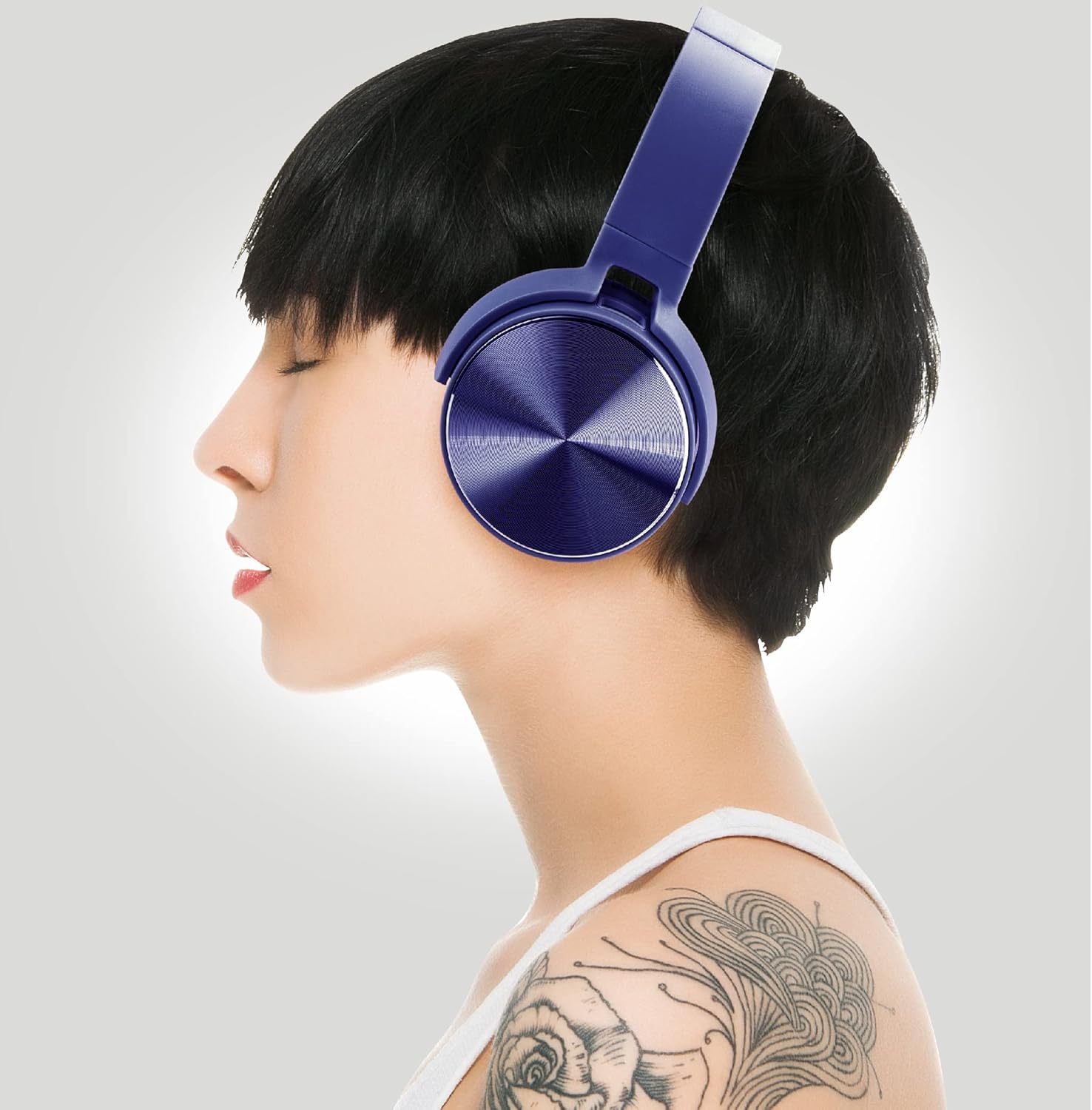
Image: A woman wearing the Coby headphones, illustrating their comfortable fit.
Parentah Operasi
1. Kadali dasar
The headphones feature intuitive on-board controls for easy management of your audio and calls:
- Hurungkeun/Pareuman: Pencét jeung tahan tombol Daya.
- Puter / Reureuh: Pencét tombol Play / Reureuh sakali.
- Volume Kaluhur/Turun: Pencét polumeu + atanapi polumeu - tombol.
- Lagu salajengna: Pencét jeung tahan tombol Jilid +.
- Lagu Sateuacanna: Pencét jeung tahan tombol Jilid -.
- Ngajawab / mungkas Telepon: Press the Play/Pause button once during an incoming call or active call.
- Nolak Telepon: Pencét terus tahan tombol Puter/Pause salami aya telepon asup.
2. Kartu TF jeung USB Playback
Insert a TF (microSD) card or a USB drive into the respective ports on the headphones. The headphones will automatically detect the media and begin playback. Use the on-board controls to manage your music.
Video: An official product video demonstrating the features and usage of the Coby Metal Folding Bluetooth Headphones.

Image: A user enjoying music with the Coby headphones in a dynamic environment.
Pangropéa
- beberesih: Anggo lawon anu lembut sareng garing pikeun ngabersihan headphone. Ulah make cleaners abrasive atawa pangleyur.
- Panyimpenan: When not in use, store the headphones in a cool, dry place, away from direct sunlight and extreme temperatures. Utilize the folding design for compact storage.
- Perawatan batré: Pikeun manjangkeun umur batre, ulah miceun headphone sacara sering. Ngeusi batre rutin, sanajan teu dipaké pikeun période nambahan.

Image: A user relaxing with the Coby headphones, highlighting their comfort for long listening sessions.
Pamérésan masalah
| Masalah | Mungkin Cukang lantaranana | Solusi |
|---|---|---|
| Headphone teu hurung | batré lemah | Ngecas headphone pinuh. |
| Teu tiasa dipasangkeun sareng alat | Headphone henteu dina mode papasangan / Alat Bluetooth pareum / Di luar jangkauan | Ensure headphones are in pairing mode (flashing blue/red). Turn on Bluetooth on your device. Move device closer to headphones (within 33 ft). |
| Taya sora | Volume too low / Not connected / Aux cable issue | Increase volume on headphones and device. Re-pair Bluetooth. Check 3.5mm Aux cable connection. |
| Kualitas sora goréng | Interference / Low battery | Move away from other wireless devices. Charge headphones. |

Image: A man wearing the Coby headphones while outdoors, demonstrating their suitability for various environments.
spésifikasi
| Nomer modél | CHBT808BL |
| Téhnologi konektipitas | Wireless (Bluetooth 5.3), Wired (3.5mm Aux) |
| Rentang Bluetooth | Nepi ka 10 méter (33 suku) |
| Ukuran Supir Audio | 40 milimeter |
| Impedansi | 32 ohm |
| Sensitipitas | 100db + 3db |
| Rentang Frékuénsi | 20 Hz - 20 kHz |
| Kahirupan batré | Nepi ka 10 Jam |
| Waktu Ngecas | Kira-kira. 2 jam |
| Bahan | logam |
| Ukuran (L x W x H) | 7.48 x 6.5 x 3.45 inci |
| Item Beurat | 11.3 ons |
| Produsén | Summit Electronics, LLC |
Émbaran Kasalametan
- Ulah ngadangukeun volume anu luhur teuing lila pikeun nyegah karusakan pangrungu.
- Do not expose the headphones to water, moisture, or extreme temperatures.
- Jauhkeun tina jangkauan barudak.
- Entong nyobian ngabongkar atanapi ngarobih headphone. Ieu bakal ngabatalkeun jaminan sareng tiasa nyababkeun karusakan.
- Buang produk sacara tanggung jawab nurutkeun peraturan lokal.
Garansi sareng Rojongan
For warranty information and customer support, please refer to the documentation included with your purchase or visit the official Coby website. You may also contact Summit Electronics, LLC for assistance.


