1. Bubuka
This manual provides detailed instructions for the setup, operation, and maintenance of your Loluka Smart Watch JYAW12PROLA. Please read this manual thoroughly to ensure proper use and to maximize the functionality of your device.
1.1 Eusi pakét
Saatos ngabongkar bungkusan, mangga pariksa yén sadaya barang anu didaptarkeun di handap aya:
- 1x Loluka Smart Watch
- 1x Watch Box
- 1x Manual Pamaké (dokumén ieu)
- 1x Kabel Ngecas Magnét
2. Setélan
2.1 Ngecas Smart Watch
Before first use, fully charge your smart watch. Use the provided magnetic charging cable.
- Connect the magnetic end of the charging cable to the charging contacts on the back of the watch. Ensure a secure connection.
- Plug the USB end of the charging cable into a standard USB power adapter (not included) or a computer's USB port.
- The watch screen will indicate charging status. A full charge typically takes approximately 2-3 hours.
Catetan: A full charge provides approximately 2-5 days of working time and up to 15 days of standby time, depending on usage.
2.2 Powering on / Pareum
- Pikeun Ngahurungkeun: Pencét terus tahan tombol sisi nepi ka layar hurung.
- Pikeun mareuman: Buka menu 'Setélan' dina jam tangan, teras pilih 'Pareuman' atanapi pencét sareng tahan tombol sisi teras pastikeun pareum.
2.3 Pamasangan Aplikasi sareng Pamasangan Alat
To unlock the full features of your Loluka Smart Watch, you need to install the companion application on your smartphone and pair the devices.
- Unduh Aplikasi: Scan the QR code provided in the watch's quick start guide or search for the designated app (e.g., 'SZOS' or similar, as mentioned in some product descriptions) in your smartphone's app store (Apple App Store for iOS, Google Play Store for Android).
- Pasang sareng Buka: Pasang aplikasi sareng buka dina smartphone anjeun.
- Aktipkeun Bluetooth: Pastikeun Bluetooth diaktipkeun dina smartphone Anjeun.
- Pasangkeun Alat: Within the app, navigate to the 'Device' or 'Add Device' section. The app will search for available devices. Select 'JYAW12PROLA' or the corresponding device name when it appears.
- Konfirmasi pasangan: Follow the on-screen prompts on both your phone and watch to confirm the pairing.
Kasaluyuan: The smart watch supports iOS 10.0 or above and Android 5.0 or above smartphones. It is not compatible with PCs, iPads, or tablets.
3. Parentah Operasi
The Loluka Smart Watch features a 1.3-inch full touch screen for navigation and interaction.
3.1 Napigasi Dasar
- Gesek ka luhur/handap: Gulung ka ménu atanapi béwara.
- Gesek Kénca/Katuhu: Aksés widget atanapi setélan gancang anu béda.
- Ketok: Pilih hiji item atawa mastikeun hiji aksi.
- Tombol samping: Typically used to return to the home screen or access the main menu.
3.2 Fungsi Telepon Bluetooth
Sakali dipasangkeun sareng smartphone anjeun, anjeun tiasa nelepon sareng nampi telepon langsung tina jam tangan anjeun.
- Nelepon: Access the 'Dialer' or 'Contacts' function on your watch to initiate a call.
- Narima Telepon: Nalika telepon asup, jam tangan bakal ningalikeun ID panelepon. Anjeun tiasa ngawalon atanapi nolak telepon langsung tina layar jam tangan.
3.3 Pesen Bewara
The watch can display notifications from your smartphone, including SMS, social media alerts, and other app notifications.
- Ensure notification permissions are enabled for the companion app on your smartphone.
- Notifications will appear on the watch screen and the watch will vibrate.
3.4 Multi-Sports Modes
The watch includes multiple built-in exercise modes to track your physical activity.
- Access the 'Sports' or 'Workout' menu on your watch.
- Select the desired exercise mode (e.g., running, walking, cycling).
- The watch will track metrics such as steps, calories burned, and distance during your workout.
3.5 Nyukcruk Saré
The watch monitors your sleep patterns to help you understand and improve your sleep quality.
- Wear the watch while sleeping. It will automatically detect and record different sleep stages, including deep sleep and periods of wakefulness.
- View detailed sleep data in the companion app, which provides a scientific evaluation of your sleep quality over a 7-day period.

Image: The smart watch screen showing sleep monitoring data, including sleep duration and quality metrics. A person is shown sleeping in the background.
3.6 Custom Dials
Personalize your watch face with various pre-installed dials or create custom ones.
- Long-press the watch face on the home screen to access dial options.
- Swipe left or right to browse available dials and tap to select.
- The companion app may offer additional custom dial options, allowing you to upload personal images or designs.
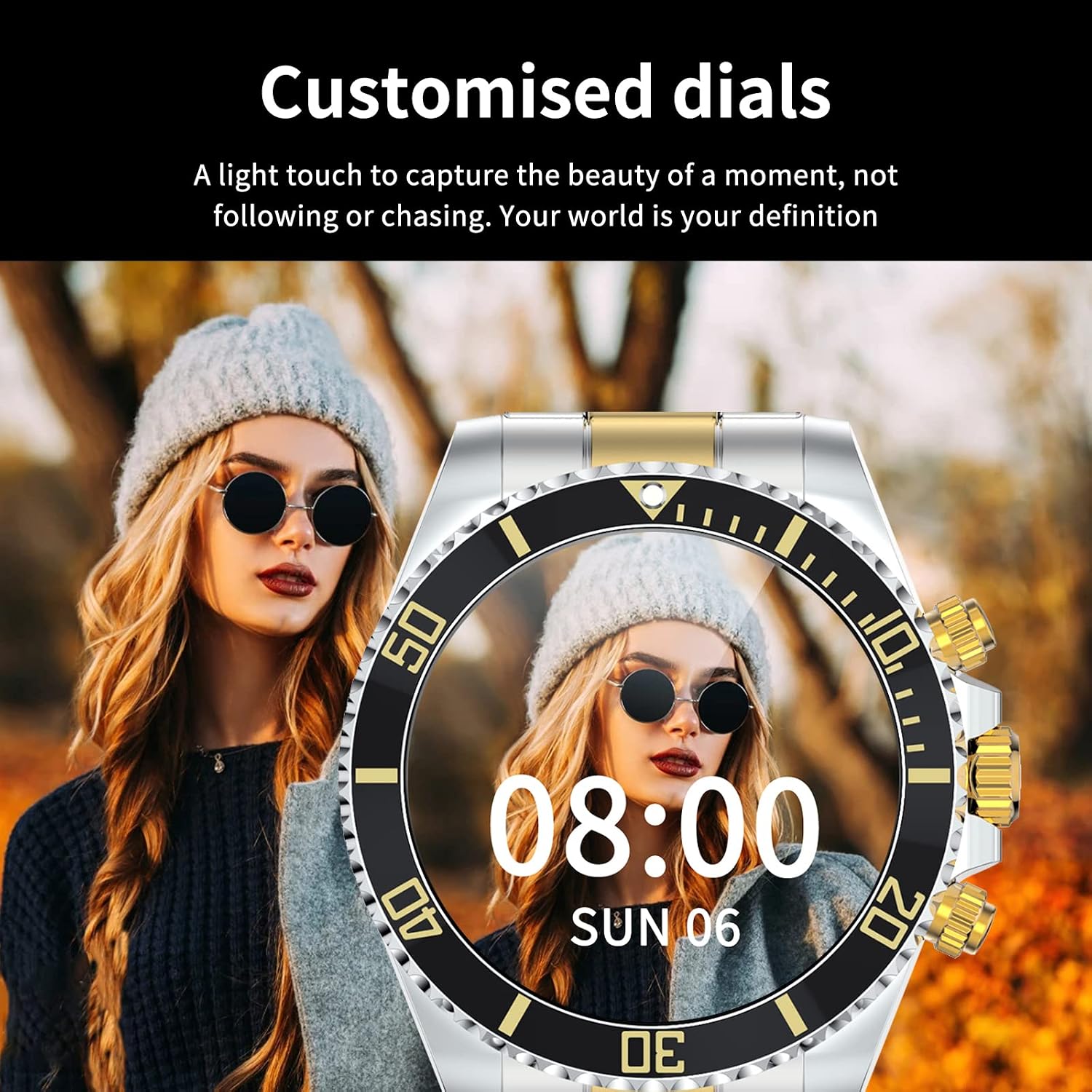
Image: A Loluka Smart Watch displaying a customized digital watch face with time and date, worn by a person.
3.7 Fitur tambahan
- Pedometer: Tracks steps, calories burned, and distance throughout the day.
- Alarm/Sedentary Reminder: Set alarms and receive reminders to move after periods of inactivity via the companion app.
- Kadali kaméra jauh: Anggo arloji anjeun salaku jepret jauh pikeun kaméra smartphone anjeun.
- Kontrol Musik: Control music playback on your smartphone (play, pause, skip tracks, adjust volume) directly from the watch.

Image: The smart watch displaying music control options, with a smartphone showing a music playlist in the background.
4. Pangropéa
4.1 Tahan cai
The Loluka Smart Watch is rated IP67 waterproof.
- It can withstand splashes, hand washing, and rain.
- penting: Nu lalajo téh TEU suitable for hot water bathing, diving, swimming, or water-related work where it would be submerged for extended periods or exposed to high-pressure water.

Image: A Loluka Smart Watch partially submerged in water, with text indicating 'IP67 life waterproof' and warnings about unsuitable activities.
4.2 beberesih
Pikeun ngajaga penampilan sareng fungsi jam tangan anjeun:
- Wipe the watch and band regularly with a soft, dry, lint-free cloth.
- Upami diperlukeun, make rada damp lawon pikeun kokotor nekad, teras garing tuntas.
- Hindarkeun ngagunakeun bahan kimia kasar, pangleyur beberesih, atawa deterjen kuat, sabab ieu bisa ngaruksak finish jeung segel arloji urang.
4.3 Perawatan Batré
- Hindarkeun sering-sering ngeusi batre.
- Simpen arloji dina tempat anu tiis sareng garing upami henteu dianggo kanggo waktos anu lami.
- Paké ngan kabel ngecas disadiakeun.
5. Cara ngungkulan
If you encounter issues with your Loluka Smart Watch, refer to the following common solutions:
- Lalajo teu hurung: Pastikeun arloji dicas pinuh. Sambungkeun ka carjer sahenteuna 30 menit.
- Teu tiasa dipasangkeun sareng smartphone:
- Pastikeun Bluetooth diaktipkeun dina telepon anjeun sareng jam tangan.
- Pastikeun arlojina aya dina jangkauan Bluetooth telepon anjeun.
- Balikan deui telepon anjeun sareng jam tangan.
- Pastikeun aplikasi pendamping diropéa ka versi panganyarna.
- Poho alat dina setélan Bluetooth telepon anjeun sarta coba masangkeun deui ngaliwatan aplikasi.
- Bewara teu muncul:
- Pariksa setélan bewara aplikasi dina telepon anjeun sareng dina aplikasi pendamping.
- Pastikeun arloji disambungkeun via Bluetooth.
- Pelacakan kagiatan anu teu akurat: Ensure the watch is worn snugly on your wrist. Calibrate the watch through the app if available.
- hirup batré pondok: Reduce screen brightness, disable unnecessary features, and ensure the watch is not constantly searching for Bluetooth connections.
Upami léngkah-léngkah ieu henteu ngabéréskeun masalah anjeun, mangga ngahubungi dukungan palanggan.
6. Spésifikasi
| Nomer modél | JYAW12PROLA |
| Ukuran layar | 1.3-inch full color screen |
| Resolusi | 240*240 piksel |
| Bluetooth | Dual Bluetooth 3.0/4.0 |
| Kapasitas batré | 380mAh (1 Lithium Metal battery required) |
| Tipe Operasi | Layar Sentuh lengkep |
| Tipe Ngecas | Ngecas Magnét |
| Waktu Ngecas Pinuh | Kira-kira. 2-3 jam |
| Waktos Gawé | 2-5 poé (pamakéan has) |
| Waktu sayaga | Nepi ka 15 dinten |
| Peunteun waterproof | IP67 |
| Bahan Kasus | Paduan |
| Bahan Pita | Beusi sténless |
| Jenis jepitan | Fold Clasp |
| Dial Case Diaméterna | 46mm (1.81") |
| Dial Case Kandel | 13mm (0.51") |
| Band Width | 22mm (0.86") |
| Panjang pita | 230mm (9.05") |
| Basa anu Dirojong | English, French, Italian, Spanish, Arabic, German, Polish, Portuguese, Malay, Czech, Turkish, Russian, Greek, Persia, Hebrew |
| Kasaluyuan OS | ios 10.0+ / Android 5.0+ |
7. Garansi jeung Rojongan
Your Loluka Smart Watch is designed for reliability and performance. While specific warranty details are not provided in this manual, we are committed to customer satisfaction.
If you have any questions, encounter issues, or require assistance with your product, please do not hesitate to contact our customer support team. We are dedicated to offering the best possible solution to you.
Mangga tingali dokuméntasi pameseran anjeun atanapi ti padagang website for contact information and any applicable warranty terms.