
1. Bubuka
Thank you for choosing the HOTO 12V Cordless Brushless Drill. This manual provides essential information for the safe and efficient operation, maintenance, and troubleshooting of your new tool. Please read it thoroughly before first use and keep it for future reference.
The HOTO 12V Cordless Brushless Drill features an intuitive LED display, 30 adjustable torque gears, and dual working modes (self-select and pulse). Its compact and lightweight design, coupled with USB-C charging, makes it suitable for a variety of household and DIY tasks. The brushless motor ensures stable operation and extended tool life.

Image: The HOTO Brushless Drill in action, demonstrating its versatility across different applications such as furniture assembly, wall drilling, and general screwing tasks.
2. Parentah Kasalametan
Salawasna turutan pancegahan kaamanan dasar pikeun ngirangan résiko seuneu, kejutan listrik, sareng tatu pribadi.
- Baca sagala parentah taliti saméméh operasi alat.
- Wear appropriate personal protective equipment, including eye protection, gloves, and hearing protection.
- Jaga wewengkon gawé anjeun beresih jeung cahayana alus. Wewengkon nu pabalatak atawa poek ngocorkeun kacilakaan.
- Ulah ngajalankeun parabot kakuatan dina atmosfir ngabeledug, kayaning ku ayana cair kaduruk, gas, atawa lebu.
- Jauhkeun murangkalih sareng jalma-jalma nalika ngajalankeun alat listrik. Distractions bisa ngabalukarkeun anjeun leungit kontrol.
- Hindarkeun ngamimitian anu teu dihaja. Pastikeun saklar dina posisi pareum samemeh nyambung ka pak batré, nyokot atawa mawa alat.
- Secure the workpiece firmly before drilling or driving.
- Ulah maksakeun alat kakuatan. Anggo alat kakuatan anu leres pikeun aplikasi anjeun.
- Pegatkeun sambungan batré tina alat kakuatan samemeh nyieun sagala pangaluyuan, ngaganti asesoris, atawa nyimpen parabot kakuatan.
- Nyimpen parabot kakuatan dianggurkeun kaluar jangkauan sahiji barudak sarta ulah ngidinan jalma teu wawuh jeung alat kakuatan atawa parentah ieu pikeun beroperasi alat kakuatan.
3. Eusi Paket
Your HOTO 12V Cordless Brushless Drill package includes the following items:
- HOTO 266 in-lbs (30N·m) Brushless Drill Driver
- 8 x Drill Bits (4 x Metal Drill: 3/4/5/6mm; 4 x Woodworking Drill: 4/5/6/7mm)
- 10 x Driver Bits (C6.3x50mm: 1 x Slotted Bit SL5, 2 x Phillips Bit PH1/PH2, 3 x Hex Head Bit H3/H4/H5, 1 x Torx Bit T25, 1 x Pozidriv Bit PZ2, 1 x Tri-Wing TW1, 1 x Triangular △2.3)
- 1 x Kabel USB-C

Gambar: A lengkep view of the HOTO Brushless Drill's accessory set, including different sizes of metal and woodworking drill bits, alongside a selection of S2 long driver bits.
4. Setélan
4.1. Ngecas Batré
The HOTO Brushless Drill features a built-in 2000 mAh rechargeable Lithium-Ion battery. Before first use, fully charge the drill. Use the provided USB-C cable to connect the drill to a compatible USB power source (e.g., wall adapter, power bank).
- Locate the USB-C charging port on the drill.
- Insert the USB-C cable into the drill's port.
- Sambungkeun tungtung kabel anu sanés ka sumber listrik.
- The LED display will indicate charging status and battery level.

Image: A close-up shot of the HOTO Brushless Drill, highlighting its USB Type-C charging port with a charging cable securely connected.
4.2. Installing/Changing Drill Bits
The drill is equipped with a 3/8 inch keyless chuck for quick and easy bit changes.
- Ensure the drill is powered off and the forward/reverse switch is in the neutral (locked) position.
- Grip the rear half of the chuck and rotate the front half counter-clockwise to open the chuck jaws.
- Selapkeun mata bor atanapi mata obeng anu dipikahoyong kana chuck, pastikeun éta aya di tengahna.
- Rotate the front half of the chuck clockwise to tighten the jaws securely around the bit. Do not overtighten.
- Pikeun miceun saeutik, balikkeun prosésna.
Video: An official HOTO TOOLS US video titled "Everything You Want in HOTO Brushless Drill Tool Box" demonstrating the contents of the tool box and how bits are stored and potentially inserted into the drill.
5. Parentah Operasi
5.1. Daya Hurung / Pareum
To power on the drill, press and hold the main trigger. Release the trigger to power off.
5.2. Ngartos Tampilan LED
The intelligent LED display provides real-time information about the drill's status.
- Indikator Gear: Displays the current torque setting (1-30).
- Daya Batré: Némbongkeun sésa muatan batré.
- Modeu Ganda: Indicates whether the drill is in Self-Select or Pulse mode.
- Maju / Mundur: Displays the current rotation direction.

Image: A close-up of the HOTO Brushless Drill's smart HD display, illustrating the digital torque adjustment interface.
5.3. Nyaluyukeun torsi
In Self-Select mode, the torque can be precisely adjusted from 1 to 30 gears using the controls near the LED display. This allows for optimal power delivery based on the material and task.
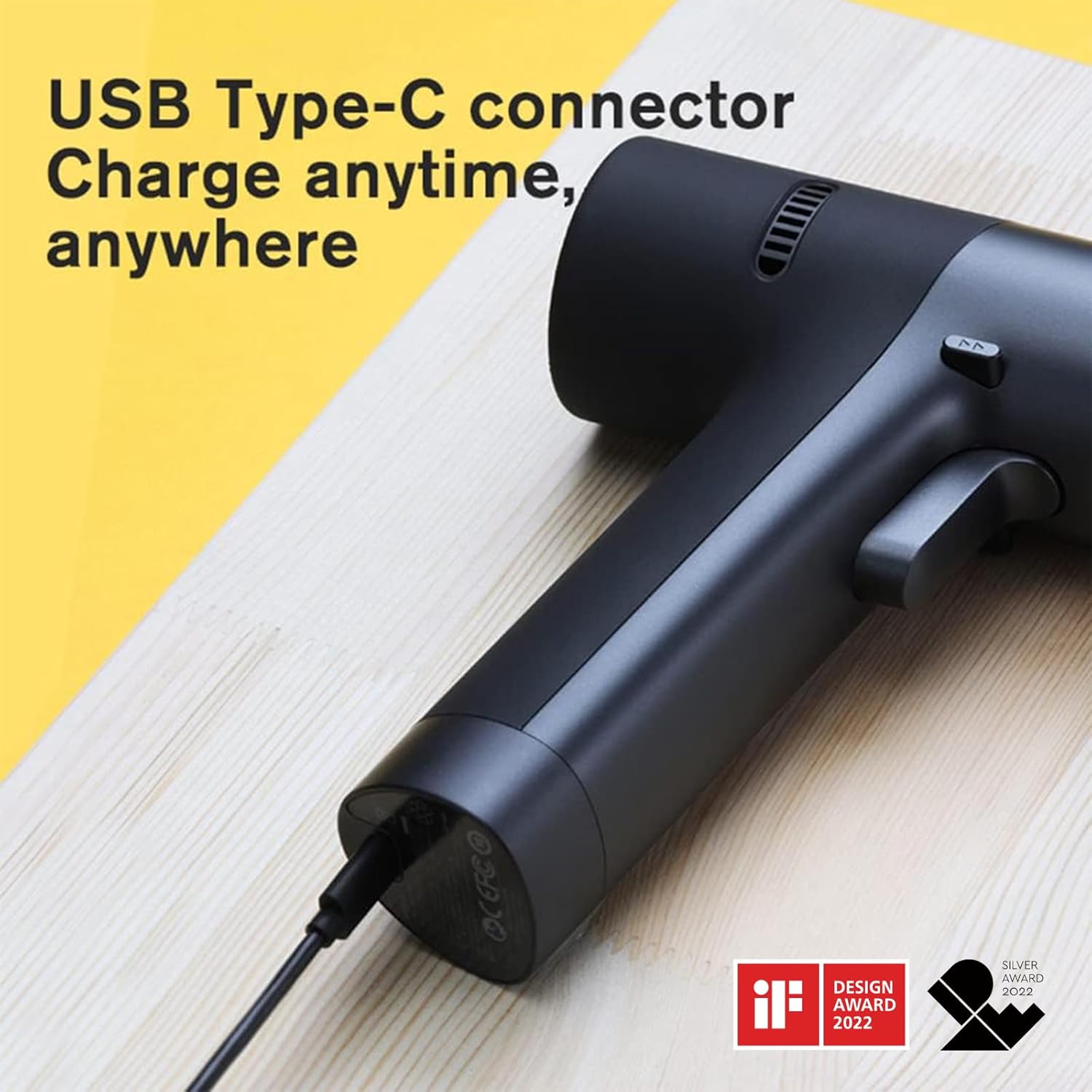
Image: The HOTO Brushless Drill's Smart HD Display, detailing the dual mode selection (Pulse or Self-selecting) and the forward/backward indicators.
5.4. Selecting Working Modes (Self-Select/Pulse)
The drill offers two distinct working modes:
- Self-Select Mode: Provides precise torque adjustment from 1-30 gears. Ideal for tasks requiring specific power levels.
- Mode pulsa: Utilizes an intelligent chip for intermittent start and stop, enhancing user safety and control, especially for beginners or delicate tasks.
5.5. Maju / Saklar Balik
A dedicated switch allows you to easily change the rotation direction for driving or removing screws. Position the switch in the middle to lock the trigger and prevent accidental operation.
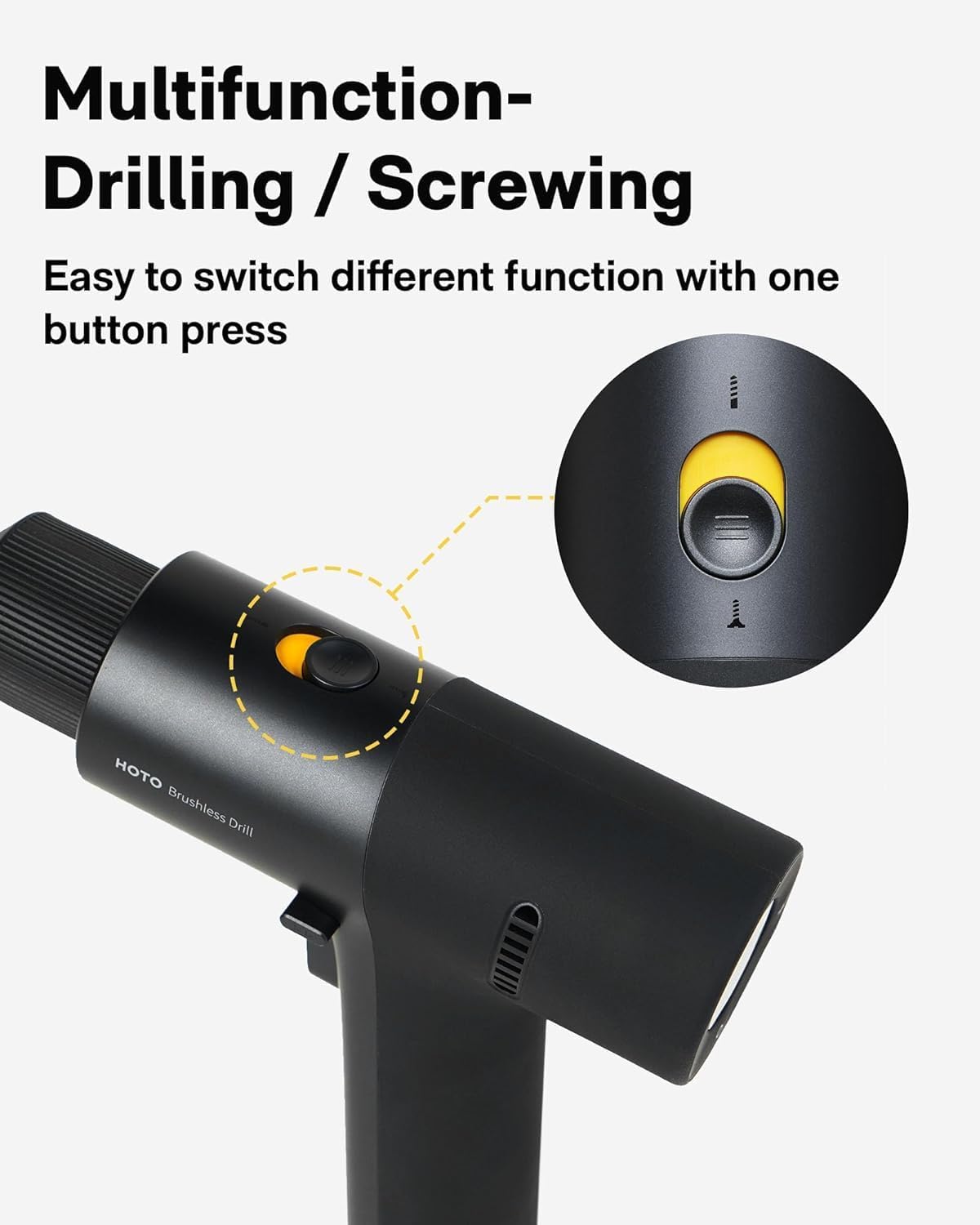
Image: A close-up of the HOTO Brushless Drill, highlighting the multifunction button used for switching between drilling and screwing operations.
5.6. Variabel Speed Control
The drill's speed is controlled by the pressure applied to the trigger. A lighter press results in lower speed, while a firmer press increases the RPM up to 1400 RPM.
Video: An official HOTO TOOLS US video titled "First Look at the [PixelDrive] | Smart Electric Screwdriver" demonstrating the smart display, speed control, and bit connection features of a HOTO screwdriver, which shares similar operational principles with the drill.
6. Pangropéa
- beberesih: Bersihkeun bagian luar bor sacara rutin nganggo lap anu lemesamp lawon. Ulah nganggo bahan kimia anu kasar atanapi pembersih anu abrasif. Jaga liang ventilasi bébas tina lebu sareng runtah.
- Panyimpenan: Store the drill and accessories in a dry, secure place away from direct sunlight and extreme temperatures. Ensure the battery is partially charged before long-term storage.
- Perawatan batré: Avoid fully discharging the battery. Recharge the battery before it is completely depleted to prolong its lifespan. Do not expose the battery to water or fire.
- Pangropéa bit: Keep drill bits and driver bits clean and sharp. Replace worn or damaged bits to ensure optimal performance and safety.
7. Cara ngungkulan
If you encounter issues with your HOTO Brushless Drill, refer to the following common problems and solutions:
- Drill does not turn on:
- Pariksa lamun batréna geus dieusian. Ngecas deui lamun perlu.
- Ensure the forward/reverse switch is not in the neutral (locked) position.
- Loss of power/Reduced performance:
- Batréna meureun lemah. Cas deui batréna.
- Pastikeun setélan torsi anu leres dipilih pikeun tugas éta.
- Check if the drill bit or driver bit is dull or damaged. Replace if needed.
- Bit slipping dina chuck:
- Pastikeun chuck kenceng pageuh di sabudeureun mata bor.
- Pariksa naha gagang mata bor bersih sareng bébas tina minyak atanapi kokotor.
- Overheating:
- Allow the drill to cool down. Avoid continuous heavy-duty use.
- Pastikeun bukaan ventilasi teu diblokir.
8. Spésifikasi Téknis
| Fitur | Spésifikasi |
|---|---|
| merek | Hoto |
| Nomer modél | 53187 |
| Voltage | 12 volt |
| Torsi maksimum | 266 in-lbs (30N·m) |
| Laju | Nepi ka 1400 RPM |
| Kapasitas batré | 2000 mAh Litium Ion |
| Ukuran Amrik | 3/8 Inch Keyless |
| Tipe Ngecas | USB-C |
| Item Beurat | 880 g |
| Diménsi | 18.49 x 17.98 x 5.38 cm |
| Bahan | PC + ABS |
9. Garansi jeung Rojongan
HOTO products are manufactured to high-quality standards. For warranty information, product support, or to inquire about replacement parts, please refer to the official HOTO websitus atanapi ngahubungan pangecér Anjeun. Simpen resi pameseran anjeun salaku bukti pameseran.
Pikeun pitulung salajengna, mangga buka di HOTO Store on Amazon.


