1. Bubuka
This manual provides essential instructions for the safe installation, operation, and maintenance of your ELEGRP 50 Amps 125/250V NEMA 14-50R Range Oven Stove Receptacle and ELEGRP NEMA 14-30P & NEMA 14-50P 4-Prong Electric Dryer and Range Oven Stove Plugs. Please read this manual thoroughly before installation and use, and retain it for future reference.
2. Émbaran Kasalametan
PERHATOSAN: Risk of electric shock or fire. Improper installation or use can lead to serious injury or death. All electrical work should be performed by a qualified electrician and in accordance with all national and local electrical codes.
- Always turn off power at the circuit breaker or fuse box before installing or servicing the receptacle or plugs.
- Pariksa yén voltage jeung amperage ratings of your appliance match the receptacle and plug ratings.
- Pastikeun grounding ditangtoskeun pikeun nyegah shock listrik.
- Do not use if the product appears damaged.
- Keep children away from electrical outlets and wiring.
3. Produk Langkungview
The ELEGRP NEMA 14-50R Receptacle is a flush-mount power outlet designed for heavy-duty applications such as electric ranges, ovens, and EV chargers. The ELEGRP NEMA 14-30P and 14-50P plugs are industrial-grade, straight-blade plugs for electric dryers and ranges, featuring interchangeable blades for versatility.
3.1 Receptacle Features (NEMA 14-50R)
- Tipe: NEMA 14-50R, 50 Amps, 125/250V
- Konfigurasi: 3 Tiang, 4 Kawat, Grounding
- Pamasangan: Flush Mount, fits single and 2-gang box styles
- Pangwangunan: Heavy gauge galvanized steel mounting strap, durable nylon housing, brass contacts
- Kasaluyuan kawat: Accepts #10, #8 to #4 AWG copper or aluminum wire
- Sertifikasi: UL Didaptarkeun

Image: ELEGRP NEMA 14-50R Receptacle. This image shows the front view tina 50 Amp, 125/250V NEMA 14-50R flush mount receptacle with its distinct blade configuration and UL listing mark.
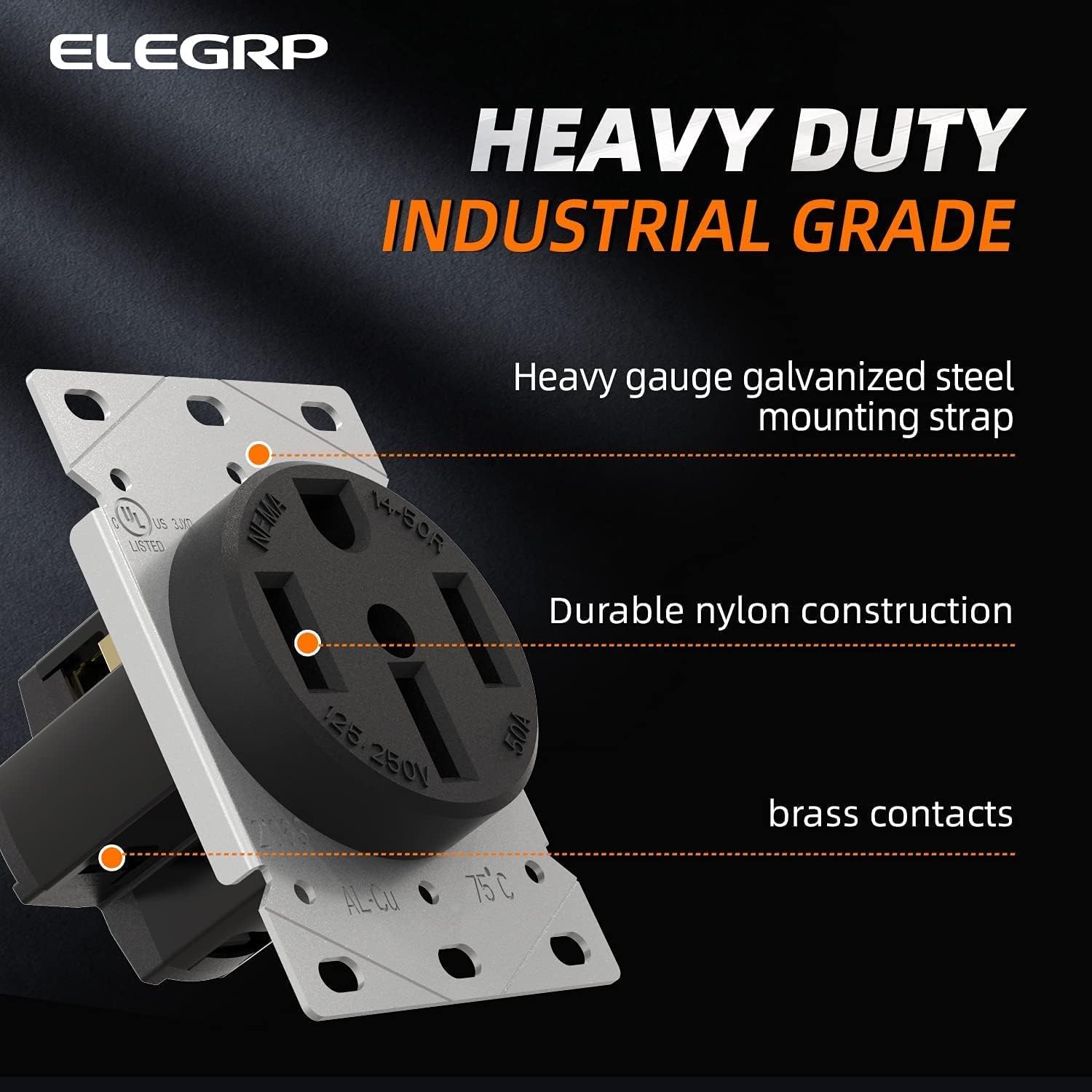
Image: ELEGRP NEMA 14-50R Receptacle Features. This image highlights the heavy-duty industrial grade construction, including the galvanized steel mounting strap, durable nylon housing, and brass contacts.
3.2 Plug Features (NEMA 14-30P & 14-50P)
- Jenis: NEMA 14-30P (30 Amps) & NEMA 14-50P (50 Amps), 125/250V
- Konfigurasi: 3 Tiang, 4 Kawat, Grounding
- Desain: Straight Blade, Heavy Duty Angle Plug
- Pangwangunan: Industrial Grade, interchangeable blade for 14-30P/14-50P conversion
- Kasaluyuan kawat: Accepts #10 to #6 AWG wire
- Sertifikasi: UL Didaptarkeun

Image: ELEGRP NEMA 14-50P Plug. This image displays the 4-prong NEMA 14-50P plug with its robust construction and brass blades.

Image: ELEGRP Dual Function Plug. This image illustrates how the plug can be converted between NEMA 14-50P and 14-30P configurations by changing a blade, showing both configurations and the interchangeable blade component.
4. Spésifikasi
| Fitur | Katerangan |
|---|---|
| Nomer modél | ELEGRP-50A-125V |
| Tipe Wadah | NO 14-50R |
| Tipe Colokkeun | NEMA 14-30P, NEMA 14-50P (interchangeable) |
| Voltage Peunteun | 125/250V |
| Amperage Peunteun | Receptacle: 50 Amps; Plugs: 30 Amps (14-30P), 50 Amps (14-50P) |
| Konfigurasi Kawat | 3 Tiang, 4 Kawat, Grounding |
| Bahan | Nylon housing, Brass contacts, Galvanized steel strap |
| Wire Gauge (Receptacle) | #10, #8 to #4 AWG (Copper or Aluminum) |
| Wire Gauge (Plugs) | #10 ka #6 AWG |
| Sertifikasi | UL Didaptarkeun |
5. Parentah instalasi
PENTING: Ensure power is OFF at the main circuit breaker before beginning any installation. If you are unsure about any steps, consult a qualified electrician.
5.1 NEMA 14-50R Receptacle Installation
- Nyiapkeun kotak listrik: Ensure you have a suitable electrical box (single or 2-gang style) installed in the wall.
- Kawat Strip: Carefully strip approximately 3/4 inch of insulation from the ends of the electrical wires (Black, Red, White, Green/Bare).
- Sambungkeun kawat: Refer to the wiring diagram below. Connect the wires to the corresponding terminals on the receptacle.
- Green Screw (Ground): Connect the Green or Bare copper wire.
- Brass Screw 'X' (Hot): Connect the Red wire.
- Brass Screw 'Y' (Hot): Connect the Black wire.
- Silver Screw (Neutral): Connect the White wire.
- Kawat Aman: Tighten all terminal screws firmly to ensure good electrical contact. Tug gently on each wire to confirm it is secure.
- Wadah Gunung: Carefully push the wired receptacle into the electrical box. Secure it to the box using the mounting screws provided.
- Pasang Plat Tembok: Attach the appropriate wall plate (with a 2.15" diameter center hole) over the receptacle.
- Mulangkeun Daya: Once installation is complete and verified, turn the power back on at the circuit breaker.

Image: NEMA 14-50R Receptacle Wiring Diagram. This diagram clearly labels the terminal identification markings for the NEMA 14-50R receptacle, showing where to connect the Green (Ground), Red (Hot X), Black (Hot Y), and White (Neutral) wires. It also indicates that terminals accept #10 to #4 AWG wire.
5.2 NEMA 14-30P / 14-50P Plug Wiring
- Select Blade Configuration: Determine if you need a 14-30P (30 Amp) or 14-50P (50 Amp) plug. The ELEGRP plug features an interchangeable blade. Ensure the correct blade is installed for your application.
- Disassemble Plug: Unscrew and remove the outer casing of the plug to expose the terminal screws.
- Kawat Strip: Strip approximately 3/4 inch of insulation from the ends of the appliance cord wires (Black, Red, White, Green/Bare).
- Sambungkeun kawat: Refer to the wiring diagram below. Connect the wires to the corresponding terminals.
- Green Screw (Ground): Connect the Green or Bare copper wire.
- Brass Screw (Hot): Connect the Black wire.
- Brass Screw (Hot): Connect the Red wire.
- Silver Screw (Neutral): Connect the White wire.
- Kawat Aman: Tighten all terminal screws firmly. Ensure no stray wire strands are present that could cause a short circuit.
- Reassemble Plug: Carefully reassemble the plug casing, ensuring all wires are neatly tucked inside and not pinched.

Image: NEMA 14-50P Plug Wiring Diagram. This diagram shows the internal wiring of the NEMA 14-50P plug, indicating the connection points for Green (Ground), Black (Hot), Red (Hot), and White (Neutral) wires. It specifies acceptable wire gauge from #10 to #6 AWG.
6. Parentah Operasi
Once the ELEGRP NEMA 14-50R receptacle is correctly installed and the appliance cord is wired with the appropriate ELEGRP NEMA 14-30P or 14-50P plug, operation is straightforward.
- Verifikasi kakuatan: Ensure the circuit breaker for the receptacle is in the ON position.
- Sambungkeun Alat: Align the prongs of the appliance plug with the slots of the wall receptacle. Insert the plug firmly and completely into the receptacle.
- Operate Appliance: Turn on your appliance (e.g., electric range, dryer, EV charger) according to its manufacturer's instructions.
- Pegatkeun sambungan alat: To disconnect, grasp the plug body firmly and pull it straight out from the receptacle. Do not pull by the cord.

Image: Appliance Plugged into Receptacle. This image shows a NEMA 14-50P plug connected to a wall-mounted receptacle, illustrating a typical installation for a heavy-duty appliance like a dryer or range.
7. Pangropéa
The ELEGRP receptacle and plugs are designed for durability and require minimal maintenance.
- Inspeksi rutin: Periodically inspect the receptacle and plugs for any signs of wear, damage, discoloration, or loose connections.
- beberesih: Ensure power is OFF before cleaning. Wipe the exterior surfaces with a dry, clean cloth. Do not use liquid cleaners or solvents.
- Kencangkeun sambungan: If you suspect loose wiring, turn off power at the breaker and re-tighten terminal screws.
- ngagantian: If any part of the receptacle or plug is damaged, replace it immediately with an equivalent UL Listed product.
8. Cara ngungkulan
Upami anjeun mendakan masalah, pertimbangkeun léngkah-léngkah ngungkulan umum ieu:
| Masalah | Mungkin Cukang lantaranana | Solusi |
|---|---|---|
| Henteu aya kakuatan pikeun alat | Circuit breaker tripped; Loose wiring; Faulty appliance cord/plug | Check and reset circuit breaker. Turn off power and inspect wiring connections at both the receptacle and plug. Test appliance with another known working outlet if possible. |
| Colokkeun karasa leupas dina wadahna | Worn receptacle contacts; Incorrect plug type | Ensure the correct NEMA plug type (14-30P or 14-50P) is used. If contacts are worn, replace the receptacle. |
| Overheating atanapi ngaduruk bau | Overload; Loose connections; Damaged wiring/components | Pareuman listrik dina pemutus sirkuit langsung. Do not use. Inspect for damage or loose connections. Consult a qualified electrician. |
9. Garansi jeung Rojongan
ELEGRP products are manufactured to high-quality standards. For warranty information or technical support, please visit the official ELEGRP websitus atanapi ngahubungan layanan palanggan maranéhna. Simpen resi pameseran anjeun pikeun klaim jaminan.
ELEGRP Official Websitus: Visit the ELEGRP Store on Amazon


