1. Bubuka
This manual provides essential information for setting up, operating, maintaining, and troubleshooting your HP Pavilion 15 Laptop. Designed for everyday computing, this laptop features an 11th Gen Intel Core i3-1115G4 Processor, 16 GB RAM, and a 512 GB PCIe SSD, running on Windows 10. Please read this manual thoroughly to ensure optimal performance and longevity of your device.

Gambar 1.1: The HP Pavilion 15 Laptop in a typical usage environment, demonstrating its compact design suitable for various settings.
2. Setélan
2.1 Unboxing sareng Inspeksi Awal
Cabut sadaya komponén tina bungkusna kalayan ati-ati. Pariksa yén sadaya barang anu didaptarkeun di handap aya sareng henteu ruksak.

Gambar 2.1: Contents of the box, including the HP 15 Laptop, 45 W Smart AC power adapter, and setup poster. The image also details the laptop's dimensions and port locations.
- Laptop HP 15
- 45 W adaptor kakuatan AC Smart
- Setup poster
2.2 Nyambungkeun Adaptor Daya
Connect the AC power adapter to the laptop's power port and then plug it into a wall outlet. It is recommended to fully charge the battery before initial use.
2.3 Mimiti Nyala sareng Setelan Sistem Operasi
Press the power button to turn on the laptop. Follow the on-screen instructions to complete the Windows 10 Home setup, including language selection, network connection, and user account creation.
3. Ngoperasikeun Laptop Anjeun
3.1 Kibor sareng Touchpad
The HP Pavilion 15 features a full-size keyboard with an integrated numeric keypad for efficient data entry. The touchpad supports multi-touch gestures for navigation.
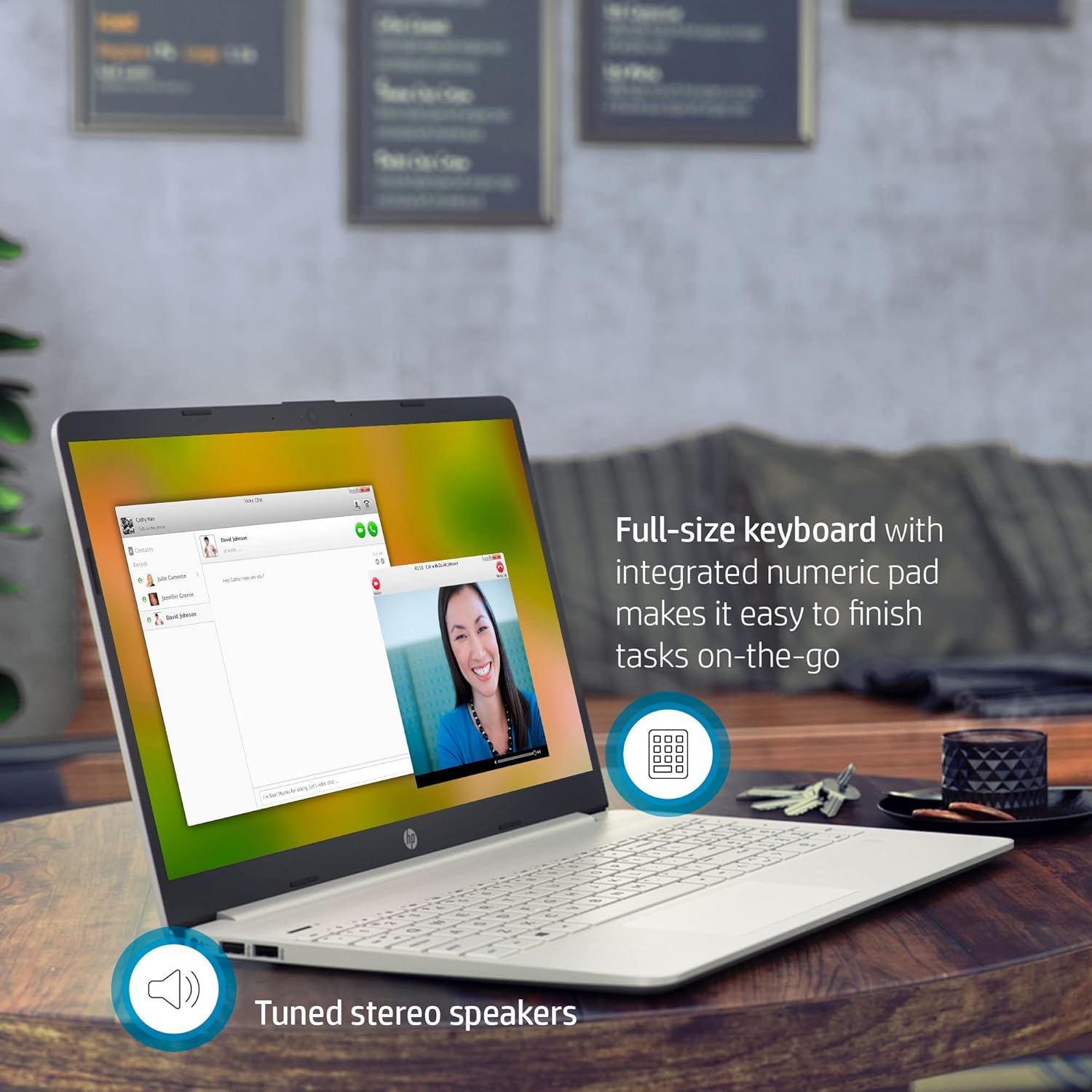
Gambar 3.1: The HP Pavilion 15 Laptop showcasing its full-size keyboard with numeric pad and the location of the tuned stereo speakers.
3.2 Nyambungkeun Alat Luar (Palabuhan)
Laptop anjeun dilengkepan ku rupa-rupa port pikeun nyambungkeun alat éksternal:
- 1 SuperSpeed USB Type-C® 5Gbps signaling rate: For high-speed data transfer and connecting compatible USB-C devices.
- 2 SuperSpeed USB Type-A 5Gbps signaling rate: Pikeun nyambungkeun alat USB standar sapertos beurit, kibor, atanapi drive éksternal.
- 1 HDMI 1.4b: Pikeun nyambungkeun kana tampilan éksternal atanapi proyektor.
- 1 pin pinter AC: Pikeun nyambungkeun adaptor kakuatan.
- 1 Kombinasi headphone/mikropon: Pikeun input audio sareng kaluaran.
- Pamaca kartu média SD multi-format: Pikeun kartu memori SD maca.
3.3 Konéktipitas Wireless
The laptop supports Intel Wireless Wi-Fi for internet access and Bluetooth for connecting wireless peripherals.
- Wifi: Access network settings in Windows to connect to available Wi-Fi networks.
- Bluetooth: Enable Bluetooth in Windows settings to pair with devices such as headphones or speakers.
3.4 Kaméra sareng Audio
The HP Pavilion 15 includes an HP True Vision Camera with a dual array digital microphone, ideal for video conferencing and online communication. Tuned stereo speakers provide clear audio output.

Gambar 3.2: The HP Pavilion 15 Laptop in use for a video call, demonstrating the HP True Vision Camera and the edge-to-edge HD micro-edge display.
3.5 Manajemén batré
The laptop is designed to provide up to 11 hours of battery life under optimal conditions. To maximize battery longevity:
- Atur kacaangan layar ka tingkat anu nyaman.
- Tutup aplikasi anu henteu dianggo.
- Anggo modeu hemat daya Windows.
- Hindarkeun suhu anu ekstrim.
4. Pangropéa
4.1 Ngabersihan Laptop Anjeun
- Make kaen nu lemes, teu aya lint rada dampdikumbah ku cai atawa pembersih layar pikeun tampilan éta.
- Pikeun kibor sareng rangka, anggo lawon anu lemes. Hindarkeun bahan kimia anu keras.
- Periodically use compressed air to clear dust from vents.
4.2 Apdet parangkat lunak
Regularly update your Windows operating system and drivers to ensure security and optimal performance. Access Windows Update through the Settings menu.
4.3 Manajemén Panyimpenan
Périodik ulangview jeung mupus teu perlu files to maintain sufficient free space on your 512 GB PCIe SSD, which contributes to faster system performance.
5. Cara ngungkulan
5.1 Isu umum jeung Solusi
- Laptop teu hurung: Pastikeun adaptor kakuatan disambungkeun aman tur batréna boga muatan cukup. Coba colokan listrik anu béda.
- Henteu aya tampilan: Sambungkeun monitor éksternal pikeun mariksa naha masalahna aya dina layar laptop. Balikan deui laptop.
- Masalah konektipitas Wi-Fi: Pariksa naha Wi-Fi diaktipkeun dina setélan Windows. Pareuman terus hurungkeun deui router sareng laptop anjeun.
- kinerja slow: Close unnecessary applications, check for malware, and ensure sufficient free storage space.
Kanggo ngungkulan masalah anu langkung lengkep, tingali dukungan HP website or the Windows Help documentation.
6. Spésifikasi
| Fitur | Rincian |
|---|---|
| Ngaran modél | HP Pavilion 15 |
| Prosesor | 11th Gen Intel Core i3-1115G4 (up to 4.1 GHz) |
| Grafika | Intel UHD Graphics (Terpadu) |
| Ram | 16 GB DDR4 SDRAM |
| Panyimpenan | 512 GB PCIe NVMe M.2 Solid State Drive |
| tampilan | 15.6-inch HD (1366 x 768) Micro-Edge, Anti-Glare |
| Sistem operasi | Windows 10 Home (64-bit) |
| Palabuhan | 1x SuperSpeed USB Type-C, 2x SuperSpeed USB Type-A, 1x HDMI 1.4b, 1x AC Smart Pin, 1x Headphone/Mic Combo, Multi-format SD Card Reader |
| Konéktipitas Wireless | Intel Wireless Wi-Fi, Bluetooth |
| Kaméra | HP True Vision Camera with dual array digital microphone |
| Audio | High Definition Audio, Tuned stereo speakers |
| Kahirupan batré | Nepi ka 11 jam (rata-rata) |
| Ukuran (L x W x H) | 14.11 x 9.53 x 0.71 inci (35.84 x 24.21 x 1.80 cm) |
| Beurat | 3.72 lbs (1.69 kg) |
| Warna | Pérak Alam |
7. Émbaran jaminan
Your HP Pavilion 15 Laptop is covered by a standard manufacturer's warranty. Specific warranty terms and conditions may vary by region and purchase date. Please refer to the warranty documentation included with your product or visit the official HP support website for detailed information regarding your warranty coverage, including duration and service options.
8. Rojongan Palanggan
Kanggo bantosan téknis, unduhan supir, atanapi dukungan salajengna, mangga buka dukungan resmi HP. websitus. Anjeun ogé tiasa mendakan FAQ sareng forum komunitas di dinya.
- Rojongan HP Websitus: support.hp.com
- Dokuméntasi Online: Access additional manuals and guides specific to your model.