1. Bubuka
The Dartwood Smart Sous Vide Precision Cooker is a 1000W immersion circulator designed to provide precise temperature control for cooking. This device allows for consistent and even cooking results by maintaining a stable water bath temperature. It features both on-device controls and smart app connectivity for convenient operation and monitoring.
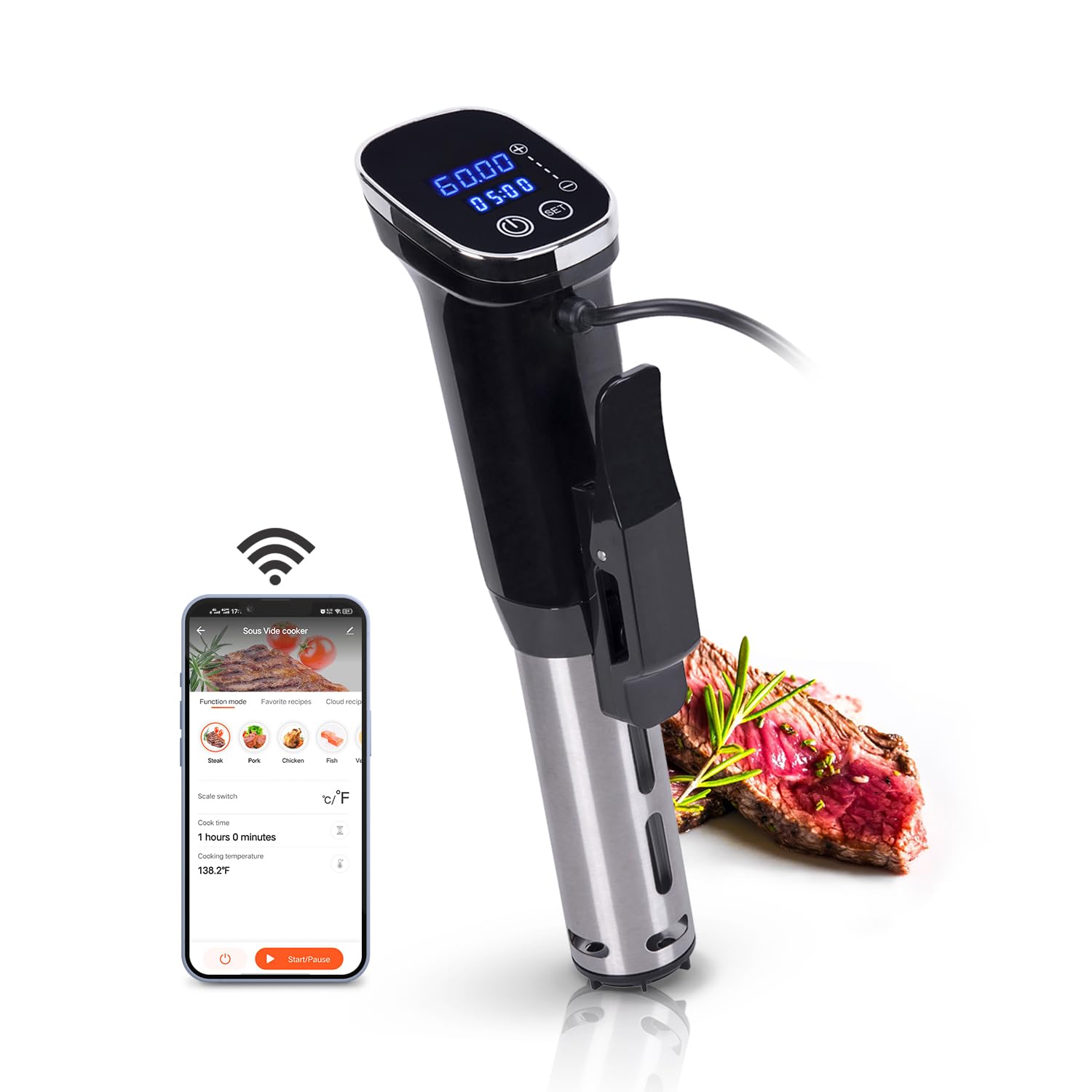
Image: The Dartwood Smart Sous Vide Precision Cooker operating in a clear container, demonstrating its use as a kitchen assistant.
2. Émbaran Kasalametan
- Salawasna pastikeun alatna di-ground kalayan leres.
- Do not immerse the electrical head of the unit in water. Only the stainless steel portion is designed for water immersion.
- Jauhkeun tina jangkauan barudak.
- Use only with heat-resistant containers.
- Exercise caution when handling hot water and food.
- Cabut colokan alat tina stop kontak sateuacan dibersihkeun atanapi nalika teu dianggo.
- Ulah ngoperasikeun alat ieu upami kabel atanapi colokanna rusak, atanapi upami alatna teu tiasa dianggo atanapi parantos ruksak ku cara naon waé.
3. Eusi Paket
- Dartwood Smart Sous Vide Precision Cooker (1000W)
- Manual pamaké
4. Produk Langkungview
The Dartwood Smart Sous Vide Precision Cooker consists of a main body with a control panel, a stainless steel immersion tube containing the heating element and circulator, and an adjustable clamp for securing the device to a cooking pot.

Image: The Dartwood Sous Vide Cooker attached to a clear container, illustrating its design and how it sits in the water bath.
5. Setélan
- Gantelkeun kana Pot: Securely attach the sous vide cooker to the side of a heat-resistant pot or container using the adjustable clamp. Pastikeun clamp is tightened to prevent movement.
- Eusian ku cai: Fill the pot with water, ensuring the water level is between the MIN and MAX fill lines indicated on the stainless steel tube of the cooker.
- Daya Hurung: Plug the power cord into a standard electrical outlet. The display on the cooker will illuminate.
- Konéksi Aplikasi (Opsional):
- Download the 'Wasserstein' app from your smartphone's app store.
- Jieun akun atawa asup.
- Follow the in-app instructions to connect your Dartwood Sous Vide Cooker to your home Wi-Fi network. Note that the device requires a 2.4GHz Wi-Fi network for connection.
6. Parentah Operasi
6.1 Operasi Manual
- After plugging in, the display will show the current water temperature.
- Use the control buttons on the device to set your desired cooking temperature and time. Refer to specific recipes for recommended settings.
- Once settings are confirmed, the cooker will begin heating the water to the target temperature.
- When the target temperature is reached, place your vacuum-sealed food into the water bath. Ensure the food is fully submerged.
- The timer will begin counting down once the set temperature is stable.
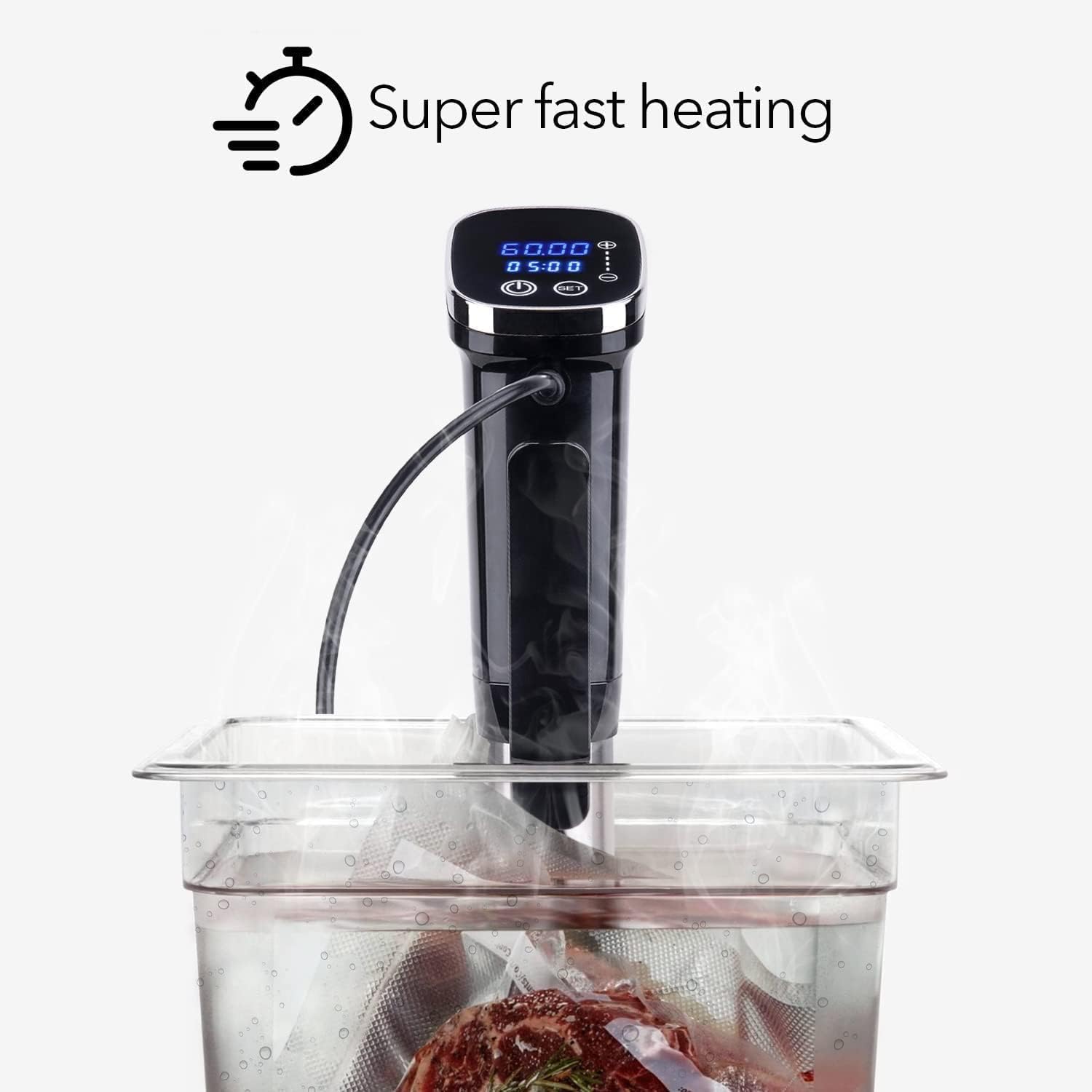
Image: The digital display of the Dartwood Sous Vide Cooker showing temperature and time, indicating its fast heating capability.
6.2 App-Controlled Operation
- Ensure your sous vide cooker is connected to the 'Wasserstein' app as described in the Setup section.
- Open the app on your smartphone. You should see your device listed.
- Select your Dartwood Sous Vide Cooker from the device list.
- Within the app interface, you can set the desired cooking temperature and time. The app may also offer pre-set recipes or cooking guides.
- Start the cooking process from the app. The cooker will begin heating the water.
- Monitor the cooking progress, current temperature, and remaining time directly from the app, even when away from the kitchen.

Image: A smartphone displaying the app interface for monitoring the sous vide cooking process, showing temperature and time settings.
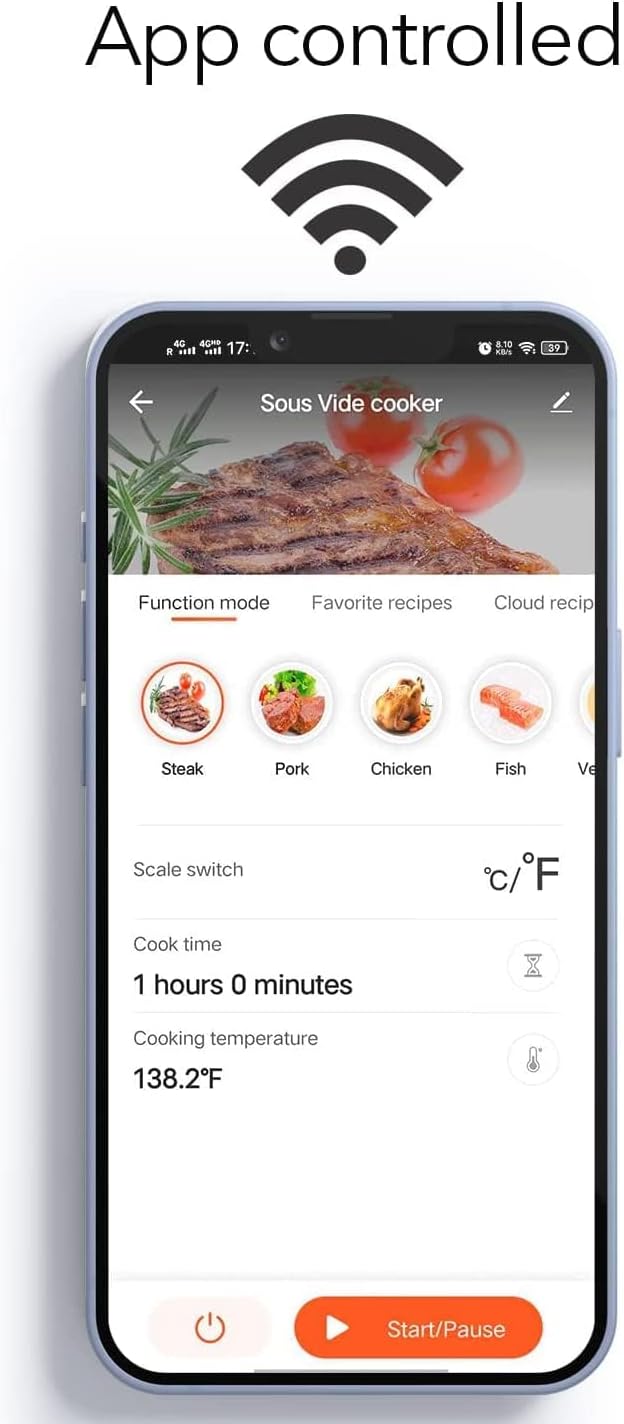
Image: The detailed app interface for the Dartwood Sous Vide Cooker, highlighting its various cooking modes and control options.
7. Pangropéa jeung beberesih
- Cabut sareng Tiiskeun: Salawasna cabut kabel alat sareng antepkeun dugi ka tiis sadayana sateuacan dibersihkeun.
- Bersihan Luar: Wipe the exterior of the cooker, especially the control panel, with a damp lawon. Ulah make cleaners abrasive.
- Pipa Stainless Steel: The stainless steel portion can be gently wiped or rinsed. For mineral buildup, a solution of equal parts white vinegar and water can be circulated through the device for 20-30 minutes at 140°F (60°C), followed by a rinse with clean water.
- Panyimpenan: Simpen panci di tempat anu garing nalika henteu dianggo.
8. Cara ngungkulan
- Alat teu hurung: Ensure the power cord is securely plugged into a working electrical outlet. Check for tripped circuit breakers.
- Temperature not reaching target: Verify the water level is within the MIN/MAX range. Ensure the pot is covered to minimize heat loss.
- Masalah konektipitas aplikasi: Confirm your smartphone is connected to a 2.4GHz Wi-Fi network. Restart your router and the sous vide cooker. Ensure the app is updated to the latest version.
- Water circulation seems weak: Check for any obstructions around the stainless steel tube or the circulator intake. Ensure the water level is adequate.
9. Spésifikasi
| Fitur | Spésifikasi |
|---|---|
| Nomer modél | 4895230314029 |
| Wattage | 1000 watt |
| Bahan | Beusi sténless |
| Dimensi produk | 1.61 x 1.02 x 3.94 inci |
| Item Beurat | 3.44 pon |
| Peunteun Suhu luhur | 190 darajat Fahrenheit |
10. Garansi jeung Rojongan
For warranty information or technical support, please refer to the contact details provided on the product packaging or visit the official Dartwood websitus. Simpen resi pameseran anjeun salaku bukti pameseran pikeun klaim garansi.


