Bubuka
This instruction manual provides essential information for the safe and efficient use of your tectake Electric Height Adjustable Desk Stand, Model 404315. This versatile desk stand is designed to offer a smooth transition between sitting and standing positions, promoting a healthier work environment. It features a sturdy metal frame, an electric height adjustment mechanism, and an intelligent anti-collision system for enhanced safety.
Please read this manual thoroughly before assembly and operation to ensure proper installation and to maximize the lifespan of your product.
Peringatan Kasalametan
Paranti nuturkeun parentah kaamanan ieu bisa ngakibatkeun tatu atawa ruksakna produk.
- Ensure the desk stand is properly assembled according to the provided instructions.
- Do not exceed the maximum weight limit of 100 kg (220 lbs) on the desk stand.
- Exercise caution with sharp edges during assembly and handling.
- Properly adjust the height-adjustable plastic feet to ensure the desk's stability on uneven surfaces.
- Avoid touching electrical components or motors during operation.
- Ensure the desktop is firmly grounded to prevent electrical hazards.
- Jauhkeun barudak sareng piaraan tina méja nalika ngatur jangkungna.
Eusi pakét
Pariksa yén sadaya komponén aya sateuacan ngamimitian assembly. Lamun aya bagian nu leungit atawa ruksak, mangga ngahubungan rojongan customer.
- Electric Height Adjustable Desk Stand Frame
- Mounting Material (screws, tools, etc.)
- Parentah Majelis
Note: A tabletop is not included with this desk stand and must be purchased separately.
Setup sareng Majelis
Follow the detailed assembly instructions provided in the package. The general steps are outlined below:
- Ngabongkar komponén: Sacara saksama piceun sadaya bagian tina bungkusan sareng teundeun dina permukaan anu bersih sareng lemes pikeun nyegah goresan.
- Kumpulkeun pigura: Connect the lifting columns, crossbars, and feet according to the assembly manual. Ensure all screws are tightened securely.
- Gantelkeun Tabletop: Place your chosen tabletop onto the assembled frame. Secure the tabletop to the frame using the provided mounting hardware. Ensure the tabletop is centered and stable.
- Sambungkeun Kakuatan: Plug the power cable into the control box, and then plug the control box into a standard electrical outlet. Ensure the cable is routed safely to avoid tripping hazards.
- Saluyukeun suku: Level the desk by adjusting the plastic feet at the bottom of the stand. This ensures stability and prevents wobbling.
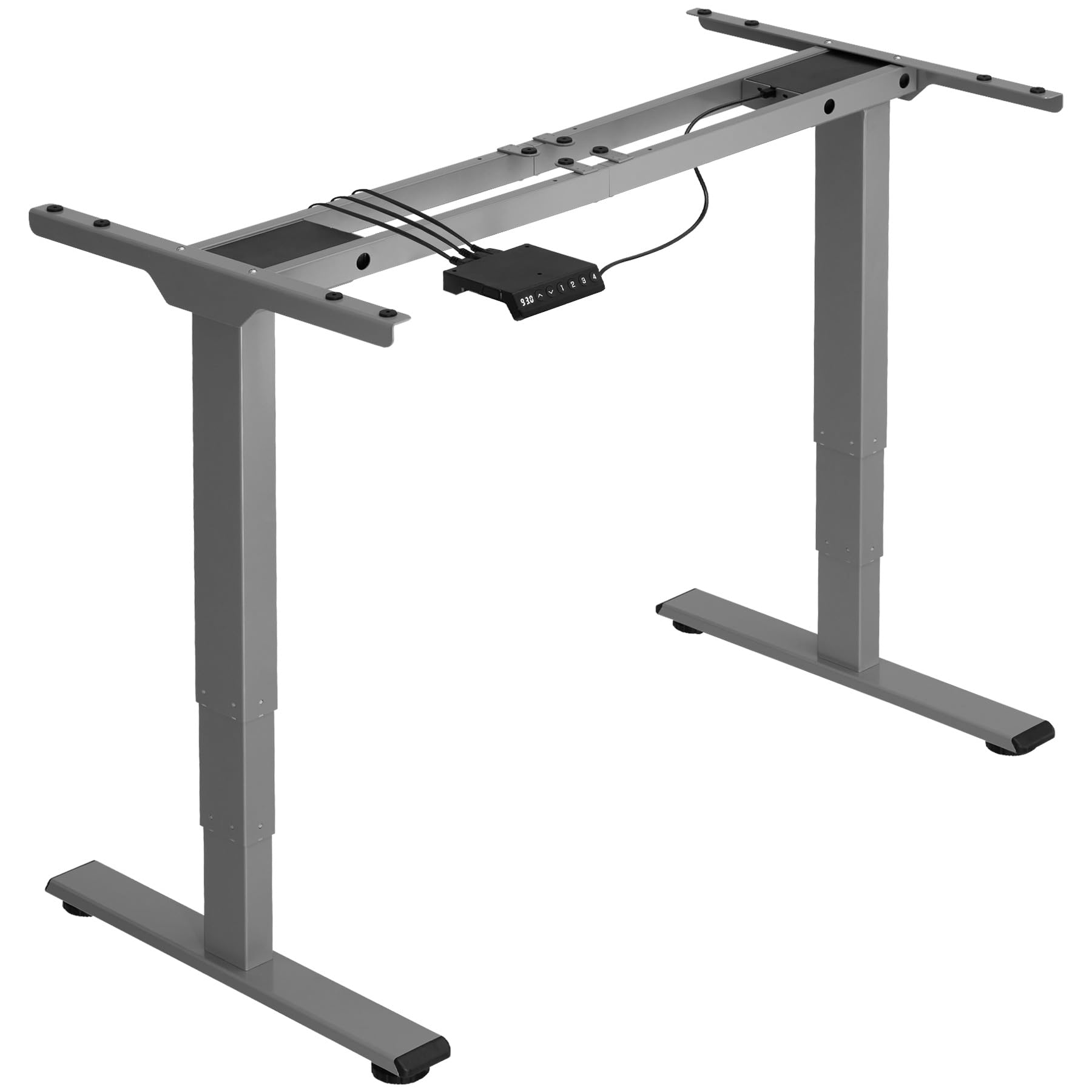
Image: An assembled tectake electric height adjustable desk stand in grey, ready for use. This image illustrates the sturdy metal frame and the overall structure of the product.
Parentah Operasi
Your tectake Electric Height Adjustable Desk Stand is designed for intuitive operation.
- Penyesuaian Jangkungna: Use the control panel (usually located on the front edge of the tabletop) to raise or lower the desk. Typically, there are 'Up' and 'Down' buttons. Press and hold the desired button until the desk reaches your preferred height. The electric motor operates quietly and smoothly.
- Sistem Anti Tabrakan: The desk stand is equipped with an intelligent anti-collision system. If the desk encounters an obstacle (e.g., a chair, cabinet, or wall) during height adjustment, the motor will automatically stop and slightly reverse direction to prevent damage.
- Preset Mémori (upami aya): Some models may include memory preset buttons. Refer to your specific control panel instructions for programming and using these presets to save your favorite sitting and standing heights.
Regularly changing between sitting and standing positions can help reduce strain and improve comfort during long working hours.
Pangropéa
Proper maintenance ensures the longevity and optimal performance of your desk stand.
- beberesih: Wipe the metal frame and tabletop (if applicable) with a soft, damp lawon. Hindarkeun nganggo pembersih abrasive atanapi pangleyur anu tiasa ngaruksak finish.
- Pariksa sambungan: Pariksa sadaya sekrup sareng baut sacara berkala pikeun mastikeun éta tetep pageuh. Kencengkeun deui upami diperyogikeun.
- Manajemén Kabel: Ensure all power cables are neatly organized and not pinched or strained.
- Batesan Beurat: Always adhere to the maximum load capacity of 100 kg. Overloading can damage the motor and frame.
Pamérésan masalah
If you encounter any issues with your desk stand, refer to the following common solutions:
| Masalah | Mungkin Cukang lantaranana | Solusi |
|---|---|---|
| Méja teu obah. | Power cable disconnected, motor overload, control panel issue. | Check power connections. Unplug and replug the power cord. Reduce load if overloaded. Contact support if problem persists. |
| Sistem anti tabrakan sering micu. | Halangan, setélan sénsitip. | Ensure no objects are in the path of the desk. Refer to control panel manual for sensitivity adjustment (if available). |
| Noise mahiwal salila operasi. | Komponen leupas, masalah motor. | Check all screws and bolts for tightness. Ensure the desk is level. If noise persists, contact customer support. |
| Desk wobbles. | Lantai teu rata, sambunganna kendor. | Adjust the leveling feet at the bottom of the stand. Ensure all frame connections are tight. |
spésifikasi
Key technical details for the tectake Electric Height Adjustable Desk Stand, Model 404315:
- Jumlah modél: 404315
- Maximum Total Dimensions (WxDxH): Kira-kira 168 x 60 x 125 cm
- Minimum Total Dimensions (WxDxH): Kira-kira 110 x 60 x 60 cm
- Suitable for Table Tops (WxD): Approximately 120 x 60 cm to 180 x 80 cm
- Lifting Columns per Side: 3
- Main Column (WxD): Kira-kira 5 x 8 cm
- Table Top Support (WxD): Kira-kira 3 x 58 cm
- Adjustable Area of Plastic Feet: Kira-kira 1.2 cm
- Sound from Electric Motors: <50 dB
- Laju Angkat: 25 mm/s
- Power per Motor: 52.2 W
- Masukan Voltage: 100-240 V
- Panjang kabel: Kira-kira 150 cm
- Kapasitas beban: 100 kg
- beurat: Kira-kira 23 kg
- Bahan: Powder-coated steel, ABS plastic
Garansi sareng Rojongan
For warranty information, please refer to the documentation included with your purchase or visit the official tectake website. If you require technical assistance, have questions about assembly, or need to report a missing/damaged part, please contact tectake customer support directly. Contact details can typically be found on the manufacturer's websitus atanapi dina dokuméntasi pameseran Anjeun.
Nalika ngahubungi dukungan, punten sayagikeun nomer modél anjeun (404315) sareng tanggal pameseran.


