1. Bubuka
Hatur nuhun pikeun meuliasing the DOOMAY Digital Alarm Clock. This compact and versatile alarm clock is designed for convenience and readability, featuring an adjustable LCD display, snooze function, weekend mode, and temperature display. This manual will guide you through the setup, operation, and maintenance of your new alarm clock to ensure optimal performance.
2. Émbaran Kasalametan
- Jauhkeun alat tina cai sareng lingkungan kalembaban anu luhur.
- Avoid exposing the clock to direct sunlight or extreme temperatures.
- Ulah nyobian ngabongkar atawa ngalereskeun alat sorangan. Rujuk ka tanaga anu mumpuni pikeun jasa.
- Anggo ngan ukur jinis batré anu ditangtukeun (2 x batré AAA).
- Cabut batré upami alat moal dianggo kanggo waktos anu panjang pikeun nyegah bocor.
- Jauhkeun batré tina jangkauan barudak.
3. Eusi Paket
- DOOMAY Digital Alarm Clock (1 unit)
- Batré AAA (2 unit)
- Manual pangguna (dokumén ieu)
4. Produk Langkungview
Familiarize yourself with the components and controls of your DOOMAY Digital Alarm Clock.
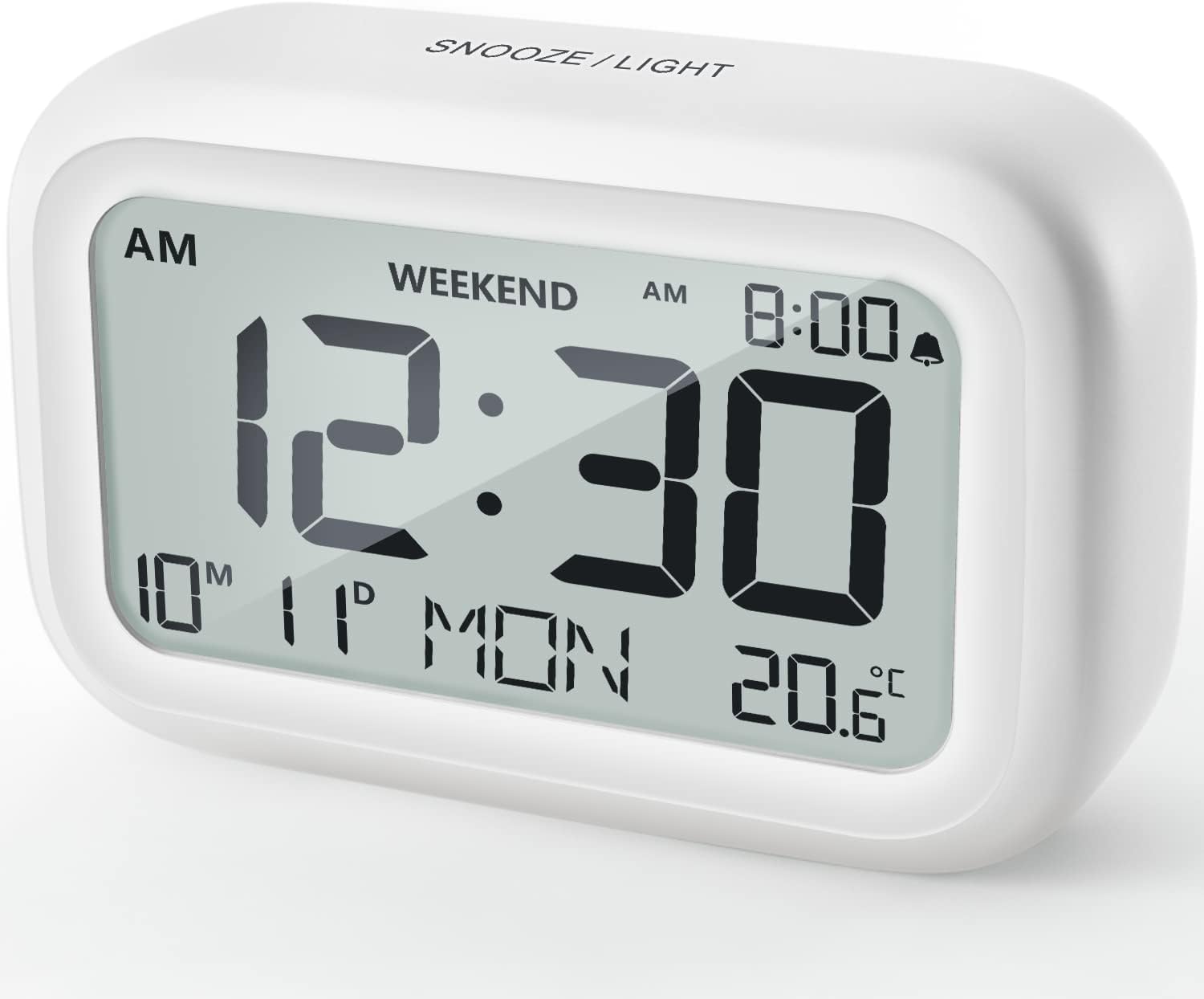
Gambar 4.1: Hareupeun View of the Alarm Clock
This image displays the front of the DOOMAY Digital Alarm Clock, highlighting its large, clear LCD screen. The screen shows the current time (12:30), AM indicator, day of the week (MON), date (10th month, 11th day), and indoor temperature (20.6°C). The top of the clock has a "SNOOZE/LIGHT" button.

Gambar 4.2: Fitur konci Leuwihview
This diagram illustrates the main functionalities of the alarm clock: 12/24H time display, calendar, alarm setting, adjustable volume, snooze function, backlight, weekend mode, and temperature display. The clock itself is shown on a wooden table, displaying 7:00 AM, Friday, and 28.8 degrees.

Figure 4.3: Back Panel Controls
This image shows the rear of the alarm clock, detailing the various control buttons and the battery compartment. Buttons are clearly labeled for: 12/24H time format, Alarm setting, Weekend mode, Date setting, Minus (-) for decreasing values, Plus (+) for increasing values, and °C/°F for temperature unit selection. The battery compartment is visible, designed for two AAA batteries.
Kontrol sareng tampilan:
- Layar LCD: Shows time, date, day of week, AM/PM indicator, alarm status, and temperature.
- SNOOZE/LIGHT Button (Top): Activates snooze function during alarm; illuminates backlight for 5 seconds.
- 12/24H Button (Back): Ngaganti antara format waktu 12 jam sareng 24 jam.
- ALARM Button (Back): Lebet kana modeu setelan alarm.
- WEEKEND Button (Back): Activates/deactivates weekend mode.
- DATE Button (Back): Enters date setting mode.
- MINUS (-) Button (Back): Decreases values during setting; adjusts alarm volume.
- PLUS (+) Button (Back): Increases values during setting; adjusts alarm volume.
- °C/°F Button (Back): Toggles antara unit suhu Celsius sareng Fahrenheit.
5. Setélan
5.1 Pamasangan batré
- Buka panutup kompartemen batré anu aya di tukangeun jam.
- Pasangkeun dua (2) batré AAA, pastikeun polaritasna (+ sareng -) leres.
- Tutup panutup kompartemen batré aman.
- The display will light up, and the clock will be ready for initial setup. A low battery symbol will appear when batteries need replacement. If the display shows "8888" flashing, it's also an indication to change batteries.
5.2 Setélan Waktos sareng Tanggal Awal
- Setel waktos:
- Pencét éta 12/24H button to switch between 12-hour (with AM/PM) and 24-hour formats.
- Pencét jeung tahan tombol 12/24H tombol salami 3 detik pikeun asup ka modeu setelan waktu. Angka jam bakal kedip-kedip.
- Ngagunakeun éta + or - tombol pikeun nyaluyukeun jam.
- Pencét éta 12/24H pencét deui tombol pikeun mastikeun jam sareng pindah ka setélan menit. Angka menit bakal kedip-kedip.
- Ngagunakeun éta + or - tombol pikeun nyaluyukeun menit.
- Pencét éta 12/24H button one more time to exit time setting.
- Setel Tanggal:
- Pencét jeung tahan tombol TANGGAL button for 3 seconds to enter date setting mode. The year digits will flash.
- Ngagunakeun éta + or - tombol pikeun nyaluyukeun taun.
- Pencét éta TANGGAL button again to confirm the year and move to month setting.
- Adjust the month using + or -.
- Pencét TANGGAL again to move to day setting.
- Adjust the day using + or -.
- Pencét TANGGAL one more time to exit date setting. The day of the week will automatically adjust.
6. Parentah Operasi
6.1 Nyetél Alarm
- Pencét jeung tahan tombol alarem button for 3 seconds. The alarm hour digits will flash.
- Ngagunakeun éta + or - tombol pikeun nyetel jam alarm anu dipikahoyong.
- Pencét éta alarem button again to confirm the hour and move to minute setting. The alarm minute digits will flash.
- Ngagunakeun éta + or - buttons to set the desired alarm minute.
- Pencét éta alarem button one more time to exit alarm setting. The alarm icon (bell symbol) will appear on the display, indicating the alarm is active.
- To turn the alarm ON/OFF, simply press the alarem button once. The bell icon will appear/disappear.
6.2 Fungsi Tunda
When the alarm sounds, gently tap the large SNOOZE / CAHAYA tombol di luhur jam. Alarm bakal eureun sakedap salami 9 menit teras disada deui. Ieu tiasa diulang sababaraha kali.

Figure 6.1: Activating Snooze
This image demonstrates how to activate the snooze function by touching the top of the alarm clock. The text highlights that this action provides an additional 9 minutes of sleep after the alarm sounds.
To completely turn off the alarm after it sounds (without snoozing), press any button on the back of the clock.
6.3 Weekend Mode
The weekend mode allows the alarm to sound only from Monday to Friday, preventing it from ringing on Saturday and Sunday.

Figure 6.2: Weekend Mode Activated
This image shows the alarm clock display with the "WEEKEND" indicator prominently displayed, signifying that the weekend mode is active. The accompanying text clarifies that in this mode, the alarm will only sound from Monday to Friday, ensuring undisturbed weekends.
- To activate Weekend Mode, press the MINGGU button once. The "WEEKEND" indicator will appear on the display.
- To deactivate Weekend Mode, press the MINGGU button again. The "WEEKEND" indicator will disappear.
6.4 Adjustable Alarm Volume
The alarm clock offers two volume levels: Low (70 dB) and High (85 dB).

Figure 6.3: Alarm Volume Levels
This image visually represents the two available alarm volume settings: L01 (85 dB) for a louder alarm and L02 (70 dB) for a softer alarm. The alarm clock is shown in a bedroom setting, emphasizing its use as a bedside device.
- Nalika dina mode tampilan waktos normal, pencét tombol + or - buttons to cycle between the two alarm volume levels. The current volume level will be briefly displayed.
6.5 Fungsi lampu tukang
To illuminate the display in low light conditions, simply tap the SNOOZE / CAHAYA button on the top of the clock. The backlight will activate for approximately 5 seconds, providing clear visibility of the time and other information.
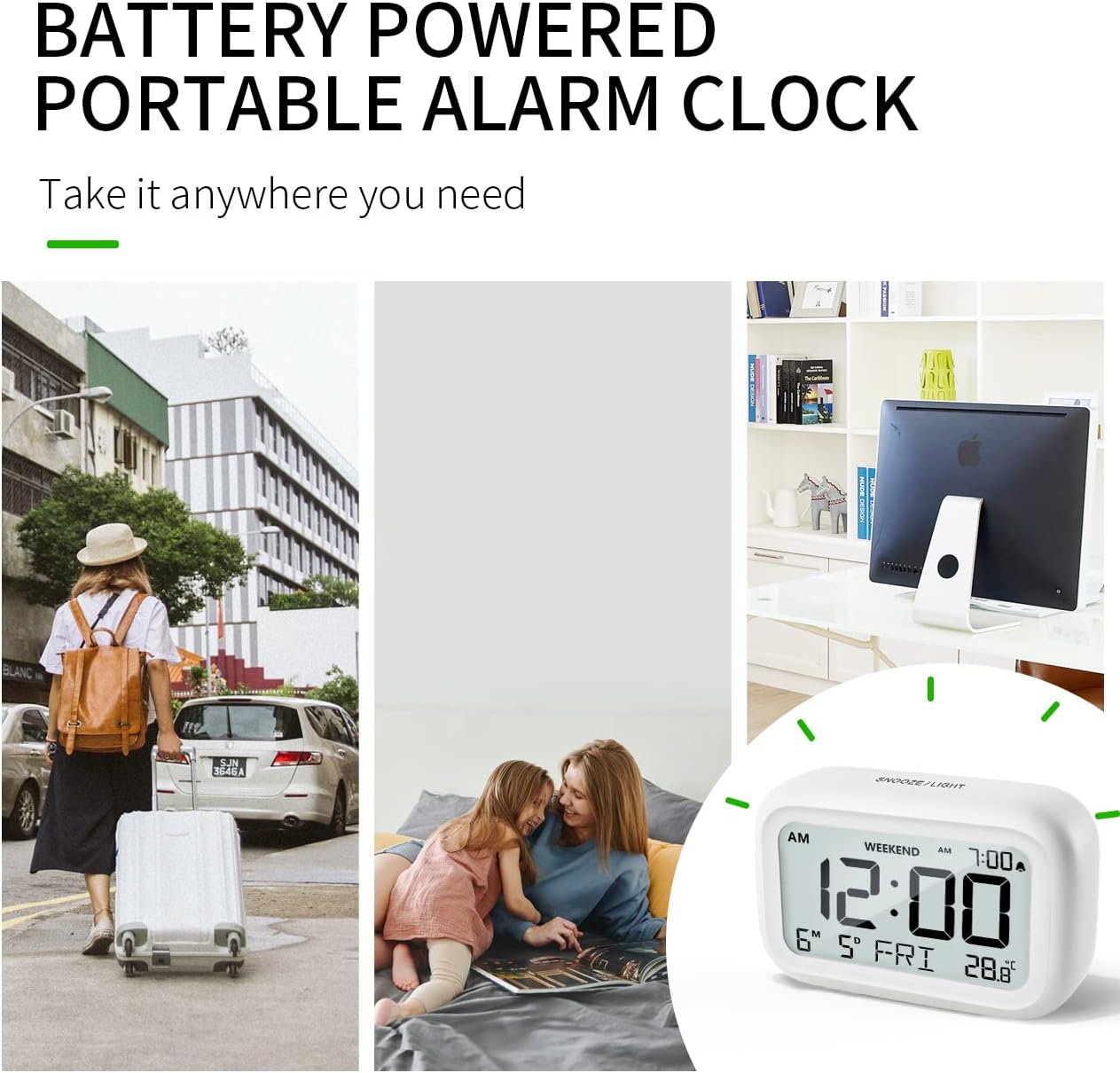
Figure 6.4: Backlight in Action
This image provides a side-by-side comparison of the alarm clock's display. On the left, the clock is shown in a well-lit environment. On the right, the same clock is shown in a dark setting with its 5-second backlight activated, demonstrating how the display becomes clearly visible at night.
6.6 Témbongkeun Suhu
The clock displays the indoor temperature. You can switch between Celsius (°C) and Fahrenheit (°F) units.
- To change the temperature unit, press the ° C / ° F tombol dina tonggong jam.
7. Pangropéa
7.1 beberesih
Wipe the clock with a soft, dry cloth. Do not use abrasive cleaners or solvents, as they may damage the surface.
7.2 Ngagantian batré
When the low battery indicator appears on the display, or if the display shows "8888" flashing, it is time to replace the batteries. Follow the steps in Section 5.1 Battery Installation to replace the two AAA batteries.
8. Cara ngungkulan
| Masalah | Mungkin Cukang lantaranana | Solusi |
|---|---|---|
| Pintonan kosong atanapi taram. | Batré pareum atawa salah dipasang. | Ganti batré ku batré AAA anyar, mastikeun polaritasna bener. |
| Alarm teu disada. | Alarm is not activated, or Weekend Mode is ON. | Ensure the alarm icon is displayed. Check if Weekend Mode is active and deactivate if necessary. |
| Fungsi Snooze teu jalan. | Not tapping the SNOOZE/LIGHT button correctly. | Ensure a firm, brief tap on the top SNOOZE/LIGHT button when the alarm is sounding. |
| Waktos/Tanggal lepat. | Not set correctly or batteries were removed. | Refer to Section 5.2 Initial Time and Date Setting to re-set. |
9. Spésifikasi
| Fitur | Rincian |
|---|---|
| Nomer modél | 5293 Inggris |
| merek | DOOMAY |
| Ukuran (L x W x H) | 10.9 x 3.81 x 6.9 cm (4.29 x 1.5 x 2.72 inci) |
| Beurat | 127.01 gram (0.28 lbs) |
| Bahan | Acrylonitrile Butadiene Styrene (ABS) |
| Sumber Daya | 2 x Batré AAA (kaasup) |
| Tipe tampilan | LCD Digital |
| Tingkat Jilid Alarm | Low (70 dB), High (85 dB) |
| Lilana Snooze | 9 menit |
| Lilana lampu tukang | 5 detik |
| Unit Suhu | Celsius (°C) / Fahrenheit (°F) |
10. Garansi jeung Rojongan
DOOMAY products are designed for reliability and performance. For any questions, technical support, or warranty claims, please contact your retailer or visit the official DOOMAY website for assistance. Please retain your proof of purchase for warranty purposes.
For further information, you may visit the brand's Amazon store page: DOOMAY Store on Amazon


