1. Produk Langkungview
The ROCAM CR1002 DAB Digital Alarm Clock Radio is a versatile device designed for various environments such as bedrooms, offices, and kitchens. It features a unique spherical design and integrates multiple functions including DAB/DAB+/FM radio, dual alarms, a 7-color night light, and USB charging ports.
fitur konci ngawengku:
- DAB/DAB+/FM Digital Radio for clear audio reception.
- Dual Alarm settings with adjustable volume and choice of buzzer, DAB, or FM tones.
- 7-Color Night Light for ambient lighting.
- Snooze function for additional sleep time.
- USB-A and USB-C charging ports for external devices.
- kacaangan tampilan adjustable.
- Fungsi Timer Saré.
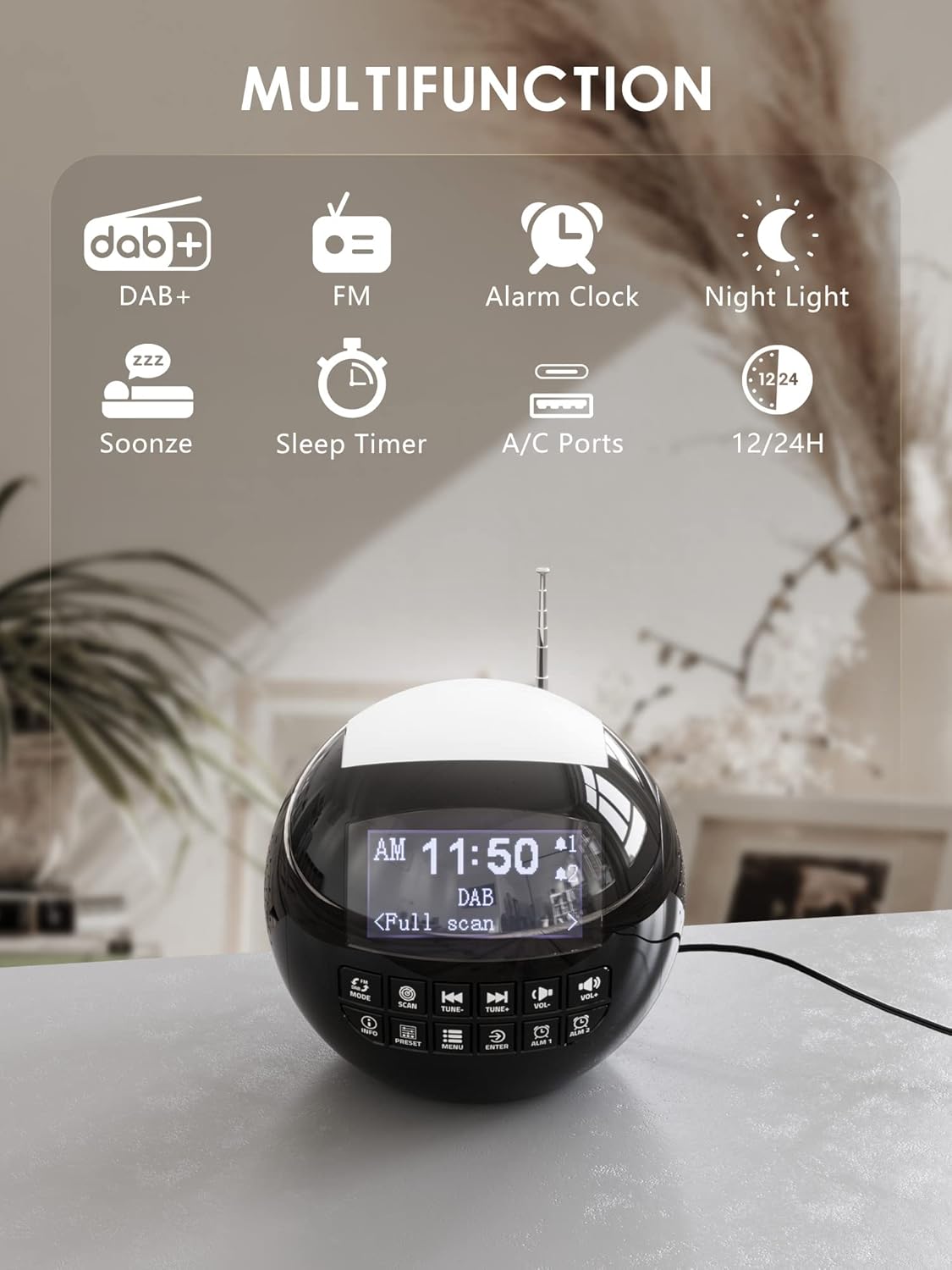
Gambar 1.1: Leuwihview of the ROCAM CR1002 DAB Digital Alarm Clock Radio highlighting its multifunction capabilities including DAB+, FM radio, alarm clock, night light, snooze, sleep timer, and USB-A/USB-C charging ports.
2. Émbaran Kasalametan
- Pastikeun alat disimpen dina permukaan datar anu stabil.
- Ulah ngalaan alat ka cai, beueus, atawa suhu ekstrim.
- Hindarkeun ngahalangan bukaan ventilasi.
- Use only the provided power adapter or a compatible one.
- Jauhkeun tina jangkauan barudak.
- Ulah nyobian ngabongkar atanapi ngalereskeun unit nyalira. Hubungi petugas servis anu mumpuni.
3. Setélan
3.1 Sambungan Daya
- Sambungkeun adaptor daya ka port DC IN di tukang jam alarm.
- Plug the power adapter into a standard wall outlet (220 Volts).
- Alat bakal hurung sareng layar bakal hurung.
3.2 Pamasangan Batré Cadangan
Pikeun nyimpen setélan waktos sareng alarm salami pareum listriktage, pasang batré cadangan.
- Tangtukeun lokasi kompartemen batré dina handapeun unit.
- Buka panutup kompartemen.
- Insert 2 "AAA" batteries (not included), ensuring correct polarity (+/-).
- Tutup panutup kompartemen batré aman.
3.3 Adjustment anteneu
Panjangkeun anteneu teleskopik sapinuhna pikeun panarimaan radio DAB/DAB+ sareng FM anu optimal. Atur posisina pikeun sinyal anu pangsaéna.
4. Parentah Operasi
4.1 Operasi Dasar
- Hurungkeun/Pareuman: Pencét éta MODÉ tombol pikeun ngahurungkeun atawa mareuman unit.
- Penyesuaian volume: Ngagunakeun éta VOL- jeung VOL+ buttons to adjust the volume (levels 1-16).
- Kacaangan tampilan: The display has 3 adjustable brightness levels. Refer to the menu settings for adjustment.
4.2 DAB / DAB + Radio
- Pencét éta MODÉ tombol pikeun milih modeu DAB.
- Pencét éta SCAN button to perform an automatic scan for available DAB/DAB+ stations. The radio will store all found stations.
- Ngagunakeun éta TUNE- jeung TUNE+ tombol pikeun nganapigasi ngaliwatan stasiun nu disimpen.
- Pencét INFO ka view inpormasi stasiun (contona, jinis program, kakuatan sinyal).
- Pikeun nyimpen stasiun salaku prasetél, pencét terus tahan tombol PRESET tombol, lajeng nganggo TUNE-/TUNE+ pikeun milih nomer prasetél (1-10) terus pencét Asupkeun pikeun mastikeun.
- Pikeun ngelingan prasetél, pencét tombol PRESET button briefly, then use TUNE-/TUNE+ to select the desired preset and press Asupkeun.

Image 4.1: The radio in DAB mode, showing the "Full scan" process to find and store available digital radio stations.
4.3 Radio FM
- Pencét éta MODÉ tombol pikeun milih modeu FM.
- Pencét jeung tahan tombol SCAN button to automatically scan for FM stations. The radio will stop at the next strong signal.
- Alternatipna, nganggo TUNE- jeung TUNE+ tombol pikeun nyetel sacara manual.
- Saving and recalling FM presets follows the same procedure as DAB presets (Section 4.2).
4.4 Nyetel Alarm
Alat ieu ngadukung dua alarm anu mandiri (Alarm 1 sareng Alarm 2).
- Pencét jeung tahan boh ALM 1 or ALM 2 button to enter alarm setup.
- Paké TUNE-/TUNE+ pikeun nyaluyukeun jam, teras pencét Asupkeun. Ngulang keur menit.
- Select the alarm source: Buzzer, DAB, atawa FM. If DAB/FM is selected, choose a preset station. Press Asupkeun.
- Adjust the alarm volume (1-16) using TUNE-/TUNE+, teras pencét Asupkeun.
- Select the alarm frequency: Once, Daily, Weekdays, or Weekends. Press Asupkeun pikeun mastikeun.
- Pikeun ngaktipkeun/nonaktipkeun alarm, pencét sakeudeung ALM 1 or ALM 2. Ikon alarem bakal muncul / ngaleungit dina tampilan.

Image 4.2: Illustration of the dual alarm function with customizable wake-up sounds (FM, DAB, or Buzzer).
4.5 Fungsi Tunda
Lamun alarm disada, pencét badag SNOOZE/NIGHTLIGHT button on top to temporarily silence the alarm for 9 minutes. The alarm will sound again after this period.

Image 4.3: The snooze function in action, providing an additional 9 minutes of sleep.
4.6 Timer Saré
Timer sare ngamungkinkeun radio pikeun muter pikeun durasi set sateuacan otomatis pareum.
- Pencét éta MENU kancing.
- Navigate to "Sleep Timer" using TUNE-/TUNE+ jeung pencét Asupkeun.
- Select a duration from 10 to 90 minutes. Press Asupkeun pikeun mastikeun.
4.7 Fungsi Lampu Peuting
The device features a 7-color night light.
- Briefly press the large SNOOZE/NIGHTLIGHT button on top to cycle through the 7 colors or turn the night light off.
- The night light can be used independently of the alarm function.

Image 4.4: The night light feature illuminating the top of the alarm clock in blue, one of the seven available colors.
4.8 Palabuhan Ngecas USB
The alarm clock is equipped with a standard USB-A port and a USB-C port for charging external devices.
- Connect your device's charging cable to either the USB-A or USB-C port on the back of the alarm clock.
- Ensure the alarm clock is powered on and connected to a wall outlet for charging functionality.
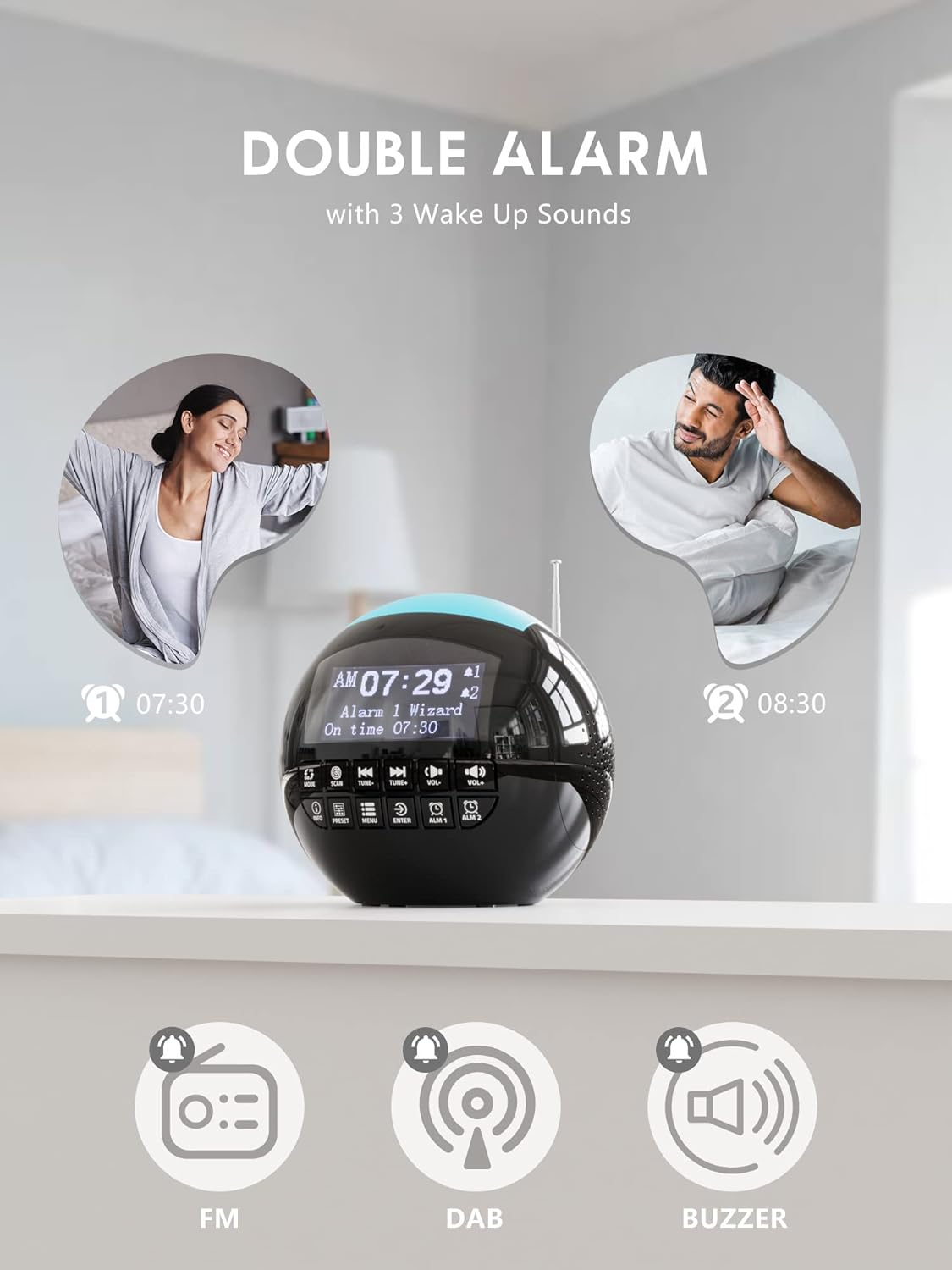
Image 4.5: The USB-A and USB-C charging ports in use, simultaneously charging a smartphone and wireless earbuds.
5. Pangropéa
- beberesih: Ngusap unit ku kaén anu lembut sareng garing. Ulah make cleaners abrasive atawa pangleyur.
- Panyimpenan: If storing the unit for an extended period, disconnect it from power and remove backup batteries.
6. Cara ngungkulan
| Masalah | Mungkin Cukang lantaranana | Solusi |
|---|---|---|
| Unit teu hurung. | Taya sambungan kakuatan. | Pastikeun adaptor daya dipasang pageuh kana unit sareng kana stop kontak témbok anu tiasa dianggo. |
| Panarimaan radio anu goréng (DAB/FM). | Antenna henteu ngalegaan atanapi daérah sinyal goréng. | Extend the telescopic antenna fully and adjust its position. Try moving the unit to a different location. Perform a full scan for DAB stations. |
| Alarm teu disada. | Alarm teu diaktipkeun atawa volume teuing leutik. | Check if the alarm icon is displayed. Ensure alarm volume is set to an audible level (1-16). Verify alarm time and frequency settings. |
| Ngecas USB teu jalan. | Unit not powered or cable issue. | Ensure the alarm clock is connected to a wall outlet. Check the charging cable for damage and ensure it is properly connected to both the alarm clock and the external device. |
| Pintonan caang teuing / taram. | Setélan kacaangan perlu adjustment. | Adjust the display brightness through the menu settings. |
7. Spésifikasi
| Fitur | Rincian |
|---|---|
| merek | ROCAM |
| Nomer modél | CR1002 DAB |
| Warna | Hideung |
| Ukuran (L x W x H) | 15.9 x 3.81 x 16.2 cm |
| Beurat | 468 gram |
| Voltage | 220 volt |
| Bahan | palastik |
| Tipe tampilan | Digital |
| Fitur husus | Adjustable Brightness, Radio (DAB/DAB+/FM), Dual Alarm, 7-Color Night Light, USB-A & USB-C Charging Ports, Snooze, Sleep Timer |
| Sumber Daya | Kabel Listrik |
| Batré Cadangan | 2 x AAA (teu kaasup) |
8. Garansi jeung Rojongan
For warranty information or technical support, please refer to the documentation included with your purchase or contact ROCAM customer service through their official websitus atanapi pangecér dimana produkna dibeuli.
Please have your model number (CR1002 DAB) and purchase details ready when contacting support.