Bubuka
The Mycket Star Projector is a versatile device designed to transform any room into a captivating celestial experience. It combines a galaxy projector, ocean wave LED night light, and a Bluetooth speaker, offering a multi-sensory environment for relaxation, entertainment, or sleep. This manual provides detailed instructions for setting up, operating, maintaining, and troubleshooting your projector.

Image: The Mycket Star Projector creating a vibrant galaxy and ocean wave projection in a modern living room, with the remote control and a smartphone showing music playback.
Naon Kaasup
Punten parios eusi bungkusan nalika dibuka pikeun mastikeun yén sadaya barang aya:
- 1 x Mycket Galaxy Star Projector
- 1 x Kabel USB
- 1 x Kadali Jauh
- 1 x Manual Pamaké (dokumén ieu)

Image: Contents of the Mycket Star Projector package, including the projector unit, remote control, and USB power cable.
Disetél
1. Sambungan Daya
- Place the Mycket Star Projector on a stable, flat surface.
- Connect the provided USB cable to the Type-C charging port on the projector.
- Plug the other end of the USB cable into a compatible USB power adapter (not included) or a USB port on a computer/power bank.
- The projector will power on automatically or can be turned on using the power button on the unit or remote control.

Gambar: A lengkep view of the Mycket Star Projector highlighting the projector light, star light, LED breathing light, and Type-C charging port, along with the remote control layout.
2. Papasangan Bluetooth
The projector features a built-in Bluetooth speaker for music playback.
- Pastikeun proyektor diaktipkeun.
- Dina alat sélulér anjeun (smartphone, tablet, jsb.), aktipkeun Bluetooth.
- Milarian pikeun available Bluetooth devices. The projector will appear as "Star Light".
- Select "Star Light" to pair. A confirmation sound will indicate successful pairing.
- You can now play music through the projector's speaker.
Video: Demonstration of the Mycket Star Projector's features, including power-on, Bluetooth pairing, and various light modes.
Parentah Operasi
The Mycket Star Projector can be operated using the buttons on the unit or the included remote control.
Fungsi Remote Control
| Tombol | Fungsi |
|---|---|
| Daya Hurung/Pareuman | Ngahurungkeun atanapi mareuman proyektor. |
| Béntang | Activates or deactivates the star projection. |
| Musik | Toggles music playback on/off (requires Bluetooth connection). |
| Volume Kaluhur/Turun | Nyetél polumeu panyatur. |
| Lagu Saméméhna / Salajengna | Skips to the previous or next track during music playback. |
| Play / Reureuh | Plays or pauses music playback. |
| Modeu LED | Cycles through different LED light modes and color combinations. |
| Caang | Adjusts the brightness of the projection (10%, 40%, 70%, 100%). |
| Speed Star | Adjusts the rotation speed of the star projection. |
| Timer (15min, 30min, 60min) | Sets an automatic shut-off timer for the projector. |
| Sora Diaktipkeun | Enables the projection to change colors and patterns according to music beat or clapping. |
Projection Modes and Colors
The projector offers 10 different colors and 14 projection modes, allowing for a variety of visual effects. Use the "LED Mode" button on the remote to cycle through these options. The dynamic fantasy nebula and starry night light can be combined to create unique atmospheres.

Image: A family enjoying the Mycket Star Projector, showcasing 7 different color combinations and 14 projection modes.
adjustment kacaangan
Adjust the projection brightness to your preference using the dedicated brightness buttons on the remote control. Available levels are 10%, 40%, 70%, and 100%.
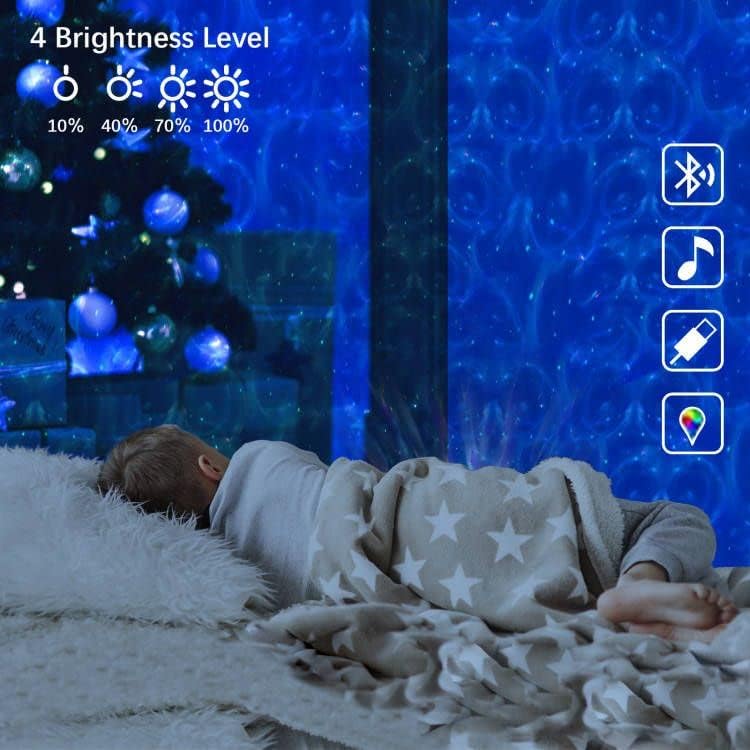
Image: A child sleeping peacefully with the Mycket Star Projector illuminating the room, illustrating the four brightness levels (10%, 40%, 70%, 100%).
Fungsi Timer
Set a timer for automatic shut-off using the remote control. Options include 15 minutes, 30 minutes, and 60 minutes. This is ideal for sleep soothing environments.

Image: A child drawing while the Mycket Star Projector displays its features, including timer settings (15min, 30min, 60min) and adjustable brightness levels.
Music Sync and Sound Activated Mode
When music is playing via Bluetooth, the "Music Sync" mode allows the lights to dance and change with the rhythm of the music. The sound-activated flicker mode also enables the projection to respond to beats or claps, creating an interactive light show.
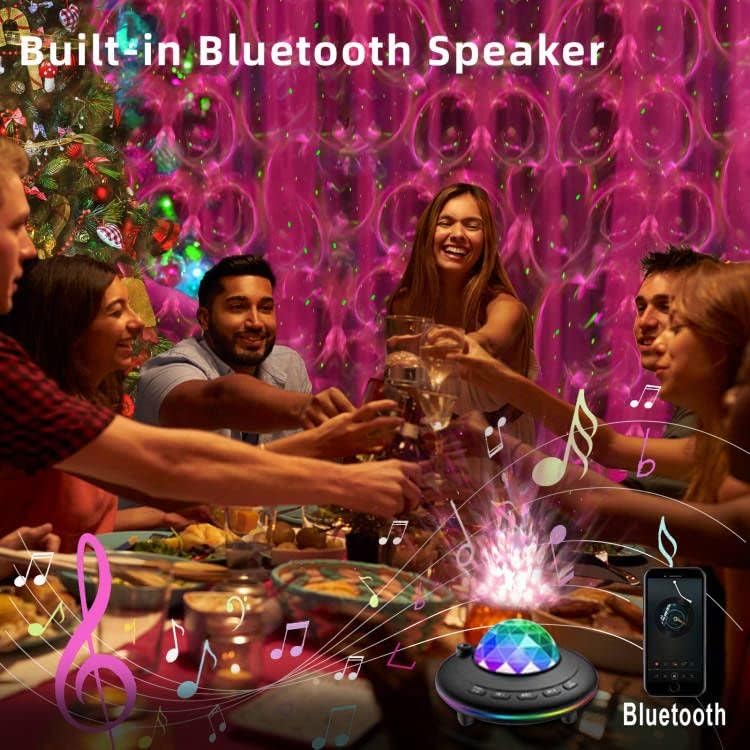
Image: People enjoying a gathering with the Mycket Star Projector providing dynamic lighting, illustrating its built-in Bluetooth speaker and music sync capabilities.
Pangropéa
beberesih
- Pastikeun projector dicabut colokan saméméh beberesih.
- Lap bagian luar proyéktor ku lawon anu lemes sareng garing.
- Pikeun tanda nekad, a rada damp lawon bisa dipaké, dituturkeun ku drying langsung.
- Ulah nganggo pembersih abrasif, pangleyur, atanapi bahan kimia anu keras, sabab ieu tiasa ngaruksak permukaan atanapi komponén internal.
- Keep the projection lens clean and free of dust to ensure clear projections. Use a lens cleaning cloth if necessary.
Panyimpenan
When not in use, store the projector in a cool, dry place, away from direct sunlight and extreme temperatures. It is recommended to keep it in its original packaging to protect it from dust and physical damage.
Pamérésan masalah
If you encounter issues with your Mycket Star Projector, please refer to the following common problems and solutions:
| Masalah | Mungkin Cukang lantaranana / Solusi |
|---|---|
| Projector teu hurung. |
|
| Kadali jauh teu jalan. |
|
| Bluetooth connection fails or is unstable. |
|
| Projector turns off unexpectedly. |
|
| Projection is dim or unclear. |
|
spésifikasi
| Fitur | Rincian |
|---|---|
| merek | Pisan |
| Nomer modél | L6 |
| Dimensi produk | 5.9 "D x 3.54" W x 5.9" H |
| Item Beurat | 13.1 ons (370 gram) |
| Bahan | palastik |
| Tipe rengse | Dipoles |
| Tipe Sumber Cahaya | LED |
| Sumber Daya | Kabel Listrik (USB) |
| Voltage | 5 Volt (DC) |
| Wattage | 5 watt |
| Téhnologi konektipitas | USB, IR |
| Protokol konektipitas | Bluetooth |
| Métode kontrol | Kadali jauh |
| Rata Kahirupan | 30000 Jam |
| Komponén Kaasup | Kadali jauh |
| Negara asal | Cina |
Garansi sareng Rojongan
For information regarding product warranty, returns, or technical support, please refer to the purchase platform or contact the seller directly. Keep your proof of purchase for any warranty claims.
Mycket is committed to providing high-quality smart home products. For further assistance, please visit the official Mycket store or contact their customer service.
Mycket Store: Visit Mycket Store on Amazon