1. Bubuka
This manual provides comprehensive instructions for the setup, operation, maintenance, and troubleshooting of your SteelSeries Arctis Nova 3 Multi-Platform Gaming Headset. Please read this manual thoroughly before using the product to ensure optimal performance and longevity.
The Arctis Nova 3 headset features the custom-designed Nova Acoustic System with High Fidelity Drivers, 360° Spatial Audio, and a 10-band Parametric EQ. It includes an AI-powered noise-cancelling ClearCast Gen 2 microphone and dynamic RGB lighting. Designed for multi-platform compatibility, it connects via USB-C to PC, PlayStation, Xbox Series X|S, Switch, and mobile devices.
2. Produk Langkungview
2.1 Eusi pakét
- SteelSeries Arctis Nova 3 Gaming Headset
- USB-C ka USB-C Cable
- USB-C kana kabel adaptor USB-A
- USB-C ka 3.5mm Kabel Audio
- Dokuméntasi (manual ieu)
2.2 Komponén headset
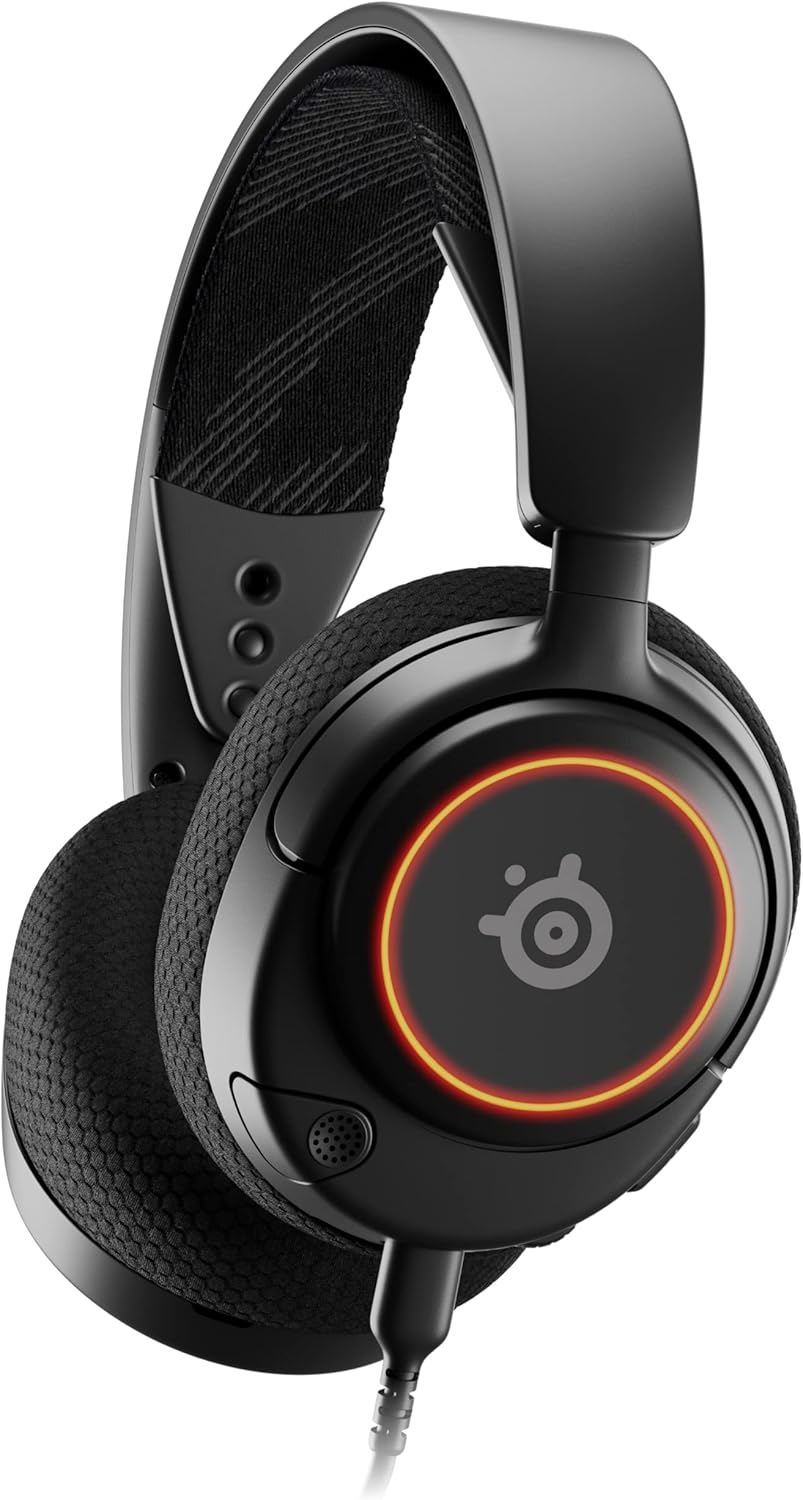
Gambar 1: Hareupeun view of the Arctis Nova 3 headset.

Gambar 2: Key features of the Arctis Nova 3, including ComfortMAX System, 360° Spatial Audio, Dual-Zone RGB, Nova Acoustic System, ClearCast Gen 2 AI-Powered Noise-Cancelling Mic, and Multi-Platform Support.
- ComfortMAX System: Features height-adjusting, rotating earcups with AirWeave Memory Foam cushions and a stretchy band for comfortable wear.
- ClearCast Gen 2 Mic: AI-powered noise-cancelling microphone, fully retractable into the earcup.
- Dual-Zone RGB Lighting: Customizable 16.8 million color options on the earcups.
- Nova Acoustic System: Custom-designed with High Fidelity Drivers for superior sound.
- Kadali: Volume wheel and microphone mute switch located on the earcup.
- Connectivity Port: USB-C port for various cable connections.
3. Setélan
3.1 Nyambungkeun Headsét
The Arctis Nova 3 offers versatile connectivity options:
- Sambungan USB-C: Use the provided USB-C to USB-C cable to connect directly to devices with a USB-C port (e.g., PC, PlayStation 5, Nintendo Switch, mobile devices).
- Sambungan USB-A: For devices with only USB-A ports, use the USB-C to USB-A adapter cable. Connect the USB-C end to the headset and the USB-A end to your device.
- Sambungan Audio 3.5mm: For devices requiring a 3.5mm audio jack (e.g., Xbox controllers, older consoles, some mobile devices), use the USB-C to 3.5mm audio cable. Connect the USB-C end to the headset and the 3.5mm jack to your device.
Klip 1: Produk Leuwihview demonstrating various connectivity options and features of the Arctis Nova 3 headset.
Klip 2: A 360-gelar view of the Arctis Nova 3 Black headset, showcasing desain sareng fiturna tina sagala sudut.
3.2 Nyaluyukeun Pasna
The ComfortMAX System allows for personalized fit:
- Penyesuaian headband: The elastic suspension band can be adjusted to different lengths using the three holes on each side of the headband, ensuring a comfortable fit that distributes weight evenly.
- Rotasi Ceuli: The earcups can rotate 90 degrees, allowing the headset to lay flat for storage or comfortable resting around the neck.

Gambar 3: The adjustable headband and rotating earcups of the Arctis Nova 3 for a personalized and comfortable fit.

Gambar 4: The super lightweight design (253g) of the Arctis Nova 3 with memory foam earcup cushions for extended comfort.
4. Parentah Operasi
4.1 Kadali Audio
- Kabayang Volume: Rotate the wheel on the left earcup up or down to adjust the headset's audio volume.
- Saklar Bisu Mikropon: Slide the switch on the left earcup to mute or unmute the ClearCast Gen 2 microphone. An orange indicator will be visible when muted.
4.2 Pamakéan Mikropon
- Manjangkeun/Mundurkeun: The ClearCast Gen 2 microphone is fully retractable. Gently pull it out from the left earcup for use and push it back in for storage.
- Posisi: Position the microphone approximately 1-2 inches from your mouth for optimal voice clarity.

Gambar 5: The ClearCast Gen 2 mic, which silences background noise and fully retracts into the earcup.
4.3 RGB Lighting Customization (PC Only)
Dynamic RGB lighting can be customized via the SteelSeries Engine software on PC. This allows for 16.8 million color options and reactive lighting effects.

Gambar 6: Customizable PrismSync RGB lighting with 16.8 million colors on the Arctis Nova 3 headset.
5. Pangropéa
- beberesih: Anggo lawon anu lemes sareng garing pikeun ngabersihkeun headset. Hindarkeun pembersih atanapi pangleyur anu abrasif.
- Panyimpenan: Simpen headset di tempat anu tiis sareng garing jauh tina sinar panonpoé langsung sareng suhu anu ekstrim.
- Perawatan kabel: Ulah tikungan anu seukeut atanapi narik kabel kaleuleuwihi pikeun nyegah karusakan.
6. Cara ngungkulan
| Masalah | Mungkin Cukang lantaranana | Solusi |
|---|---|---|
| Henteu aya audio tina headset | Incorrect connection, low volume, muted device. | Ensure cables are securely connected. Check headset volume wheel and device audio settings. Confirm device is not muted. |
| Mikropon teu jalan | Microphone muted, incorrect input device selected, mic not extended. | Check microphone mute switch (orange indicator means muted). Ensure microphone is fully extended. Verify correct input device is selected in your system's sound settings. |
| RGB lighting not working (PC) | Software issue, incorrect USB connection. | Ensure SteelSeries Engine software is installed and updated. Confirm headset is connected via USB-C or USB-A (RGB not supported via 3.5mm). |
| Ngarareunah salila pamakéan | Improper fit. | Adjust the elastic headband and earcup positions for optimal comfort. |
7. Spésifikasi
| Fitur | Rincian |
|---|---|
| Ngaran modél | SteelSeries Arctis Nova 3 Multi-Platform Gaming Headset |
| Nomer modél | 61631 |
| Téhnologi konektipitas | USB-C (includes USB-A and 3.5mm adapters) |
| Tipe Supir Audio | Dynamic Driver (Nova Acoustic System) |
| Réspon Frékuénsi | 20-22000 Hz |
| Impedansi | 36 ohm |
| Mikropon | ClearCast Gen 2 AI-Powered Noise-Cancelling, Retractable |
| Audio spasial | Audio Spasial 360° (cocog sareng Tempest 3D Audio kanggo PS5 / Microsoft Spatial Sound) |
| Beurat | 8.3 ons (kira-kira 235g) |
| Ukuran (L x W x H) | 7.32 x 6.82 x 3.47 inci |
| Bahan | Foam, Aluminum |
| Lampu RGB | Dynamic 16.8 million color options (PrismSync RGB) |
| Alat nu cocog | PC, PlayStation 5|4, Xbox Series X|S, Switch, Mobile |
8. Garansi jeung Rojongan
For warranty information and technical support, please visit the official SteelSeries websitus atanapi ngahubungan layanan palanggan maranéhna. Simpen bukti pameseran anjeun pikeun klaim garansi.
Official SteelSeries Websitus: SteelSeries Store on Amazon


