1. Setup Guide
This section provides instructions for the initial setup of your Jectse 8 Pro Unlocked Cell Phone.
1.1 Eusi pakét
Sateuacan ngamimitian, mangga pariksa heula sadaya barang anu aya dina bungkusan:
- Jectse 8 Pro Smartphone
- Earphone
- Kabel USB
- Kasus pelindung
- Pilem pelindung
- English Manual (this document)

Image: Jectse 8 Pro phone with included accessories.
1.2 Pamasangan Kartu SIM sareng Kartu Memori
The Jectse 8 Pro supports dual nano SIM cards and one small memory card for expanded storage.
- Tangtukeun lokasi baki kartu SIM di sisi alat.
- Use the provided SIM ejector tool (if included) or a small pin to open the tray.
- Carefully place your nano SIM cards into the designated slots. Ensure the gold contacts face downwards.
- If using a memory card, insert it into the dedicated small memory card slot. The device supports up to 128GB expansion.
- Gently dorong baki deui kana telepon nepi ka siram jeung awak alat.
1.3 Daya Awal Hurung
Pikeun ngahurungkeun alat Anjeun pikeun kahiji kalina:
- Press and hold the power button located on the upper right side of the phone.
- The phone will vibrate and the Jectse logo will appear on the screen.
- Turutan parentah dina-layar pikeun ngarengsekeun setelan awal, kaasup pilihan basa, sambungan Wi-Fi, jeung setelan akun Google.

Gambar: Hareup jeung tukang view of the Jectse 8 Pro Unlocked Cell Phone.
2. Parentah Operasi
This section details the basic operation and features of your Jectse 8 Pro smartphone.
2.1 Daya Hurung/Pareuman
- Daya Hurung: Long press the power button on the upper right side until the screen lights up.
- Pareum listrik: Long press the power button, then select 'Power off' from the options displayed on the screen.
2.2 Napigasi jeung Interface
The Jectse 8 Pro runs on Android 6. Navigate the interface using touch gestures:
- Ketok: Pilih hiji item atawa buka aplikasi.
- Gesek: Gulung dina daptar atanapi pindah antara layar utama.
- Ciwit: Ngazum gede atawa leutik dina gambar na web kaca.

Image: Jectse 8 Pro displaying its 5.0-inch HD full screen.
2.3 Fungsi kaméra
The device is equipped with a 2MP front camera and a 5MP rear camera.
- Open the 'Camera' application from the home screen or app drawer.
- Ketok ikon kaméra pikeun pindah antara kaméra hareup sareng kaméra tukang.
- Ketok tombol jepret pikeun ngarekam poto.
- Access various camera modes and settings within the application.
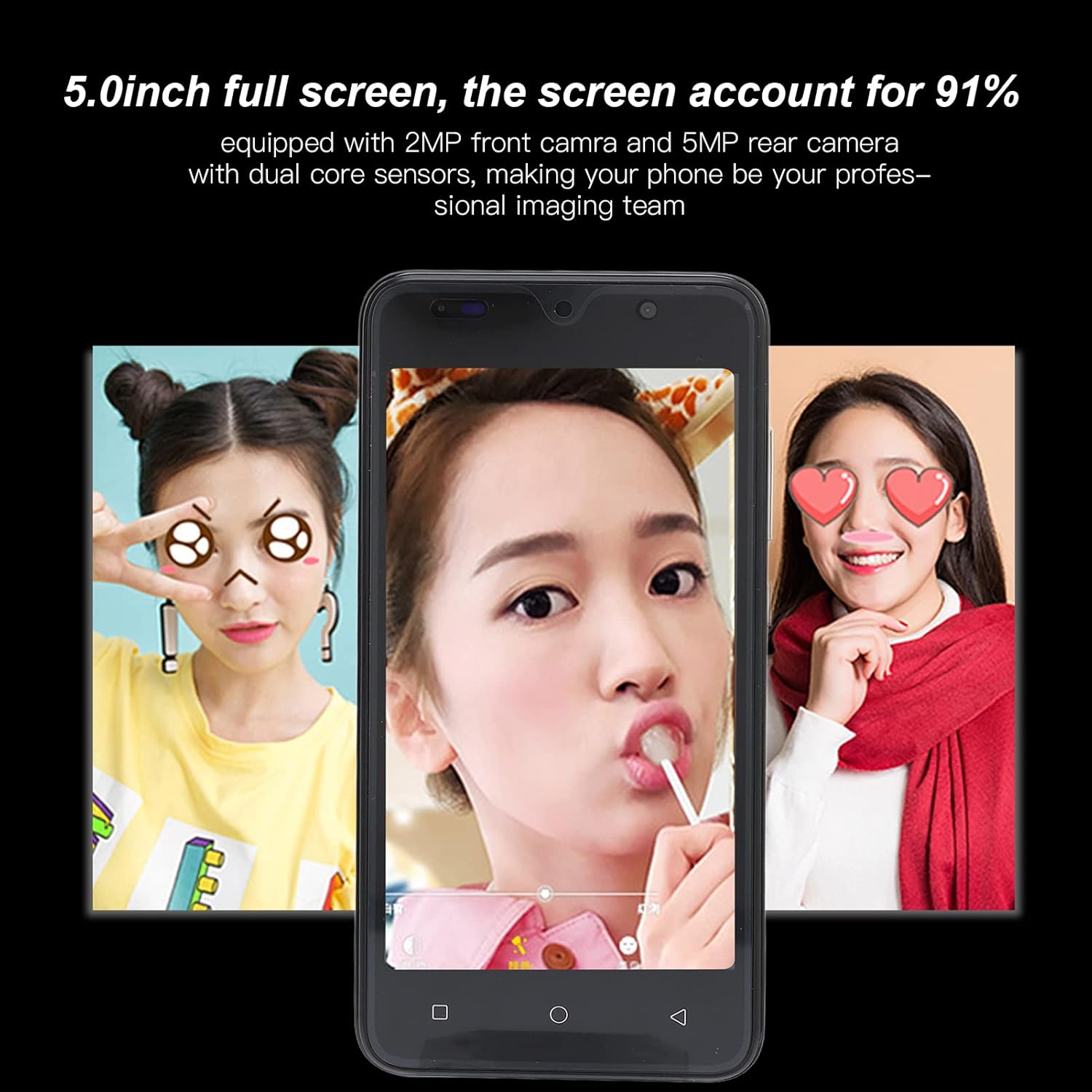
Image: Camera interface example on the Jectse 8 Pro.
2.4 Pangwanoh raray
The Jectse 8 Pro features face recognition for unlocking the device.
- Go to 'Settings' > 'Security' > 'Face Recognition'.
- Turutan pitunjuk dina layar pikeun ngadaptarkeun raray anjeun.
- Once registered, you can unlock your phone by looking at the front camera.
2.5 Konéktipitas
The phone supports various connectivity options:
- Wifi: Nyambung ka jaringan nirkabel pikeun aksés internét.
- Bluetooth: Pasangkeun sareng alat-alat Bluetooth sanés sapertos headphone atanapi speaker.
- Data Seluler: Utilize 2G/3G networks (WCDMA 850/2100, GSM 850/900/1800/1900) for internet access when Wi-Fi is unavailable.
- Radio FM: Dengékeun stasiun radio lokal.
3. Pangropéa sarta perawatan
Proper care ensures the longevity and optimal performance of your device.
3.1 Perawatan Batré
- Avoid fully discharging the 2200mAh lithium battery frequently.
- Use only the provided USB cable and a compatible charger.
- Do not expose the phone to extreme temperatures, as this can degrade battery performance.
3.2 Ngabersihan Alat
- Anggo lawon anu lemes sareng henteu lint pikeun ngabersihan layar sareng awak telepon.
- Hindarkeun ngagunakeun bahan kimia anu kasar atanapi bahan abrasive.
- Ulah menyemprot cleaners langsung kana telepon.
3.3 General Device Protection
- Utilize the provided protective case and screen film to guard against scratches and minor impacts.
- Keep the phone away from water and excessive moisture.
- Hindarkeun leupaskeun alatna.
4. Cara ngungkulan
This section addresses common issues you might encounter with your Jectse 8 Pro.
4.1 Alat Teu Dihurungkeun
- Pastikeun batréna geus dieusian. Sambungkeun telepon ka carjer sarta antosan sababaraha menit samemeh nyoba ngahurungkeun deui.
- If the battery is extremely low, it may take several minutes of charging before the device responds.
4.2 Masalah Konektipitas Jaringan
- Verify that your SIM card is correctly inserted and activated with your carrier.
- Check that your phone card supports the device's frequency bands: GSM 850/900/1800/1900MHz and WCDMA 850/2100MHz for 3G.
- Balikan deui telepon.
- Hurungkeun sareng mareuman Modeu Pesawat.
4.3 Kinerja Leungit atanapi Aplikasi Kacilakaan
- Tutup aplikasi latar tukang anu teu perlu.
- Clear cache for problematic applications in 'Settings' > 'Apps'.
- Ensure sufficient storage space is available. The phone has 32GB ROM, expandable up to 128GB.
- Restart the device periodically to refresh the system.
4.4 Face Recognition Not Working
- Pastikeun kaayaan cahaya anu nyukupan.
- Clean the front camera lens.
- Re-register your face in the security settings.
5. Spésifikasi produk
Detailed technical specifications for the Jectse 8 Pro Unlocked Cell Phone.
| Fitur | Spésifikasi |
|---|---|
| Modél | 8 Pro |
| layar | 5.0 inch HD+ Full Screen |
| Resolusi | 854x480 |
| Sistem operasi | For Android 6 |
| CPU | MTK6799 Quad Core |
| Ram | 2GB |
| Rom | 32GB |
| Panyimpenan Expandable | Supports up to 128GB (Small Memory Card Slot) |
| Tipe Kartu SIM | 2x nano SIM Card Slots |
| Standar Jaringan | 2G/3G (WCDMA 850/2100, GSM 850/900/1800/1900) |
| Kaméra hareup | 2MP, f/2.0 Aperture, Fixed Focus |
| Kaméra tukang | 5MP, f/1.8 Aperture, Auto Focus |
| Batré | 2200mAh Lithium Battery (Built-In) |
| Tipe panganteur | 1x microUSB (Charging), 1x 3.5mm (Audio) |
| Konektipitas | Wi-Fi, Bluetooth, FM |
| Fitur Kaamanan | Pangenal raray |
| Bahan | ABS, Kaca |
| Item Beurat | Kira-kira. 295g (10.41oz) |
| Warna | Héjo |

Gambar: Tukangeun view of Jectse 8 Pro phones in multiple colors.
6. Garansi jeung Rojongan
For any questions or issues not covered in this manual, please refer to the following support information.
6.1 Rojongan Palanggan
Jectse is committed to providing quality support. If you encounter any problems with your unlocked mobile phone, please contact the seller or manufacturer directly. They will assist you within 24 hours and provide a comprehensive solution.
6.2 Émbaran jaminan
Specific warranty details are typically provided at the point of purchase or within separate warranty documentation. Please retain your proof of purchase for any warranty claims.


