1. Bubuka jeung Leuwihview
The THINKCAR ThinkScan Plus S4 is an advanced OBD2 diagnostic scanner designed to provide comprehensive vehicle health reports and maintenance functions. This device offers powerful diagnostic capabilities for various vehicle systems, helping users identify and resolve automotive issues efficiently. It features a user-friendly interface and supports a wide range of vehicle makes and models.
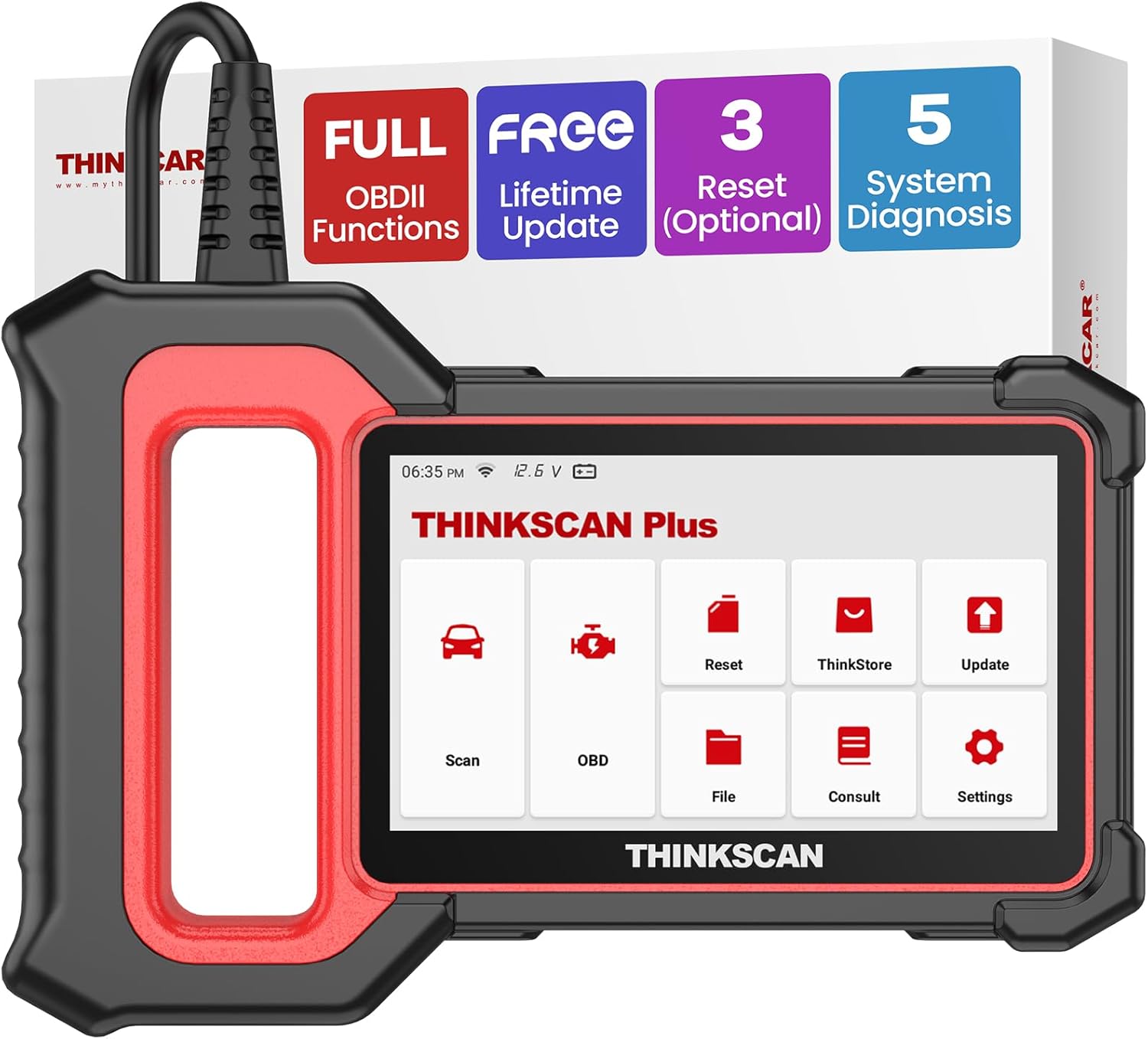
Figure 1: ThinkScan Plus S4 OBD2 Scanner Main Unit
2. Naon dina Box
Upon unboxing your ThinkScan Plus S4, please verify that all components are present:
- 1* Thinkscan Plus S4 Car Scanner
- 1* USB-A to USB-C Cable
- 1 * Manual pamaké

Figure 2: ThinkScan Plus S4 Package List
3. Setup jeung Konfigurasi Awal
To ensure optimal performance and access to the latest features, it is crucial to perform initial setup and software updates.
- Daya Hurung: Connect the ThinkScan Plus S4 to your vehicle's OBD2 port. The device will automatically power on.
- Sambungan Wi-Fi: Navigate to 'Settings' on the device's touchscreen. Select 'Network' and connect to an available Wi-Fi network. This is essential for updates.
- Pembaruan Sistem: After connecting to Wi-Fi, go to 'Settings' and select 'App Update' or 'System Update'. Download and install the latest operating system and diagnostic software for your vehicle brands. This ensures compatibility and bug fixes.

Figure 3: ThinkScan Plus S4 Ready for Use

Figure 4: Connecting the ThinkScan Plus S4 to the OBD2 Port
Video: Initial Setup and Usage Overview
Description: This video provides a comprehensive overview of the ThinkScan Plus S4, including initial setup, connecting to a vehicle, and navigating the user interface. It demonstrates the device's capabilities for diagnosing vehicle issues and performing various functions.
4. Operating the Device: System Diagnostics
The ThinkScan Plus S4 offers OE-level diagnostics for five critical vehicle systems:
- Engine (ECM): Maca sareng mupus kodeu kasalahan mesin, view live data, and access vehicle information.
- Sistem Rem Anti-konci (ABS): Diagnose ABS issues, read/clear codes, and view live data streams related to braking.
- Supplemental Restraint System (SRS): Check airbag system status, detect electronic parameters, and clear related fault codes.
- Transmission Control Module (TCM): Scan for transmission issues, read fault codes, and monitor real-time data.
- Body Control Module (BCM): Diagnose problems with electrical appliances like lights, wipers, door locks, and power windows.
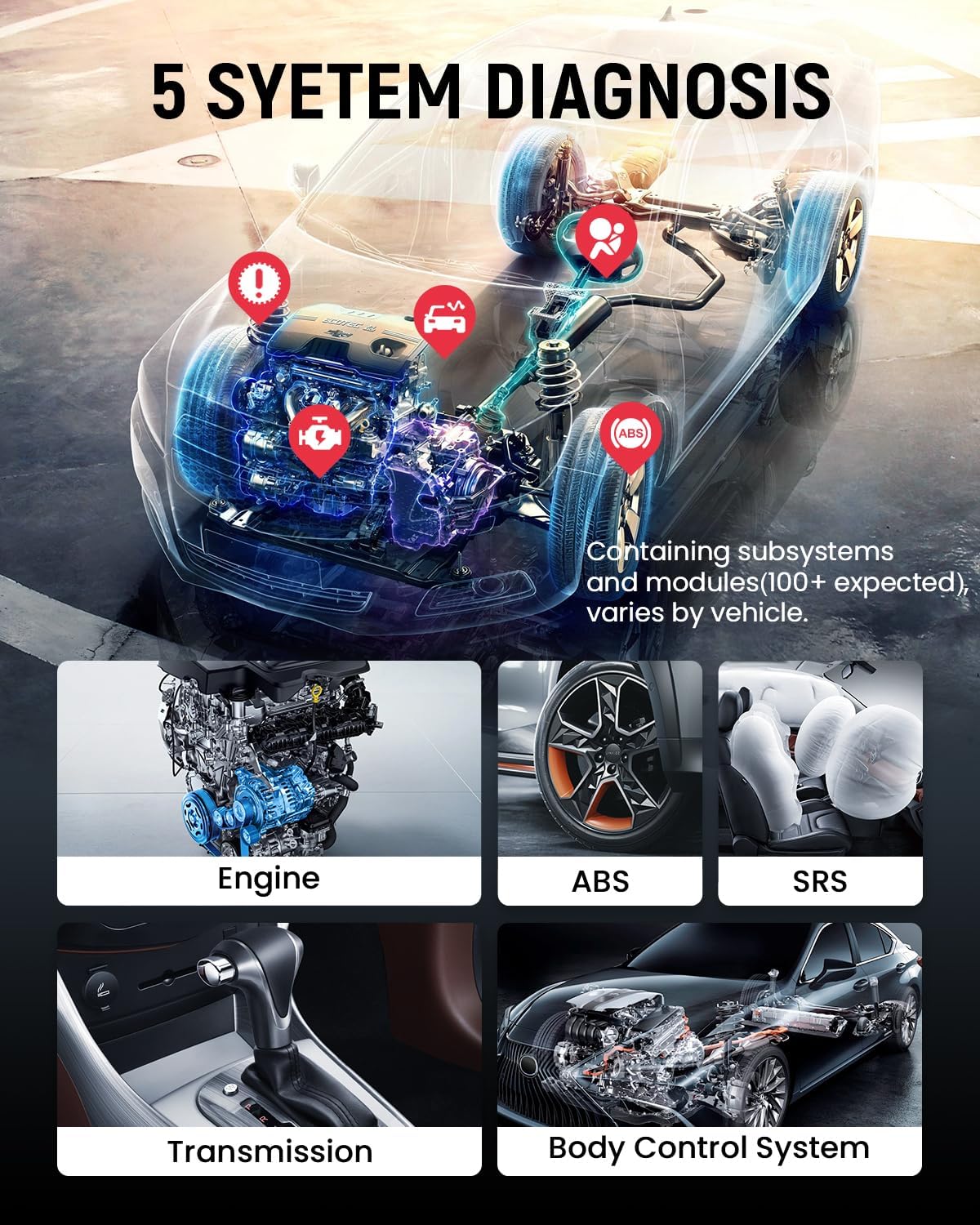
Gambar 5: Leuwihview of 5 System Diagnostics
AutoVIN Scan and Diagnostic Reports
The device supports AutoVIN scan for quick vehicle identification, streamlining the diagnostic process. After scanning, it can generate detailed diagnostic reports that can be printed or shared via email.

Figure 6: Intelligent Diagnostic Features including AutoVIN Scan and Live Data Graphing
Video: Automotive Diagnostic Tool Demonstration
Description: This video demonstrates the ThinkScan Plus S4's diagnostic capabilities, showing how to connect to a vehicle, perform a scan, and interpret results. It highlights the ease of use for various diagnostic tasks.
Video: Generating and Sharing Diagnostic Reports
Description: Learn how to generate a diagnostic report in PDF format and share it via email using the ThinkScan Plus S4. This feature is useful for record-keeping or sharing information with mechanics.
5. Special Service Functions (Maintenance)
The ThinkScan Plus S4 allows users to choose 3 free special maintenance services from a selection of 28+ options. These functions are crucial for routine vehicle maintenance and resetting specific systems after repairs.
- Reset minyak: Reset the oil light and parameters after an oil change.
- Reset EPB: Help replace and reset brake pads.
- Injector Coding: Write new injector codes into the car system for correct cylinder injection quantity.
- Other available functions include: Throttle Adaptation, SAS Reset, TPMS Reset, Gear Learning, AFS Reset, Coolant Bleed, Suspension Reset, Tyre Setting, Seat Calibration, Windows Calibration, Sunroof Initialization, Language Set, Transport Mode, Stop/Start Reset, BMS Reset, and more.

Figure 7: Select 3 Free Reset Services
Video: Special Functions for DIYers
Description: This video showcases the variety of special service functions available on the ThinkScan Plus series, demonstrating how DIYers can utilize these features for common maintenance tasks.
Video: Selecting Functions According to Needs
Description: A detailed guide on how to select and activate specific special functions on the ThinkScan Plus device, allowing users to customize their tool based on their maintenance requirements.
6. Fungsi OBD2 pinuh
The ThinkScan Plus S4 supports all 10 OBD2 test modes, providing comprehensive engine diagnostics:
- Baca Kodeu
- Hapus Kodeu
- MIL Fault Indicator Light
- Data Hirup
- Test Sistim EVAP
- Tés Monitor Dina-Papan
- View Freeze pigura
- Tés Sénsor O2
- Inpo kandaraan
- Abdi / M Kesiapan

Figure 8: Full OBD2 10 Modes Supported
7. Kasaluyuan Kandaraan
The ThinkScan Plus S4 offers extensive vehicle coverage, supporting over 94 vehicle brands. It is compatible with US-based vehicles that are OBDII compliant (OBDII protocols: KWP2000, ISO9141, J1850 VPW, J1850 PWM, and CAN). This includes 12-volt sedans, SUVs, light-duty trucks, minivans, and hybrids.
Note: Service functions may vary by vehicle model. Please check compatibility before purchase. FCA AutoAuth is supported, but the scanner does not include an FCA account; users need to register themselves.
Figure 9: Wide Vehicle Compatibility and Supported Protocols
8. Cara ngungkulan
If you clear a fault code directly without repairing the underlying issue in the car, the fault code may reappear. It is recommended to diagnose the problem, perform the necessary repairs, and then clear the fault code to ensure a lasting solution.
9. Spésifikasi
| Fitur | Rincian |
|---|---|
| merek | mobil mikir |
| Modél | ThinkScan Plus S4 |
| Sistem operasi | Smooth Android 6.0 Based Quad-core Processor |
| tampilan | 5'' Touchscreen, 720x1280 resolution |
| Mémori | 32GB+256GB (EXTENDABLE) Storage |
| Konektipitas | Wireless Update (Wi-Fi) |
| Item Beurat | 2.09 pon |
| Dimensi produk | 8.3 x 5.5 x 1 inci |
| Basa | English (supports 10 localized languages) |
10. Garansi jeung Rojongan
The ThinkScan Plus S4 comes with lifetime free updates, ensuring your device always has the latest vehicle data and software features. For any technical assistance or product inquiries, please refer to the official thinkcar support channels.


