1. Bubuka ka Google Pixel 6a Anjeun
The Google Pixel 6a is a 5G Android smartphone designed for speed, security, and an exceptional user experience. Powered by the Google Tensor chip, it offers advanced features including a high-quality camera, long-lasting battery, and real-time translation capabilities. This manual provides essential information for setting up, operating, maintaining, and troubleshooting your device.
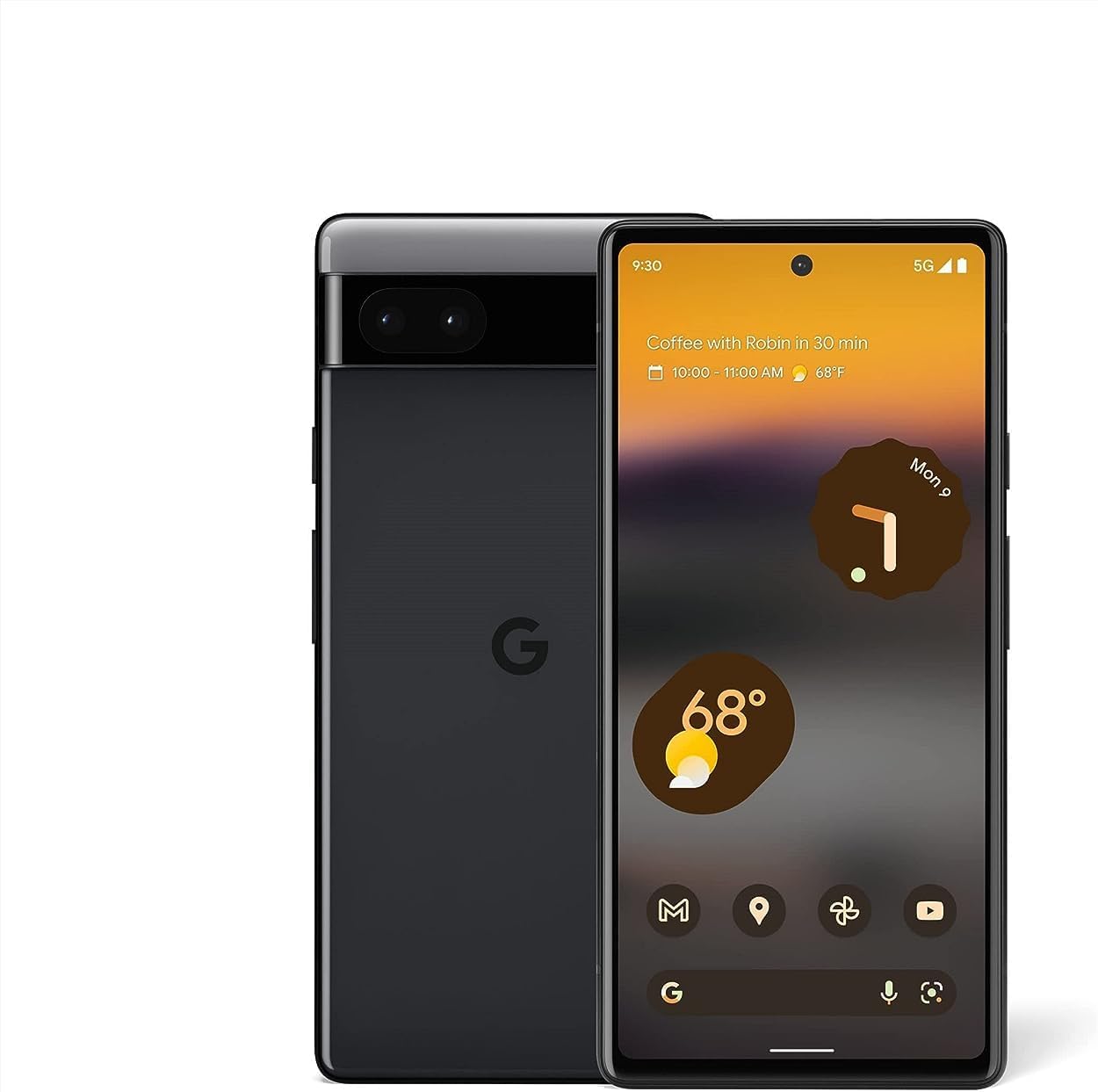
Gambar: Hareup jeung tukang view of the Google Pixel 6a smartphone, showcasing desain sleek na kaméra bar.
2. Setup Awal
2.1. Naon dina Box
Sateuacan Anjeun ngawitan, pastikeun sadaya komponén aya:
- Telepon sélulér Google Pixel 6a
- 1m USB-C ka kabel USB-C (USB 2.0)
- Alat SIM
- Gancang Pindah adaptor
- Pituduh Mimitian Gancang (teu ditémbongkeun dina gambar)

Image: The contents of the Google Pixel 6a box, including the phone, USB-C cable, SIM tool, and Quick Switch Adapter.
2.2. Nyelapkeun Kartu SIM
- Tangtukeun lokasi baki kartu SIM di sisi Pixel 6a Anjeun.
- Insert the SIM tool into the small hole on the tray and press gently until the tray ejects.
- Teundeun kartu Nano-SIM anjeun kana baki kalayan kontak emas nyanghareup ka handap.
- Taliti selapkeun deui baki kana telepon.
2.3. Powering On jeung Konfigurasi Awal
Press and hold the Power button until the Google logo appears. Follow the on-screen prompts to:
- Pilih basa sareng daérah anjeun.
- Nyambung ka jaringan Wi-Fi.
- Lebet nganggo Akun Google anjeun atanapi jieun anu énggal.
- Set up your fingerprint for secure unlocking.
- Transfer data from your old device using the Quick Switch Adapter or wirelessly.

Image: A visual representation of transferring data, including messages, contacts, and photos, from an old device to the new Google Pixel 6a.
The Pixel 6a is an unlocked Android 5G phone, providing flexibility to choose your preferred carrier and data plan. It is compatible with major carriers such as Google Fi, Verizon, T-Mobile, and AT&T.

Image: A man holding the Google Pixel 6a to his ear, demonstrating its use as an unlocked smartphone with carrier flexibility.
3. Operating Your Google Pixel 6a
3.1. Google Tensor Chip Performance
Your Pixel 6a is powered by the Google Tensor chip, designed specifically for Pixel devices. This chip ensures fast app launches, quick loading of pages and images, and overall smooth performance for all your tasks.

Image: An illustration highlighting the Google Tensor chip, emphasizing its role in making the Pixel 6a smart, secure, and fast.
3.2. Manajemén Batré sareng Ngecas
The Pixel 6a features an adaptive all-day battery that learns your usage patterns to save power for your most used applications. It supports fast wired charging up to 18W. A few minutes of charging can provide hours of power. Adapters are sold separately and compatible with USB PD 3.0 PPS adapters.

Image: A Google Pixel 6a phone connected to a charger, illustrating its adaptive battery and fast charging capabilities.
3.3. Fitur kaméra
Capture amazing photos with the Pixel 6a's 12-megapixel camera. Key features include:
- pamupus sihir: Easily remove unwanted objects from your photos in Google Photos.
- Modeu gerak: Capture dynamic shots with artistic blurs.
- Modeu Potrét: Jieun poto anu katingalina profésional kalayan latar tukang anu burem.
- Face Unblur: Make blurry faces look sharper.
- Nada Asli: Ensures beautifully authentic photos of diverse skin tones.

Image: A collage demonstrating the Google Pixel 6a's camera features, including Face Unblur, Real Tone, and Magic Eraser.
3.4. Live Tarjamah
The Live Translate feature allows you to translate live video captions, private chats, messages, and even signs in up to 55 languages directly on your phone. This feature enhances communication across language barriers.

Image: A person using the Google Pixel 6a to translate a conversation in real-time, demonstrating the Live Translate feature.
3.5. Kaamanan sareng Privasi
Privacy and security are integral to the Pixel 6a. It incorporates the Titan M2 chip and the Google Tensor security core, providing an additional layer of hardware security to protect your device against attacks.

Image: A visual representation of the Pixel 6a's security features, including the Titan M2 chip, IP67 protection, and fingerprint unlock.
3.6. Customizable Interface and Feature Drops
The Pixel 6a offers a highly customizable Android interface, allowing you to personalize your phone's appearance and functionality. Google regularly provides "Feature Drops," delivering new features, tricks, and apps directly to your phone to enhance your experience over time.

Image: Multiple Pixel 6a screens displaying various customizable interface options and color themes.

Image: A notification on a Pixel phone screen indicating a "Feature Drop" update, highlighting continuous improvements.
4. Pangropéa sarta perawatan
4.1. Cai jeung Lebu Résistansi
The Pixel 6a is designed with IP67 protection, meaning it can withstand a certain degree of water and dust exposure. While it is resistant, it is not waterproof or dustproof. Avoid intentional submersion or exposure to high-pressure water jets. Water and dust resistance may diminish over time due to normal wear and tear or physical damage.
4.2. Ngabersihan Alat Anjeun
To clean your Pixel 6a, use a soft, lint-free cloth. Avoid abrasive materials, solvents, or aerosol sprays. For stubborn smudges, slightly dampen the cloth with water. Ensure all ports are dry before charging.
5. Ngungkulan Masalah Umum
This section addresses some common issues you might encounter with your Google Pixel 6a.
5.1. Fingerprint Sensor Issues
If the in-display fingerprint sensor is inconsistent or slow:
- Pastikeun ramo anjeun beresih jeung garing.
- Re-register your fingerprints, trying different angles and pressures.
- Clean the screen area where the sensor is located.
- If using a screen protector, ensure it is compatible with in-display fingerprint sensors and properly installed. Some screen protectors may interfere with functionality.
5.2. Battery Draining Quickly / Slow Charging
If your battery drains faster than expected or charges slowly:
- Check for background apps consuming excessive power and close them.
- Kurangkeun kacaangan layar atanapi aktipkeun Caang Adaptif.
- Disable features like always-on display or unnecessary connectivity (Bluetooth, GPS) when not in use.
- Ensure you are using a compatible USB-C charger and cable (preferably the one included or a Google-approved adapter).
- Avoid using the phone heavily while charging.
5.3. Alat overheating
It is normal for the device to warm up during intensive use (e.g., gaming, video streaming, prolonged camera use, or fast charging). If it becomes excessively hot:
- Tutup sadaya aplikasi anu ngajalankeun.
- Disconnect from the charger if it's charging.
- Move to a cooler environment.
- Hindarkeun paparan sinar panonpoé langsung.
- If the issue persists, consider restarting the device.
5.4. Masalah Konéktivitas Jaringan (Wi-Fi/Data Seluler)
If you experience problems with Wi-Fi or mobile data connectivity:
- Pareuman sareng hurungkeun Wi-Fi atanapi data seluler.
- Balikan deui telepon anjeun.
- For Wi-Fi, forget the network and reconnect. Ensure your router is working correctly.
- For mobile data, check your SIM card is properly inserted and your data plan is active. Contact your carrier if issues persist.
6. Spésifikasi Téknis
| Fitur | Rincian |
|---|---|
| Ngaran modél | Pixel 6a (GX7AS) |
| merek | |
| Sistem operasi | Android |
| Laju CPU | 2.8 GHz |
| Ukuran layar | 6.13 inci |
| Resolusi | 1080 x 2400 |
| Refresh Laju | 60 Hz |
| Ram | 6 GB |
| Kapasitas Panyimpenan Mémori | 128 GB |
| Kapasitas batré | 4410 Miliamp Jam-jaman |
| Waktu Ngecas | 2 Jam (kira-kira) |
| Telepon Talk Time | 15 Jam |
| Téhnologi konektipitas | Bluetooth, Wi-Fi, NFC |
| Fitur kaméra | Rear, Front (12 Megapixel main) |
| Audio Jack | USB-C |
| Warna | Arang |
| Dimensi produk | 6 x 2.8 x 0.35 inci |
| Item Beurat | 6.3 ons (178 gram) |
| Tanggal Kahiji Sadia | 18 Juli 2022 |

Image: A comparison chart detailing specifications between the Pixel 6 and Pixel 6a, including display, camera, memory, battery, and security features.
7. Garansi jeung Rojongan
7.1. Garansi produk
Your Google Pixel 6a comes with a limited manufacturer's warranty. Please refer to the warranty card included with your purchase or visit the official Google support website for detailed terms and conditions, including coverage period and what is covered.
7.2. Rojongan Palanggan
For further assistance, technical support, or service inquiries, please visit the official Google Pixel Support page. You can find FAQs, troubleshooting guides, and contact options for direct support.
Rojongan Google resmi: support.google.com/pixelphone


