1. Bubuka
Thank you for choosing the Roseland Boombox 20W TWS Bluetooth Speaker. This manual provides essential information for the safe and efficient operation of your device. Please read it thoroughly before use and retain it for future reference.
The Roseland Boombox 20W TWS Bluetooth Speaker delivers rich, powerful sound. Connect wirelessly via Bluetooth, or use AUX and USB inputs for versatile playback. Enjoy up to 5.5 hours of playtime on a single charge. The integrated color-changing light enhances your listening experience. This lightweight speaker features a convenient handle for portability and supports True Wireless Stereo (TWS) pairing for an expanded soundstage.
2. Eusi Paket
Pastikeun sadaya item aya dina bungkusan:
- Roseland Boombox 20W TWS Bluetooth Speaker
- Kabel Ngecas USB-C
- Kabel Auxiliary (AUX).
- Manual Pitunjuk (dokumén ieu)
3. Fitur Produk
- Kaluaran Audio: 20W for powerful sound.
- Stereo Nirkabel Sejati (TWS): Connect two speakers wirelessly for stereo sound.
- Konektipitas: Bluetooth, AUX Input, USB Port.
- Kahirupan batré: Nepi ka 5.5 jam waktos maén.
- Waktu Ngecas: Kurang leuwih 2.5 jam.
- Pencahayaan: Integrated color-changing light.
- Métode kontrol: Toél kadali.
- Portability: Lightweight design with a convenient handle.
- Daya tahan: konstruksi waterproof.
4. Kontrol jeung Indikator
The control panel is located on the rear of the speaker. Specific button functions are detailed below. (Refer to the image for visual reference).
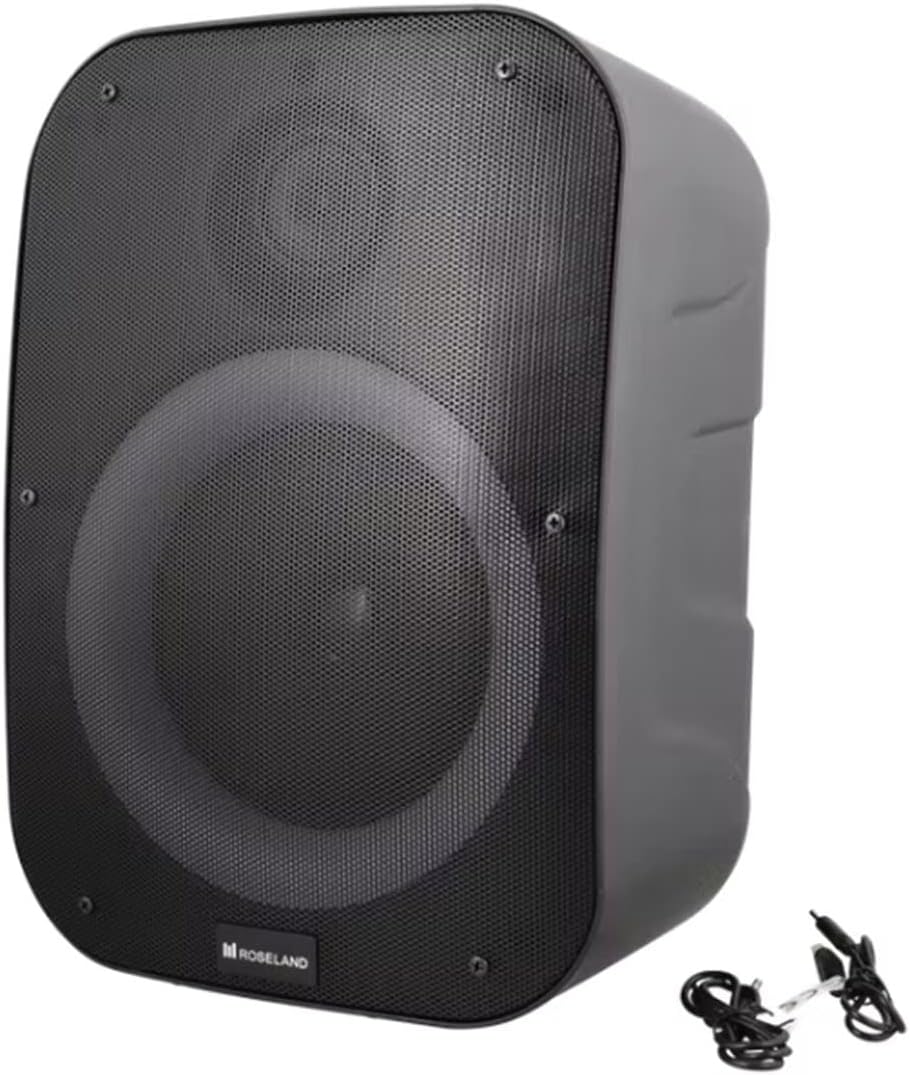
Gambar: Tukangeun view of the Roseland Boombox, highlighting the control panel and integrated handle for portability.
- Tombol Daya: Pencét terus tahan pikeun ngahurungkeun atawa mareuman speaker.
- Tombol Mode (M): Pencét pikeun pindah antara modeu puter Bluetooth, AUX, sareng USB.
- Play/Pause Button (▶❚❚): Pencét pikeun maénkeun atanapi ngareureuhkeun audio.
- Tombol Volume Turun / Lagu Saméméhna (-): Pencét pikeun ngurangan volume. Pencét terus tahan pikeun muka lagu saméméhna.
- Tombol Naékkeun Volume / Trek Salajengna (+): Pencét pikeun ningkatkeun volume. Pencét terus tahan pikeun pindah ka lagu salajengna.
- Tombol Mode Lampu: Press to cycle through different color-changing light modes or turn the lights off.
- TWS Pairing Button: Press to initiate True Wireless Stereo pairing (see Section 5.4).
- Port Ngecas (USB-C): Connect the USB-C cable for charging.
- Port Input AUX: Sambungkeun alat audio éksternal nganggo kabel bantu.
- Port USB: Selapkeun flash drive USB pikeun muterkeun audio.
5. Setélan
5.1 Ngecas Speaker
- Connect the supplied USB-C charging cable to the speaker's USB-C charging port.
- Sambungkeun tungtung kabel USB-C anu sanés ka adaptor kakuatan USB anu cocog (teu kalebet) atanapi port USB komputer.
- Lampu indikator ngecas bakal hurung, biasana beureum, nalika ngecas. Lampu éta bakal pareum atanapi robih warna (contona, biru) nalika dicas pinuh.
- Ngeusi batre pinuh butuh kurang leuwih 2.5 jam.
5.2 Powering on / Pareum
- Pikeun Ngahurungkeun: Press and hold the Power Button for a few seconds until you hear an audible prompt or see an indicator light.
- Pikeun mareuman: Press and hold the Power Button again for a few seconds until the speaker powers down.
5.3 Nyapasangkeun Bluetooth
- Ensure the speaker is powered on and in Bluetooth mode. If not, press the Mode Button (M) until you hear a "Bluetooth mode" prompt or see a flashing blue indicator light.
- Aktipkeun Bluetooth dina smartphone Anjeun, tablet, atawa alat Bluetooth-diaktipkeun séjén.
- Milarian pikeun "Roseland Boombox" in the list of available Bluetooth devices.
- Select "Roseland Boombox" to connect. Once connected, you will hear a confirmation sound, and the indicator light will become solid blue.
- Spéker bakal otomatis nyobian nyambung deui ka alat anu dipasangkeun terakhir nalika diaktipkeun.
5.4 Leres Wireless Stereo (TWS) papasangan
TWS allows you to connect two Roseland Boombox speakers wirelessly for a stereo sound experience.
- Ensure both Roseland Boombox speakers are powered on and in Bluetooth mode, but not yet connected to any device.
- On one of the speakers (this will be the primary speaker), press the TWS Pairing Button. You will hear a prompt indicating it's searching for another speaker.
- Dua speaker bakal otomatis nyambung ka unggal lianna. Anjeun bakal ngadéngé sora konpirmasi sakali pasangan TWS suksés.
- Now, connect your Bluetooth device to the primary speaker (the one you pressed the TWS button on) as described in Section 5.3. The audio will now play in stereo through both speakers.
5.5 Sambungan AUX
- Connect one end of the supplied AUX cable to the AUX Input Port on the speaker.
- Connect the other end of the AUX cable to the headphone jack or audio output of your external audio device.
- Press the Mode Button (M) on the speaker until you hear an "AUX mode" prompt.
- Control playback and volume directly from your connected audio device.
5.6 Playback USB
- Selapkeun USB flash drive nu ngandung audio MP3 files into the USB Port on the speaker.
- Press the Mode Button (M) on the speaker until you hear a "USB mode" prompt.
- Speaker bakal otomatis mimiti muterkeun audio files ti USB drive.
- Use the Play/Pause, Volume Up/Down, and Next/Previous Track buttons on the speaker to control playback.
6. Parentah Operasi
6.1 Puterkeun Musik
- Puter / Reureuh: Pencét tombol Puter / Reureuh.
- Lagu salajengna: Pencét jeung tahan tombol Volume Up (+).
- Lagu Sateuacanna: Pencét jeung tahan tombol Jilid Turun (-).
- Penyesuaian volume: Pencét tombol Volume Up (+) atanapi Volume Turun (-) pikeun nyaluyukeun polumeu.
6.2 Modeu Lampu
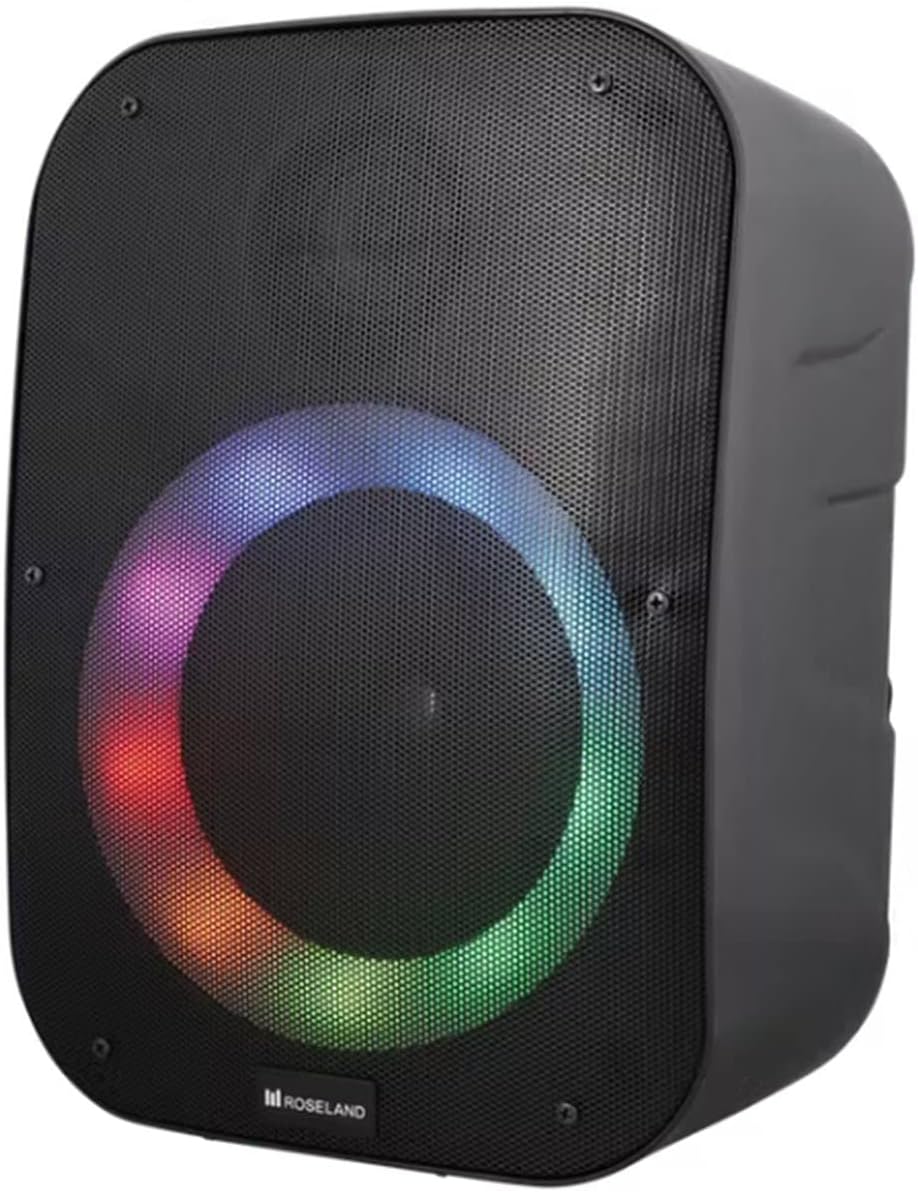
Gambar: Hareupeun view of the Roseland Boombox showcasing its dynamic color-changing light feature.
Press the Light Mode Button on the control panel to cycle through various color-changing light patterns. Continue pressing to find your preferred mode or to turn the lights off.
7. Pangropéa
- beberesih: Anggo kaén anu garing sareng lemes pikeun ngabersihan permukaan spéker. Ulah make cleaners abrasive atawa pangleyur.
- Panyimpenan: Simpen spéker di tempat anu tiis sareng garing jauh tina sinar panonpoé langsung sareng suhu anu ekstrim upami henteu dianggo kanggo waktos anu lami.
- Perawatan batré: Pikeun manjangkeun umur batré, eusian pinuh speaker sateuacan dianggo anu munggaran sareng eusian deui sahenteuna unggal tilu bulan sakali upami henteu dianggo sacara rutin.
8. Cara ngungkulan
| Masalah | Mungkin Cukang lantaranana | Solusi |
|---|---|---|
| Speaker teu hurung. | batré lemah. | Charge the speaker using the supplied USB-C cable. |
| Taya sora. | Volume low teuing; modeu salah; alat teu disambungkeun. | Increase volume; ensure correct mode (Bluetooth/AUX/USB); re-pair Bluetooth device or check AUX/USB connection. |
| Papasangan Bluetooth gagal. | Speaker henteu dina mode papasangan; alat jauh teuing; gangguan. | Ensure speaker is in Bluetooth pairing mode; move device closer; turn off other Bluetooth devices. |
| Papasangan TWS gagal. | Spikerna jauh teuing; hiji spiker tos dipasangkeun kana alat. | Ensure both speakers are in TWS pairing mode and close to each other; disconnect any Bluetooth devices from both speakers before TWS pairing. |
9. Spésifikasi
| Fitur | Rincian |
|---|---|
| Ngaran modél | Roseland Boombox 20W TWS Bluetooth Speaker |
| merek | Roseland |
| Speaker Kaluaran Power | 20 Watt |
| Téhnologi konektipitas | Bluetooth, Auxiliary (AUX), USB |
| Komunikasi Nirkabel | Bluetooth |
| Mode Kaluaran Audio | Stereo |
| Konfigurasi Saluran Sakuliling Sora | 2.0 |
| Métode kontrol | Toél |
| Sumber Daya | Wireless (Rechargeable Battery) |
| Kahirupan batré | Nepi ka 5.5 jam |
| Waktu Ngecas | Kurang leuwih 2.5 jam |
| Fitur husus | Bluetooth, USB Port, Color-changing Light, Waterproof |
| Dianjurkeun Paké | Pikeun smartphone atanapi tablet |
| Alat nu cocog | Personal Computer, Television, Tablet, Smartphone, Laptop |
| Tipe Pamasangan | Lantai Gunung |
| ASIN | B0B58VP4RH |
10. Émbaran jaminan
This Roseland Boombox 20W TWS Bluetooth Speaker comes with a 1 taun jaminan kawates produsén urang ti tanggal pameseran. Garansi ieu ngawengku cacad dina bahan sareng padamelan dina panggunaan normal. Éta henteu ngawengku karusakan anu disababkeun ku salah guna, kacilakaan, modifikasi anu teu sah, atanapi sabab éksternal.
For warranty claims or support, please contact your retailer or the manufacturer's customer service with your proof of purchase.
11. Émbaran Kasalametan
- Ulah ngalaan speaker ka suhu ekstrim, sinar panonpoé langsung, atawa seuneu kabuka.
- Do not disassemble, repair, or modify the speaker yourself. This may void the warranty and pose safety risks.
- Jauhkeun speaker ti barudak jeung piaraan.
- Use only the supplied charging cable. Using incompatible chargers may damage the device or cause fire.
- Hindarkeun dengekeun dina volume anu luhur pikeun période anu panjang pikeun nyegah karusakan dédéngéan.
- Although waterproof, avoid submerging the speaker in water for prolonged periods or exposing it to high-pressure water jets.


