1. Bubuka
Hatur nuhun pikeun meuliasing the KAGO 4K HDMI Splitter 1 in 10 Out, Model 4K1010. This device is designed to distribute a single HDMI source signal to ten HDMI displays simultaneously. It supports high-resolution video up to 4K@30Hz, 3D visual effects, and various digital audio formats, ensuring a high-quality audio and video experience across multiple screens. This manual provides detailed instructions for setup, operation, and troubleshooting to help you maximize the performance of your HDMI splitter.
2. Émbaran Kasalametan
- Ensure the power adapter matches the voltage requirements of your region.
- Ulah ngalaan alat ka cai, beueus, atawa suhu ekstrim.
- Hindarkeun nempatkeun alat caket sumber panas atanapi dina sinar panonpoé langsung.
- Ulah nyobian muka atawa ngalereskeun alat sorangan. Rujuk sadayana jasa ka tanaga anu mumpuni.
- Pegatkeun listrik nalika hujan badag atawa nalika teu dianggo dina waktu anu lila.
- Paké ngan adaptor kakuatan disadiakeun.
3. Eusi Paket
Punten parios yén sadaya barang aya dina pakét anjeun:
- KAGO 4K HDMI Splitter 1 in 10 Out (Model: 4K1010)
- Adaptor Daya (DC 12V/2A)
- Manual pamaké
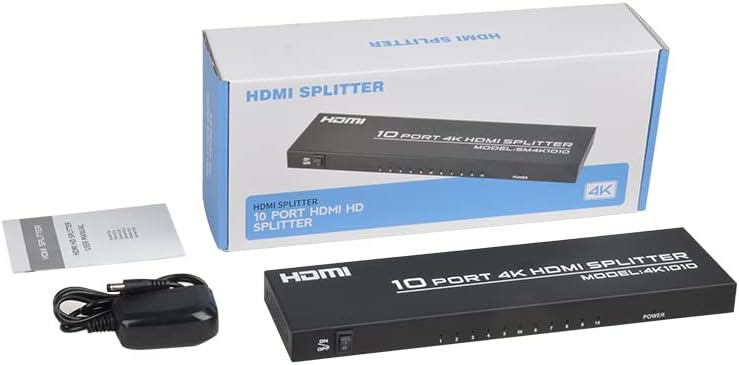
Image: The KAGO 4K HDMI Splitter, its power adapter, and the instruction manual are shown alongside the product packaging.
4. Produk Langkungview
The KAGO 4K HDMI Splitter 1 in 10 Out features a robust design with clear labeling for easy connection and operation.
Panel hareup:
- Hurungkeun ON / OFF: Kadali kakuatan pikeun alat.
- Output Indicators (1-10): LEDs that illuminate when an HDMI output is connected and active.
- Indikator kakuatan: LED that illuminates when the device is powered on.
Panel Pungkur:
- HDMI IN: Port for connecting your single HDMI source device.
- HDMI OUT 1-10: Ten ports for connecting your HDMI display devices.
- DC 5V: port input kakuatan keur adaptor kakuatan kaasup.

Gambar: Top view showing the power switch and ten output indicator LEDs. Bottom view showing the HDMI input, ten HDMI output ports, and the DC power input.
5. Parentah Setup
Follow these steps to set up your KAGO 4K HDMI Splitter:
- Sambungkeun Sumber HDMI: Connect an HDMI cable from your source device (e.g., PC, laptop, game console, Blu-ray player) to the HDMI-IN palabuhan dina splitter.
- Sambungkeun Layar HDMI: Connect HDMI cables from your display devices (e.g., HDTVs, monitors, projectors) to the HDMI OUT 1-10 ports on the splitter. You can connect up to ten displays.
- Sambungkeun Kakuatan: Plug the included DC 12V/2A power adapter into the DC 5V port dina splitter, teras colokkeun adaptor kana stop kontak.
- Daya Hurung: Flip the ON/OFF switch on the front panel to the 'ON' position. The power indicator and active output indicators will light up.
- Pariksa sambungan: Ensure all connected displays are receiving the signal from your source device.
This device is designed for plug-and-play operation, requiring no additional drivers or software installation.

Image: A visual representation of connecting an HDMI source to the splitter's input and ten HDMI displays to its outputs.
6. Parentah Operasi
The KAGO 4K HDMI Splitter operates automatically once connected and powered on. It duplicates the single HDMI input signal to all connected HDMI outputs.
- Tampilan sakaligus: All ten connected displays will show the exact same audio and video content from the single HDMI source.
- Rojongan Resolusi: The splitter supports resolutions up to 4K (3840x2160) at 30Hz, as well as 1080P, 1080i, 720p, 576p, 576i, 480P, and 480i. It also supports 3D images.
- Audio Synchronization: The device ensures audio and video are synchronized, supporting various digital audio formats including DTS-HD, Dolby-trueHD, LPCM 7.1, DTS, Dolby-AC3, and DSD.
- Kasaluyuan: Compatible with a wide range of HDMI-integrated devices and operating systems, including Windows, MS-DOS, Linux, Android, and Mac OS.

Image: A visual example of ten monitors simultaneously displaying the same content, illustrating the splitter's core function.

Image: Demonstrates support for 4K high-definition and 3D visual effects.
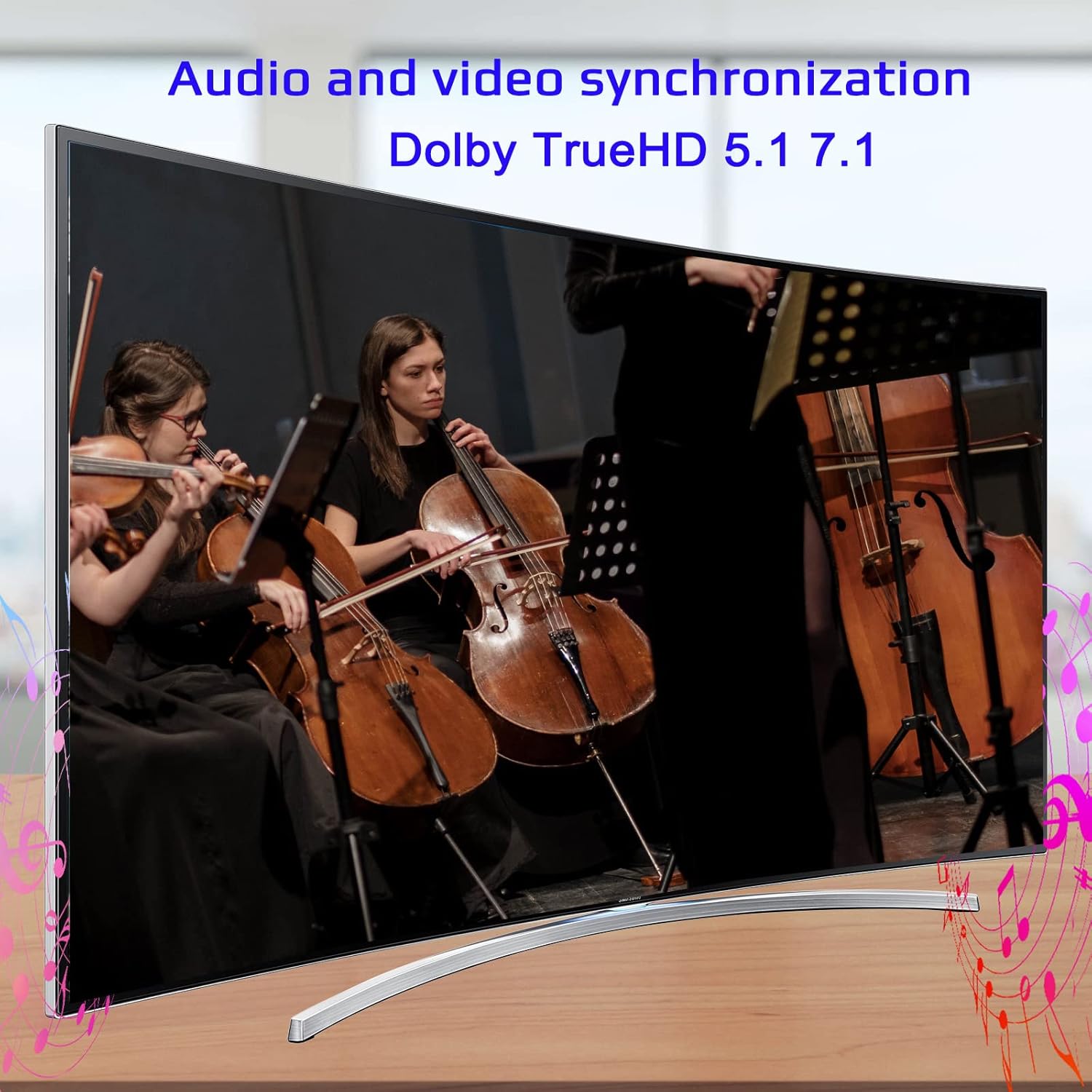
Image: Illustrates the audio and video synchronization capabilities, including Dolby TrueHD 5.1/7.1.

Image: Highlights the splitter's compatibility with various operating systems and its plug-and-play functionality.
7. Cara ngungkulan
If you encounter issues with your KAGO 4K HDMI Splitter, please refer to the following common solutions:
| Masalah | Mungkin Cukang lantaranana | Solusi |
|---|---|---|
| No signal on display(s) | Loose HDMI cables, incorrect input selection on TV, power issue. | Check all HDMI cable connections. Ensure the TV input is set to the correct HDMI port. Verify the splitter is powered on and the power indicator is lit. Try a different HDMI cable. |
| Kedip-kedip atanapi gambar menyimpang | Poor quality/lengthy HDMI cables, resolution incompatibility. | Use high-quality HDMI cables (19+1AWG26 standard recommended). Ensure cable lengths are within recommended limits (input 1-10M, output 1-15M). Try a lower resolution on the source device. |
| Taya audio | Audio settings on source/display, faulty HDMI cable. | Check audio settings on your source device and display. Ensure the HDMI cable supports audio transmission. Try a different HDMI cable. |
| Only some outputs work | Faulty output port, issue with specific display/cable. | Test the non-working output with a known good display and cable. Ensure the output indicator LED for that port is lit. |
8. Spésifikasi
| Fitur | Rincian |
|---|---|
| Nomer modél | 4K1010 |
| Dimensi produk | 11.1 x 3.1 x 1 inci |
| Item Beurat | 1.48 pon |
| Tipe Panyambung | HDMI |
| Resolusi dirojong | Up to 4K (3840x2160@30Hz), 1080P, 1080i, 720p, 576p, 576i, 480P, 480i |
| Dukungan 3D | Sumuhun |
| Digital Audio Formats | DTS-HD/Dolby-trueHD/LPCM7.1/DTS/Dolby-AC3/DSD |
| Bandwidth | 10.2 Gbps |
| Adaptor kakuatan | Input: AC (50HZ, 60HZ) 100V-240V; Kaluaran: DC12V / 2A |
| Disarankeun Panjang Kabel HDMI | Input: 1-10M (16ft); Output: 1-15M (48ft) |
| Produsén | Siying |
9. Pangropéa
To ensure the longevity and optimal performance of your KAGO 4K HDMI Splitter, follow these maintenance guidelines:
- beberesih: Anggo kaén anu garing sareng lemes pikeun ngabersihan bagian luar alat. Ulah make cleaners cair atawa aerosol.
- Ventilasi: Ensure the device has adequate ventilation. Do not block the ventilation holes. The design promotes efficient heat dissipation to prevent overheating during extended use.

Image: A visual representation of the splitter's heat dissipation design, indicating it remains cool during operation.
10. Garansi jeung Rojongan
KAGO products are designed for reliability and performance. For warranty information or technical support, please refer to the contact details provided with your purchase or visit the official KAGO websitus. Punten tahan bukti pameseran anjeun pikeun klaim garansi.

