Baseus Bowie WM02 TWS Bluetooth Earbuds
Manual pamaké
Bubuka
Thank you for choosing the Baseus Bowie WM02 TWS Bluetooth Earbuds. These ultra-compact and lightweight earbuds are designed for comfortable, long-term wear, offering a seamless audio experience with advanced Bluetooth 5.3 technology and an impressive 25-hour battery life (with charging case). This manual will guide you through the setup, operation, and maintenance of your new earbuds.

Image: Baseus Bowie WM02 TWS Bluetooth Earbuds in white, with their charging case.
Disetél
1. Unboxing sarta komponén
Before first use, please ensure all components are present in the package:
- Baseus Bowie WM02 TWS Earbuds
- Ngecas Case
- Kabel Ngecas USB-C
- Sababaraha ukuran tip ceuli (S, M, L)
- Manual pamaké
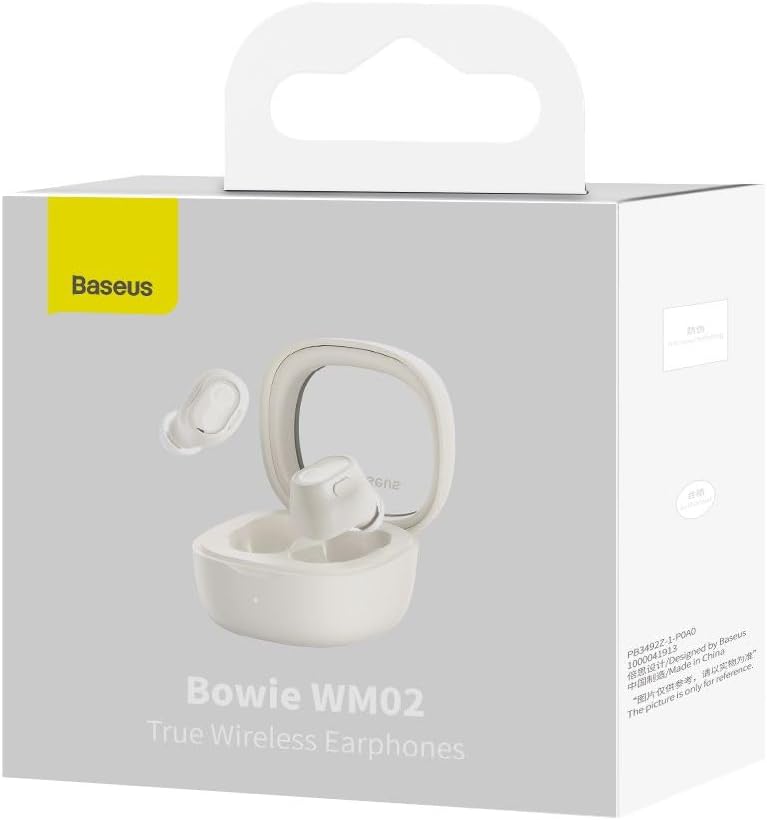
Image: The Baseus Bowie WM02 earbuds, charging case, USB-C cable, and ear tips laid out with the product packaging.
2. Ngecas Earbuds jeung Case
Pikeun kinerja anu optimal, eusian pinuh earbud sareng wadah ngecas sateuacan dianggo anu munggaran.
- Teundeun earbuds kana wadah ngecas. Pastikeun aranjeunna leres seated dina slot masing-masing.
- Sambungkeun kabel ngecas USB-C kana port ngecas dina casing sareng tungtung anu sanésna kana sumber daya USB (contona, komputer, adaptor témbok).
- The indicator light on the charging case will show the charging status. Once fully charged, the light will typically turn solid or turn off.
A 10-minute quick charge provides approximately 2 hours of listening time, and a full charge offers up to 5 hours of continuous use, extending to 25 hours with the charging case.

Image: Graphic illustrating the 25-hour battery life of the Baseus Bowie WM02 earbuds and charging case.
3. Papasangan Bluetooth
Turutan léngkah-léngkah ieu pikeun nyapasangkeun earbud anjeun sareng alat anu diaktipkeun Bluetooth:
- Buka wadah ngecas. Earbuds bakal otomatis asup kana mode papasangan (lampu indikator bakal hurung).
- Dina alat anjeun (smartphone, tablet, laptop), buka setélan Bluetooth teras aktipkeun Bluetooth.
- Milarian pikeun available devices and select "Baseus Bowie WM02" from the list.
- Once connected, the earbud indicator lights will typically turn off or show a steady light.
The earbuds feature Bluetooth 5.3 for stable and efficient connection.

Image: A visual representation of the Wireless 5.3 chip, highlighting fast and smooth connection.
4. Baseus App Integration
Enhance your experience by downloading the official Baseus app. The app allows you to:
- Panggihan earbud anjeun.
- Check real-time battery levels.
- Sesuaikeun kadali touch.
- Aksés fitur tambahan sareng apdet.

Image: Screenshot of the Baseus app interface, demonstrating features like earbud location and battery status.
Parentah Operasi
1. Ngagem Earbuds
The Baseus Bowie WM02 earbuds are designed for a comfortable and secure fit, even for smaller ears. They weigh only 3.8g per earbud and have a 108-degree elevation angle for ergonomic wear.
- Select the ear tips that provide the best seal and comfort for your ears.
- Gently insert each earbud into your ear canal and twist slightly to secure them.

Image: A woman demonstrating the comfortable and seamless fit of the Baseus Bowie WM02 earbuds.
2. Toél Kontrol
The earbuds feature intuitive touch controls. You can customize these controls via the Baseus app.
| Aksi | Kontrol |
|---|---|
| Play / Reureuh | Ketok tunggal dina boh earbud |
| Lagu salajengna | Ketok dua kali earbud katuhu |
| Lagu saméméhna | Ketok dua kali earbud kénca |
| Ngajawab / mungkas Telepon | Ketok tunggal dina boh earbud |
| Nolak Telepon | Pencét lila dina boh earbud |
| Aktipkeun Asisten Sora | Ketok tilu kali dina boh earbud |
| Toggle Low Latency Mode (Gaming Mode) | Long press on either earbud (check app for specific gesture) |
3. Daya Hurung / Pareum
- Daya Hurung: Buka wadah ngecas, sareng earbuds bakal otomatis hurung sareng nyambung ka alat anu dipasangkeun terakhir.
- Pareum listrik: Lebetkeun deui earbud kana wadah ngecas teras tutup. Éta bakal otomatis pegat sareng pareum.
4. Gaming Mode (Low Latency)
The Bowie WM02 features a 60ms low-latency mode, ideal for gaming, ensuring instant response and synchronized audio. Activate this mode via the touch controls or the Baseus app for an immersive gaming experience.
Pangropéa
1. beberesih
Pembersihan rutin ngabantosan ngajaga kualitas sora sareng kabersihan.
- Anggo lawon anu lembut, garing, henteu lint pikeun ngusap earbuds sareng wadah ngecas.
- For ear tips, remove them and clean with mild soap and water, then dry thoroughly before reattaching.
- Lembut bersihkeun kontak nu ngecas boh dina earbuds jeung wadahna ku swab katun garing.
- Avoid using abrasive cleaners, alcohol, or solvents.
2. Panyimpenan
Lamun teu dipake, nyimpen earbuds dina wadah ngecas maranéhanana pikeun ngajaga eta tina lebu jeung karuksakan.
3. Kaperawatan batré
- Hindarkeun ngalaan earbuds sareng wadahna ka suhu anu ekstrim (panas atanapi tiis).
- Do not leave the battery completely drained for extended periods. Charge them regularly.
Pamérésan masalah
If you encounter any issues with your Baseus Bowie WM02 earbuds, please refer to the following common solutions:
| Masalah | Solusi anu mungkin |
|---|---|
| Earbuds teu dipasangkeun | Pastikeun earbuds dieusi. Pareuman sareng aktipkeun Bluetooth alat anjeun. Poho alat dina setélan Bluetooth sareng sapasangkeun deui. |
| Teu aya sora ti hiji earbud | Check battery level of both earbuds. Place both earbuds back in the case, close the lid, then open again. Re-pair if necessary. |
| Masalah ngecas | Pastikeun kabel ngecas disambungkeun kalayan pageuh. Coba port USB atanapi carjer anu béda. Bersihkeun kontak ngecas dina earbud sareng wadahna. |
| Volume lemah atawa kualitas sora goréng | Adjust volume on your device. Ensure ear tips provide a good seal. Clean earbud mesh to remove debris. |
| Kadali toél teu ngaréspon | Ensure your fingers are clean and dry. Try resetting the earbuds (refer to Baseus app or online support for specific reset instructions). |
If the problem persists, please contact Baseus customer support.
spésifikasi
| Fitur | Rincian |
|---|---|
| Ngaran modél | Bowie WM02 |
| Produsén Jumlah Modél | NGTW180002 |
| Téhnologi konektipitas | Nirkabel (Bluetooth) |
| Téknologi Komunikasi Nirkabel | Bluetooth 5.3 |
| Faktor Bentuk Earbud | Dina-Ceuli |
| Kontrol bising | Euweuh |
| Beurat produk | 60 gram |
| Rentang Frékuénsi | 20 Hz - 20,000 Hz |
| Impedansi | 140 ohm |
| Umur Batré Rata-rata (Earbud) | 5 Jam |
| Total Kahirupan Batré (kalayan Case) | Nepi ka 25 Jam |
| Waktu Ngecas | Kira-kira 1.5 jam (kanggo ngecas pinuh) |
| Port ngecas | USB Tipe-C |
| Fitur husus | Fast Charging, Low Latency Mode (60ms) |
| Alat nu cocog | Bluetooth-enabled devices such as smartphones, tablets, laptops, and desktop computers. |
Garansi sareng Rojongan
Émbaran jaminan
The Baseus Bowie WM02 TWS Bluetooth Earbuds come with a 12-month manufacturer's warranty from the official Baseus Brazil store. Please retain your proof of purchase for warranty claims.
Rojongan Palanggan
For further assistance, technical support, or warranty inquiries, please contact Baseus customer support through the official Baseus website or the Baseus app. You can also visit the Toko Baseus di Amazon pikeun inpo nu leuwih lengkep.


