Bubuka
This manual provides detailed instructions for the setup, operation, maintenance, and troubleshooting of your NiPoGi AK1 PRO Mini PC. The AK1 PRO is a compact desktop computer powered by an 11th Generation Intel Celeron N5105 processor, designed for efficient daily tasks, multimedia playback, and business applications. It features 12GB DDR4 RAM, a 256GB M.2 SSD, 4K UHD video output, dual display support, Dual Band WiFi, and Bluetooth 4.2.
Naon dina Box
Mangga parios eusi pakét anjeun kana datangna. Paket standar kalebet:
- 1 x NiPoGi AK1 PRO Mini PC (12GB RAM, 256GB ROM)
- 1 x EU Power Adapter
- 1 x Kabel HDMI
- 1 x VESA Bracket with Screws
- 1 x Manual Pamaké
Produk Leuwihview
The NiPoGi AK1 PRO Mini PC is designed with various ports for connectivity and expansion. Familiarize yourself with the layout below.
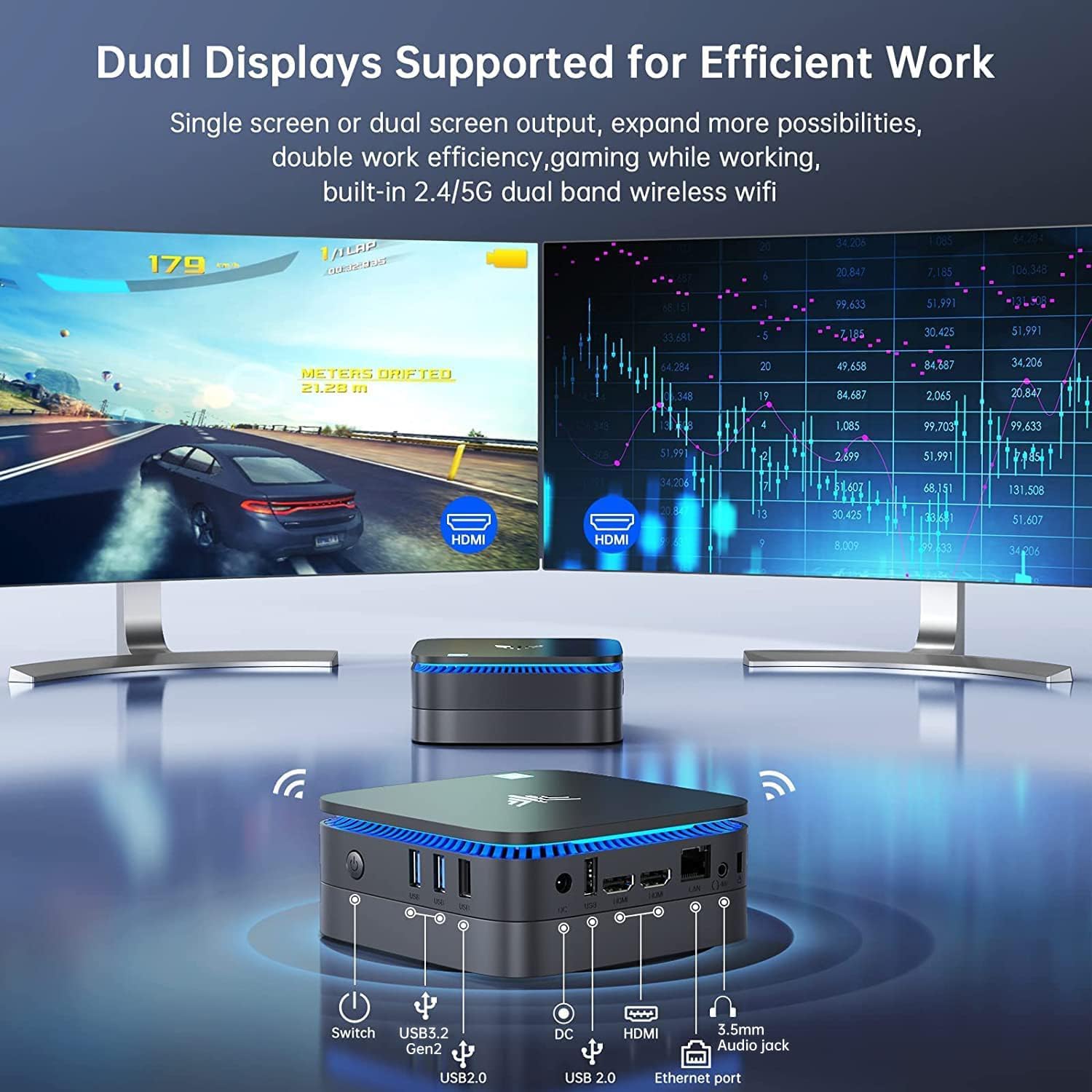
Gambar: Hareup jeung pungkur view of the NiPoGi AK1 PRO Mini PC, highlighting its various ports and compact design. The front features the power button and USB ports, while the rear includes HDMI, Ethernet, and additional USB ports.
Layout Port:
- Hareup: Power Button, 2 x USB 3.0 ports, 2 x USB 2.0 ports
- Tukangeun: DC Power Input, 2 x HDMI ports, 1 x RJ45 Gigabit Ethernet port, 1 x 3.5mm Audio Jack
Fitur konci:
- Prosesor: 11th Gen Intel Celeron N5105 Quad-Core (up to 2.9 GHz)
- Grafik: Intel UHD Graphics, supporting 4K UHD (4096x2160@60Hz)
- Mémori: 12 GB DDR4 RAM
- Panyimpenan: 256GB M.2 SSD (expandable with 2.5-inch SSD/HDD up to 2TB)
- Konektipitas: Dual Band 2.4GHz+5GHz WiFi, Gigabit Ethernet, Bluetooth 4.2
- Kaluaran tampilan: Dual HDMI for dual screen setup
- Sistem operasi: OS anu tos dipasang
Guide Setup
Follow these steps to set up your NiPoGi AK1 PRO Mini PC for the first time.
- Sambungkeun ka Layar: Use the provided HDMI cable to connect the Mini PC to your monitor or TV. The AK1 PRO supports dual displays, so you can connect two monitors via the two HDMI ports.
- Sambungkeun Periferal: Colokkeun keyboard sareng mouse USB anjeun kana port USB anu sayogi.
- Nyambung ka Daya: Connect the EU power adapter to the DC input port on the Mini PC, then plug the adapter into a power outlet.
- Daya Hurung: Press the power button located on the front of the Mini PC. The device will boot up, and the blue light will illuminate.
- Setup OS Awal: Follow the on-screen instructions to complete the operating system setup, including language, region, and network configuration.
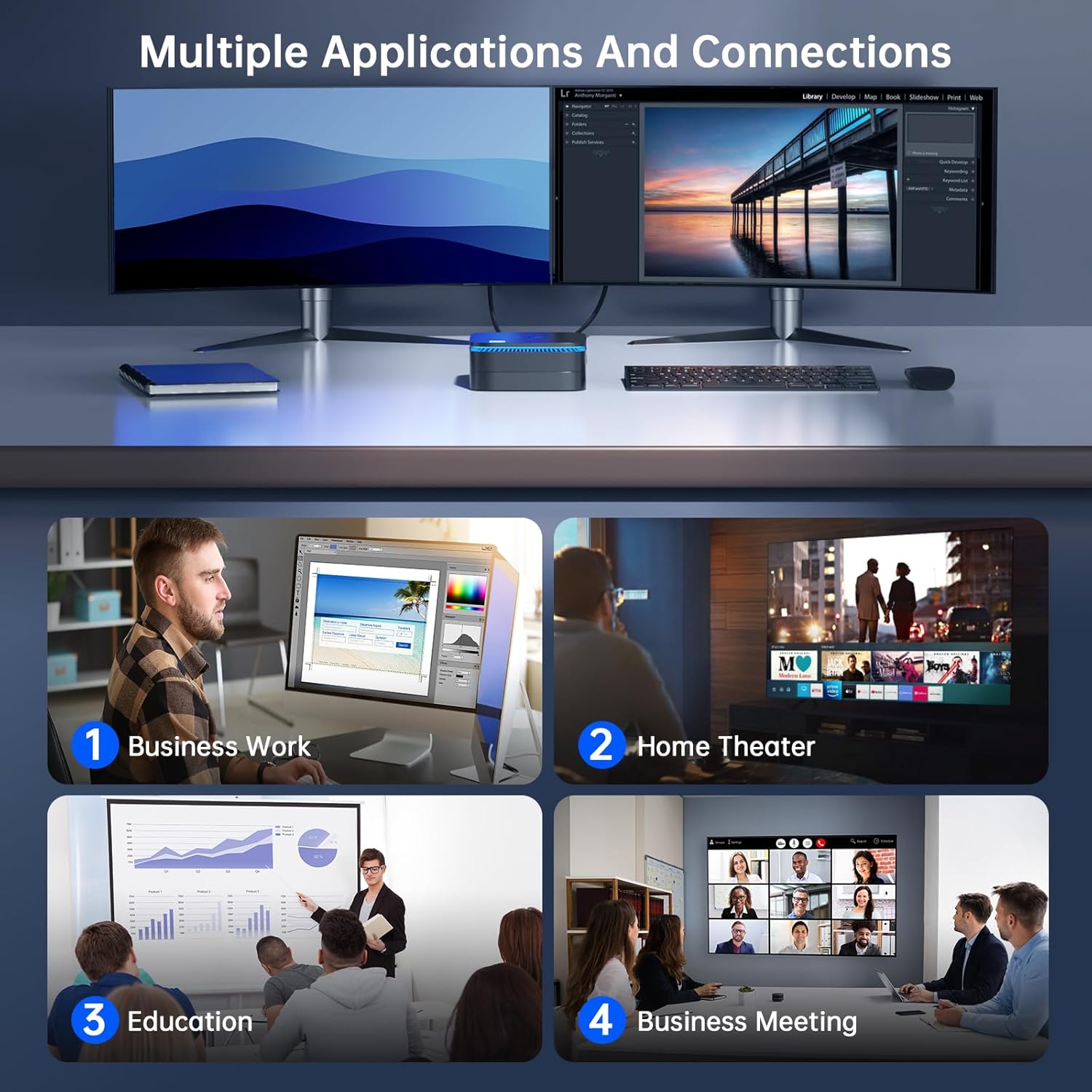
Gambar: The NiPoGi AK1 PRO Mini PC demonstrating multiple applications and connections, including business work, home theater, education, and business meetings, showcasing versatility na.
Parentah Operasi
Operasi dasar:
- Hurungkeun/Pareuman: Press the front power button to turn the PC on. To turn off, use the operating system's shutdown function or press and hold the power button for a few seconds for a forced shutdown (not recommended for regular use).
- Uihan deui: Anggo pungsi balikan deui sistem operasi.
- Modeu Bobo: The PC can enter sleep mode to save power. Wake it up by moving the mouse or pressing a key on the keyboard.
4K UHD Video Playback:
The integrated Intel UHD Graphics supports 4K UHD resolution (4096x2160@60Hz), providing a clear visual experience for movies, streaming, and presentations.

Gambar: A person enjoying 4K HD video playback on a large display, powered by the NiPoGi AK1 PRO Mini PC, highlighting its multimedia capabilities and wireless Bluetooth support.
Konfigurasi tampilan ganda:
Connect two monitors to the two HDMI ports for an extended desktop experience. This can enhance productivity for work or provide a more immersive entertainment setup. Configure display settings within your operating system.
Ékspansi gudang
The NiPoGi AK1 PRO Mini PC comes with a 256GB M.2 SSD. For additional storage, you can install a 2.5-inch SSD or HDD (not included) in the removable base, supporting up to 2TB.
Léngkah-léngkah pamasangan:
- Ensure the Mini PC is powered off and disconnected from the power adapter.
- Carefully open the bottom cover of the Mini PC.
- Insert your 2.5-inch SSD/HDD into the designated slot in the removable base.
- Secure the drive with screws if necessary (check the base for mounting points).
- Reattach the bottom cover.
- After powering on, you may need to initialize and format the new drive through your operating system's disk management tools.

Gambar: A visual tutorial demonstrating how to install a 2.5-inch SSD or HDD into the NiPoGi AK1 PRO Mini PC by opening the bottom cover and inserting the drive into the expansion bay.
Instalasi VESA Gunung
The included VESA bracket allows you to mount the Mini PC to the back of a compatible monitor or TV, saving desk space and creating an all-in-one computing solution.
Léngkah-léngkah pamasangan:
- Attach the VESA bracket to the back of your monitor using the provided screws. Ensure your monitor has standard VESA mounting holes.
- Slide the NiPoGi AK1 PRO Mini PC onto the VESA bracket until it clicks securely into place.
- Connect all necessary cables (power, HDMI, peripherals) to the Mini PC.

Gambar: The NiPoGi AK1 PRO Mini PC shown mounted on the rear of a computer monitor using a VESA bracket, illustrating how it can transform into an all-in-one computer and save desk space.
Pangropéa
Pangropéa anu leres mastikeun umur panjang sareng kinerja optimal Mini PC anjeun.
- beberesih: Regularly clean the exterior of the Mini PC with a soft, dry cloth. Use compressed air to clear dust from ventilation openings to prevent overheating.
- Apdet parangkat lunak: Tetep sistem operasi sareng supir anjeun diropéa pikeun mastikeun kaamanan sareng kinerja.
- Kaayaan Lingkungan: Operasikan Mini PC di tempat anu ventilasina saé, jauh tina sinar panonpoé langsung, panas anu kaleuleuwihi, sareng kalembaban.
- Manajemén kakuatan: Use the provided power adapter. Avoid frequent abrupt power cuts.
Pamérésan masalah
If you encounter issues with your Mini PC, refer to the following common troubleshooting steps.
- Henteu aya kakuatan:
- Pastikeun adaptor kakuatan disambungkeun sacara aman ka Mini PC sareng stopkontak listrik anu tiasa dianggo.
- Pastikeun stop kontak listrik berpungsi ku cara nyolokkeun alat sejen.
- Henteu aya tampilan:
- Check that the HDMI cable is firmly connected to both the Mini PC and the monitor.
- Pastikeun monitor dihurungkeun sareng disetel ka sumber input anu leres (HDMI 1, HDMI 2, jsb.).
- Coba kabel HDMI atawa monitor béda lamun sadia.
- Teu Aya Sambungan Internét (Wi-Fi/Ethernet):
- For Wi-Fi, ensure the Wi-Fi adapter is enabled in the operating system and you are connected to the correct network with the correct password.
- For Ethernet, ensure the Ethernet cable is securely connected to both the Mini PC and your router/modem. Check router status.
- Balikan deui router anjeun / modem sareng Mini PC.
- Performance Lambat:
- Tutup aplikasi anu teu perlu jalan di latar tukang.
- Pastikeun aya rohangan kosong anu cekap dina drive utama anjeun.
- Pariksa sareng pasang apdet sistem operasi anu ditangguhkeun.
- Monitor CPU and RAM usage through Task Manager (Windows) to identify resource-intensive processes.
spésifikasi
Detailed technical specifications for the NiPoGi AK1 PRO Mini PC.
| Fitur | Rincian |
|---|---|
| merek | NiPoGi |
| Modél Series | AK1PRO N5105/12GB RAM+256GB ROM |
| Prosesor | Intel Celeron N5105 (11th Gen, Quad-Core, up to 2.9 GHz) |
| Grafik Coprocessor | Intel UHD Grafika |
| Ram | 12GB DDR4 |
| Panyimpenan | 256GB M.2 SSD (Expandable with 2.5" SSD/HDD up to 2TB) |
| Sistem operasi | OS |
| Konektipitas | Dual Band Wi-Fi (802.11a/b/g/n/ac), Bluetooth 4.2, Gigabit Ethernet |
| palabuhan USB | 2x USB 3.0, 2x USB 2.0 |
| Palabuhan HDMI | 2 (supports dual display, 4K UHD resolution) |
| Audio | 1 x 3.5mm Audio Jack |
| Diménsi | 12.8 x 12.8 x 5.15 cm (kira-kira 5.04 x 5.04 x 2.05 inci) |
| Beurat | 274 gram |
| Warna | Hideung |
Garansi sareng Rojongan
NiPoGi provides comprehensive support and warranty services for your Mini PC.
Kontak Rojongan:
- Amazon Orders: Log in to Amazon, go to "Your Account", then "Your Orders", and select "Ask Product Question" for assistance.
- Rojongan Email: support@inipogi.com
- Rojongan Telepon: +44 808 175 2348 (Monday-Friday, 9am-5pm EST)
NiPoGi offers maintenance points for exchange or repair of your mini PC during the warranty period. Please retain your proof of purchase for warranty claims.

Gambar: Information regarding NiPoGi's "All-Around Protection" plan, including contact methods for support via Amazon, email, and phone, and details about maintenance services.


