1. Bubuka
The BIGBIG WON Armor-X Pro is a wireless back button attachment designed to enhance your gaming experience across multiple platforms. It integrates seamlessly with your existing Xbox Series X|S controller, adding advanced features such as remappable back buttons, motion aiming, turbo, macro functions, and customizable profiles. This attachment is compatible with Xbox Series X|S, Xbox One, Nintendo Switch, and Windows 10/11, providing a versatile upgrade without requiring a new controller.

Gambar 1: Leuwihview of the Armor-X Pro's key features.
2. Parentah Setup
2.1 Attaching the Armor-X Pro
- Remove the battery compartment cover from your Xbox Series X|S controller.
- Align the Armor-X Pro with the battery compartment and slide it into place. Ensure it clicks securely.
- Plug the USB-C flexible cable of the Armor-X Pro into the USB port of the Xbox Series X|S controller.

Figure 2: Step-by-step guide for attaching the Armor-X Pro to your controller.
Catetan penting:
- Do not insert the 2.4GHz adapter into the console when using a wired connection mode.
- The 2.4GHz adapter is only for wireless connections.
2.2 Konéktipitas Wireless
The Armor-X Pro utilizes a 2.4GHz adapter for wireless connectivity across supported platforms. Insert the 2.4GHz adapter into a USB port on your console (Xbox Series X|S, Xbox One, Nintendo Switch) or PC (Windows 10/11). The controller will automatically connect once the Armor-X Pro is powered on.
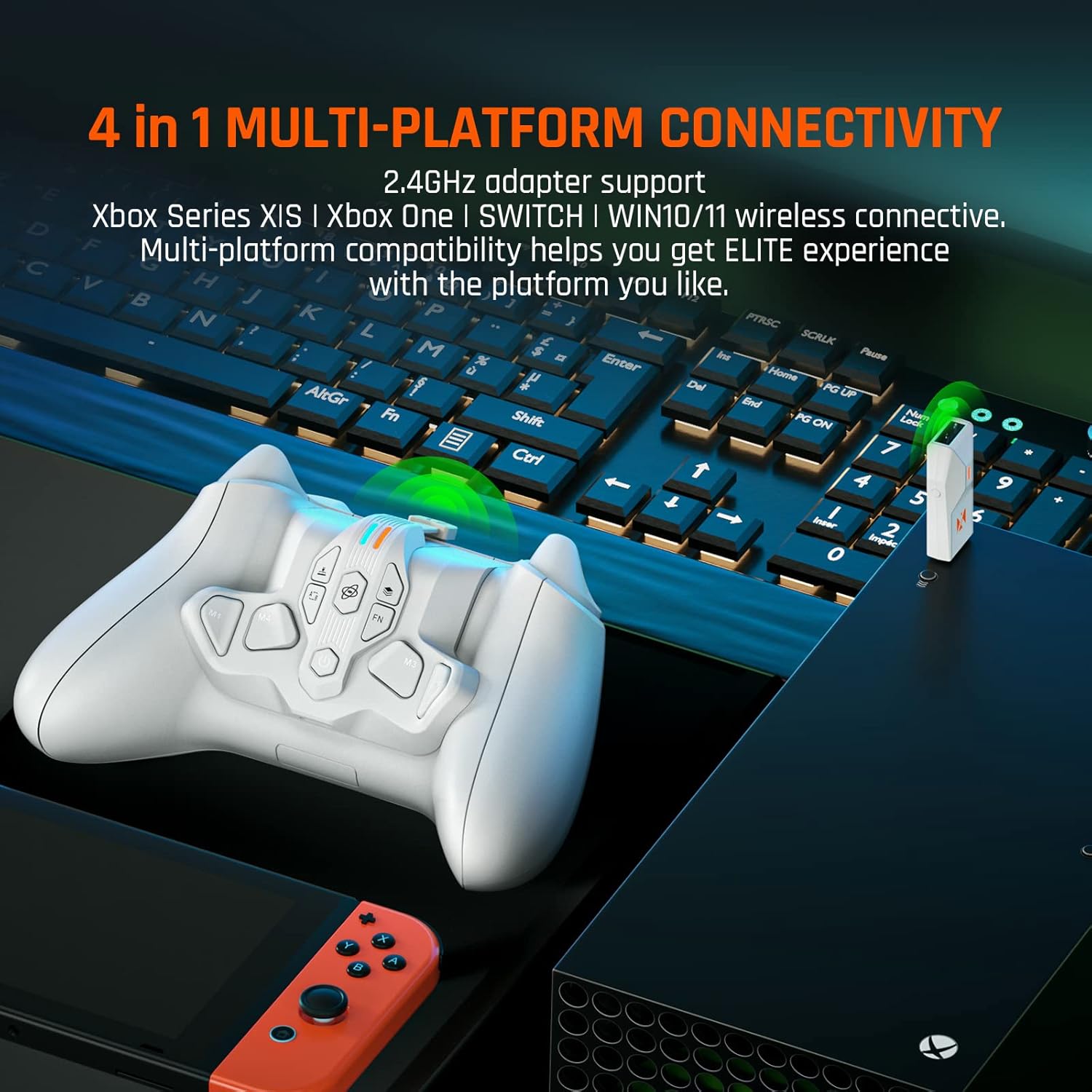
Figure 3: Multi-platform wireless connectivity via 2.4GHz adapter.
2.3 Ngecas Batré
The Armor-X Pro includes a built-in 3.7V 1300mAh rechargeable lithium battery, providing over 10 hours of playtime. To charge, connect a USB-C cable to the charging port on the Armor-X Pro. You only need to charge the attachment, not the controller itself, as it powers the controller.

Figure 4: The 1300mAh rechargeable battery provides extended playtime.
3. Parentah Operasi
3.1 Remappable Back Buttons
The Armor-X Pro features four remappable back buttons (M1, M2, M3, M4) that provide additional input options. These buttons can be assigned to any standard controller input, allowing for quicker reactions and more complex maneuvers without removing your thumbs from the analog sticks.
3.2 Motion Aiming (Gyroscope)
Utilize the GYROCON+ Motion Control Tech for precise aiming. This feature allows you to aim by tilting the controller, offering an intuitive control method, especially useful for FPS (First-Person Shooter) games. It supports native motion control games on Nintendo Switch and can be mapped to joystick input for Xbox and Windows.
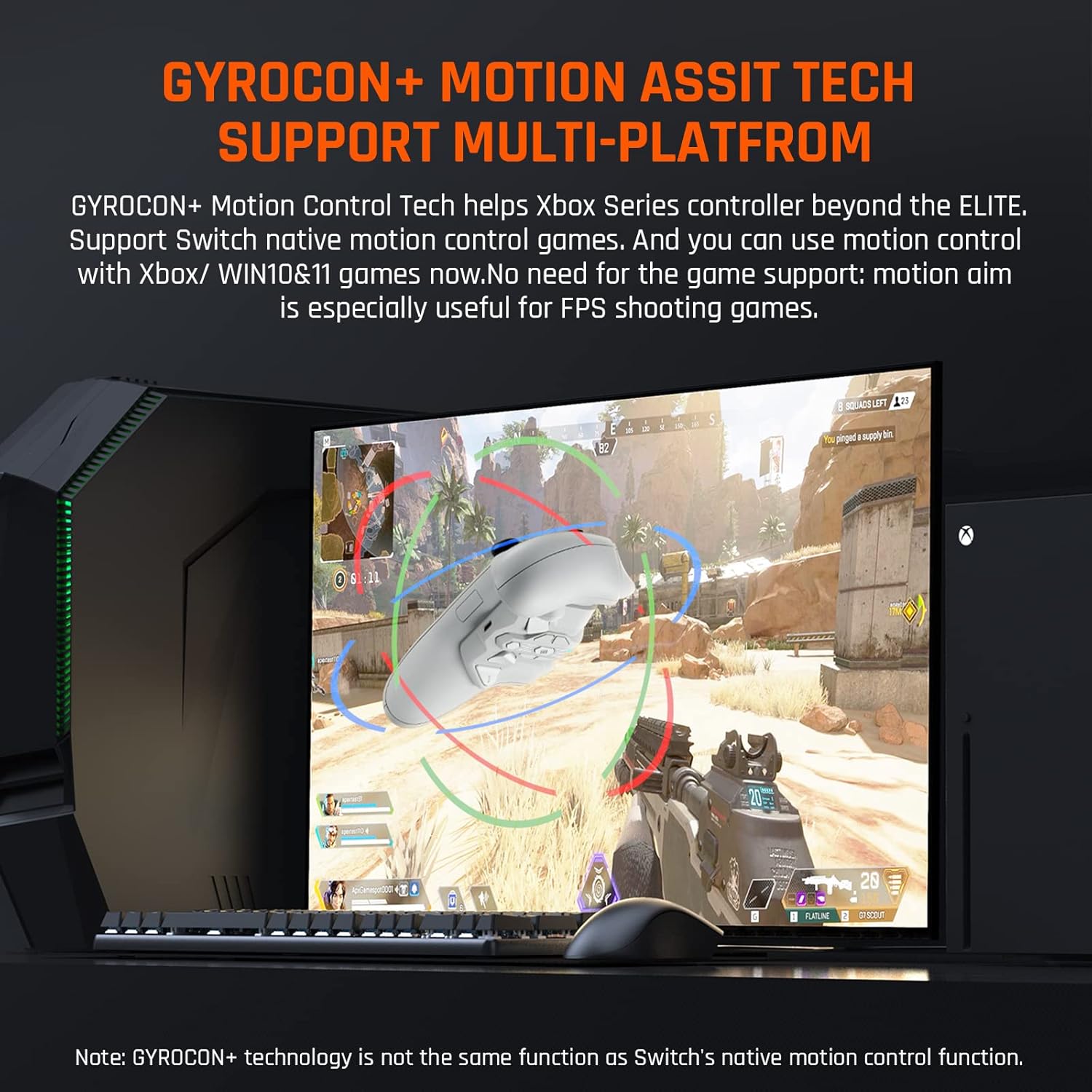
Figure 5: Gyrocon+ Motion Assist Tech for enhanced aiming.
3.3 Turbo and Macro Functions
The attachment supports Turbo and Macro functions. Turbo allows for rapid, repeated input of a button press, while Macro enables you to record and execute a sequence of button presses with a single input. These functions can be customized via the companion app.
3.4 Di-papan Memori Profiles
The Armor-X Pro includes three on-board memory profiles. This allows you to save and quickly switch between different button mappings, turbo settings, and macro configurations tailored for various games or play styles. Profiles can be activated directly from the device or imported via the app.
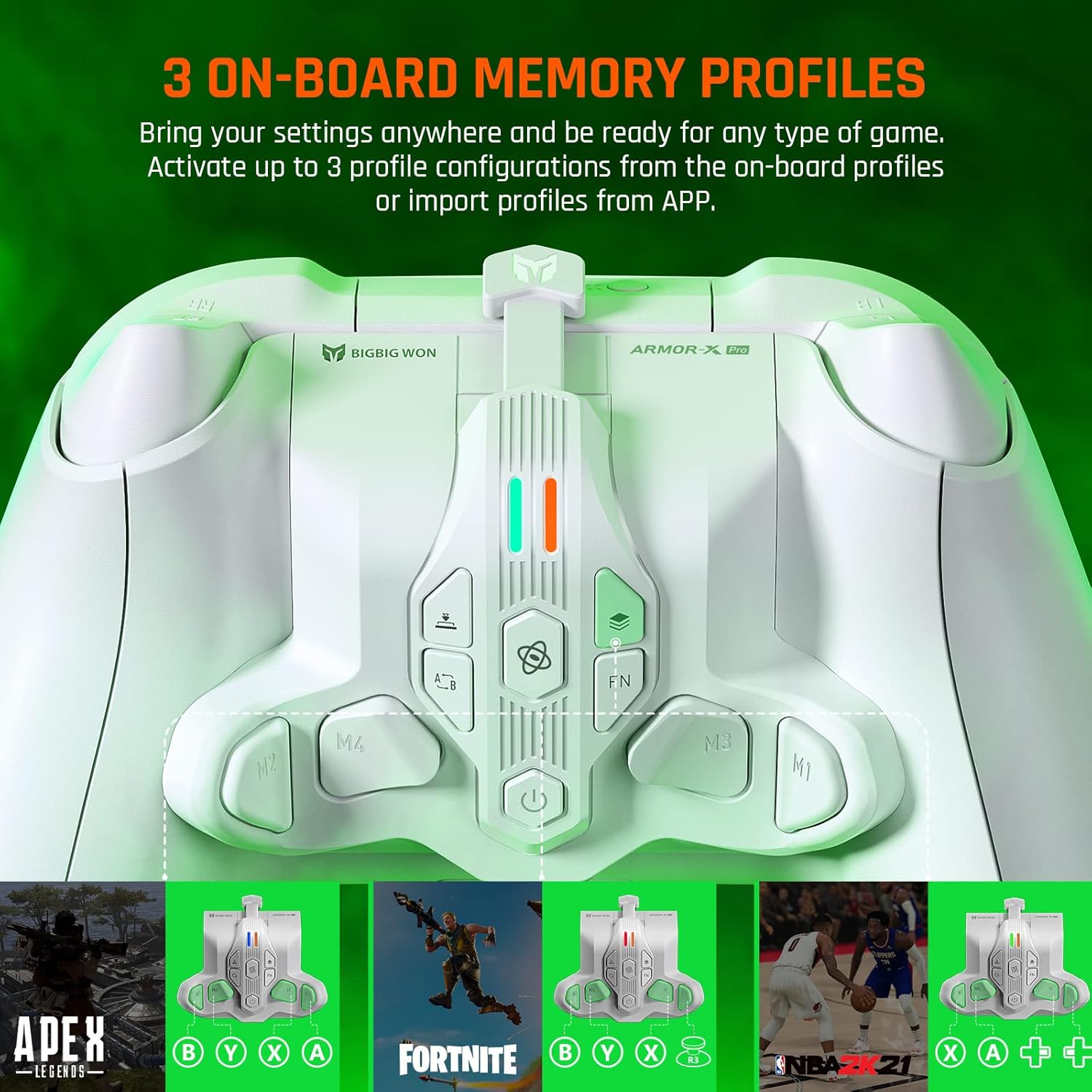
Figure 6: Three on-board memory profiles for quick customization.
3.5 Hair Trigger Mode
Activate the Hair Trigger function to reduce the travel distance of the main triggers (LT/RT). This allows for faster, more responsive inputs, particularly beneficial in shooting games where quick trigger pulls are crucial.
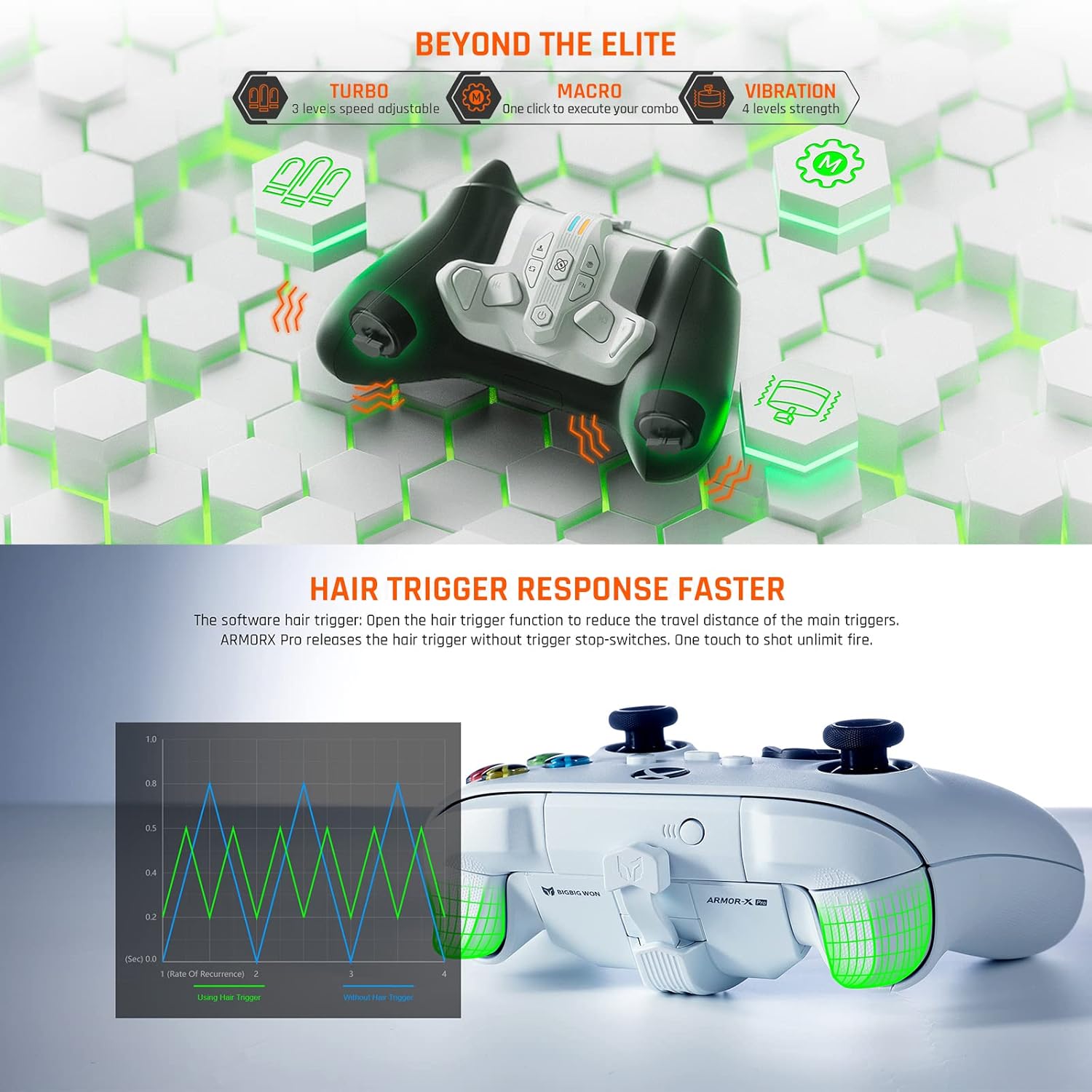
Figure 7: Hair Trigger Response Faster feature for quicker reactions.
3.6 App Customization (Android + iOS)
The BIGBIG WON companion app (available for Android and iOS) allows for real-time customization of the Armor-X Pro. Through the app, you can adjust lighting effects, button mappings, joystick/trigger dead zones, sensitivity, and MACRO programming. Configurations can be saved, shared, and imported.
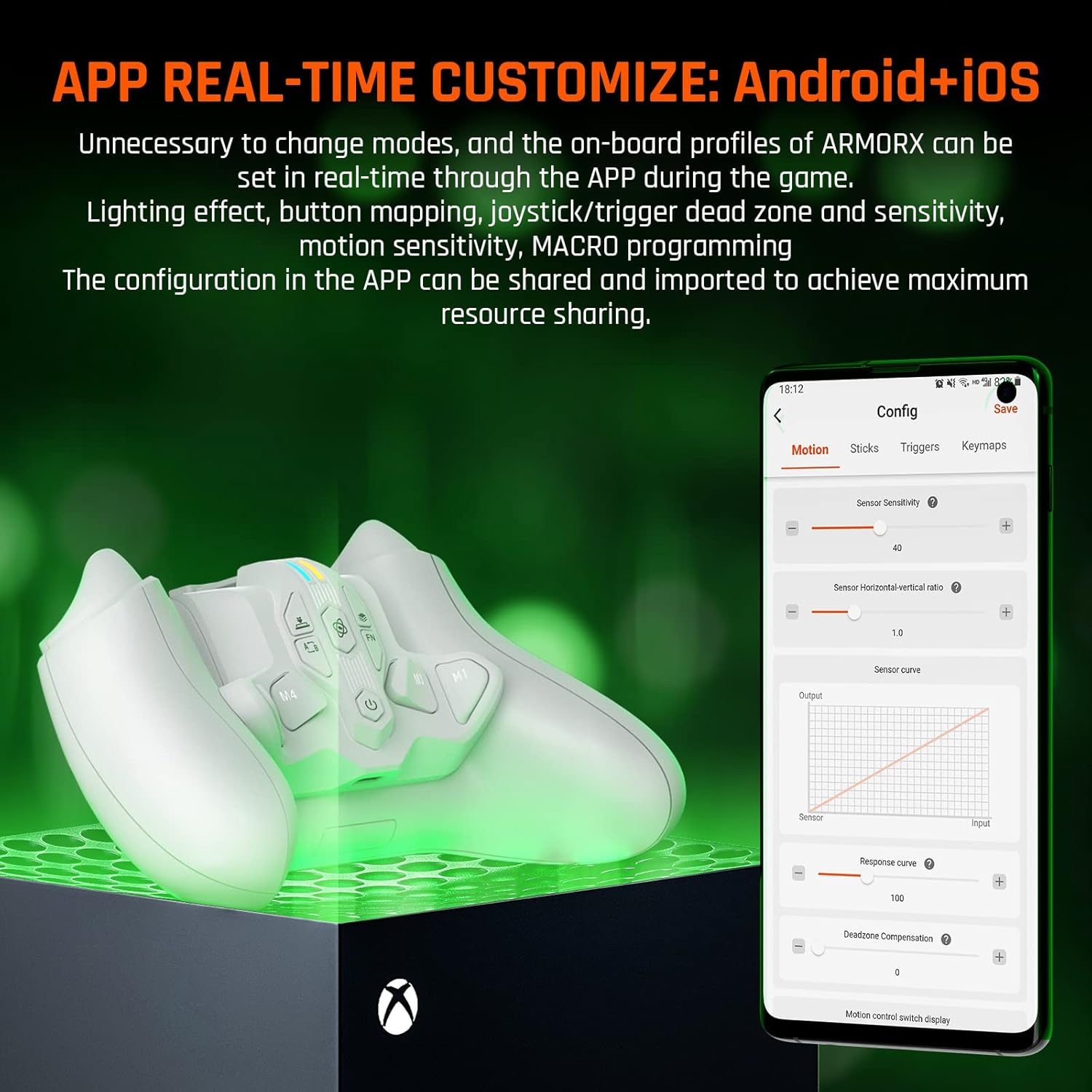
Figure 8: Real-time customization via the BIGBIG WON app.
4. Pangropéa
4.1 beberesih
To maintain optimal performance, regularly clean the Armor-X Pro with a soft, dry cloth. Avoid using harsh chemicals or abrasive materials that could damage the surface or internal components.
4.2 Perawatan Batré
For best battery longevity, avoid fully discharging the battery frequently. Charge the device when the battery indicator is low. Store the device in a cool, dry place away from extreme temperatures.
4.3 Pangaturan Umum
Handle the Armor-X Pro with care. Avoid dropping it or exposing it to excessive force, which could lead to damage. Ensure the USB-C cable is inserted and removed gently to prevent port damage.
5. Cara ngungkulan
5.1 Masalah konektipitas
- Henteu aya sambungan: Ensure the 2.4GHz adapter is securely plugged into your console/PC and the Armor-X Pro is powered on. If using a wired connection, ensure the USB-C cable is firmly connected to both the attachment and the controller.
- gangguan: If experiencing intermittent connection, try moving the 2.4GHz adapter to a different USB port or reducing the distance between the controller and the adapter.
5.2 Button Mapping/Macro Problems
- Tombol Teu Ngabales: Verify that the buttons are correctly mapped using the companion app or the on-board programming. Ensure you are on the correct memory profile.
- Macro Not Activating: Check the macro settings in the app. Ensure the macro is correctly recorded and assigned to a back button. Update the device firmware if available, as some users reported issues with macro activation after updates.
5.3 Gyroscope Not Working
- No Motion Input: Ensure the gyroscope feature is enabled in the companion app. For Xbox/Windows, confirm that motion input is correctly mapped to a joystick.
5.4 Batré sareng Ngecas
- Kahirupan batré pondok: Ensure the device is fully charged before use. Battery life can vary based on usage and settings (e.g., lighting effects).
- Teu Ngecas: Check the USB-C cable and power source. Ensure the cable is properly connected to the charging port on the Armor-X Pro.
5.5 Compatibility with Mac OS
While the product is primarily designed for Xbox, Switch, and Windows, some users have reported limited functionality or connectivity issues when attempting to use it as a battery pack or controller on Mac OS. Full Mac OS compatibility is not officially supported for all features.
6. Spésifikasi
- Jumlah modél: BBW-ARMOR
- ukuran: 2.56 x 3.39 x 1.57 inci
- Beurat barang: 1.94 ons
- Batré: 1 Lithium Polymer battery (included), 3.7V 1300mAh
- Konektipitas: 2.4GHz Nirkabel, Kabel (USB-C)
- Kasaluyuan: Xbox Series X|S, Xbox One, Nintendo Switch, Windows 10/11
- Fitur: 4 Remappable Back Buttons, Motion Aiming (Gyroscope), Turbo, Macro, 3 On-board Memory Profiles, Hair Trigger Mode, Companion App (Android/iOS)
- Pabrikan: BIGBIG meunang
- Titimangsa munggaran sadia: 22 Séptémber 2022
7. Garansi jeung Rojongan
Specific warranty details and direct support contact information are not provided in the available product data. For comprehensive warranty information, technical support, and the latest firmware updates, please visit the official BIGBIG WON websitus atanapi ngahubungan layanan palanggan maranéhanana langsung.


