1. Bubuka
Thank you for choosing the Oakcastle CD100 Portable Bluetooth CD Player. This manual provides essential information for setting up, operating, and maintaining your device. Please read it thoroughly before use and keep it for future reference.
Émbaran Kasalametan
- Ulah ngalaan alat ka hujan, beueus, atawa suhu ekstrim.
- Hindarkeun ragrag atanapi ngagentoskeun alat kana tabrakan anu kuat.
- Ulah ngabongkar unit. Rujuk sadayana jasa ka tanaga anu mumpuni.
- Jauhkeun alat tina médan magnét anu kuat.
- Paké ngan kabel ngecas husus.
2. Naon dina Box
Carefully unpack your Oakcastle CD100 and ensure all items are present:
- 1x Oakcastle CD100 Portable CD Player
- 1x Wired Headphones
- 1x Kabel Ngecas USB Mikro
- 1x 3.5mm to 3.5mm AUX Cable
- 1x Manual Pamaké (dokumén ieu)
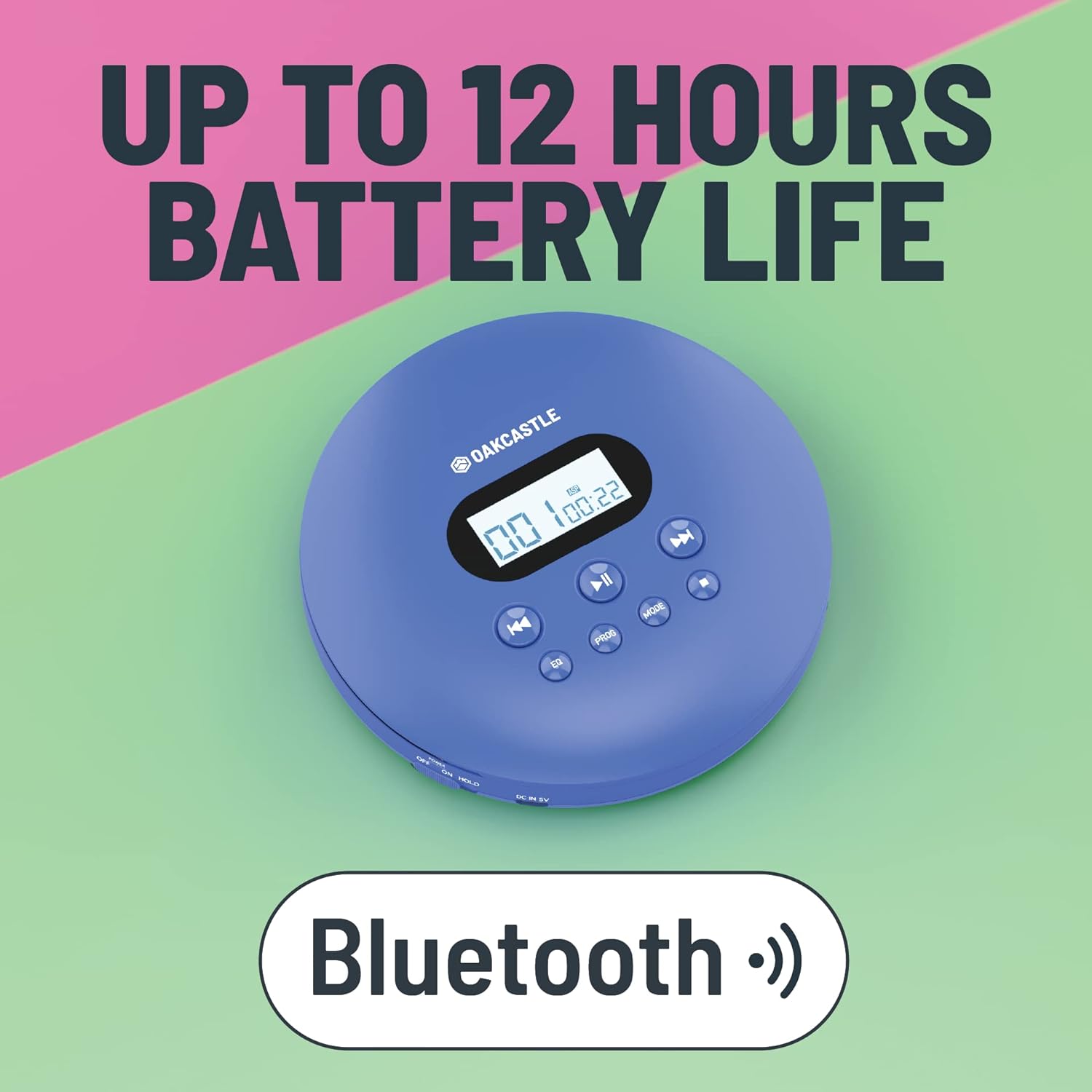
3. Produk Langkungview
Familiarize yourself with the controls and ports of your Oakcastle CD100:

Kontrol sareng palabuhan:
- Layar tampilan: Shows track number, time, and mode.
- Play/Pause (►►): Mimitian atanapi ngareureuhkeun playback CD.
- Eureun (■): Ngeureunkeun playback CD.
- Previous/Rewind (◀◀): Luncat ka lagu saméméhna atawa ngulang deui lagu ayeuna.
- Next/Fast Forward (►►): Skips to the next track or fast forwards the current track.
- EQ: Cycles through equalizer presets (e.g., Bass, Pop, Jazz, Rock, Classic).
- PROG: Enters program mode to create a custom playlist.
- MODÉ: Ngaliwatan modeu puter (contona, Ulang Hiji, Ulang Sadaya, Acak).
- DC IN 5V (Charge Port): Micro USB input for charging.
- Jack Headphone (3.5mm): Pikeun nyambungkeun headphone kabel.
- AUX Out (3.5mm): For connecting to external speakers or car audio systems.
- OPEN Slider: Slides to open the CD compartment.
- Saklar HOLD: Locks buttons to prevent accidental presses.
4. Setélan
4.1 Ngecas Alat
The Oakcastle CD100 has a built-in rechargeable battery. Before first use, fully charge the device.
- Connect the Micro USB charging cable to the 'DC IN 5V' port on the CD player.
- Sambungkeun tungtung kabel USB anu sanés ka adaptor kakuatan USB (teu kalebet) atanapi port USB komputer.
- Lampu indikator ngecas bakal hurung. Bakal pareum atanapi robih warna nalika dicas pinuh.
Ngecas pinuh nyadiakeun nepi ka 12 jam waktu maén deui.

4.2 Daya Awal Hurung
After charging, slide the 'HOLD' switch to the 'OFF' position (if it's on 'HOLD'). Press and hold the Play/Pause button to power on the device.
5. Parentah Operasi
5.1 Muterkeun CD
- Slide the 'OPEN' switch to open the CD compartment lid.
- Carefully place a CD onto the spindle, label side up, and gently press down until it clicks into place.
- Tutupkeun tutup kompartemen CD pageuh-pageuh.
- Press the Play/Pause (►►) button to start playback. The display will show the track number and elapsed time.
- Use the Previous/Rewind (◀◀) and Next/Fast Forward (►►) buttons to navigate tracks. Press and hold to fast forward or rewind.
- Pencét tombol Eureun (■) pikeun ngeureunkeun puteran.
The CD100 features anti-skip technology to ensure smooth playback even during movement.
5.2 Sambungan Bluetooth
The CD100 can connect wirelessly to Bluetooth headphones or speakers.
- Ensure the CD player is powered on.
- Activate Bluetooth pairing mode on your external Bluetooth device (headphones/speaker).
- The CD100 will automatically enter Bluetooth pairing mode when a CD is playing and no wired headphones are connected. The Bluetooth icon on the display will flash.
- Once connected, the Bluetooth icon will become solid.
5.3 Sambungan AUX
Connect your CD100 to external audio systems like car stereos or home speakers using the included 3.5mm AUX cable.
- Connect one end of the 3.5mm AUX cable to the 'AUX Out' port on the CD player.
- Connect the other end to the 'AUX In' port on your external audio system.
- Ensure your external audio system is set to the AUX input.

5.4 EQ Settings
Press the 'EQ' button repeatedly to cycle through different equalizer presets (e.g., Bass, Pop, Jazz, Rock, Classic, Off) to customize your audio experience.
5.5 Program Playback
To create a custom playback order:
- While the CD is stopped, press the 'PROG' button.
- Use the Previous/Next buttons to select the desired track number.
- Press 'PROG' again to add the track to the program list.
- Repeat steps 2-3 for up to 20 tracks.
- Press Play/Pause to start programmed playback.
5.6 Tombol Mode
Press the 'MODE' button to cycle through playback modes such as Repeat One (repeats current track), Repeat All (repeats all tracks on the CD), and Random (plays tracks in a random order).
6. Pangropéa
6.1 Ngabersihan Alat
- Ngusap exterior pamuter jeung lemes, lawon garing.
- For the optical lens, use a specialized CD lens cleaning kit. Do not touch the lens directly.
- Ulah make cleaners abrasive atawa pangleyur.
6.2 Perawatan Batré
- Pikeun manjangkeun umur batre, ulah miceun batre pinuh.
- Ngeusi batre alat sacara rutin, sanajan henteu dianggo kanggo waktos anu lami.
- Simpen alat dina tempat anu tiis sareng garing.
7. Cara ngungkulan
If you encounter issues with your Oakcastle CD100, refer to the following common problems and solutions:
| Masalah | Mungkin Cukang lantaranana | Solusi |
|---|---|---|
| Alat teu hurung. | Low battery; HOLD switch is on. | Charge the device; Slide HOLD switch to OFF. |
| CD teu bisa diputer. | CD inserted incorrectly; CD is dirty/scratched; Lid not closed properly. | Reinsert CD correctly; Clean or try another CD; Ensure lid is fully closed. |
| No sound from headphones/speakers. | Headphones/AUX cable not fully plugged in; Volume too low; Incorrect input selected on external device. | Check connections; Increase volume; Select correct AUX input on external device. |
| Bluetooth teu nyambung. | External device not in pairing mode; Too far from device. | Ensure external device is in pairing mode; Move closer to the CD player. |
8. Spésifikasi
- merek: Oakcastle
- model: CD100
- warna: Biru
- Téknologi konektipitas: Bantu, Bluetooth
- Fitur husus: Portable, Rechargeable, Anti-skip
- Alat anu cocog: Speakers, Headphones, Car Audio Systems
- Batré anu tiasa dicas deui: Sumuhun
- Format audio didukung: WMA (and standard CD audio)
- Jumlah Cakram: 1
- Jumlah Saluran: 2
- Ukuran produk: 14.2L x 14.2W x 3H séntiméter
- Tipe Panyambung: 3.5mm Jack
9. Garansi jeung Rojongan
Your Oakcastle CD100 comes with a standard manufacturer's warranty. Please refer to the warranty card included in your packaging for specific terms and conditions.
For technical support, troubleshooting, or warranty claims, please contact Oakcastle customer service through their official websitus atanapi pangecér dimana anjeun mésér produk.
Punten mertahankeun bukti pameseran anjeun pikeun tujuan garansi.


