1. Bubuka
This manual provides detailed instructions for the setup, operation, and maintenance of your ORIA Digital Alarm Clock (Model OUS-HY-WA109B). Please read this manual thoroughly before using the product to ensure proper function and safety.
1.1 Eusi pakét
- ORIA Digital Alarm Clock (Model OUS-HY-WA109B)
- Kabel Daya USB
- Manual pamaké

Figure 1: Package contents including the ORIA Digital Alarm Clock, USB cable, and user manual.
2. Émbaran Kasalametan
- Entong ngalaan alat ka suhu anu ekstrim, sinar panonpoé langsung, atanapi kalembaban anu luhur.
- Jauhkeun alat tina cai atawa cairan séjén.
- Use only the provided USB cable or a certified equivalent for power.
- Ulah nyobian ngabongkar atawa ngalereskeun alat sorangan. Kontak rojongan customer pikeun pitulung.
- Buang batré nurutkeun peraturan lokal.
3. Setélan
3.1 Powering Alat
The ORIA Digital Alarm Clock offers dual power options:
- DC Cable Power (Recommended): Connect the provided USB power cable to the DC 5V port on the back of the clock and plug the other end into a USB power adapter (not included) or a USB port. The display will remain continuously on.
- Battery Power (Backup/Power Saving Mode): Insert 3 AAA batteries (not included) into the battery compartment on the back of the clock. In battery mode, the screen will automatically turn off after 8 seconds to conserve power. Touch the top button to wake up the screen for 8 seconds.
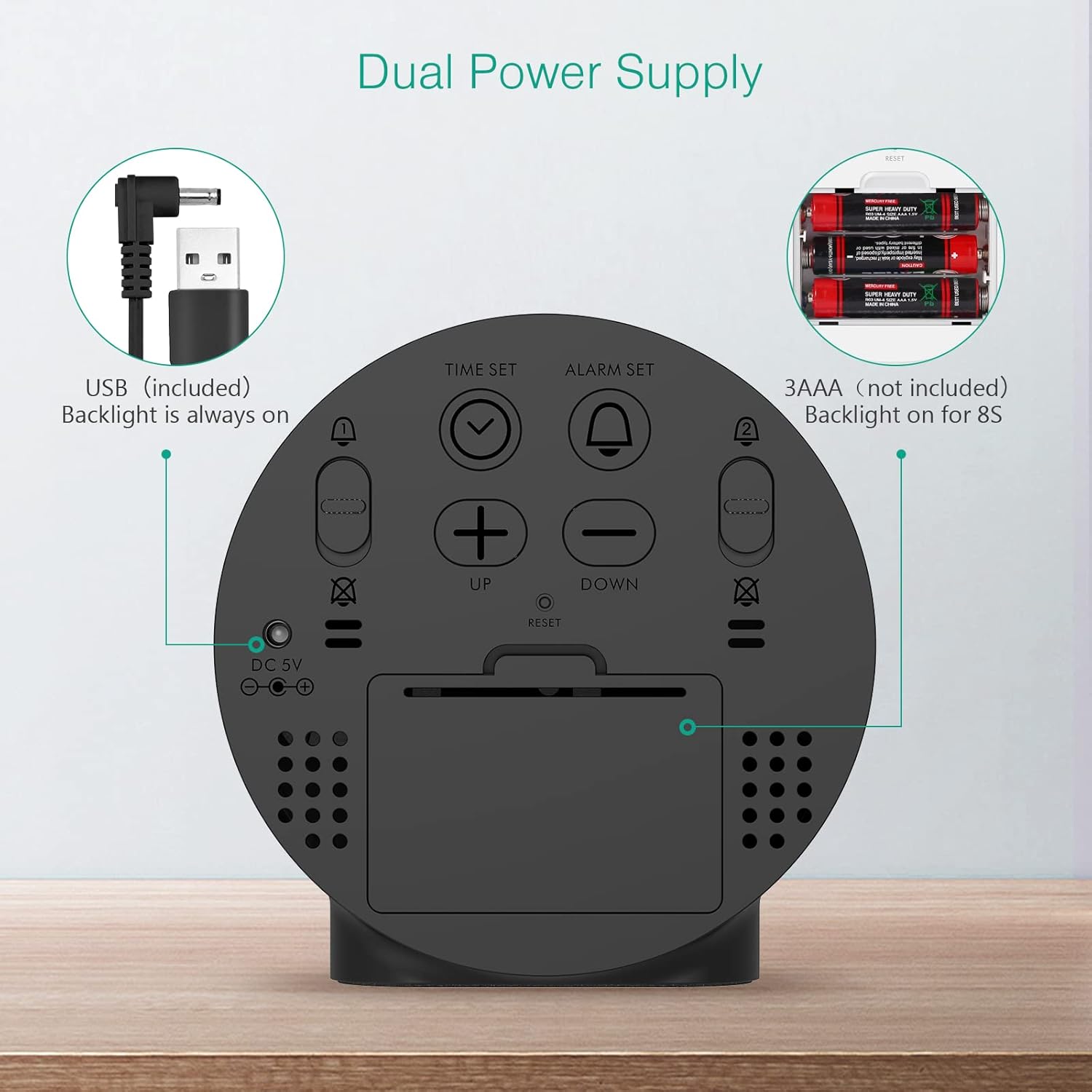
Figure 2: Back panel illustrating the USB power input and battery compartment for dual power supply.
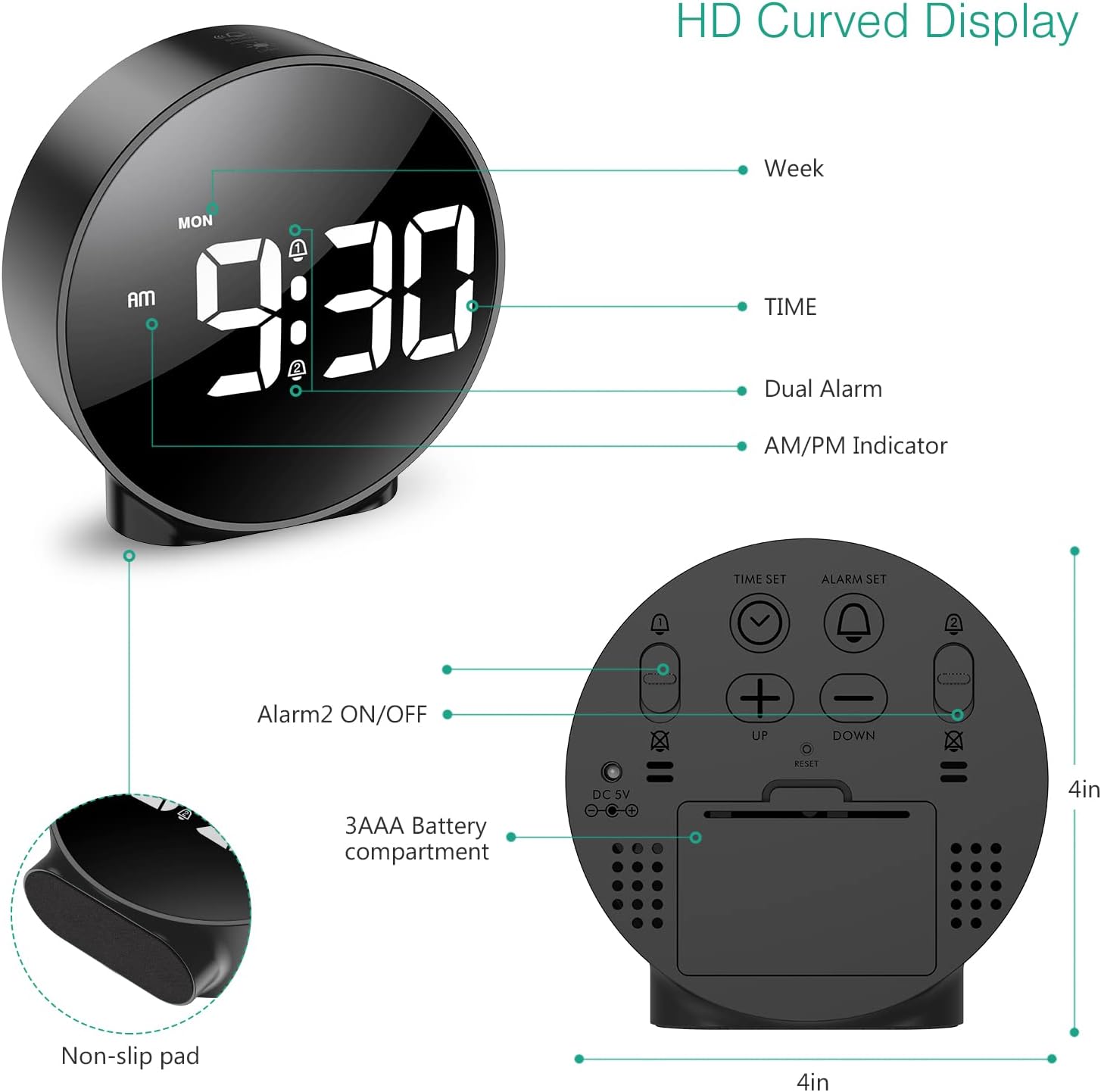
Gambar 3: Detil view of the clock's back panel, highlighting the DC 5V input, battery compartment, and control buttons.
4. Parentah Operasi
4.1 Setting the Time (12/24Hr Format)
- Pencét jeung tahan tombol WAKTU WAKTU button on the back of the clock for 3 seconds to enter time setting mode. The hour digits will start flashing.
- Ngagunakeun éta UP or TURUN tombol pikeun nyaluyukeun jam.
- Pencét WAKTU WAKTU deui pikeun mastikeun jam sareng pindah ka setélan menit. Angka menit bakal kedip-kedip.
- Ngagunakeun éta UP or TURUN tombol pikeun nyaluyukeun menit.
- Pencét WAKTU WAKTU again to confirm the minute and exit time setting mode.
- Pikeun pindah antara format 12-jam jeung 24-jam, pencét tombol 12/24HR kancing.
4.2 Setting Alarms (Dual Alarms)
The clock supports two independent alarms (Alarm 1 and Alarm 2) with 5 alarm modes.
- Pencét jeung tahan tombol SET ALARM tombol (pikeun Alarm 1) atanapi ALARM 2 ON / OFF button (for Alarm 2) for 3 seconds to enter alarm setting mode. The hour digits will flash.
- Ngagunakeun éta UP or TURUN tombol pikeun nyaluyukeun jam alarm.
- Pencét anu saluyu SET ALARM or ALARM 2 ON / OFF pencét deui tombol pikeun mastikeun jam sareng pindah ka setélan menit. Angka menit bakal kedip-kedip.
- Ngagunakeun éta UP or TURUN tombol pikeun nyaluyukeun menit alarm.
- Pencét anu saluyu SET ALARM or ALARM 2 ON / OFF button again to confirm the minute and select the alarm mode. The display will show the current mode (e.g., "1-1" for one day).
- Ngagunakeun éta UP or TURUN buttons to cycle through the 5 alarm modes:
- 1-1: Alarm sounds once.
- 1-5: Alarm disada ti Senén dugi ka Jumaah.
- 1-6: Alarm disada ti Senén dugi ka Saptu.
- 1-7: Alarm sounds Monday to Sunday.
- 6-7: Alarm sounds Saturday to Sunday.
- Pencét anu saluyu SET ALARM or ALARM 2 ON / OFF button one last time to confirm the alarm mode and exit alarm setting.
- To turn an alarm ON or OFF, short press the respective SET ALARM or ALARM 2 ON / OFF tombol. Ikon alarm bakal muncul dina tampilan nalika diaktipkeun.
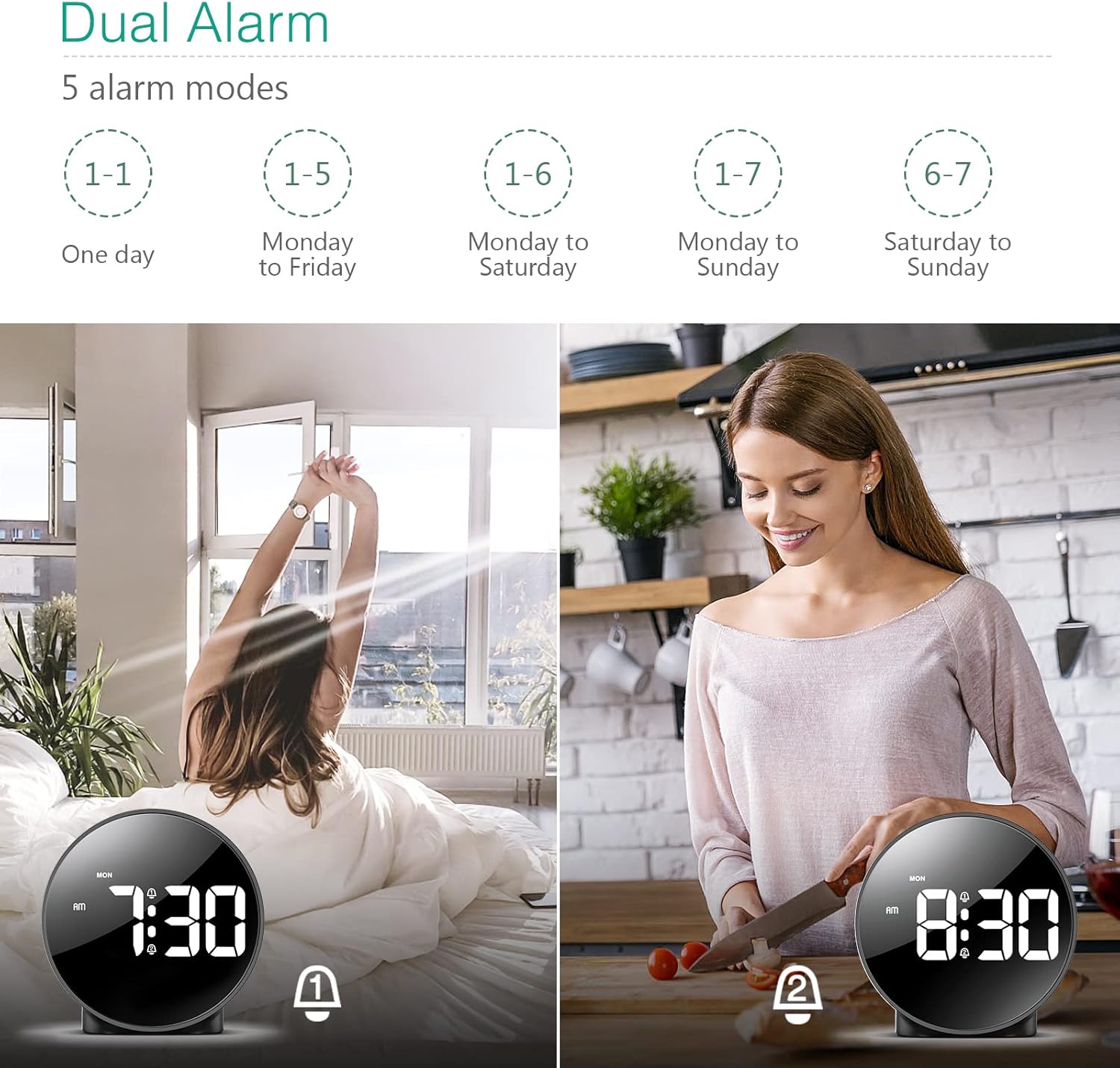
Figure 4: Illustration of the dual alarm functionality with various scheduling modes.
4.3 Fungsi Tunda
Lamun alarm disada, pencét badag SNOOZE / CAHAYA button on the top of the clock to activate the snooze function. The alarm will pause for 5 minutes and then sound again. You can repeat this process multiple times.

Figure 5: Activating the snooze function by touching the top of the clock.
4.4 Nyaluyukeun Caang
The clock features 4 levels of adjustable brightness. Short press the SNOOZE / CAHAYA button on the top of the clock to cycle through the brightness levels (100%, 80%, 60%, and 0% (off)).

Figure 6: Visual representation of the four adjustable brightness levels of the clock display.
4.5 Daylight Saving Time (DST)
The clock supports Daylight Saving Time adjustment. Refer to the included mini-manual for specific instructions on how to activate or deactivate DST.
5. Fitur
- HD LED Display: Large, high-definition curved display for clear time reading.
- Dual Alarms with 5 Modes: Set two independent alarms with flexible scheduling options (one-day, weekdays, weekends, or every day).
- Kacaangan adjustable: Four levels of display brightness, including an off mode, to suit various environments and preferences.
- Fungsi Tungkul Provides an additional 5 minutes of sleep with a simple touch.
- Format 12/24 Jam: Easily switch between standard and military time displays.
- Pasokan Daya Ganda: Operates via USB cable for continuous display or AAA batteries for power-saving mode (display turns off after 8 seconds).
- Desain kompak: Suitable for various locations such as bedrooms, living rooms, offices, or for travel.
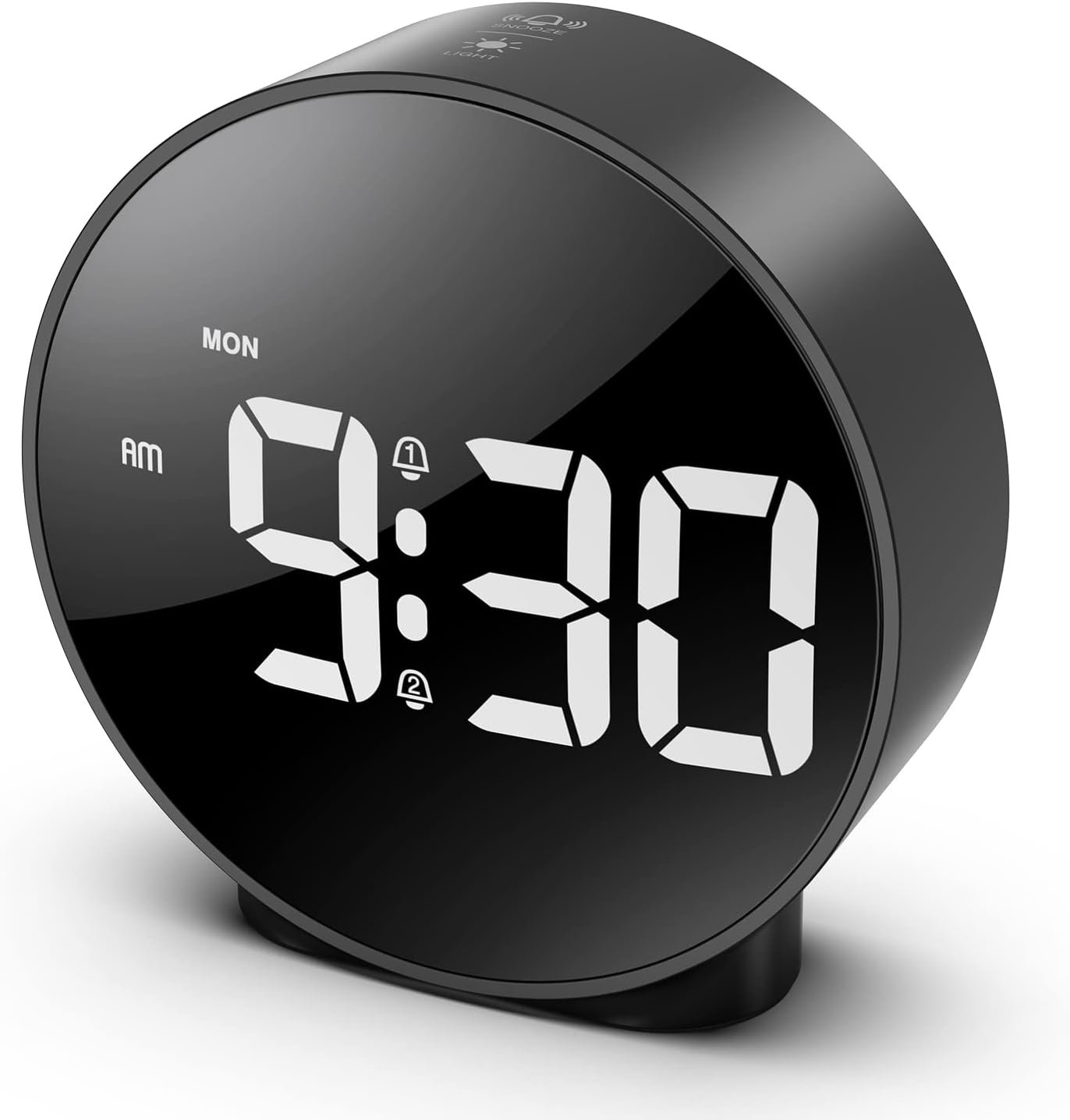
Figure 7: The ORIA Digital Alarm Clock showcasing its clear HD LED display.
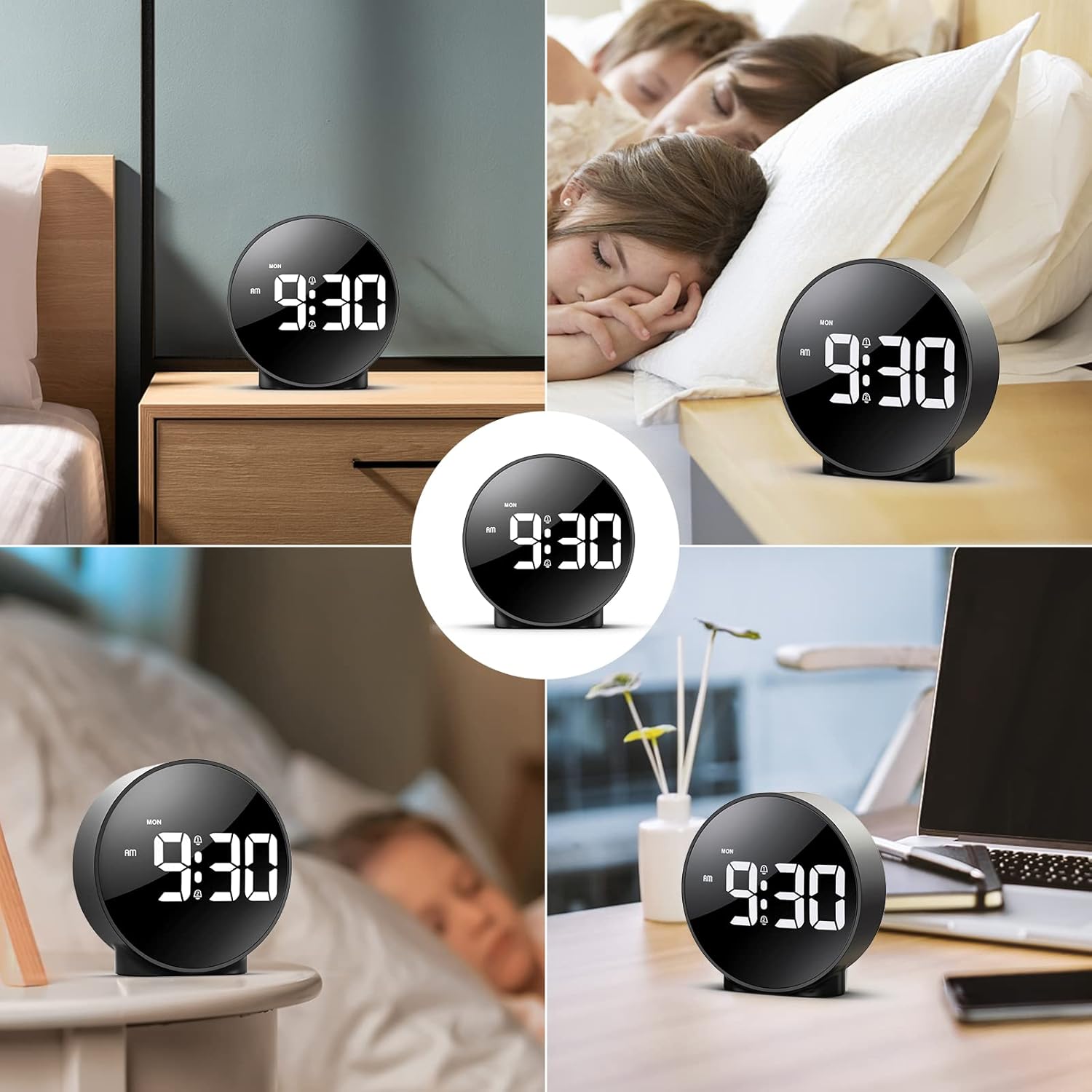
Figure 8: The versatile ORIA Digital Alarm Clock integrated into different environments like a bedroom, office, and living room.
6. Pangropéa
- Ngabersihan jam ku lawon lemes, garing. Ulah make cleaners abrasive atawa pangleyur.
- Upami teu dianggo salami waktos anu lami, cabut batréna pikeun nyegah bocor.
7. Cara ngungkulan
- Display is off in battery mode: This is normal for power saving. Touch the top button to activate the display for 8 seconds. For continuous display, use the USB power cable.
- Tombol teu ngabales: Try resetting the clock by pressing the small RESET button located on the back panel using a thin object (e.g., a paperclip).
- Alarm teu disada: Ensure the alarm is activated (alarm icon visible on display) and the volume is not set to zero.
- Lepat waktos/tanggal: Re-enter time setting mode and adjust the time and date as per Section 4.1.
8. Spésifikasi
| merek | ORIA |
| Nomer modél | OUS-HY-WA109B |
| Warna | Black Case & White Digit |
| Tipe tampilan | LED digital |
| Dimensi produk | 4.29" W x 4.8" H |
| Item Beurat | 5.9 ons (0.17 Kilogram) |
| Sumber Daya | Corded Electric & Battery Powered (3x AAA, not included) |
| Bahan | palastik |
| Fitur husus | Alarm, LED Display, Adjustable Brightness, Dual Alarms, Snooze |
9. Garansi jeung Rojongan
- Garansi 1 Taun: Produk katutupan ku jaminan kawates 1 taun.
- 90-Day Free Replacements: Enjoy free replacements for eligible issues within 90 days of purchase.
- Pulangan Gratis 30 Dinten: Returns are accepted within 30 days of purchase.
- Rojongan Palanggan 24/7: For any inquiries or assistance, please contact ORIA customer support.
- Rojongan Téknis Hirupna: Mangpaat tina rojongan teknis hirupna pikeun produk Anjeun.
Pikeun pitulung salajengna, mangga buka di ORIA Store on Amazon.


