1. Bubuka
This manual provides detailed instructions for the proper use and maintenance of your Obbug Bluetooth Headset, Model YYK-530. Please read this manual thoroughly before using the product to ensure optimal performance and longevity.
2. Eusi Paket
Pastikeun yén sadaya item aya dina pakét anjeun:
- 1 x Obbug Bluetooth Headset
- 1 x Kasus Ngecas
- 1 x Kabel Ngecas USB Tipe-C
- 1 x Ear Hat (replacement ear tip)
- 1 x Manual Pamaké
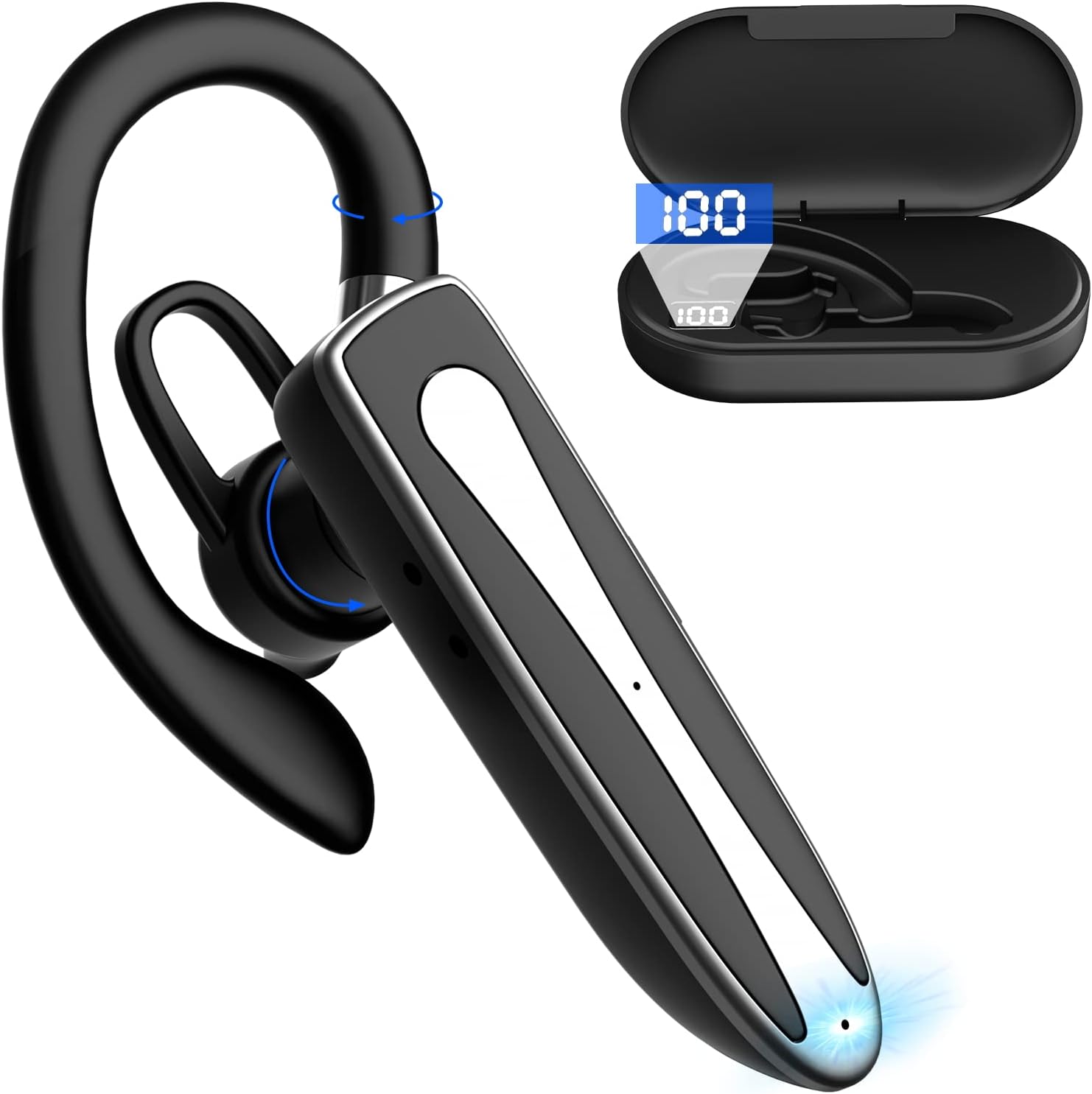
Image 2.1: Obbug Bluetooth Headset YYK-530 and its charging case.
3. Fitur Produk
- Téknologi Bluetooth 5.1: Provides stable connection and clear audio.
- Manjangkeun Umur Batré: Up to 80 hours of continuous use with the charging case.
- Desain anu nyaman sareng adjustable: Flexible earhook and rotatable boom mic for left or right ear wear.
- CVC8.0 Noise Reduction: Ningkatkeun kajelasan telepon ku cara ngirangan bising latar.
- Kasaluyuan lega: Connects with most Bluetooth-enabled devices including smartphones, tablets, and computers.
- Telepon Hand-Free: Integrated microphone for convenient communication.

Image 3.1: Illustration of CVC8.0 Noise Reduction for clear audio.
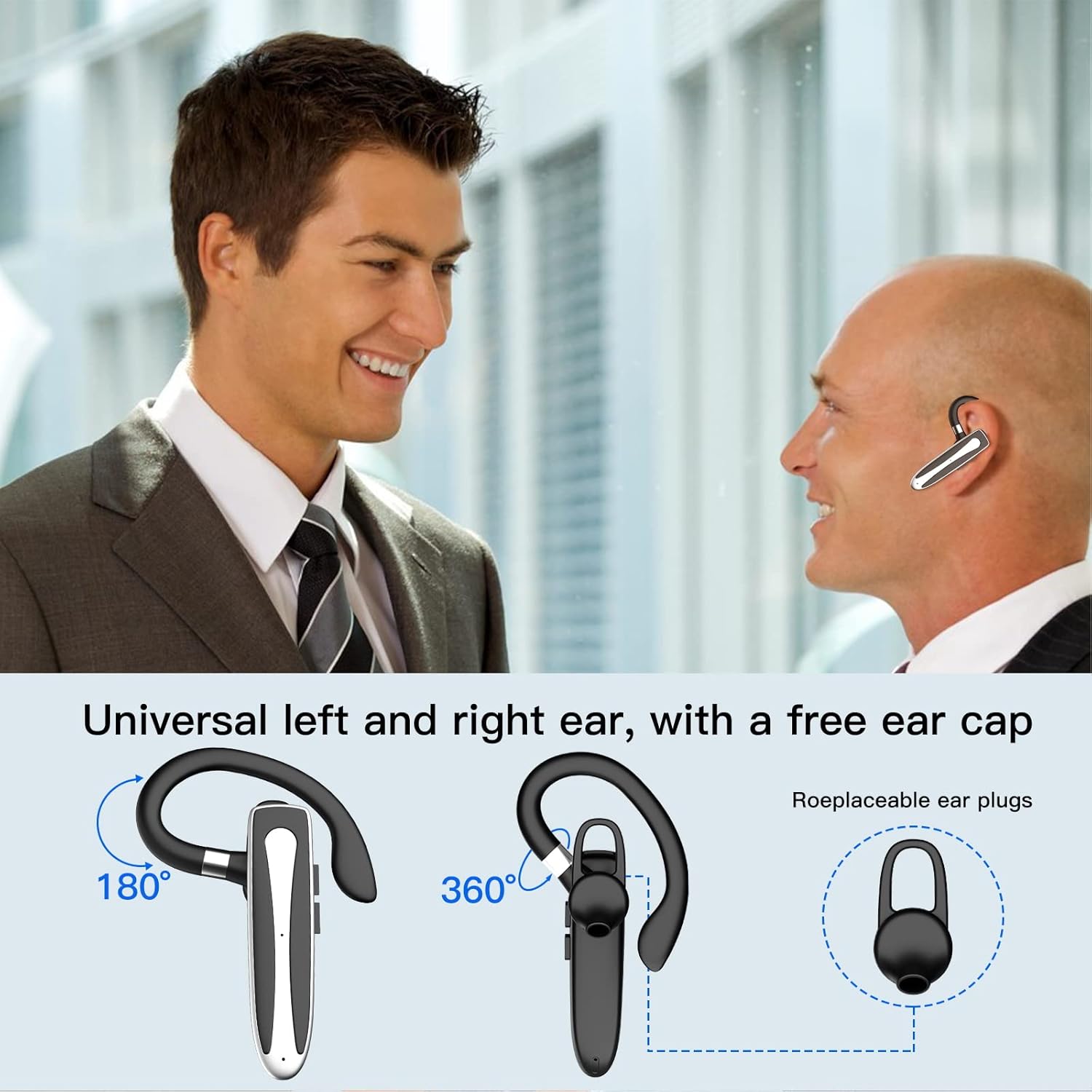
Image 3.2: Diagram illustrating the dual microphone noise reduction processing.
4. Setélan
4.1 Ngecas Headset sareng Casing
Before first use, fully charge the headset and its charging case.
- Lebetkeun headset kana wadah ngecas.
- Sambungkeun kabel USB Tipe-C kana port ngecas dina casing sareng kana sumber daya (contona, adaptor témbok USB, port USB komputer).
- The charging indicator on the case will show charging status. A full charge typically takes 1.5 hours.

Image 4.1: The Type-C charging port on the charging case.

Image 4.2: Battery life and charging time information for the headset and case.
4.2 Nyapasangkeun sareng Alat
The headset uses Bluetooth 5.1 for wireless connection.
- Daya Hurung: Take the headset out of the charging case, or press and hold the Multi-function Button until the indicator light flashes blue and red, indicating pairing mode.
- Aktipkeun Bluetooth: Dina alat anjeun (smartphone, tablet, jsb.), buka setélan Bluetooth teras aktipkeun Bluetooth.
- Pilih Alat: In the list of available devices, select "YYK-530".
- Konfirmasi sambungan: Once connected, the headset indicator light will flash blue slowly, and your device will show "Connected".

Image 4.3: Illustration of optimal Bluetooth connection distance (within 10 meters).
4.3 Nyambungkeun ka Dua Alat sacara Babarengan
The headset supports connecting to two Bluetooth devices at the same time.
- Connect the headset to the first device (e.g., Phone A) as described in Section 4.2.
- Turn off Bluetooth on the first device. The headset will re-enter pairing mode.
- Connect the headset to the second device (e.g., Phone B) as described in Section 4.2.
- Turn on Bluetooth on the first device. The headset should automatically reconnect to both devices.
You can now answer calls or play music from either connected device.

Image 4.4: Step-by-step guide for connecting the headset to two devices.
4.4 Maké Headsét
The headset is designed for comfortable wear on either the left or right ear.
- The earhook can rotate 360° vertically and 360° horizontally to fit your preferred angle.
- The retractable earhook can be adjusted to fit the shape of your ear.

Image 4.5: The headset's adjustable design for left or right ear wearing.
5. Parentah Operasi
5.1 Daya Hurung/Pareuman
- Daya Hurung: Take the headset out of the charging case, or press and hold the Multi-function Button for approximately 3 seconds until the indicator light flashes blue.
- Pareum listrik: Place the headset back into the charging case, or press and hold the Multi-function Button for approximately 5 seconds until the indicator light flashes red and then turns off.
5.2 Manajemén Telepon
- Ngajawab / mungkas Telepon: Pencét tombol Multi-fungsi sakali.
- Nolak Telepon: Press and hold the Multi-function Button for approximately 2 seconds.
- Telepon deui Nomer Panungtungan: Pencét dua kali tombol Multi-fungsi.
5.3 Puterkeun Musik
- Puter / Reureuh: Pencét tombol Multi-fungsi sakali.
- Lagu salajengna: Pencét jeung tahan tombol Volume Up.
- Lagu Sateuacanna: Pencét jeung tahan tombol Jilid Turun.
5.4 Volume Control
- Ningkatkeun Jilid: Pencét tombol Volume Up.
- Turunkeun Jilid: Pencét tombol Jilid Turun.
5.5 Aktipkeun Asisten sora
Aktipkeun asisten sora alat anjeun (Siri, Google Assistant) langsung tina headset.
- Aktipkeun Asisten Sora: Triple-press the Multi-function Button.

Image 5.1: The headset supports activation of Siri and Google Assistant.
6. Pangropéa
- Bersihkeun headset sareng wadah ngecas sacara rutin nganggo lawon anu lemes sareng garing.
- Ulah nepi ka alat ieu kakeunaan suhu, kalembaban, atawa zat korosif anu ekstrim.
- Simpen headset dina wadah ngecasna nalika teu dianggo pikeun ngajagi sareng ngajaga éta tetep dicas.
- Ulah nyobian ngabongkar atawa ngalereskeun alat sorangan. Kontak layanan palanggan pikeun pitulung.
7. Cara ngungkulan
7.1 Headset Not Powering On
- Ensure the headset is fully charged. Place it in the charging case and connect the case to a power source.
- Press and hold the Multi-function Button for 3-5 seconds to power on.
7.2 Teu Bisa Dipasangkeun jeung Alat
- Ensure the headset is in pairing mode (indicator flashes blue and red).
- Pareuman Bluetooth dina alat anjeun sareng hurungkeun deui.
- Ensure the headset is within 10 meters of your device and there are no significant obstacles.
- Pupus daptar papasangan Bluetooth dina alat anjeun teras cobian pasangkeun deui.
7.3 Taya Sora atawa Kualitas Sora Miskin
- Saluyukeun polumeu boh dina headset sareng alat Anjeun nu disambungkeun.
- Pastikeun headset disambungkeun leres ka alat Anjeun.
- Caketkeun alat anjeun pikeun mastikeun anjeun aya dina jangkauan Bluetooth.
- Pariksa naha aya gangguan tina alat nirkabel anu sanés.
8. Spésifikasi
| Fitur | Spésifikasi |
|---|---|
| Ngaran modél | YYK-530 |
| merek | Obbug |
| Téhnologi konektipitas | Nirkabel (Bluetooth) |
| Vérsi Bluetooth | 5.1 |
| Rentang Bluetooth | Nepi ka 33 Feet (10 méter) |
| Kontrol bising | Sound Isolation (CVC8.0 Noise Reduction) |
| Wangun Earpiece | Ceuli Hook |
| Daya Tahan Batré (Headset) | 5 Jam (kira-kira) |
| Kahirupan Batré (kalayan Case Ngecas) | Nepi ka 80 Jam (kira-kira) |
| Waktu Ngecas | 1.5 Jam |
| Port ngecas | USB Tipe-C |
| Tingkat Résistansi Cai | Tahan cai |
| Item Beurat | 4.9 ons (0.14 Kilogram) |
| Rentang Frékuénsi | 20Hz - 20,000Hz |
| Alat nu cocog | Cellphones, Desktops, Laptops, Telephones |

Image 8.1: The headset is compatible with a wide range of Bluetooth-enabled devices.
9. Garansi sarta Rojongan Palanggan
The Obbug Bluetooth Headset comes with a 1-month replacement warranty.
For any questions, issues, or support needs, please contact our customer service. We offer 24-hour customer service to assist you.
Mangga tingal dokuméntasi pameseran anjeun kanggo detil kontak anu khusus.


