Google Pixel Watch 1st Gen - Android Smartwatch User Manual
Model: G943M, GQF4C, G77PA
1. Bubuka
The Google Pixel Watch 1st Gen combines a sleek, circular design with advanced Wear OS by Google features and comprehensive Fitbit health tracking. This manual provides essential information for setting up, operating, and maintaining your smartwatch.
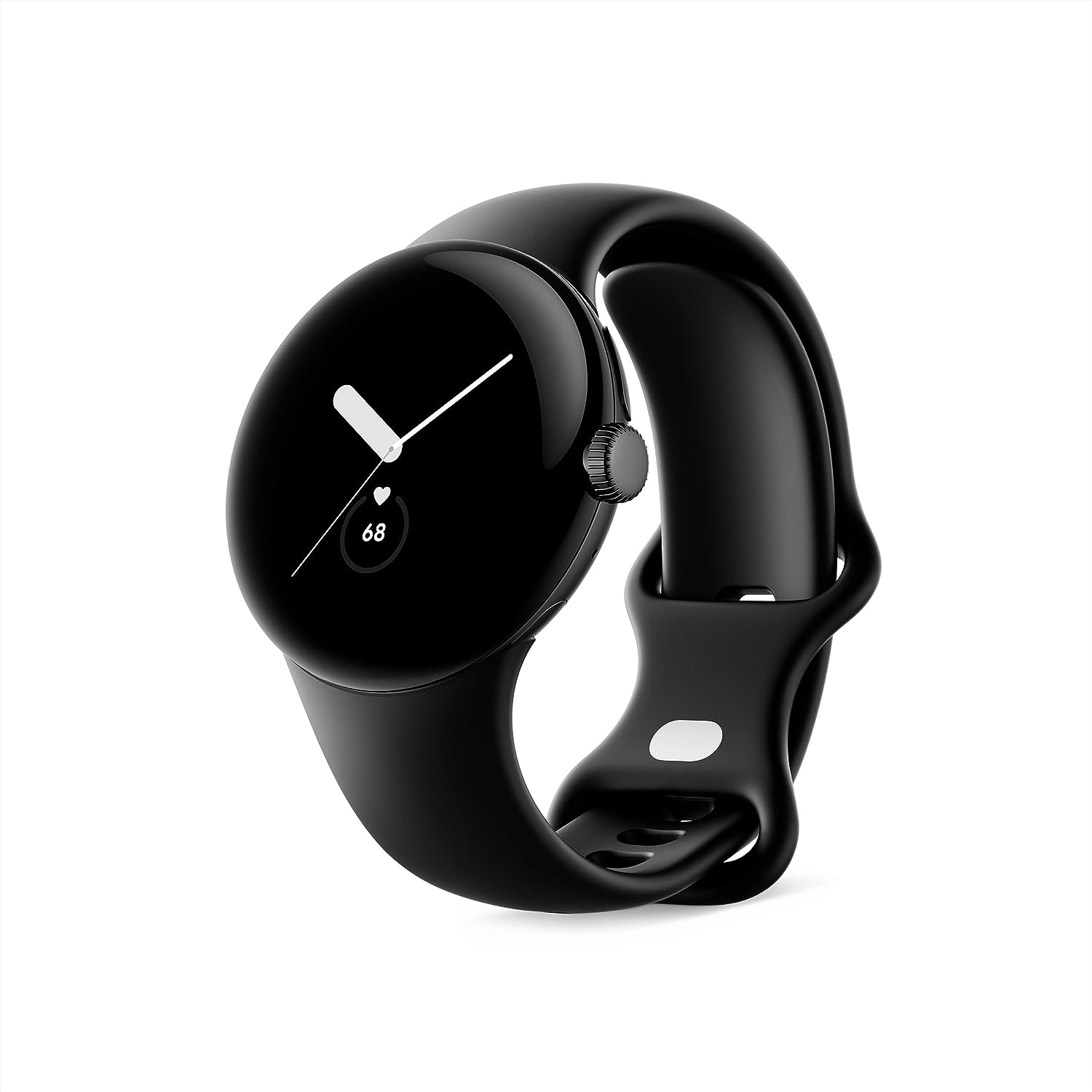
Image: Google Pixel Watch 1st Gen in Matte Black with Obsidian Active band, showcasing its circular, domed design.
2. Naon dina Box
Your Google Pixel Watch package includes the following items:
- Google Pixel Watch
- Active Band (Small and Large sizes)
- Kabel Ngecas Magnét USB-C
- Gancang Mimitian Guide

Image: The contents of the Google Pixel Watch box, displaying the watch, two active bands (small and large), and the USB-C magnetic charging cable.
3. Setélan
To begin using your Google Pixel Watch, follow these initial setup steps:
- Ngecas arloji anjeun: Connect the USB-C Magnetic Charging Cable to your Pixel Watch and a power source. Ensure the watch is fully charged before first use.
- Pasangkeun sareng Telepon anjeun: Download the Google Pixel Watch app on your Android smartphone (Android 8.0 or newer required). Follow the on-screen instructions in the app to pair your watch.
- Attach the Band: Select the appropriate size (small or large) of the Active Band and attach it to your watch. Ensure it clicks securely into place.
- Complete On-Screen Setup: Follow the prompts on your watch and phone to complete the setup, including signing into your Google Account and Fitbit account.
Video: An unboxing and initial setup guide for the Google Pixel Watch, demonstrating how to attach the band and power on the device.
4. Nyuping
The Google Pixel Watch features a circular, domed display and a rotating crown for navigation. Swipe gestures and button presses allow you to access various functions.
4.1 Napigasi Dasar
- Gesek ka luhur/handap: Scroll through notifications and quick settings.
- Gesek Kénca/Katuhu: Access tiles for quick information like weather, heart rate, or activity goals.
- Pencét Crown: Return to the watch face or open the app launcher.
- Long Press Crown: Aktipkeun Google Asisten.
- Pencét Tombol Sisi: Access recently used apps.
Video: A demonstration of key features and navigation on the Google Pixel Watch, including fitness tracking, notifications, and Google Assistant integration.
5. Pelacak Kabugaran sareng Kaséhatan
Leveraging Fitbit's advanced tracking capabilities, the Pixel Watch helps you monitor your health and fitness goals.
5.1 Nyukcruk Kagiatan
- Track daily steps, distance, and calories burned.
- Monitor Active Zone Minutes to ensure you meet your weekly activity goals.
- Choose from over 40 exercise modes for accurate workout tracking.
5.2 Heart Rate and Sleep Monitoring
- Nyukcruk denyut jantung kontinyu nyadiakeun wawasan kaséhatan cardiovascular Anjeun.
- Advanced sleep tracking monitors sleep stages (cahaya, jero, REM) jeung nyadiakeun skor sare.
- The ECG app allows you to assess your heart rhythm for signs of AFib (available in select countries).

Image: The Google Pixel Watch displaying heart rate tracking and sleep insights, alongside visuals for activity tracking and Emergency SOS features.
6. Fitur Smart jeung Konéktipitas
Stay connected and productive with seamless integration of Google services.
- Asisten Google: Get hands-free help, set reminders, and control smart home devices.
- Google Wallet: Make contactless payments directly from your wrist.
- Google Maps: Receive turn-by-turn directions on your watch.
- Bewara: Receive and respond to messages, manage your inbox, and answer calls.
- SOS Darurat: Quickly alert trusted contacts or emergency services if you feel unsafe.
- Panggihan Alat Kuring: Locate your misplaced Pixel phone or watch.

Image: The Google Pixel Watch showcasing its integration with Google apps such as Google Assistant, Google Wallet, Google Maps, and Gmail/Calendar.
7. Daya Tahan sareng Desain
The Pixel Watch is built for everyday wear with a focus on both aesthetics and resilience.
- Desain: Features a beautiful circular, domed design with a matte black stainless steel case.
- Tahan cai: Designed to comply with a water protection rating of 5 ATM (50 meters) under ISO standard 22810:2010. Suitable for shallow water activities, but not for high-velocity water sports.
- Résistansi scratch: Equipped with scratch-resistant Corning Gorilla Glass to protect the display.

Image: The Google Pixel Watch emphasizing its durability features, including 5 ATM water resistance and scratch-resistant Corning Gorilla Glass.
8. Kahirupan Batré sareng Ngecas
The Google Pixel Watch is designed for up to 24 hours of battery life with typical usage. Actual battery life may vary based on features enabled and usage patterns.
- Ngecas: Use the included USB-C Magnetic Charging Cable. A full charge typically takes about an hour.
- Optimasi: To extend battery life, consider disabling unnecessary apps or features like always-on display when not needed.
Video: A ulang pamakéview of the Google Pixel Watch 1st Generation, discussing battery life, connectivity, and various features.
9. Pangropéa
Proper care ensures the longevity and optimal performance of your Pixel Watch.
- beberesih: Bersihkeun jam tangan sareng tali jam tangan anjeun sacara rutin nganggo lawon anu lemes sareng henteu ngaganggu. Pikeun kokotor anu bandel, usap sakedikamp lawon bisa dipaké. Ulah make bahan kimia anu kasar.
- Pangeringan: Ensure the watch is completely dry after exposure to water or cleaning to prevent damage.
- Hindarkeun Suhu Ekstrim: Ulah ngalaan jam tangan kana suhu anu panas atanapi tiis pisan, sabab ieu tiasa mangaruhan umur batré sareng komponén internal.
10. Cara ngungkulan
If you encounter issues with your Pixel Watch, try the following common troubleshooting steps:
- Mimitian deui Lalajo: Balikan deui saderhana tiasa ngabéréskeun seueur gangguan parangkat lunak minor.
- Pariksa konektipitas: Ensure your watch is properly paired with your phone and that Bluetooth/Wi-Fi are enabled.
- Apdet parangkat lunak: Make sure your watch and the Google Pixel Watch app are running the latest software versions.
- Pabrik Reset: As a last resort, you can perform a factory reset through the watch settings or the companion app. This will erase all data on the watch.
11. Spésifikasi
| Fitur | Rincian |
|---|---|
| Dimensi produk | 10.81 x 0.55 x 1.69 inci |
| Item Beurat | 10.6 ons |
| Nomer Modél Item | G943M; GQF4C; G77PA |
| Batré | 1 batré AA diperlukeun (kaasup) |
| OS | Android |
| Téknologi Komunikasi Nirkabel | Seluler, Wi-Fi, Bluetooth |
| Téhnologi konektipitas | USB, Wi-Fi |
| GPS | GPS Via Smartphone |
| Fitur husus | Notifications, Text Messaging, Activity Tracker, Heart Rate Monitor, Calorie Tracker, Sleep Monitor, Contactless Payments, GPS, Phone Call, Email, SOS Button, Scratch Resistant, Water Resistant |
| Input Antarmuka Manusa | Layar cabak |
| Resolusi scanner | 390 x 390 |
| Warna | Matte Black case w/ Obsidian Active band - WiFi |
| Produsén | |
| Tanggal Kahiji Sadia | 6 Oktober 2022 |
| Ukuran Layar Ngadeg | 41 milimeter |
| Kapasitas Panyimpenan Mémori | 8 GB |
| Kapasitas batré | 56 Amp Jam-jaman |
12. Garansi jeung Rojongan
For warranty information and customer support, please refer to the official Google Pixel Watch website or the documentation included in your product packaging. Google offers various support resources to assist with any product-related inquiries or issues.
- Rencana panyalindungan: Rencana Perlindungan 2 Taun sareng 3 Taun Pilihan sayogi kanggo ngagaleuh.
- Wangsul: A 30-day refund/replacement policy is typically offered.


