1. Bubuka
This manual provides essential instructions for setting up, operating, and maintaining your Yealink VCM36-W Conference Microphone. Designed for clear audio conferencing, this device offers reliable performance for various communication needs.
2. Naon dina Box
- Mikropon
3. Produk Langkungview
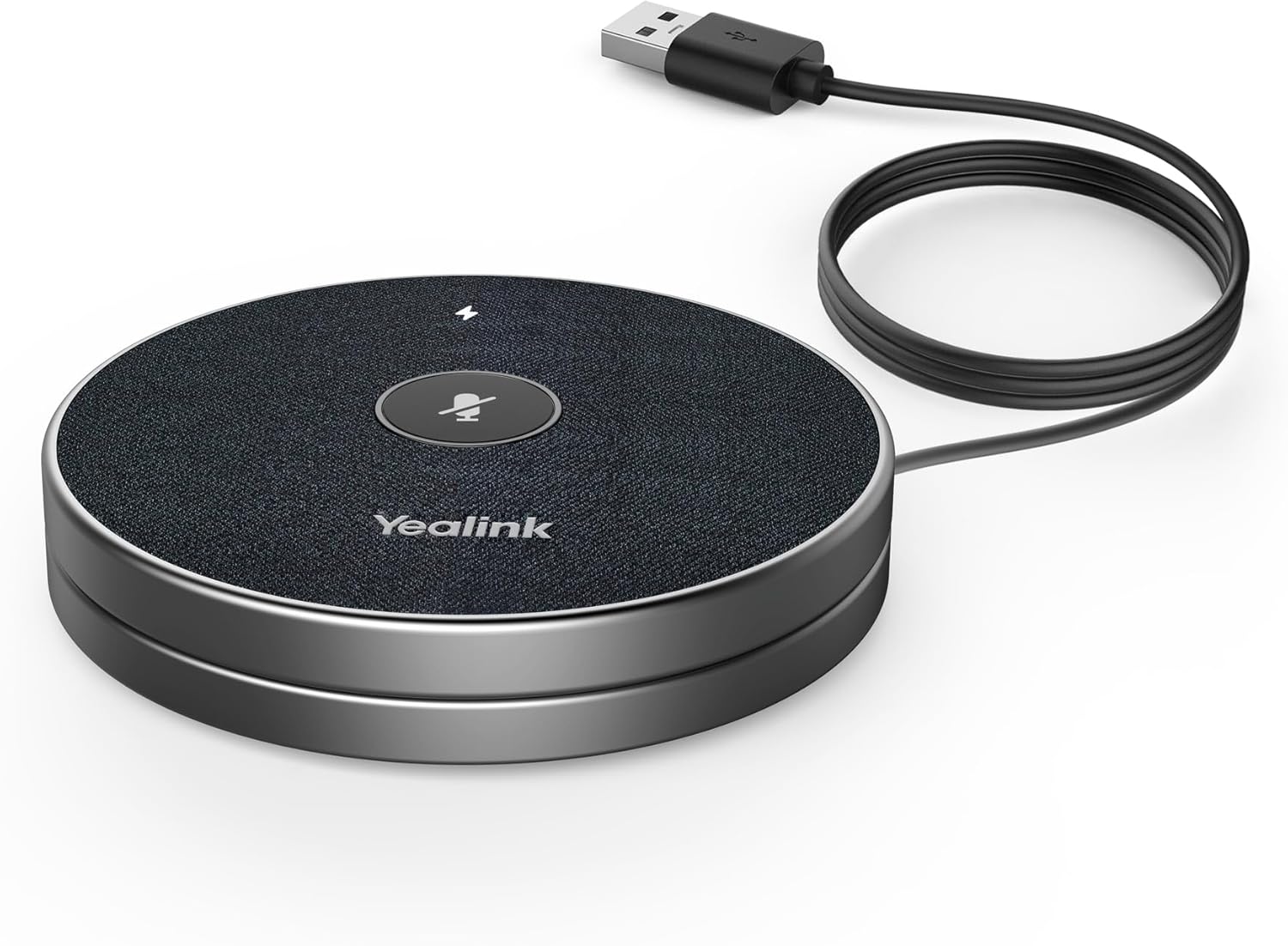
Figure 1: Yealink VCM36-W Conference Microphone connected via USB.
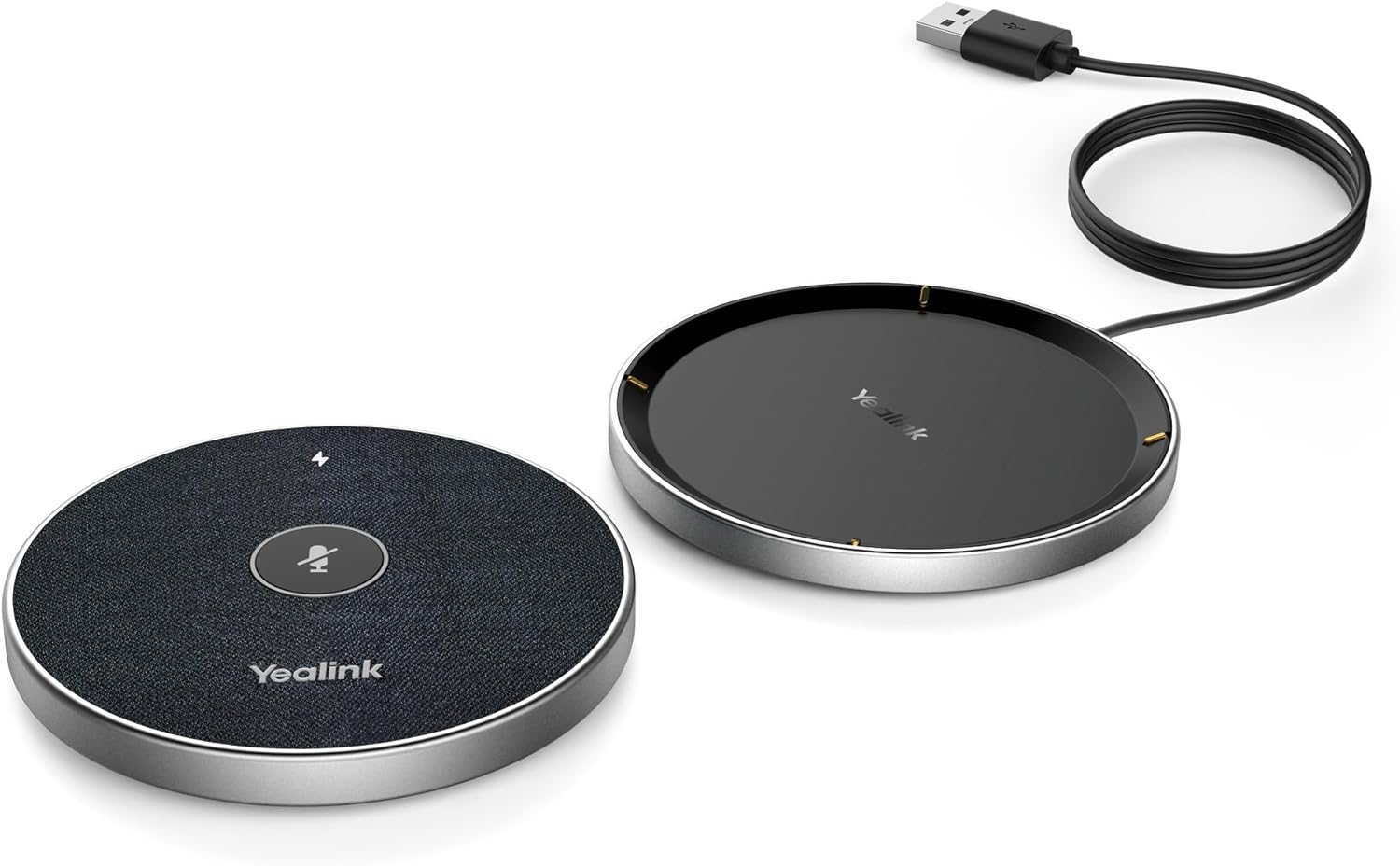
Figure 2: The VCM36-W microphone unit detached from its charging base.

Figure 3: Close-up of the VCM36-W's touch controls, including mute and volume.
4. Setélan
4.1 Sambungan Daya
Connect the microphone to a power source using the provided corded electric power supply. Ensure the device is adequately charged before initial use or firmware updates.
4.2 Sambungan Alat
The Yealink VCM36-W supports Wi-Fi connectivity. For wired connections, use the XLR connector type. Refer to your device's specific connection ports for compatibility.
4.3 Pituduh Instalasi
For visual guidance on setting up a Yealink speakerphone, the following video demonstrates installation steps for similar models. While not specific to VCM36-W, the principles may apply.
Video 1: Yealink CP50/CPE40 Speakerphone Installation Description. This video provides general installation steps for Yealink speakerphones, which may be helpful for setting up the VCM36-W.
5. Operasi
5.1 Kadali Dasar
The VCM36-W features intuitive touch controls for managing your conference calls. These include:
- Tombol Bisu: Pikeun ngajempékeun atanapi nganonaktipkeun mikropon.
- Volume Kaluhur/Turun: To adjust the speaker volume.
- Tombol Bluetooth: For pairing with mobile devices or a Bluetooth dongle.
5.2 Konektipitas Bluetooth
The VCM36-W supports Bluetooth for wireless connection to compatible devices. Press the Bluetooth button to initiate pairing mode. For a demonstration of Yealink Bluetooth speakerphone features, refer to the video below.
Video 2: Yealink Bluetooth Speakerphone Conference Microphone. This video highlights general features of Yealink Bluetooth speakerphones, including connectivity.
5.3 Performance Audio
The VCM36-W is designed for clear audio pickup and output. The following videos provide audio tests for other Yealink speakerphone models, offering insight into the expected audio quality and range.
Video 3: Yealink CP700 Speakerphone Audio Test. This video demonstrates the audio performance of a similar Yealink speakerphone model.
Video 4: Yealink CP50 and CPE40 Speakerphone Audio Test. This video showcases the audio capabilities of other Yealink speakerphone models, including range tests.
6. Spésifikasi
| Fitur | Katerangan |
|---|---|
| Ngaran modél | VCM36-W |
| Sensitipitas Audio | 54 desibel |
| Impedansi | 16 ohm |
| Faktor Bentuk Mikropon | Méja Array |
| Rasio Signal-to-Noise | 36 dB |
| Pola Polar | Saarah |
| Téhnologi konektipitas | Wifi |
| Tipe Panyambung | XLR |
| Fitur husus | Touchpad, WiFi technology |
| Alat nu cocog | Personal Computer, Laptop, Headset |
| Dianjurkeun Mangpaat | Videokonferenz (Video Conferencing) |
| Sumber Daya | Kabel Listrik |
| Batré | 1 batré Litium Ion diperlukeun. |
| Bahan | logam |
| Dimensi produk | 5.91 x 3.15 x 1.97 inci |
| Item Beurat | 15.1 ons |
7. Pangropéa
To ensure the longevity and optimal performance of your Yealink VCM36-W, follow these maintenance guidelines:
- beberesih: Anggo lawon anu lemes sareng garing pikeun ngabersihkeun alat. Hindarkeun pembersih atanapi pangleyur anu abrasif.
- Panyimpenan: Simpen mikropon dina tempat anu tiis sareng garing jauh tina sinar panonpoé langsung sareng suhu anu ekstrim.
- Manajemén Kabel: Utilize the integrated cord management feature to keep cables tidy and prevent damage.
8. Cara ngungkulan
If you encounter issues with your VCM36-W, consider the following basic troubleshooting steps:
- Henteu aya kakuatan: Ensure the power cable is securely connected and the power source is active. Check battery level if operating wirelessly.
- Henteu aya Audio/Audio Lemah: Verify all connections (USB, Wi-Fi, Bluetooth). Check volume settings on both the microphone and your connected device. Ensure the microphone is not muted.
- Masalah konektipitas: For Wi-Fi, ensure the device is within range of your network. For Bluetooth, ensure the device is in pairing mode and your host device's Bluetooth is enabled.
- Pembaruan firmware: Regularly check the Yealink support website for the latest firmware updates to improve performance and resolve potential issues.
9. Garansi jeung Rojongan
For warranty information, technical support, or service inquiries, please contact Yealink customer service or visit the official Yealink website. Keep your purchase receipt and product serial number handy for faster assistance.
Rencana panyalindungan tambahan tiasa sayogi ti pangecér anjeun.


