Bubuka
Hatur nuhun pikeun meuliasing the PROSCAN PSP1678 LED Light Up Bluetooth Speaker. This manual provides essential information for the safe and efficient operation of your device. Please read it thoroughly before use and retain it for future reference.
The PSP1678 is a versatile portable speaker featuring Bluetooth connectivity, built-in FM radio, USB/TF card input, AUX input, and a microphone input, all complemented by dynamic LED lighting and a built-in rechargeable battery.
Émbaran Kasalametan
- Ulah ngalaan speaker ka suhu ekstrim, sinar panonpoé langsung, atawa kalembaban luhur.
- Hindarkeun lungsur atanapi nahan panyatur kana tabrakan anu kuat.
- Ulah ngabongkar, ngalereskeun, atanapi ngarobih unitna nyalira. Serahkan sadaya perawatan ka tanaga anu mumpuni.
- Jauhkeun spéker tina cai sareng cairan sanés. Produk ieu henteu tahan cai.
- Anggo ngan ukur kabel ngecas sareng adaptor kakuatan anu ditangtukeun.
- Ngabersihan spéker nganggo kaén anu lemes sareng garing. Ulah make cleaners abrasive atawa pangleyur.
- Pastikeun ventilasi anu leres nalika ngoperasikeun spiker.
Eusi pakét
- PROSCAN PSP1678 Speaker Bluetooth
- Kabel Ngecas USB
- Manual pangguna (dokumén ieu)
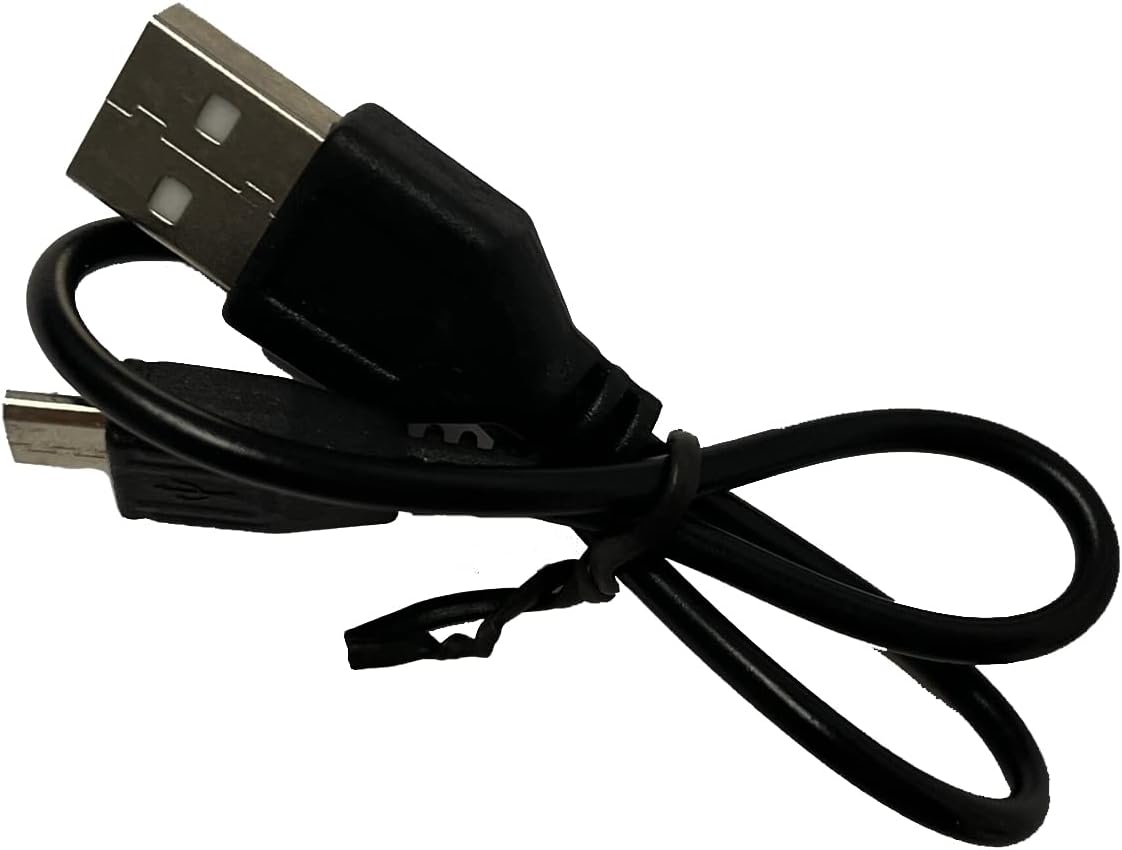
Image: Included USB Charging Cable. This cable is used to recharge the speaker's internal battery.
Produk Leuwihview
Familiarize yourself with the various parts and controls of your PROSCAN PSP1678 speaker.

Gambar: Hareupeun view of the PROSCAN PSP1678 speaker, showcasing the dual 4-inch speakers with active LED lighting. The PROSCAN logo is visible between the speakers.

Image: Top panel of the PROSCAN PSP1678 speaker, showing the control buttons, USB port, TF card slot, AUX input, microphone input, and the main volume/mode knob.
Fungsi Panel Kontrol:
- Tombol Daya: Pencét jeung tahan pikeun ngahurungkeun spéker Hurung/Pareuman.
- Tombol Mode: Short press to switch between Bluetooth, FM Radio, USB/TF, and AUX modes.
- Tombol Puter/Reureuh: In Bluetooth/USB/TF mode, press to play or pause. In FM mode, press to auto-scan and save stations.
- Tombol Saméméhna/Tombol Volume Turun: Pencét pondok pikeun lagu / stasiun saméméhna. Pencét panjang pikeun ngirangan volume.
- Tombol Salajengna/Naékkeun Volume: Pencét pondok pikeun lagu salajengna / stasiun. Pencét lila pikeun ningkatkeun volume.
- Port USB: Pikeun playback USB flash drive.
- Slot Kartu TF: Pikeun playback kartu TF (MicroSD).
- Input AUX: Jack 3.5mm pikeun nyambungkeun alat audio éksternal.
- Input mikropon: Jack 6.35mm pikeun nyambungkeun mikropon.
- Port ngecas DC 5V: Pikeun nyambungkeun kabel ngecas USB.
- Jilid Kenop: Rotates to adjust the master volume.
Disetél
1. Ngecas Speaker
Before first use, fully charge the speaker. Connect the small end of the included USB charging cable to the DC 5V charging port on the speaker and the other end to a USB power adapter (not included) or a computer USB port. The charging indicator light will illuminate during charging and turn off when fully charged.
Waktos ngecas: Kira-kira 3-4 jam.
2. Powering on / Pareum
Pencét jeung tahan tombol Tombol Daya on the control panel for approximately 3 seconds to turn the speaker On or Off.
Parentah Operasi
1. Mode Bluetooth
- Hurungkeun speaker. Spiker bakal otomatis asup kana modeu pasangan Bluetooth, dituduhkeun ku lampu LED anu kedip-kedip sareng aya bewara anu tiasa disada.
- Aktipkeun Bluetooth dina alat sélulér Anjeun (smartphone, tablet, jsb).
- Milarian pikeun "PSP1678" in the list of available Bluetooth devices.
- Select "PSP1678" to connect. Once successfully paired, you will hear a confirmation sound, and the LED light will stop flashing.
- Anjeun ayeuna bisa muterkeun audio tina alat Anjeun ngaliwatan speaker.
Catetan: Spéker bakal otomatis nyobian nyambung deui ka alat anu dipasangkeun terakhir nalika diaktipkeun.
2. Modeu Radio FM
- Hurungkeun speaker. Pencét Tombol Mode sababaraha kali nepi ka anjeun ngadangu paréntah radio FM.
- Pikeun nyeken otomatis sareng nyimpen stasiun FM anu sayogi, pencét sakedap tombol Puter / Tombol ReureuhSpiker bakal nyeken sareng nyimpen stasiun sacara otomatis.
- Ngagunakeun éta saméméhna jeung Next Buttons pikeun nganapigasi antara stasiun nu disimpen.
3. Putereun Kartu USB/TF
- Insert a USB flash drive or TF (MicroSD) card into the respective port.
- The speaker will automatically switch to USB or TF mode and begin playing audio files (MP3 format recommended). If it doesn't, press the Tombol Mode pikeun milih modeu anu leres.
- Ngagunakeun éta Play / Reureuh, saméméhna, jeung Next Buttons pikeun ngadalikeun playback.
4. Modeu Input AUX
- Sambungkeun hiji tungtung kabel audio 3.5mm (teu kaasup) kana port input AUX dina spiker.
- Sambungkeun tungtung kabel anu sanésna kana colokan kaluaran audio alat éksternal anjeun (contona, pamuter MP3, komputer).
- Pencét éta Tombol Mode pikeun pindah ka modeu AUX.
- Kontrol pamuteran audio tina alat éksternal anjeun anu nyambung.
5. Input mikropon
Connect a wired microphone (not included) to the Microphone Input jack. The microphone audio will be mixed with the current audio playback. Adjust the main volume knob to control the overall sound level.
6. Lampu LED Control
The LED lights on the speaker automatically activate when the speaker is powered on. There is no dedicated button to turn the lights off or change patterns. They are designed to enhance the audio experience.
Pangropéa
- beberesih: Anggo lawon anu lemes, garing, sareng henteu aya bulu pikeun ngabersihkeun bagian luar speaker. Entong nganggo pembersih cair, aerosol, atanapi pelarut.
- Panyimpenan: Lamun teu dipaké pikeun période nambahan, nyimpen speaker dina tiis, tempat garing, jauh ti sinar panonpoé langsung jeung hawa ekstrim.
- Perawatan batré: Pikeun manjangkeun umur batré, ulah sering ngosongkeun batréna. Cas deui speaker sacara rutin, sanaos teu dianggo, pikeun ngajaga kaséhatan batréna.
Pamérésan masalah
| Masalah | Mungkin Cukang lantaranana | Solusi |
|---|---|---|
| Speaker teu hurung. | Batré lemah atawa béak. | Cas speaker nepi ka pinuh nganggo kabel USB anu disayogikeun. |
| Taya sora. | Volumena leutik teuing. Modeu anu dipilih salah. Alatna teu nyambung kalawan bener. | Increase volume on speaker and connected device. Press Mode button to select correct input. Reconnect Bluetooth/AUX cable. |
| Teu bisa masangkeun via Bluetooth. | Spiker teu aya dina modeu pairing. Alatna jauh teuing. Aya gangguan. | Ensure speaker is in Bluetooth mode (flashing LED). Move device closer to speaker. Turn off other Bluetooth devices. |
| panarimaan radio FM goréng. | Sinyal lemah. | Relocate the speaker to an area with better reception. Perform auto-scan again. |
| USB / kartu TF teu maén. | Lepat file format. Kartu/drive teu dipasang kalawan bener. | Mastikeun files are in MP3 format. Reinsert the USB drive/TF card firmly. Press Mode button to select correct input. |
spésifikasi
| Fitur | Rincian |
|---|---|
| Nomer modél | PSP1678 |
| Kakuatan Speaker | 5W x 2 |
| Ukuran Speaker | 4 inci x 2 |
| Konektipitas | Bluetooth, USB, TF Card, AUX, FM Radio |
| Input mikropon | Sumuhun |
| Sumber Daya | Built-in Rechargeable Battery, Corded Electric (via USB) |
| Ukuran produk (D x W x H) | 6.25" x 16.25" x 7.75" |
| Item Beurat | 4 pon |
| UPC | 058465824457 |

Image: PROSCAN PSP1678 speaker with approximate dimensions indicated: 15.47 inches height, 7.28 inches width, and 5.9 inches depth.
Garansi sareng Rojongan
PROSCAN products are designed and manufactured to the highest quality standards. For warranty information or technical support, please refer to the warranty card included with your purchase or visit the official PROSCAN websitus. Simpen bukti pameseran anjeun pikeun klaim garansi.
For further assistance, you may contact PROSCAN customer service through their official channels. Please have your model number (PSP1678) and purchase details ready.
Catetan: Sarat jeung kaayaan jaminan bisa rupa-rupa dumasar wewengkon.


