1. Bubuka
Thank you for choosing the RORRY D2 Portable Charger. This compact and versatile power bank is designed to keep your devices charged on the go. It features a 5000mAh battery, built-in Lightning and Type-C cables, and a dedicated wireless charging pad for Apple Watch. This manual provides essential information for safe and efficient use of your device.

Image 1.1: RORRY D2 Portable Charger with Apple Watch charging.
2. Produk Langkungview
The RORRY D2 portable charger integrates multiple charging solutions into a single, compact unit.
komponén:
- Apple Watch Wireless Charging Pad: For convenient wireless charging of your Apple Watch.
- Diwangun-di kabel kilat: For Apple iPhone, iPad, and AirPods.
- Kabel Tipe-C Terintegrasi: For Android devices, Nintendo Switch, and other Type-C compatible devices.
- Port Input/Kaluaran USB-C: Used for recharging the power bank and can also serve as an additional output for charging other devices.
- Lampu Indikator LED: Four lights indicate the remaining battery capacity.
- Tombol Daya: Ngaktipkeun power bank sareng mariksa status batré.
- Carabiner: For easy attachment to bags or keys, enhancing portability.

Image 2.1: Internal components and features of the RORRY D2.

Gambar 2.2: Detil view of the built-in cables and ports.
3. Ngeusi Daya Bank
To ensure your RORRY D2 is ready for use, recharge it via the USB-C input port.
- Connect a compatible USB-C charging cable (not included) to the USB-C input/output port on the side of the power bank.
- Sambungkeun tungtung kabel anu sanésna kana adaptor daya USB (contona, carjer témbok, port USB komputer).
- Lampu indikator LED bakal hurung pikeun nunjukkeun kamajuan ngecas. Sadaya opat lampu bakal hurung nalika dicas pinuh.
Ngeusi batre:
The RORRY D2 supports pass-through charging, allowing you to charge the power bank itself while simultaneously charging your devices. Simply connect the power bank to a power source and then connect your devices to the power bank.

Gambar 3.1: Ngecas pass-through dina aksi.
4. Ngecas Alat Anjeun
The RORRY D2 offers multiple ways to charge your electronic devices.
4.1. Apple Watch Wireless Charging
- Press the power button on the RORRY D2 to activate it.
- Place your Apple Watch directly onto the wireless charging pad on the top surface of the power bank.
- Ensure the Apple Watch is centered on the pad for optimal charging. The watch display will indicate charging status.

Image 4.1: Apple Watch charging wirelessly.
4.2. Using Built-in Cables
- Gently pull out the desired built-in cable (Lightning or Type-C) from its storage slot.
- Connect the cable to your compatible device.
- The power bank will automatically begin charging your device. If not, press the power button.
4.3. Ngecas Bareng
The RORRY D2 can charge up to four devices simultaneously:
- One Apple Watch via the wireless charging pad.
- One device via the built-in Lightning cable.
- One device via the built-in Type-C cable.
- One additional device via the USB-C input/output port (used as an output).

Gambar 4.2: Ngecas sababaraha alat sakaligus.
5. Lampu Indikator LED
The RORRY D2 features four LED lights that indicate the remaining battery capacity:
- 4 Lampu: 75% - 100% capacity
- 3 Lampu: 50% - 75% capacity
- 2 Lampu: 25% - 50% capacity
- 1 Cahaya: 0% - 25% capacity
When charging the power bank, the lights will blink to indicate charging status and become solid when fully charged.
6. Fitur Kasalametan
The RORRY D2 is equipped with multiple safety protections to ensure safe charging for both the power bank and your devices. It is PSE certified, meeting Japanese domestic safety standards.
- Perlindungan panyebaran: Prevents the battery from being overcharged.
- Perlindungan over-discharge: Protects the battery from being fully depleted.
- Perlindungan Suhu Tinggi: Monitors and regulates the device's temperature during operation.
- Leuwih-voltage panyalindungan: Safeguards ngalawan kaleuleuwihan voltage asupan.
- Perlindungan sirkuit pondok: Automatically shuts off power in case of a short circuit.

Image 6.1: Safety protection icons.
7. Portability and Design
Designed for convenience, the RORRY D2 is lightweight and compact, making it an ideal travel companion.
- Ukuran kompak: Measuring approximately 9.8 x 7.2 x 1.7 cm, it fits easily in a pouch or pocket.
- ringan: Weighing approximately 126g, it is lighter than many smartphones.
- Carabiner terpadu: Allows you to attach the power bank to your bag, backpack, or keys for easy access and to prevent loss.

Image 7.1: RORRY D2 attached to a bag.
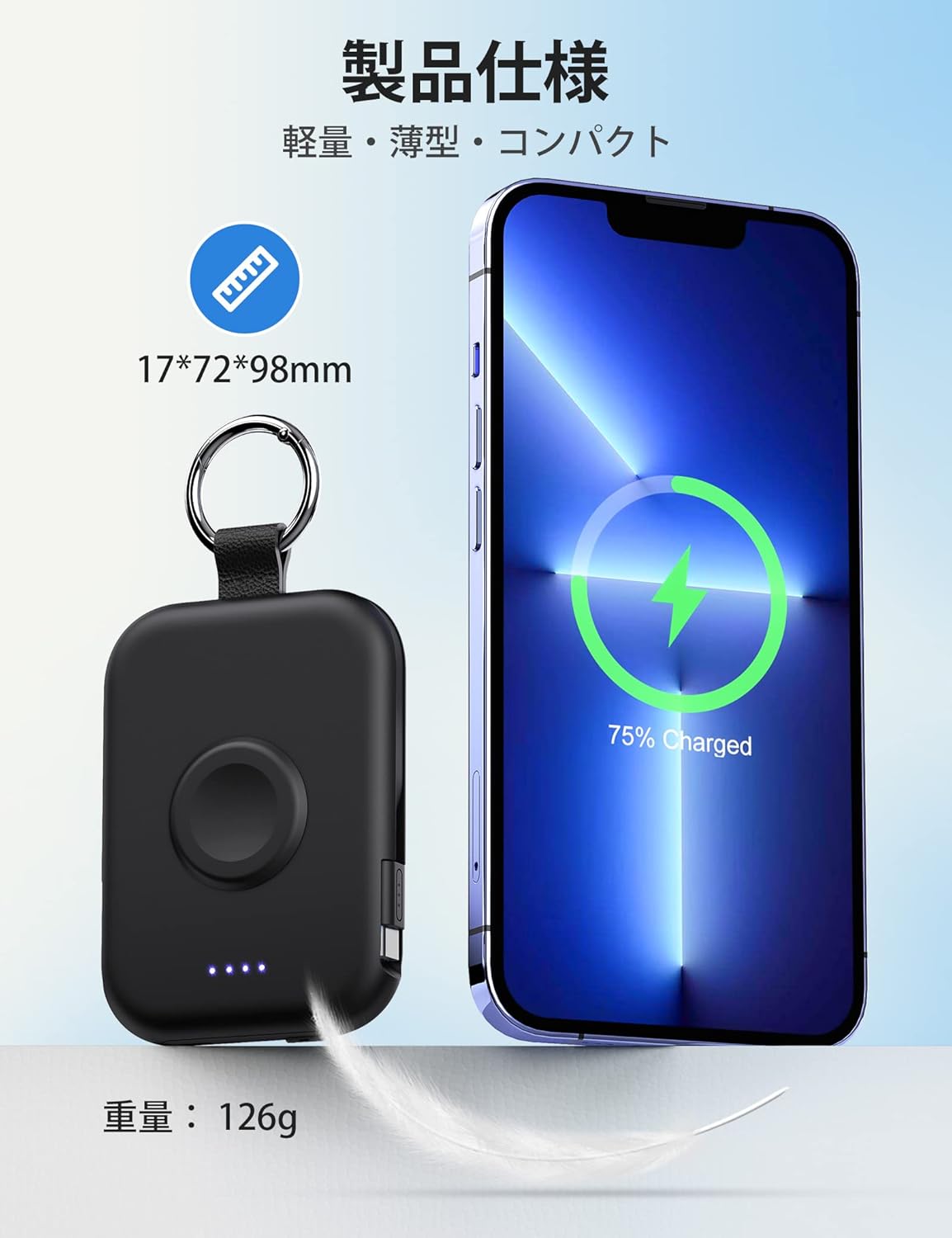
Image 7.2: Size and weight comparison.
8. Spésifikasi
| Fitur | Katerangan |
|---|---|
| Nomer modél | D2 |
| Kapasitas batré | 5000 mah |
| Diménsi | 9.8 x 7.2 x 1.7 cm |
| Beurat | Kira-kira 126g |
| Diwangun-di Kabel | Kilat, Tipe-C |
| Ngecas nirkabel | For Apple Watch (up to 3.5W Max) |
| Input / Kaluaran Port | USB-C |
| Kasaluyuan | Apple Watch Ultra3/2/Ultra/11/10/9/8/7/6/SE/5/4/3 (all series), iPhone/iPad/AirPods (all series), Android, Nintendo Switch |
| Sertifikasi Kasalametan | PSE Certified |
| Fitur | Charging indicator lights, Carabiner, Pass-through charging |
9. Pangropéa
- Tetep bank kakuatan garing sarta jauh tina Uap.
- Hindarkeun suhu anu ekstrim.
- Ulah ngaleupaskeun, nusuk, atawa ngabongkar alatna.
- Clean the surface with a soft, dry cloth. Do not use harsh chemicals.
- Nyimpen dina tiis, tempat garing lamun teu dipaké pikeun période nambahan.
10. Cara ngungkulan
10.1. Device Not Charging
- Pastikeun bank kakuatan dieusi cekap (parios indikator LED).
- Pencét tombol daya pikeun ngaktipkeun bank daya.
- Check that cables are securely connected to both the power bank and your device.
- For wireless charging, ensure your Apple Watch is correctly positioned on the charging pad.
- Try using a different cable or port if available.
10.2. Power Bank Not Recharging
- Ensure the USB-C charging cable is properly connected to the power bank's input port and the power adapter.
- Pariksa yén adaptor daya jalan kalawan bener sareng dicolokkeun kana stop kontak.
- Coba kabel USB-C atanapi adaptor kakuatan anu sanés.
11. Garansi jeung Rojongan
The RORRY D2 Portable Charger comes with a one-year warranty from the date of purchase. If you have any questions, concerns, or require assistance, please contact our customer support team. We prioritize your safety and satisfaction.
Inpormasi kontak: Please refer to the contact details provided with your product packaging or visit the official RORRY websitus pikeun rojongan.