Bubuka
Thank you for choosing the Varmilo Minilo VXB67 65% Bluetooth Mechanical Keyboard. This manual provides detailed instructions for setting up, operating, and maintaining your new keyboard. The VXB67 offers a compact 65% layout, dual-mode connectivity (wired USB-C and Bluetooth), and a comfortable typing experience with Varmilo EC Daisy V2 switches and durable ABS double-shot keycaps. It also features a Type-Cool sound dampening structure for a clear typing sound.

Image: The Varmilo Minilo VXB67 keyboard, showcasing its compact design and color scheme.
Eusi pakét
Mangga parios eusi pakét pikeun mastikeun yén sadaya barang aya:
- Varmilo Minilo VXB67 Mechanical Keyboard
- Kabel USB-C
- Keycap Puller
- Pindah Puller
- Panutup lebu
- Manual pangguna (dokumén ieu)

Image: The Varmilo Minilo VXB67 keyboard alongside its USB-C cable, keycap puller, switch puller, and a clear dust cover.
Disetél
1. Sambungan kabel
- Panggihan port USB-C dina kibor.
- Sambungkeun hiji tungtung kabel USB-C anu disayogikeun kana kibor.
- Sambungkeun ujung kabel USB-C nu sejen ka port USB nu sadia dina komputer Anjeun.
- Kibor bakal otomatis dikenal ku sistem operasi anjeun.
2. Sambungan Bluetooth
The VXB67 keyboard can connect to up to 3 devices via Bluetooth.
- Pastikeun kibor parantos dicas atanapi disambungkeun via USB-C.
- Turn on Bluetooth on your device (computer, tablet, or smartphone).
- Dina kibor, pencét terus tahan tombol Fn konci sareng salah sahiji konci Bluetooth (Q, W, atawa E) for 3-5 seconds to enter pairing mode. The indicator light will flash.
- On your device, search for Bluetooth devices and select "Varmilo VXB67" (or similar) from the list.
- Sakali dipasangkeun, lampu indikator dina kibor bakal eureun kedip-kedip sareng tetep hurung.
- Repeat for up to two additional devices using the other Bluetooth keys.
3. Nyaluyukeun Sudut Kibor
The keyboard features 3-level adjustable kickstands on the bottom to customize your typing angle for comfort.

Image: The underside of the keyboard, highlighting the foldable kickstands for ergonomic adjustment.
Video: Demonstrates the features of the Varmilo Minilo Eucalyptus keyboard, including the adjustable kickstands and multi-device connectivity.
Parentah Operasi
1. Ngaganti Keycap sareng Switch
The VXB67 features hot-swappable switches, allowing you to change switches without soldering. Use the provided keycap and switch pullers for this process.
- Ngahapus Keycaps: Use the keycap puller to gently grip the keycap and pull upwards.
- Ngahapus switch: Use the switch puller to carefully grip the top and bottom clips of the switch and pull upwards.
- Masang Saklar: Align pin tina switch anyar jeung liang on PCB nu. Pencét pageuh dugi saklar ngaklik kana tempatna. Pastikeun pin teu ngagulung.
- Pamasangan Keycaps: Teundeun keycap dina batang switch terus pencét handap gently nepika aman.
Video: Demonstrates the process of changing switches and keycaps on the Varmilo Minilo 67 keyboard.
2. Kontrol Lampu Latar
The keyboard features white LED backlighting. Use the following key combinations to control the backlight:
- Fn + \ |: Pindai-pindai épék lampu latar.
- Fn + ↑: Ningkatkeun kacaangan lampu tukang.
- Fn + ↓: Turunkeun kacaangan lampu tukang.
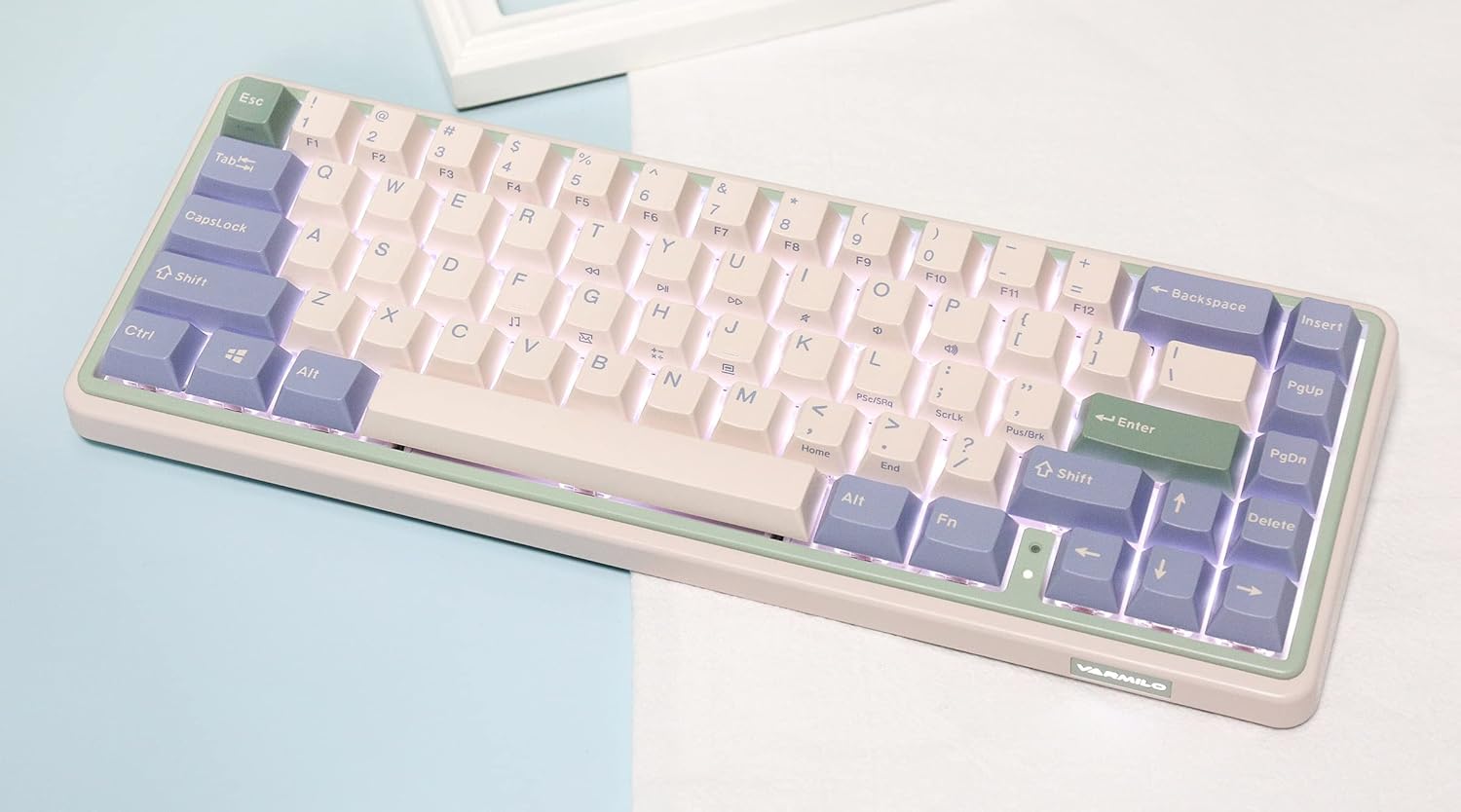
Image: The Varmilo Minilo VXB67 keyboard illuminated by its white LED backlighting.
3. Ngaganti Multi-Alat
To switch between paired Bluetooth devices:
- Pencét Fn + Q pikeun pindah ka Alat Bluetooth 1.
- Pencét Fn + W pikeun pindah ka Alat Bluetooth 2.
- Pencét Fn + E pikeun pindah ka Alat Bluetooth 3.
The keyboard will quickly connect to the selected device.
Pangropéa
- beberesih: Anggo lawon anu lemes sareng garing pikeun ngusap permukaan kibor. Pikeun beberesih anu langkung jero, cabut tutup konci nganggo penarik tutup konci anu disayogikeun sareng anggo hawa anu dikomprés pikeun ngabersihan kokotor.
- Ngeusi batre: Connect the keyboard via the USB-C cable to a power source (computer USB port or USB wall adapter). The Escape key will light up while charging and flash when the battery is low.
- Panyimpenan: When not in use, store the keyboard in a cool, dry place. Use the provided dust cover to protect it from dust and spills.
Pamérésan masalah
- Kibor teu ngaréspon (Kabel):
- Pastikeun kabel USB-C disambungkeun sacara aman ka kibor sareng komputer.
- Coba port USB anu béda dina komputer anjeun.
- Coba kabel USB-C anu béda.
- Keyboard not responding (Bluetooth):
- Pastikeun Bluetooth diaktipkeun dina alat Anjeun.
- Pastikeun keyboard dieusi.
- Lebet deui kana modeu pasangan (Fn + Q/W/E) and attempt to re-pair with your device.
- Forget the device on your computer/tablet/phone and try pairing again.
- Konci henteu ngadaptar:
- Ensure the keycap and switch are properly seated. Remove and re-install if necessary.
- If using hot-swappable switches, ensure the switch pins are not bent.
- Lampu tukang teu jalan:
- Pariksa setélan kacaangan lampu latar (Fn + ↑/↓).
- Ensure the keyboard is not in a low power state.
spésifikasi
| Modél | VXB67 |
| Tata perenah | 65% (67 konci) |
| Konektipitas | Bluetooth 5.0, Kabel USB-C |
| Saklar | Varmilo EC Daisy V2 (Hot-swappable) |
| Kancing konci | 1.5mm thick ABS Double Shot |
| Lampu tukang | LED bodas |
| Kapasitas batré | 3400 mah |
| Alat nu cocog | PC (and other Bluetooth-enabled devices) |
| Bahan | Acrylonitrile Butadiene Styrene (ABS) |
| Diménsi | Approx. 15 x 7 x 2.5 inches (based on package dimensions) |
| Beurat | 3.21 pon |
Garansi sareng Rojongan
For warranty information and technical support, please refer to the official Varmilo websitus atanapi ngahubungan pangecér Anjeun. Simpen bukti pameseran anjeun pikeun klaim garansi.
Varmilo Resmi Websitus: www.varmilo.com


