1. Bubuka
This manual provides instructions for the PITAKA Apple Watch Ultra 3/2/1 Case. Designed for durability and a minimalist aesthetic, this case offers protection for your Apple Watch Ultra 3, Ultra 2, or Ultra 1 (49mm models).

Image: The PITAKA Apple Watch Ultra Case, black/grey twill, shown installed on an Apple Watch Ultra, highlighting its slim profile and integration with the watch's design.
2. Kasaluyuan
This PITAKA case is specifically designed for the following Apple Watch models:
- Apple Watch Ultra 3 (49mm)
- Apple Watch Ultra 2 (49mm)
- Apple Watch Ultra 1 (49mm)
It is not compatible with other Apple Watch models (e.g., Apple Watch Series 1-9) or sizes.

Image: A visual guide illustrating the compatibility of the case with Apple Watch Ultra models (49mm) and its incompatibility with other Apple Watch series.
3. Fitur konci
- Premium 600D Aramid Fiber: Constructed from aerospace-grade aramid fiber, known for its lightweight, scratch-resistant, and highly durable properties.
- Ultra-thin & Lightweight: With a thickness of only 0.6mm and weighing approximately 1.5g, the case adds minimal bulk to your watch.
- Precision Crafted: Features precise cutouts for buttons, the digital crown, and speakers, ensuring full functionality and easy access.
- Signal & Wireless Charging Friendly: Designed to prevent interference with cellular or GPS signals and supports wireless charging without removal.
- Water-Resistant Function Maintained: The case does not impede the water resistance of your Apple Watch Ultra.
- Desain pelindung: Offers protection against drops and scratches while maintaining a sleek, minimalist appearance.
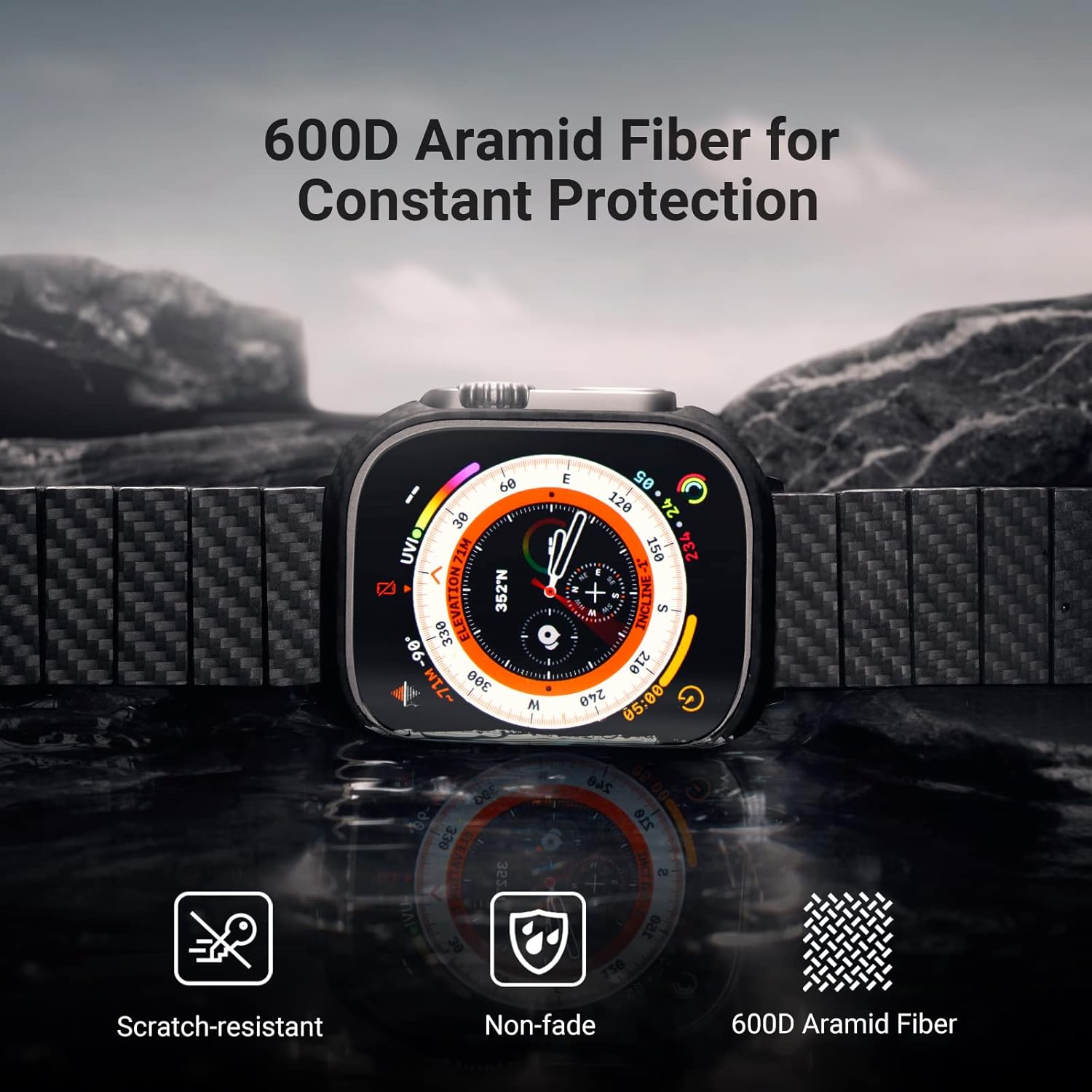
Image: The 600D Aramid Fiber material of the case, emphasizing its protective qualities.

Image: The ultra-thin (0.6mm) and lightweight (1.5g) design of the case.
4. Parentah instalasi
- Nyiapkeun Arloji Anjeun: Ensure your Apple Watch Ultra is clean and free of dust or debris. If using a screen protector, ensure it is less than 0.2mm thick for optimal fit.
- Ngajajarkeun Kasus: Carefully align the PITAKA case with your Apple Watch Ultra, ensuring the cutouts for the digital crown, side button, and speakers match perfectly.
- Pasangkeun: Gently press the case onto your Apple Watch until it securely clips into place. The case is designed for easy installation and removal.
- Pariksa Fit: Check that the case is flush with the watch body and that all buttons and the digital crown are easily accessible and functional.

Gambar: A lengkep view of the case installed, demonstrating the precise cutouts for the watch's controls.
5. Operating Your Watch with the Case
The PITAKA case is designed to integrate seamlessly with your Apple Watch Ultra, allowing full functionality without hindrance.
- Aksés Tombol: All buttons and the digital crown remain fully accessible and responsive.
- Ngecas nirkabel: The case does not interfere with wireless charging. You can charge your Apple Watch Ultra with the case installed.
- Signal Integrity: The aramid fiber material ensures no disruption to cellular, GPS, or Wi-Fi signals.

Image: The Apple Watch Ultra with the PITAKA case being wirelessly charged, demonstrating compatibility.
6. Pangropéa sarta perawatan
To maintain the appearance and integrity of your PITAKA Aramid Fiber case, follow these simple care guidelines:
- beberesih: Wipe the case gently with a soft, damp cloth to remove dust or smudges. Avoid harsh chemicals or abrasive cleaners.
- Hindarkeun Kaayaan Ekstrim: While durable, prolonged exposure to extreme temperatures or direct sunlight may affect the material over time.
- Pamariksaan: Periodically inspect the case for any signs of wear or damage.
7. Cara ngungkulan
- Casingna Henteu Pas:
Ensure your Apple Watch model is an Ultra 3, Ultra 2, or Ultra 1 (49mm). This case is not compatible with other models or sizes. Verify that any screen protector used is ultra-thin (less than 0.2mm).
- Buttons Are Stiff/Inaccessible:
Re-check the case alignment. The precise cutouts should allow full access. Remove and re-install the case, ensuring it snaps on correctly.
- Case Feels Loose:
Ensure the case is fully snapped onto the watch. If the issue persists, contact customer support for assistance.
8. Spésifikasi
| merek | PITAKA |
| Nomer modél | ACAW7-01010300-US |
| Alat nu cocog | Apple Watch Ultra 3/2/1 (49mm) |
| Bahan | 600D Aramid Fiber |
| Warna | Hideung/Abu-abu (Twill) |
| Kandelna | 0.6 mm |
| Item Beurat | 1.5g (0.05 ons) |
| Fitur husus | Aramid Fiber, Minimalist, Protective, Scratch Resistant, Slim Fit |
| Faktor Bentuk | Kasus |
9. Garansi jeung Rojongan
For warranty information or technical support, please visit the official PITAKA website or contact their customer service directly. Details can typically be found on the product packaging or the brand's official online channels.
PITAKA Official Websitus: Visit the PITAKA Store on Amazon


