1. Bubuka
This manual provides essential information for setting up, operating, maintaining, and troubleshooting your HP 17 Laptop, Model 17t. Please read these instructions carefully to ensure proper use and longevity of your device.
2. Naon dina Box
- HP 17 Laptop (Model 17t)
- 45 W adaptor kakuatan AC Smart
- HD built-in Webcam with integrated dual-array digital microphones (integrated into laptop)
3. Produk Langkungview
The HP 17 Laptop features a 17.3-inch HD+ touchscreen display, powered by a 12th Gen Intel Core i7-1255U processor. It includes 64GB DDR4 RAM and a 2TB PCIe NVMe M.2 Solid State Drive for high performance and ample storage. Key features include Wi-Fi 6 connectivity, a backlit keyboard, and a fingerprint reader for enhanced security.
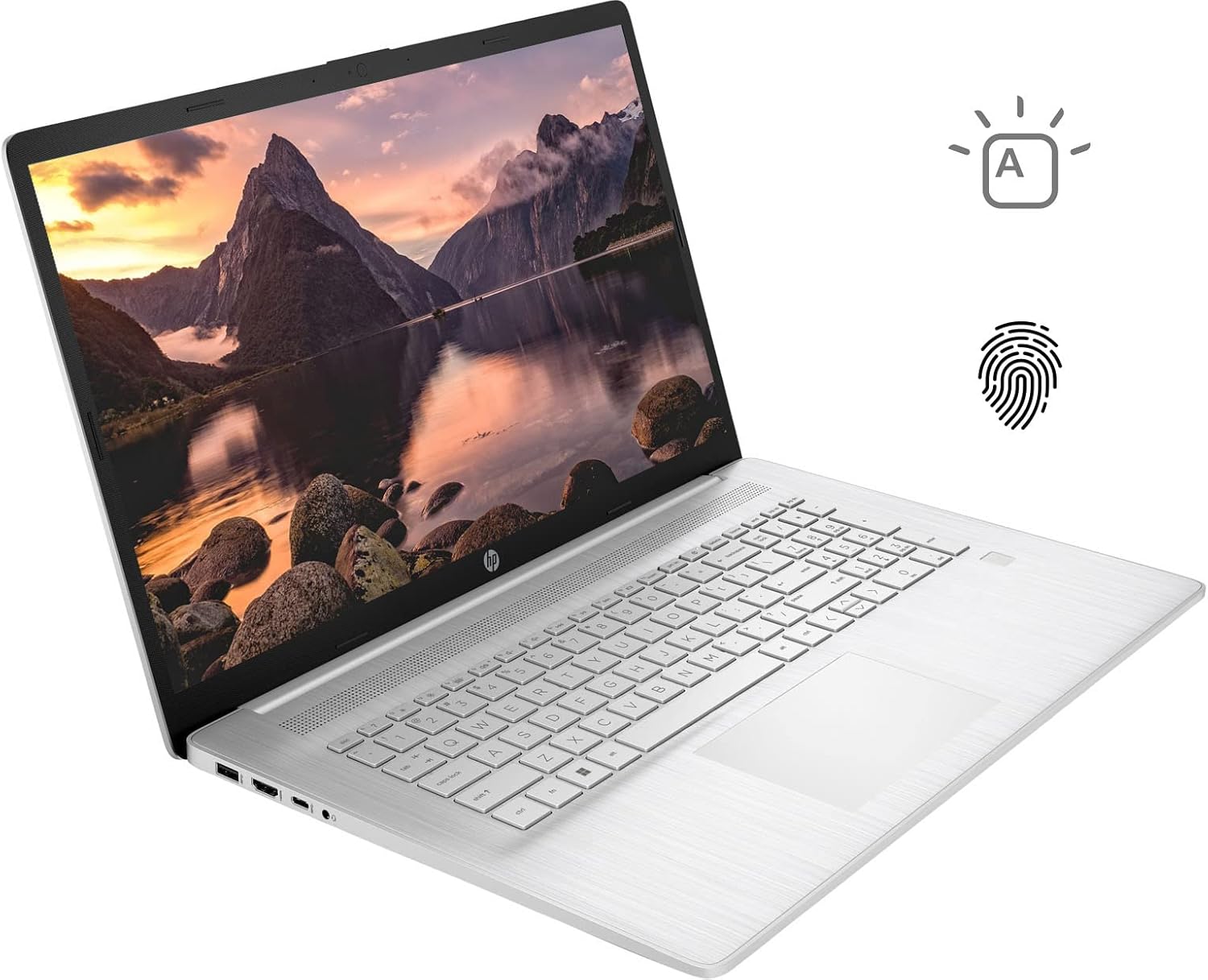
Figure 3.1: HP 17 Laptop with screen displaying a landscape image and keyboard visible.
3.1. Left Side Ports
The left side of the laptop provides essential connectivity options.
- Port USB Tipe-A: Pikeun nyambungkeun alat USB.
- Port HDMI: Pikeun nyambungkeun ka tampilan éksternal.
- Port USB Tipe-C: Pikeun mindahkeun data sareng nyambungkeun alat anu cocog.
- Soket Kombinasi Headphone/Mikropon: Pikeun input audio sareng kaluaran.

Figure 3.2: Left side of the HP 17 Laptop, detailing the USB Type-A, HDMI, USB Type-C, and headphone/microphone combo ports.
3.2. Right Side Ports
The right side of the laptop includes additional ports and indicators.
- Panyambung Daya: Pikeun nyambungkeun adaptor kakuatan AC.
- Lampu Indikator Ngecas: Némbongkeun status ngecas.
- Port USB Tipe-A: Pikeun nyambungkeun alat USB.

Figure 3.3: Right side of the HP 17 Laptop, showing the power connector, charging indicator, and USB Type-A port.
4. Setélan
4.1. Daya Awal Hurung
- Connect the 45 W Smart AC power adapter to the power connector on the right side of the laptop and then to a power outlet.
- Buka tutup léptop.
- Pencét tombol daya, biasana ayana di pojok katuhu luhur dek kibor.
- Turutan parentah dina-layar pikeun ngarengsekeun setelan Imah Windows 11, kaasup basa, wewengkon, sambungan jaringan, jeung nyieun akun pamaké.
4.2. Nyambungkeun périferal
Use the available USB ports (Type-A and Type-C) to connect external devices such as a mouse, external keyboard, or USB storage devices. The HDMI port allows connection to an external monitor or TV.
5. Ngoperasikeun Laptop HP 17 Anjeun
5.1. Fungsi Layar Toél
The 17.3-inch HD+ display supports touch input. You can interact with Windows 11 and applications directly using your fingers for navigation, scrolling, and selection.
5.2. Backlit Keyboard
The keyboard features backlighting for use in low-light conditions. To toggle the backlight, press the F4 key. Repeated presses may cycle through different brightness levels or turn the backlight off.
5.3. Pamaca Sidik Jari
For enhanced security and quick login, configure the integrated fingerprint reader through Windows Hello settings. Access these settings via Setelan > Akun > Pilihan asup.
5.4. Konéktipitas Wireless
The laptop supports Wi-Fi 6 and Bluetooth 5.2. To connect to a Wi-Fi network, click the network icon in the taskbar, select your desired network, and enter the password if required. Bluetooth devices can be paired via Setelan > Bluetooth & alat.
5.5. Webcam and Microphones
HD anu terintegrasi webcam and dual-array digital microphones are suitable for video conferencing and online communication. Ensure privacy settings are configured correctly in Windows to control application access to the camera and microphone.
6. Pangropéa
6.1. beberesih
- layar: Anggo kaén anu lemes sareng teu aya serat anu hampang dampdikumbah ku cai atawa pembersih layar. Hindarkeun bahan kimia anu kasar.
- Keyboard sareng Chassis: Use a soft, dry cloth. A can of compressed air can help remove dust from between keys.
- Pastikeun laptop dipareuman sareng dicabut colokan sateuacan beberesih.
6.2. Kaperawatan batré
- Hindarkeun suhu anu ekstrim.
- For optimal battery life, avoid constantly keeping the laptop at 100% charge or letting it fully discharge frequently.
- Simpen laptop nganggo muatan parsial (sakitar 50%) upami henteu dianggo kanggo waktos anu lami.
6.3. Apdet parangkat lunak
Rutin pariksa sareng pasang apdet Windows via Setélan > Windows Update. Also, ensure HP drivers and firmware are up to date using the HP Support Assistant application or HP's official websitus.
7. Cara ngungkulan
7.1. Laptop Teu Bisa Dihurungkeun
- Pastikeun adaptor AC disambungkeun sacara aman ka laptop sareng stop kontak listrik anu tiasa dianggo.
- Check the charging indicator light on the right side of the laptop. If it's not lit, try a different outlet or adapter if available.
- Perform a hard reset: Disconnect the AC adapter, press and hold the power button for 15 seconds, then reconnect the adapter and try to power on.
7.2. Isu tampilan
- Henteu aya tampilan: If the laptop powers on but the screen remains black, try connecting an external monitor via HDMI to check if the issue is with the laptop's internal display.
- Layar rampa teu ngaréspon: Restart the laptop. If the issue persists, check for updated display drivers or run Windows Troubleshooter for hardware and devices.
7.3. Masalah Konéktivitas Wi-Fi
- Pastikeun Wi-Fi diaktipkeun dina setélan Windows.
- Balikan deui router sareng modem anjeun.
- Jalankeun Windows Network Troubleshooter.
- Apdet supir adaptor nirkabel anjeun.
8. Spésifikasi
| Ngaran modél | HP 17t Notebook |
| tampilan | 17.3" HD+ (1600 x 900) BrightView Layar cabak |
| Prosesor | 12th Gen Intel Core i7-1255U (10 Cores, up to 4.70 GHz) |
| Grafika | Grafik Intel Iris Xe (Terpadu) |
| Ram | 64GB DDR4 |
| Panyimpenan | SSD M.2 PCIe NVMe 2TB |
| Sistem operasi | Windows 11 Imah |
| Konéktipitas Wireless | Wi-Fi 6 (2x2), Bluetooth 5.2 |
| Palabuhan | 1x USB Type-C (5Gbps), 2x USB Type-A (5Gbps), 1x HDMI 1.4b, 1x Headphone/Microphone Combo |
| kibor | Backlit Keyboard, Numeric Keyboard |
| Kaamanan | Pamaca sidik ramo |
| Kaméra | HD built-in Webcam with dual-array digital microphones |
| Batré | 3-cell, 41Wh Lithium-ion prismatic |
| Adaptor kakuatan | 45 W adaptor kakuatan AC Smart |
| Beurat | 5.25 pon (kira-kira 2.38 kg) |
| Ukuran (L x W x H) | 15.78 x 10.15 x 0.78 inci (kira-kira 40.08 x 25.78 x 1.98 cm) |
| Warna | pérak |
9. Garansi jeung Rojongan
Kanggo inpormasi garansi, mangga tingal dokuméntasi anu kalebet dina produk anjeun atanapi kunjungi dukungan resmi HP. website. If you encounter issues not covered in this manual or require further assistance, please contact HP customer support.
You can find support resources, drivers, and contact information on the official HP websitus: www.hp.com/support