1. Bubuka
The Beurer LR 401 Air Purifier is designed to provide clean and healthy indoor air by effectively filtering various airborne particles. This device offers convenient monitoring and control of ambient air quality through a dedicated smartphone application, whether you are at home or away. Its modern design ensures it integrates seamlessly into any living space.
fitur konci ngawengku:
- Kontrol Aplikasi: Easily monitor and purify ambient air using the 'beurerFreshHome' application.
- Sistim filtrasi efisien: A three-layer system comprising a pre-filter, HEPA H13 filter, and activated carbon filter removes up to 99.95% of particles such as bacteria, viruses, fine dust, and pollen.
- Laju kipas anu tiasa disaluyukeun: Four fan speed levels and an additional turbo mode for effective air purification in rooms up to 69 m².
- Modeu wengi: Operates ultra-quietly with an unlit control panel for undisturbed sleep, including a programmable timer function.
- Indikator Kualitas Udara: A color-coded display provides real-time information on ambient air quality, alongside a filter change indicator.
2. Parentah Kasalametan
Please read these safety instructions carefully before using the Beurer LR 401 Air Purifier to ensure safe operation and prevent damage.
- Always connect the device to a power outlet with the correct voltage sakumaha dituduhkeun dina labél rating.
- Do not operate the device with a damaged power cord or plug. Contact customer service for repairs.
- Keep the air purifier away from water, moisture, and direct sunlight. Do not use it in bathrooms or other humid environments.
- Ensure proper ventilation around the device. Do not block air inlets or outlets.
- Alat ieu tiasa dianggo ku murangkalih umur 8 taun ka luhur sareng jalma anu kakurangan kamampuan fisik, indrawi atanapi mental atanapi kurang pangalaman sareng pangaweruh upami aranjeunna dipasihan pangawasan atanapi petunjuk ngeunaan panggunaan alat dina cara anu aman sareng ngartos bahaya anu aya. .
- Barudak kedah diawaskeun pikeun mastikeun yén aranjeunna henteu maén sareng alatna.
- Cabut colokan alat sateuacan ngabersihkeun atanapi ngalakukeun perawatan naon waé.
- Only use original Beurer replacement filters.
- Entong ngalebetkeun objék kana bukaan alat.
3. Komponén produk
The Beurer LR 401 Air Purifier consists of the main unit, a control panel, and a multi-layer filter system.

The Beurer LR 401 Air Purifier positioned in a modern living room environment.

Pahareup-hareup view of the Beurer LR 401 Air Purifier's top control panel, showing touch buttons for power, fan speed, UV-C light, timer settings, and filter reset.
3.1 Sistem Filtrasi
The LR 401 utilizes a comprehensive three-layer filter system to ensure optimal air purification:
- Pra-filter: Captures larger particles such as dust, pet hair, and small insects.
- Saringan HEPA H13: Filters out up to 99.95% of smaller particles, including bacteria, viruses, fine dust, and pollen.
- Filter Karbon Diaktipkeun: Absorbs harmful gases, volatile organic compounds (VOCs), and unpleasant odors.

Diagram illustrating the three-layer filtration system of the Beurer LR 401, including the pre-filter, HEPA H13 filter, and activated carbon filter.
4. Setélan
Follow these steps to set up your Beurer LR 401 Air Purifier:
- Buka bungkus Alat: Sacara saksama cabut panyaring hawa sareng sadaya bahan bungkusan tina kotak.
- Pasang saringan: Open the filter compartment (usually at the bottom or back of the unit). Remove the plastic packaging from all filters (pre-filter, HEPA H13, activated carbon) and insert them into the device in the correct order. Close the filter compartment securely.
- panempatan: Place the air purifier on a flat, stable surface, ensuring there is adequate space (at least 20 cm) around all sides for optimal airflow. Avoid placing it near heat sources or in direct sunlight.
- Sambungan Daya: Colokkeun kabel listrik kana stop kontak listrik anu cocog.
- Daya mimiti Hurung: Pencét tombol daya dina panel kontrol pikeun ngaktipkeun alat.
- Unduh sareng Masangkeun Aplikasi:
- Download the 'beurerFreshHome' app from your smartphone's app store (iOS or Android).
- Follow the in-app instructions to create an account and pair your LR 401 Air Purifier with your smartphone via Wi-Fi.

Beurer LR 401 Air Purifier being controlled by a user via the 'beurerFreshHome' smartphone application.
5. Parentah Operasi
The Beurer LR 401 can be operated via its touch control panel or the 'beurerFreshHome' smartphone application.
5.1 Fungsi Panel Control
- Hurungkeun/Pareuman: Pencét tombol daya pikeun ngaktipkeun atanapi mareuman alat.
- Penyesuaian Laju Kipas: Cycle through four fan speeds (1, 2, 3, 4) and a turbo mode by pressing the fan speed button.
- Modeu wengi: Activate night mode for quiet operation and dimmed display.
- Fungsi Timer: Set the operating time (e.g., 2h, 4h, 8h) after which the device will automatically turn off.
- Lampu UV-C: Activate or deactivate the integrated UV-C light for enhanced sterilization.
- Saring Reset: After replacing the filter, press and hold the filter button to reset the filter life indicator.
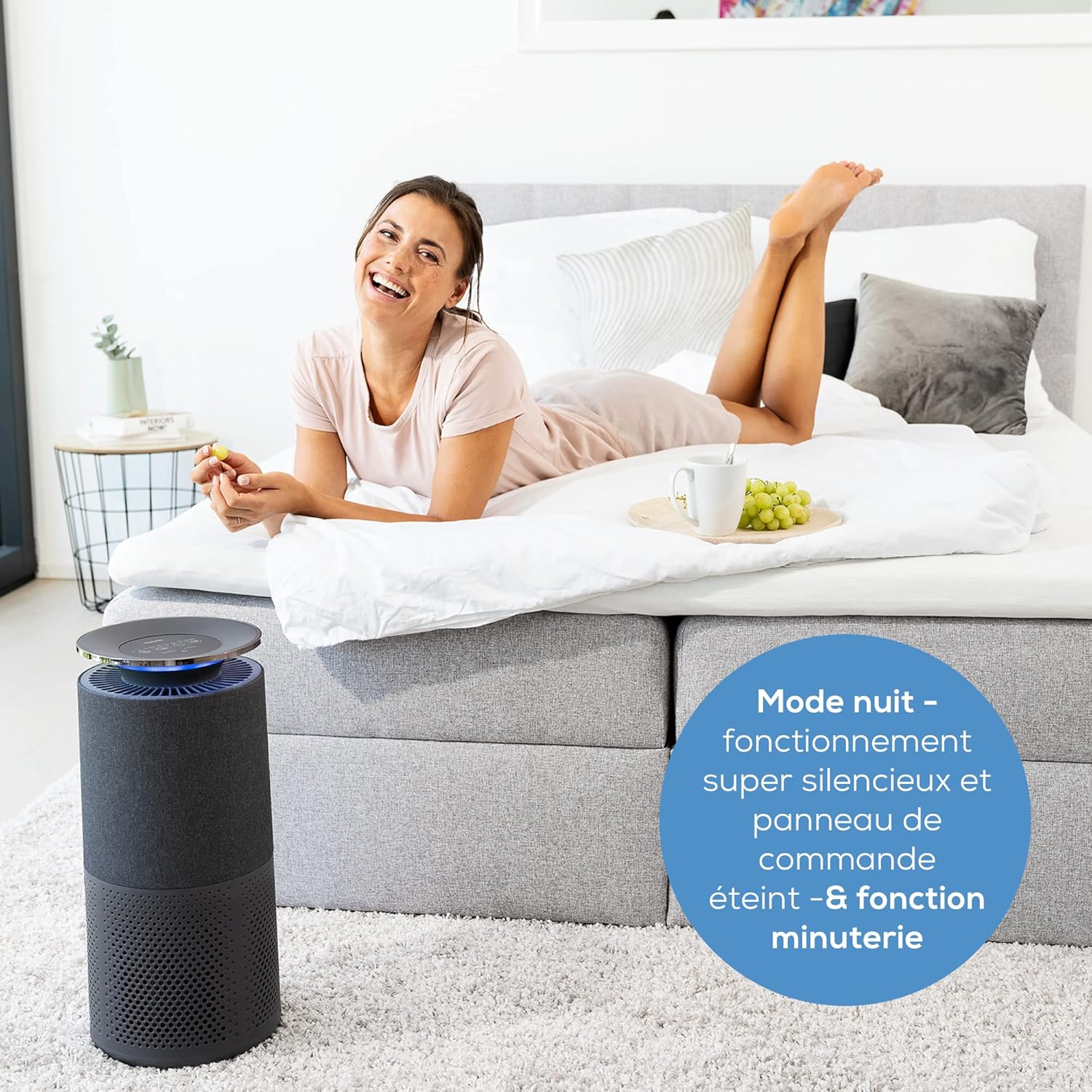
Beurer LR 401 Air Purifier operating in a bedroom during night mode, with a user relaxing nearby, emphasizing its quiet operation.
5.2 Indikator Kualitas Udara
The device features a color-coded light ring that indicates the current air quality:
- Biru: Kualitas hawa alus teuing
- héjo: Kualitas hawa alus
- Koneng: Kualitas hawa sedeng
- Beureum: Kualitas hawa goréng

Beurer LR 401 Air Purifier in a living room, demonstrating its intelligent sensor detecting fine dust particles up to 2.5 µm.
5.3 App Control ('beurerFreshHome')
Once paired, the 'beurerFreshHome' app allows you to:
- Remotely turn the device on/off.
- Adjust fan speed and activate turbo mode.
- Set and manage the timer.
- Activate/deactivate UV-C light.
- Monitor real-time air quality data.
- Receive notifications for filter changes.
6. Pangropéa
Regular maintenance ensures the optimal performance and longevity of your air purifier.
6.1 Ngabersihan Unit
- Sok cabut colokan alat sateuacan beberesih.
- Ngusap bagian luar unit kalayan lemes, damp lawon. Ulah make cleaners abrasive atawa pangleyur.
- Periodically vacuum the pre-filter to remove accumulated dust and debris.
6.2 Filter ngagantian
The filter system has an approximate lifespan of 4300 operating hours. The filter change indicator on the control panel and in the app will notify you when replacement is needed.
- Cabut panyaring hawa tina stop kontak listrik.
- Buka kompartemen saringan.
- Remove the old filter unit and dispose of it properly.
- Insert a new, original Beurer replacement filter unit, ensuring it is correctly seated.
- Tutup kompartemen saringan kalayan aman.
- Plug the device back in and press and hold the filter reset button on the control panel until the indicator light turns off or resets.
7. Cara ngungkulan
If you encounter issues with your Beurer LR 401, refer to the following common problems and solutions:
| Masalah | Mungkin Cukang lantaranana | Solusi |
|---|---|---|
| Alat teu hurung | Teu aya catu daya; Kabel listrik teu nyambung kalawan bener | Pariksa naha kabel listrik parantos dipasang pageuh kana stop kontak sareng alatna. Cobi stop kontak anu sanés. |
| Kinerja purifikasi hawa anu goréng | Filters are dirty or expired; Air inlets/outlets blocked | Check and replace filters if necessary. Ensure no obstructions around the device. |
| Noise mahiwal salila operasi | Foreign object inside; Filter not installed correctly | Unplug and check for any foreign objects. Reinstall filters to ensure they are seated properly. |
| Aplikasi henteu tiasa nyambung kana alat | Wi-Fi issues; Incorrect pairing process | Ensure your Wi-Fi network is stable. Restart the air purifier and your smartphone. Repeat the pairing process in the 'beurerFreshHome' app. |
If the problem persists after trying these solutions, please contact Beurer customer support.
8. Spésifikasi Téknis
| Nomer modél | 68013 |
| Ukuran produk (L x W x H) | 55.7 x 29.2 x 29 cm (21.5P x 21.5l x 50.5H centimeters) |
| Item Beurat | 5.03 kg |
| Sumber Daya | Kabel Listrik |
| Métode kontrol | Application, Touch Panel |
| Jenis Filter | Pre-filter, HEPA H13, Activated Carbon |
| Panutup Wewengkon Lantai | Nepi ka 69 méter pasagi |
| Tingkat Noise | 45 desibel |
| Sertifikasi | Disertifikasi HEPA |
| Warna | Hideung |
| Negara asal | Cina |
9. Garansi jeung Rojongan
For warranty information, please refer to the warranty card included with your Beurer LR 401 Air Purifier. This document outlines the terms and conditions of your product's warranty.
If you require technical assistance, have questions about your product, or need to purchase replacement parts (such as filters), please contact Beurer customer support. You can typically find contact information on the Beurer official websitus atanapi dina bungkusan produk.
Resmi Beurer Websitus: www.beurer.com


