Produk Leuwihview
The iGear Duo Charging Cable is a versatile 2-in-1 solution designed for efficient charging and data synchronization across a wide range of devices. It features both a Type-C to Type-C connection and a Type-C to iPhone-pin connection, making it compatible with various smartphones, laptops, power banks, and other USB-C and Lightning-enabled devices.
fitur konci ngawengku:
- Konektipitas Ganda: Offers both Type-C to Type-C and Type-C to iPhone-pin connections in a single cable.
- Ngecas gancang: Supports 65W Power Delivery (PD) for Type-C to Type-C connections and 20W fast charging for Type-C to iPhone-pin connections.
- Daya tahan tinggi: Constructed with a durable nylon braided exterior designed to resist breakage and withstand over 50,000 bends.
- Kasaluyuan lega: Compatible with a broad range of devices including Android phones, iPhones, laptops, power banks, and speakers.
- Data Sync Capability: Enables high-speed data transfer up to 480Mbps.

Image: The iGear Duo Charging Cable showcasing its Type-C and detachable Lightning connectors, highlighting its dual functionality.
Guide Setup
The iGear Duo Charging Cable is designed for plug-and-play simplicity. No complex setup or software installation is required.
- Identify Device Port: Determine whether your device requires a Type-C connection or an iPhone-pin (Lightning) connection.
- Pilih Konektor:
- For Type-C devices: Use the integrated Type-C connector.
- For iPhone-pin (Lightning) devices: Attach the Lightning adapter to the Type-C connector. The Lightning adapter is designed to securely fit onto the Type-C end of the cable.
- Connect to Power Source/Device: Plug the appropriate connector into your device (phone, laptop, etc.) and the other Type-C end into a compatible power adapter (wall charger, power bank) or another device for data transfer.
Parentah Operasi
Alat ngecas
The iGear Duo Charging Cable supports fast charging for both Type-C and iPhone-pin devices. Ensure your power adapter supports Power Delivery (PD) for optimal charging speeds.
- For Type-C Devices: Connect the Type-C end of the cable to your device and the other Type-C end to a 65W PD compatible power adapter.
- For iPhone-pin Devices: Attach the Lightning adapter to the cable's Type-C end, then connect it to your iPhone-pin device. Plug the other Type-C end into a 20W PD compatible power adapter.
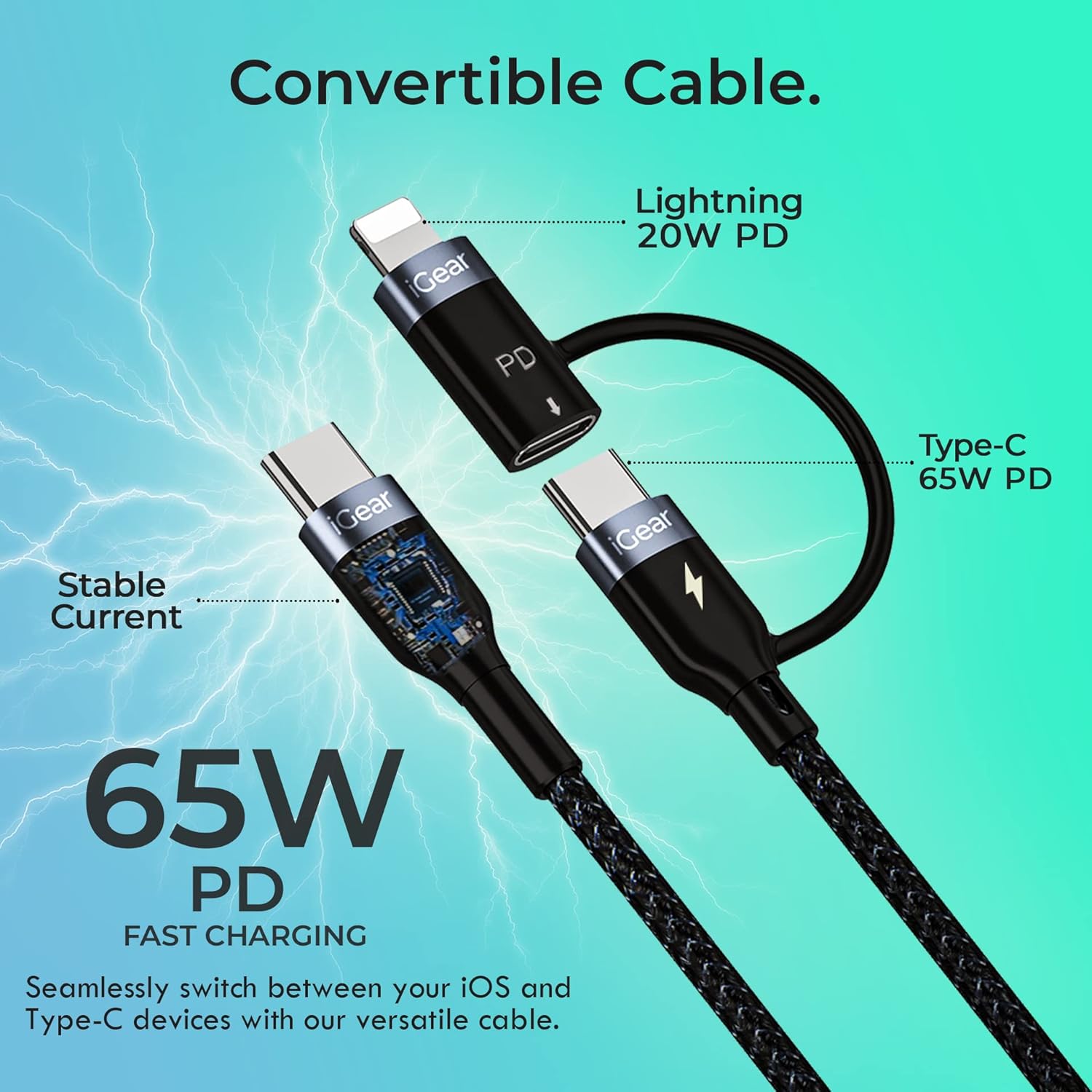
Image: A visual representation of the cable's convertible design, illustrating how the Lightning adapter connects to the Type-C end, and specifying 20W PD for Lightning and 65W PD for Type-C.
Mindahkeun Data
The cable facilitates high-speed data transfer between compatible devices, such as a smartphone and a laptop.
- Sambungkeun Alat: Plug one end of the cable into your device (e.g., smartphone) and the other end into the data port of another device (e.g., laptop).
- Mimitian Transfer: Follow the prompts on your devices to allow data access and begin transferring files. The cable supports data transfer speeds of up to 480Mbps.

Image: A hand holding a smartphone connected via the iGear Duo Cable, with text overlays indicating "65W Fast Charging" and "Upto 480Mbps Data Transfer," demonstrating its dual capabilities.
Perawatan sareng Pangropéa
Proper care will extend the life of your iGear Duo Charging Cable and ensure optimal performance.
- Hindarkeun Bending Ekstrim: While the cable is designed to be durable and withstand many bends, avoid sharp or excessive bending, especially near the connectors, to prevent internal wire damage.
- Toko anu leres: When not in use, coil the cable loosely. Avoid tightly wrapping or knotting the cable, which can stress the internal wires and outer braiding.
- Tetep Bersih: Use a soft, dry cloth to wipe down the cable and connectors. Avoid using harsh chemicals or abrasive materials.
- Ngajaga tina Unsur: Jauhkeun kabel tina suhu anu ekstrim, sinar panonpoé langsung, sareng kalembaban.
- Nanganan panyambungna taliti: Salawasna cabut tina sirah konektor, sanés kabelna sorangan, nalika nyabut tina alat atanapi sumber daya.

Gambar: Penampang melintang anu lengkep view of the cable's construction, highlighting its protective layers: rubber coating for insulation, copper wire for power, aluminum shield for protection, and a nylon braided jacket for durability.
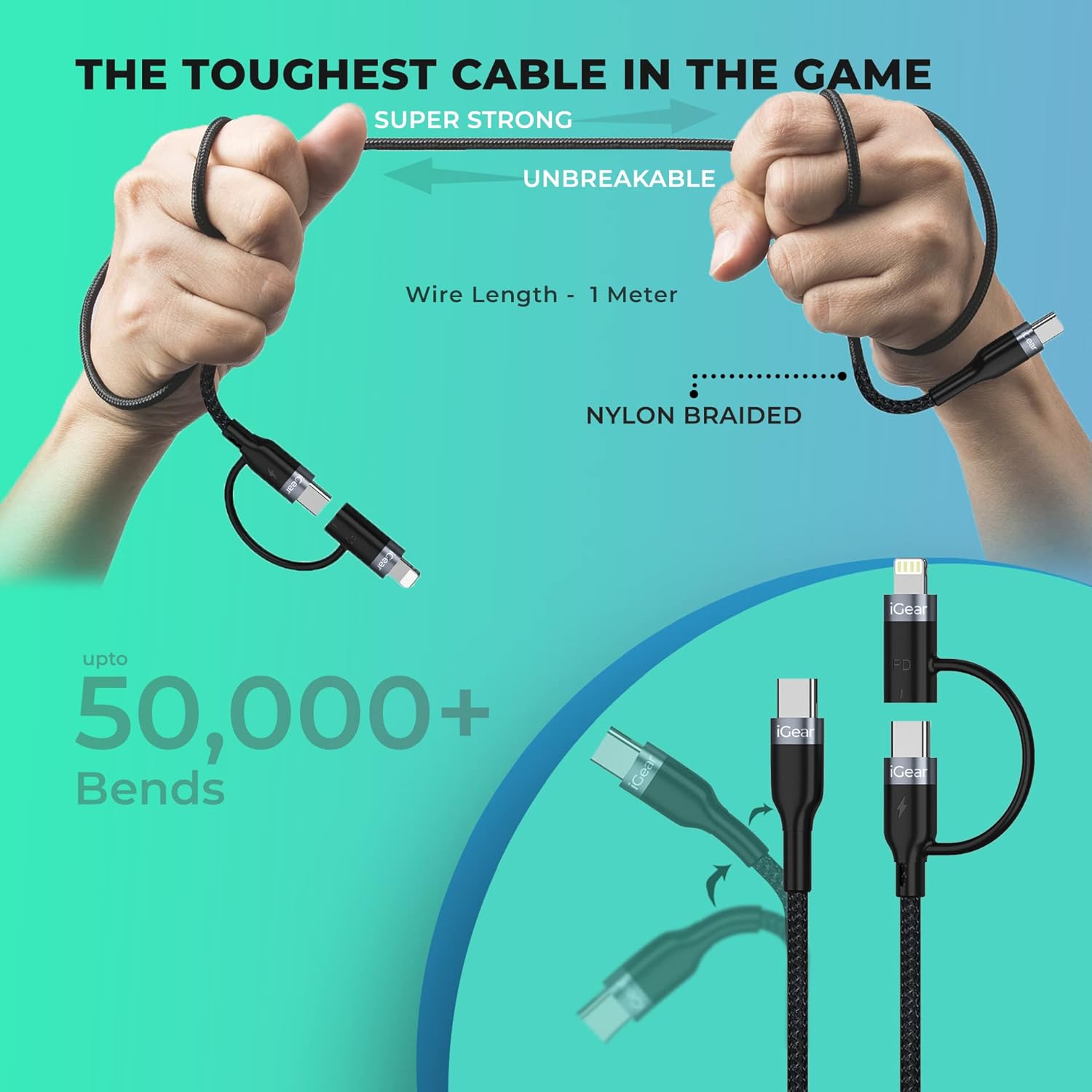
Image: A visual representation of the cable's robust design, showing it being bent and twisted, emphasizing its "Super Strong" and "Unbreakable" nylon braided construction, capable of withstanding over 50,000 bends.
Pamérésan masalah
If you encounter issues with your iGear Duo Charging Cable, refer to the following common problems and solutions:
| Masalah | Mungkin Cukang lantaranana | Solusi |
|---|---|---|
| Alat teu ngecas. | Loose connection, incompatible power adapter, dirty port, or damaged cable. |
|
| Laju ngecas lalaunan. | Power adapter not supporting PD, device drawing less power, or background apps consuming power. |
|
| Transfer data teu jalan. | Incorrect connection, device settings, or driver issues. |
|
Spésifikasi teknis
| Fitur | Spésifikasi |
|---|---|
| merek | iGear |
| Nomer modél | iG-1012 |
| Tipe Panyambung | USB Type C, Lightning (via adapter) |
| Tipe Kabel | USB |
| Power Delivery (Type-C to Type-C) | Up to 65W PD |
| Power Delivery (Type-C to iPhone-pin) | Up to 20W PD |
| Laju Transfer Data | Nepi ka 480Mbps |
| Alat nu cocog | Headphone, Laptop, Power Bank, Smartphone, Speaker (Android & iPhone) |
| Fitur husus | Braided, Data Transfer, Durable |
| Warna | Hideung |
| Bahan Luar | Nilon |
| Item Beurat | 40 g |
| Ukuran Paket | 16.2 x 8.3 x 2.3 cm |
| Komponén Kaasup | 1 kabel ngecas |
Garansi sareng Rojongan
Émbaran jaminan
The iGear Duo Charging Cable comes with a Garansi 1 Taun ti tanggal dibeuli. Garansi ieu nyertakeun cacad manufaktur sareng masalah anu timbul tina panggunaan normal. Éta henteu nutupan karusakan anu disababkeun ku nyalahgunakeun, kacilakaan, modifikasi anu teu sah, atanapi bencana alam.
Punten nahan resi pameseran anjeun salaku bukti pameseran pikeun klaim garansi.
Rojongan Palanggan
For any product-related inquiries, technical assistance, or warranty claims, please contact iGear customer support:
- Pabrikan: IGEAR TECH PRIVATE LIMITED
- Alamat: Goregaon East, Mumbai 400063
- Nomer Kontak: 9327667193
You may also visit the official iGear store on Amazon for more information and product updates: iGear Amazon Store


