1. Bubuka jeung Leuwihview
The Hoover HF103X is a versatile cordless stick vacuum cleaner designed for efficient and flexible cleaning. It features a powerful motor, extended battery life, a flexible tube for reaching difficult areas, and a convenient Park & GO function. The multi-surface LED brush enhances visibility during cleaning, and integrated accessories provide comprehensive cleaning solutions.

Image: The Hoover HF103X cordless stick vacuum cleaner in its full upright configuration and as a handheld unit.
2. Émbaran Kasalametan
Mangga baca sakabeh parentah kaamanan taliti saméméh ngagunakeun alat. Simpen manual ieu pikeun rujukan ka hareup.
- Pastikeun catu daya voltage matches the rating on the charger.
- Do not use the vacuum cleaner to pick up water, flammable liquids, hot ashes, or sharp objects.
- Jauhkeun rambut, pakean longgar, ramo, sareng sadaya bagian awak tina bukaan sareng bagian anu obah.
- Ulah ngajalankeun alat lamun éta ruksak atawa malfunctioning.
- Only use manufacturer-recommended attachments and accessories.
- Simpen alat ieu di jero rohangan di tempat anu garing nalika henteu dianggo.
3. Eusi Paket
Pastikeun yén sadaya komponén aya dina bungkusan:
- Hoover HF103X Cordless Stick Vacuum Cleaner (main unit)
- Floor and Carpet Brush with LED lights
- Tabung fléksibel
- 2-in-1 Accessory (Crevice Tool and Dusting Brush)
- Parabot Crevice Panjang
- Tembok Gunung
- Carjer batré
- Instruksi Manual

Image: Various accessories included with the HF103X, such as the crevice tool, furniture brush, wall mount, LED floor nozzle, and flexible tube.
4. Fitur Produk
- Ngabersihkeun Tanpa Usaha: Designed for flexible cleaning, reaching all corners with comfort.
- Mode Kontinyu: Lock the trigger for continuous suction without holding the power button.
- Quick Park&GO: Temporarily park the vacuum in an upright position on hard floors. For longer storage, use the wall mount.
- LED Brush Lights: Front LED lights on the main brush illuminate dark areas and under furniture for improved visibility.
- Status Batré LED: Intuitive LED system to monitor battery charge level.
- Batré anu tiasa dicabut: The battery can be removed for convenient charging.
- Large Dust Container: 0.9 L capacity for fewer interruptions during cleaning.

Image: Illustrates the HF1's effective suction power, large 0.9 L dust container, and adjustable suction modes (TURBO and ECO).

Image: Close-up of the practical LED light on the floor nozzle, illuminating the cleaning path.
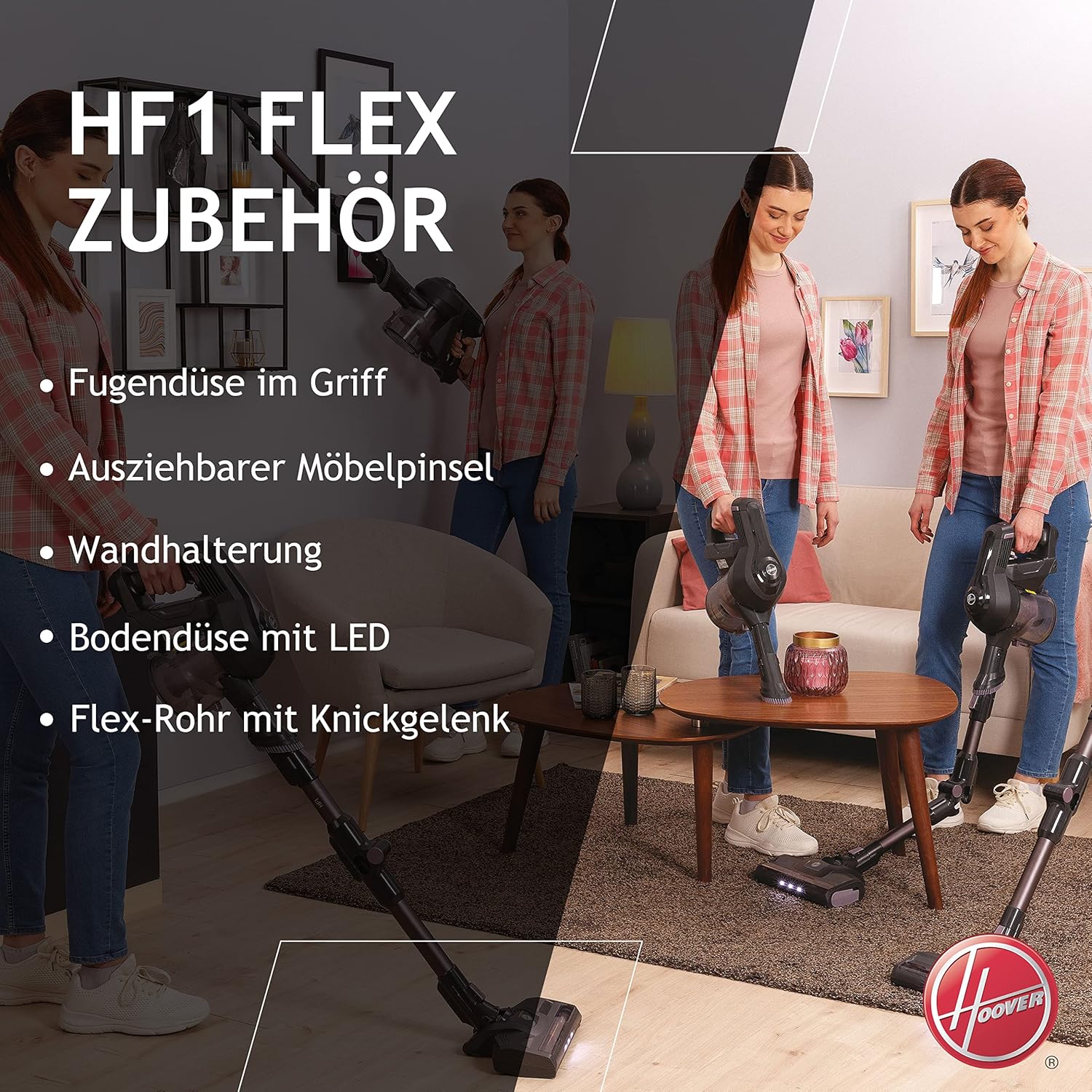
Image: Highlights the removable battery for charging anywhere, up to 30 minutes runtime (equivalent to 120 m²), and the effective universal nozzle suitable for all floor types.
5. Setélan
5.1 Majelis
- Buka bungkus sadaya komponén tina kotak.
- Attach the main unit to the flexible tube. Ensure it clicks securely into place.
- Connect the floor and carpet brush to the other end of the flexible tube.
- For handheld use, detach the main unit from the flexible tube and attach desired accessories directly.
5.2 Ngecas Batré
- The battery may not be fully charged upon purchase. Fully charge the battery before first use.
- Cabut batré tina unit utama ku mencét tombol pelepas.
- Connect the charger to the battery and plug it into a power outlet.
- The LED indicators on the battery will show the charging status. Once all LEDs are solid, the battery is fully charged.
- Disconnect the charger and reinsert the battery into the main unit until it clicks.
6. Parentah Operasi
6.1 Ngahurungkeun / Pareum sareng Modeu Nyeuseup
- To turn on the vacuum, press the power button once for ECO mode.
- Press the power button a second time for TURBO mode (maximum suction).
- Pikeun mareuman vakum, pencét tombol daya katilu kalina.
6.2 Using Continuous Mode
For extended cleaning without continuously holding the trigger, activate the continuous mode:
- While the vacuum is running, locate the trigger lock button (refer to the diagram in your printed manual for exact location).
- Engage the trigger lock to maintain continuous suction.
- To disengage, press the trigger lock button again.
6.3 Utilizing the Flexible Tube and Handheld Mode

Image: The Hoover HF103X in use, demonstrating the flexible tube for reaching under furniture and the handheld mode for elevated surfaces.
- The flexible tube allows the vacuum to bend, making it easier to clean under low furniture without excessive bending.
- To convert to handheld mode, press the release button to detach the main unit from the flexible tube. Attach the 2-in-1 accessory or long crevice tool directly to the main unit for cleaning upholstery, car interiors, or tight spaces.
6.4 Park & GO Function

Image: A user temporarily parking the Hoover HF103X upright using the Park & GO function, illustrating its convenience for short breaks during cleaning.
The Park & GO function allows the vacuum to stand upright independently on hard floors for temporary pauses during cleaning. Ensure the vacuum is on a stable, flat surface. Do not leave the vacuum unattended in this position for extended periods, especially on uneven surfaces or carpets. For long-term storage, always use the provided wall mount.
7. Pangropéa
7.1 Ngosongkeun tong sampah
- Pastikeun vakum dipareuman sareng dipegatkeun tina carjer.
- Pencét tombol ngaleupaskeun tong sampah sareng cabut tong sampah tina unit utama.
- Hold the dustbin over a waste bin and press the bottom release latch to open the dustbin flap and empty its contents.
- Close the flap and reattach the dustbin to the main unit.
7.2 Ngabersihan Saringan
Regularly clean the filters to maintain optimal suction performance.
- Cabut tong sampah sapertos anu dijelaskeun di luhur.
- Pulas sareng tarik kaluar rakitan saringan tina tong sampah.
- Separate the pre-motor filter and the mesh filter.
- Tap the filters gently to remove loose dust. For a deeper clean, rinse them under lukewarm water.
- Allow filters to air dry completely for at least 24 hours before reassembling and placing them back into the vacuum. Do not use a dryer or heat source.
7.3 Ngabersihan Sikat Roll
Périodik pariksa gulungan sikat pikeun bulu kusut atawa lebu.
- Pastikeun vakum pareum sareng batréna dicabut.
- Locate the brush roll access latch on the bottom of the floor brush.
- Buka kaitna teras cabut gulungan sikatna.
- Anggo gunting atanapi sikat pikeun miceun rambut atanapi kokotor anu kusut.
- Reinsert the brush roll and secure the access latch.
8. Cara ngungkulan
| Masalah | Mungkin Cukang lantaranana | Solusi |
|---|---|---|
| Vakum henteu hurung | Batré henteu dieusi atanapi henteu leres diselapkeun. | Pastikeun batréna geus dicas pinuh tur aman diselapkeun. |
| kakuatan nyeuseup low | Dustbin full, filters clogged, or blockage in the tube/brush. | Tong sampah kosong, saringan bersih, pariksa sareng cabut sumbatan. |
| Gulungan sikat teu muter | Hair or debris tangled in brush roll, or brush roll access latch not secured. | Clean brush roll, ensure it is properly reinserted and latched. |
| Runtime batré pondok | Battery not fully charged, or operating in TURBO mode. | Fully charge battery. Use ECO mode for longer runtime. |
9. Spésifikasi
- Jumlah modél: HF103X (39401006)
- kakuatan: 180 Watt
- Voltage: 22 volt
- Jenis Batré: Litium-ion (1 kaasup)
- Otonomi: Nepi ka 30 menit
- Tingkat Noise: 86 desibel
- beurat: 2.5 kg
- Kapasitas tong sampah: 0.9 liter
- Jenis saringan: Kain
- Permukaan anu disarankeun: Hard floors (with universal nozzle for all floors)
- Fitur husus: Front LED light, Lightweight, Bagless, Flexible tube
- warna: Titanium Grey / Venetian Red
10. Garansi jeung Rojongan
This product comes with a standard manufacturer's warranty. For detailed warranty information, please refer to the warranty card included in your product packaging or visit the official Hoover website. For technical support, spare parts, or service inquiries, please contact Hoover customer service through their official channels.


