1. Bubuka
This manual provides essential information for the safe and efficient installation, operation, and maintenance of your Antec NeoECO NE650G M 80+ Gold Certified Fully Modular Power Supply Unit (PSU). Please read this manual thoroughly before installation and keep it for future reference.
The Antec NeoECO Gold Modular series is designed to provide stable and efficient power to your PC system. Featuring an 80 PLUS Gold certification and a 100% full modular design, it ensures convenient installation and reduced electricity consumption. The integrated 120mm silent fan with Zero RPM mode optimizes cooling while maintaining quiet operation.
2. Émbaran Kasalametan
Salawasna perhatikeun pancegahan kaamanan di handap ieu pikeun nyegah tatu atanapi karusakan kana alat anjeun:
- Pastikeun catu daya dipegatkeun tina stop kontak AC sateuacan dipasang atanapi diropéa.
- Ulah muka PSU casing. Tinggi voltages aya di jero, sanajan geus dipegatkeun sambunganna.
- Install the PSU in a well-ventilated area, away from heat sources and moisture.
- Use only the modular cables provided with this power supply. Using incompatible cables may damage the PSU or connected components.
- This product is designed for use in personal computer systems. Do not use it for any other purpose.
- Handle with care to avoid dropping or impacting the unit.
3. Eusi Paket
Pastikeun yén sadaya item aya dina pakét anjeun:
- Antec NeoECO NE650G M Power Supply Unit
- Modular Cable Set (including ATX 24-pin, CPU 4+4-pin, PCIe 6+2-pin, SATA, and Molex cables)
- Kabel Daya AC
- Pamasangan screws
- Manual pangguna (dokumén ieu)
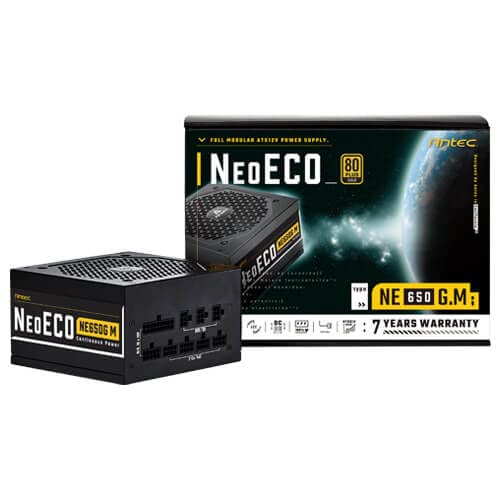
Figure 3.1: Antec NeoECO NE650G M Power Supply with its retail packaging.
4. Setup jeung Instalasi
Follow these steps to install your Antec NeoECO NE650G M PSU into your computer system:
- Nyiapkeun Sistim anjeun: Pastikeun komputer anjeun pareum sapinuhna sareng dicabut tina stop kontak. Buka casing komputer anjeun.
- Cabut PSU Lama (upami aya): Cabut sadaya kabel tina catu daya anjeun anu lami. Cabut sareng cabut PSU anu lami tina wadahna.
- Pasang PSU Anyar: Carefully slide the Antec NeoECO NE650G M into the PSU mounting bay of your computer case. Ensure the fan faces the correct direction (usually downwards if your case has a bottom vent, or upwards if it's a top-mounted PSU). Secure the PSU with the provided mounting screws.
- Sambungkeun kabel modular: Identify the necessary cables for your components (motherboard, CPU, graphics card, storage drives). Connect the appropriate modular cables to the corresponding ports on the PSU. The ports are clearly labeled on the PSU.
- Sambungkeun ka komponén: Route the connected modular cables neatly through your case and connect them to your motherboard (24-pin ATX, 4+4-pin CPU), graphics card(s) (6+2-pin PCIe), and storage devices (SATA, Molex). Ensure all connections are firm and secure.
- Tutup Case sareng Sambungkeun Daya: Once all internal connections are made, close your computer case. Connect the AC power cord to the PSU's inlet and then to a wall outlet or surge protector.
- Daya Hurung: Flip the power switch on the back of the PSU to the 'ON' position. You can now power on your computer.
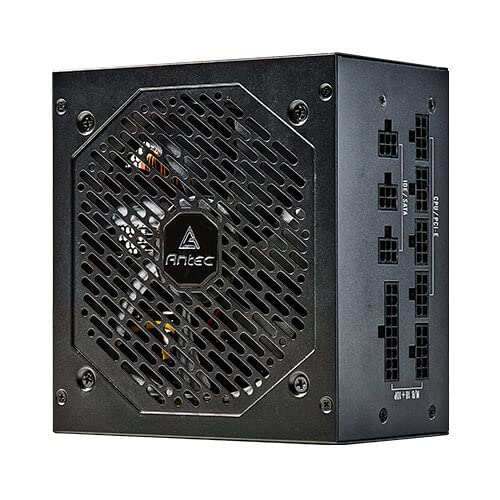
Gambar 4.1: Sisi view of the Antec NeoECO NE650G M PSU, highlighting the modular cable connection ports.
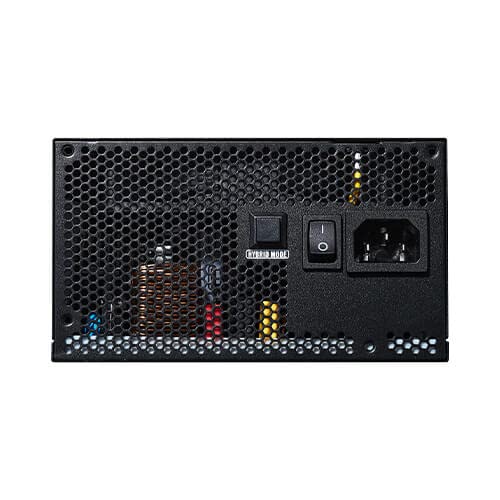
Figure 4.2: The Antec NeoECO NE650G M PSU with various modular cables attached, ready for system integration.
Gambar 4.3: Tukangeun view of the Antec NeoECO NE650G M PSU, showing the main power switch and AC power inlet.
5. Parentah Operasi
The Antec NeoECO NE650G M PSU is designed for reliable and efficient operation. Key features include:
- Sertifikasi Emas 80 PLUS: Ensures high power efficiency, reducing heat generation and electricity costs.
- Desain pinuh modular: Allows for cleaner cable management and improved airflow within your PC case by only using the necessary cables.
- Modeu RPM nol: The 120mm silent fan will remain off at low loads (typically below 30% of total wattage) to provide absolute silence. As the load increases, the fan will automatically spin up to maintain optimal temperatures. This feature helps extend the fan's lifespan and reduces noise during light usage.
- CircuitShield Protection: Incorporates industrial-grade protections including OVP (Over Voltage Protection), UVP (Dina Voltage Protection), OCP (Over Current Protection), OPP (Over Power Protection), SCP (Short Circuit Protection), OTP (Over Temperature Protection), and NLO (No Load Operation) to safeguard your system.
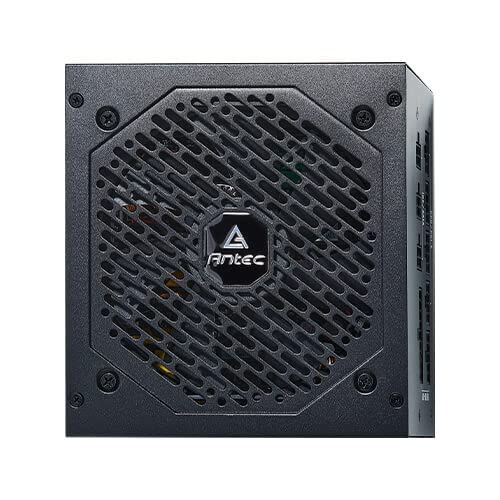
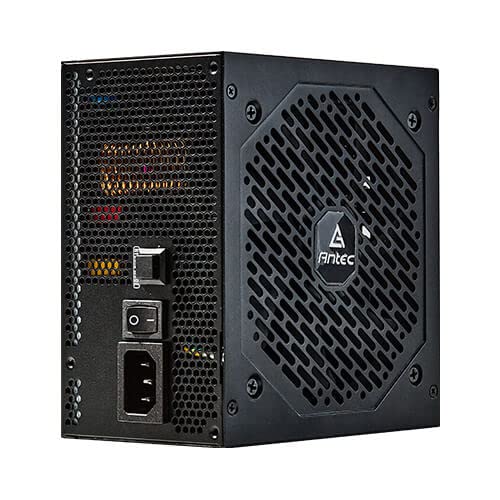
Gambar 5.1: Hareupeun view of the Antec NeoECO NE650G M PSU, showcasing the 120mm silent cooling fan grill.
6. Pangropéa
Proper maintenance ensures the longevity and optimal performance of your PSU:
- Ngaleungitkeun lebu: Periodically clean dust from the PSU's fan grill and vents using compressed air. Ensure the PSU is powered off and unplugged before cleaning.
- Manajemén Kabel: Pastikeun kabel dialirkeun rapih sareng henteu ngahalangan aliran hawa dina wadah PC.
- Kaayaan Lingkungan: Operate the PSU within recommended temperature and humidity ranges. Avoid extreme conditions.
- Henteu aya bagian anu tiasa dianggo pikeun pangguna: Do not attempt to open the PSU casing. There are no user-serviceable parts inside, and opening it will void the warranty.
7. Cara ngungkulan
If you encounter issues with your Antec NeoECO NE650G M PSU, refer to the following common problems and solutions:
| Masalah | Mungkin Cukang lantaranana | Solusi |
|---|---|---|
| PC teu hurung. |
|
|
| Sistem hurung tapi langsung pareum. |
|
|
| Kipas teu muter. |
|
|
| Sora-sora anu teu biasa ti PSU. |
|
|
If the problem persists after attempting these solutions, please contact Antec customer support or refer to the warranty section for service information.
8. Spésifikasi
| Fitur | Rincian |
|---|---|
| merek | Antec |
| Ngaran modél | NE650G M |
| Faktor Bentuk | ATX |
| Wattage | 650 Watt |
| 80 PLUS sertifikasi | emas |
| Modularitas | Pinuh Modular |
| Ukuran Fan | Kipas rehe 120mm |
| Nol RPM Mode | Sumuhun |
| Kapasitor Jepang | Sumuhun |
| Ukuran (L x W x H) | 15 x 14 x 9 cm |
| Item Beurat | 1.5 kg |
| Alat nu cocog | Komputer Pribadi |
| Tipe Panyambung | ATX |
| Protections (CircuitShield) | OVP, UVP, OCP, OPP, SCP, OTP, NLO |
9. Garansi jeung Rojongan
The Antec NeoECO NE650G M Power Supply Unit is backed by a garansi 7 taun ti tanggal beuli. Garansi ieu nyertakeun cacad dina bahan sareng pagawean dina panggunaan normal.
For warranty claims or technical support, please contact Antec customer service. Keep your proof of purchase for warranty validation.
For more information, visit the official Antec websitus atanapi tingal wincik kontak disadiakeun kalawan bungkusan produk Anjeun.


Antec provides a comprehensive warranty and is recognized as a top brand in PC components.


