1. Parentah Kasalametan penting
Please read all instructions carefully before using the Neo 10-in-1 Steam Mop. Failure to follow these instructions may result in electric shock, fire, or serious personal injury.
- Always disconnect the appliance from the power supply before filling with water, cleaning, or performing maintenance.
- Ulah tinggalkeun pel uap tanpa dijaga nalika dicolokkeun.
- Do not direct steam at people, animals, or electrical outlets. Steam is very hot and can cause burns.
- Anggo ukur cai sulingan atanapi demineral dina bak cai pikeun nyegah akumulasi mineral sareng manjangkeun umur alat.
- Jauhkeun alat tina jangkauan barudak sareng piaraan.
- Do not immerse the steam mop in water or any other liquid.
- Pastikeun kabel listrikna teu ruksak. Ulah ngoperasikeun alat ieu nganggo kabel atanapi colokan anu ruksak.
- Perkakas ieu kanggo panggunaan rumah tangga wungkul. Ulah make di luar atawa keur kaperluan komérsial.
2. Produk Langkungview
The Neo 10-in-1 Steam Mop is a versatile cleaning appliance designed for various surfaces. It features a powerful 1500W heating element, a 400ml water tank, and a comprehensive 10-piece accessory kit.

Image: The Neo 10-in-1 Steam Mop shown with its full range of included accessories, highlighting its versatility.
Fitur konci:
- Kakuatan 1500W: Ensures quick heating and powerful steam output.
- Panas-up gancang: Siap dianggo dina waktu kurang leuwih 30 detik.
- Tangki cai ageung: 400ml capacity for extended cleaning sessions (up to 30 minutes of steam per tank).
- Kontrol uap variabel: Adjust steam intensity for different cleaning tasks and surfaces.
- Desain 2-in-1: Functions as both a steam mop for floors and a detachable handheld steamer for various surfaces.
- Kit aksésori 10 sapotong: Includes various nozzles, brushes, and tools for comprehensive cleaning.
- Kabel Daya Panjang: Equipped with a 5-meter cable for extended reach.
- Gagang ergonomis: Designed for comfortable grip and ease of use.
- Swivel Head: 180-degree swivel head for easy maneuverability around furniture.

Image: The steam mop demonstrating its dual functionality as an upright mop and a detachable handheld unit, alongside icons for ergonomic handle, 5m cable, and 180-degree swivel head.
Asesoris kaasup:

Gambar: A lengkep view of the 10-piece accessory set, including various nozzles, brushes, a measuring cup, and mop pads.
- Gelas ukur
- Nozzle Jet
- Sikat buleud Leutik
- Sikat buleud badag
- Alat Grout
- Alat Kerok
- Fabric Tool with Microfiber Pad
- Window/Glass Cleaning Tool
- Karpét Glider
- Microfiber Mop Pads (2 included)
3. Setélan
Majelis:
- Pasang gagang: Selapkeun gagang kana awak utama pel uap nepi ka clicks aman kana tempatna.
- Pasang Kepala Pel: Connect the mop head to the main body. Ensure it is firmly attached.
- Pasang Pad Microfiber: Securely attach a clean microfiber mop pad to the bottom of the mop head. The pad typically attaches with hook-and-loop fasteners.
Ngeusian Tangki Cai:
- Ensure the steam mop is unplugged from the power outlet.
- Locate the water tank cap, usually on the front or side of the main unit. Unscrew or open the cap.
- Using the provided measuring cup, fill the water tank with distilled or demineralized water. Do not overfill beyond the maximum fill line.
- Tutup tutup tank cai sacara aman.
Note: Using tap water may lead to mineral buildup, reducing the appliance's efficiency and lifespan. Regular descaling may be required if tap water is used.
4. Parentah Operasi
Using as a Steam Mop:
- Ensure the water tank is filled and a clean mop pad is attached.
- Colokkeun kabel listrik kana stop kontak anu di-ground. Lampu indikator bakal hurung.
- Wait approximately 30 seconds for the steam mop to heat up. The indicator light may change color or turn off when ready.
- To activate steam, pump the handle or press the steam trigger (depending on model). Move the mop slowly and steadily over the floor surface.
- Adjust the steam intensity using the variable steam control dial if available.
- When finished, unplug the unit and allow it to cool before emptying any remaining water and removing the mop pad.

Image: Multiple Neo Steam Mops demonstrating their suitability for various floor types including carpet, tile, stone, and hard floors.
Ngagunakeun salaku Steamer Handheld:
- Unplug the steam mop. Detach the main handheld unit from the mop base by pressing the release button.
- Select the appropriate accessory for your cleaning task (e.g., jet nozzle for crevices, brush for scrubbing, fabric tool for upholstery). Attach it firmly to the handheld unit.
- Ensure the water tank is filled. Plug in the handheld unit.
- Wait for the unit to heat up. Direct the steam towards the surface to be cleaned, maintaining a safe distance.
- For stubborn areas, hold the steam over the spot for a few seconds.
- When finished, unplug and allow to cool before removing accessories and storing.
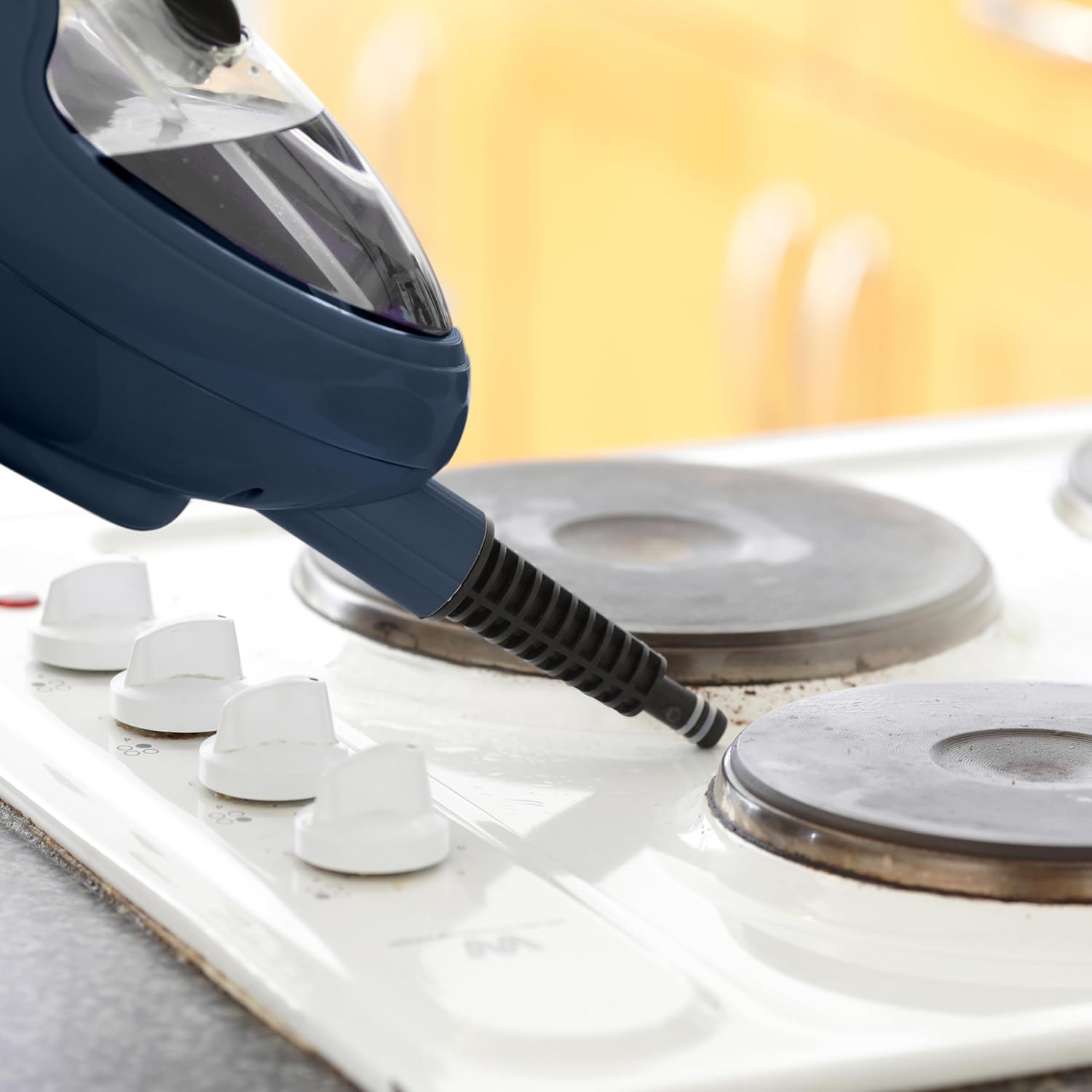
Image: The handheld steam unit being used to clean a stovetop, demonstrating its ability to target specific areas.

Image: The handheld steam unit cleaning a bathroom faucet, illustrating its use for sanitizing fixtures.

Image: The handheld steam unit with a brush attachment cleaning the interior of a microwave, showing its effectiveness on tough grime.
5. Pangropéa
Ngabersihan Unit:
- Salawasna pastikeun alat geus unplugged tur lengkep tiis saméméh beberesih.
- Wipe the exterior of the steam mop with a soft, damp lawon. Ulah make cleaners abrasive atawa pangleyur.
- Remove and wash microfiber mop pads after each use. They can typically be machine washed with mild detergent and air dried. Do not use bleach or fabric softeners.
- Empty any remaining water from the tank after each use to prevent stagakumulasi cai sareng mineral anu teu cekap.
Descaling (Mineral Buildup Removal):
Over time, mineral deposits can accumulate inside the steam mop, especially if tap water is used. This can reduce steam output. Descale your unit regularly (e.g., every 1-3 months depending on water hardness and usage).
- Prepare a descaling solution: Mix 1 part white vinegar with 2 parts distilled water.
- Ensure the unit is unplugged and cool. Empty any water from the tank.
- Tuang solusi descaling kana tanki cai.
- Plug in the unit and allow it to heat up. Run the steam mop until half of the solution has been used.
- Unplug the unit and let it sit for 30 minutes to allow the solution to work.
- Plug it back in and run the remaining solution through.
- Empty the tank and rinse thoroughly with fresh distilled water. Run one full tank of fresh distilled water through the unit to flush out any remaining solution.
Panyimpenan:
- Ensure the steam mop is completely cool and dry before storing.
- Ngosongkeun bak cai.
- Store the appliance in a cool, dry place, away from direct sunlight and extreme temperatures.
- Wrap the power cord neatly around the designated cord wraps if available.
6. Cara ngungkulan
| Masalah | Mungkin Cukang lantaranana | Solusi |
|---|---|---|
| Taya uap atawa kaluaran uap low. |
|
|
| Cai bocor tina unit. |
|
|
| Mop pad not cleaning effectively. |
|
|
| Unit teu hurung. |
|
|
7. Spésifikasi
| merek: | Neo |
| Jumlah modél: | STM-MOP |
| kakuatan: | 1500 Watt |
| Voltage: | 2.3E + 2 Volt (230V) |
| Kapasitas Tangki Cai: | 400 mililiter |
| Beurat barang: | 2.3 kg |
| Ukuran Paket: | 40 x 20 x 20 cm |
| Fitur husus: | Bisa dicabut, bisa dibawa-bawa |
| Permukaan anu disarankeun: | Floor, Window |
| Komponén Kaasup: | Nozzle, Nylon Brush, Measuring Cup, Dosing Glass (refer to Product Overview for full accessory list) |
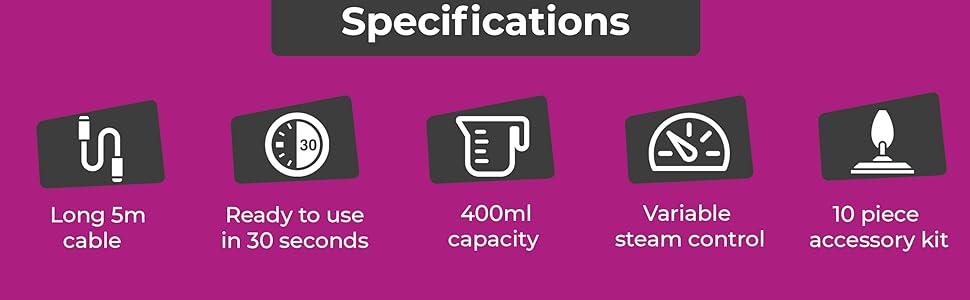
Image: An infographic summarizing key specifications including 5m cable, 30-second heat-up time, 400ml capacity, variable steam control, and the 10-piece accessory kit.
8. Garansi jeung Rojongan
Specific warranty details are not provided in this manual. For warranty information, product support, or to purchase replacement parts and accessories, please contact the manufacturer or your retailer directly.
When contacting support, please have your product model number (STM-MOP) and purchase date available.
Manufacturer: Neo


