1. Bubuka
Thank you for choosing the FOCHEW Wireless Portable Charger Power Bank. This device is designed to provide convenient and efficient power for your mobile devices, featuring a high capacity of 30,800mAh, 15W wireless charging, and 25W Power Delivery (PD) Quick Charge 4.0 for rapid wired charging. It includes multiple output ports and an intelligent LED display to keep you informed about its status.

Image: The FOCHEW Wireless Portable Charger Power Bank in purple, displaying a 100% charge on its LED screen.
2. Eusi Paket
Punten parios yén sadaya barang aya dina pakét anjeun:
- 1 x FOCHEW 30,800mAh Wireless Portable Charger Power Bank
- 1 x Micro USB Ngecas Cable
- 1 x Manual Pamaké (dokumén ieu)
3. Produk Langkungview
Mangga kenalkeun heula komponén sareng fitur-fitur power bank anjeun:
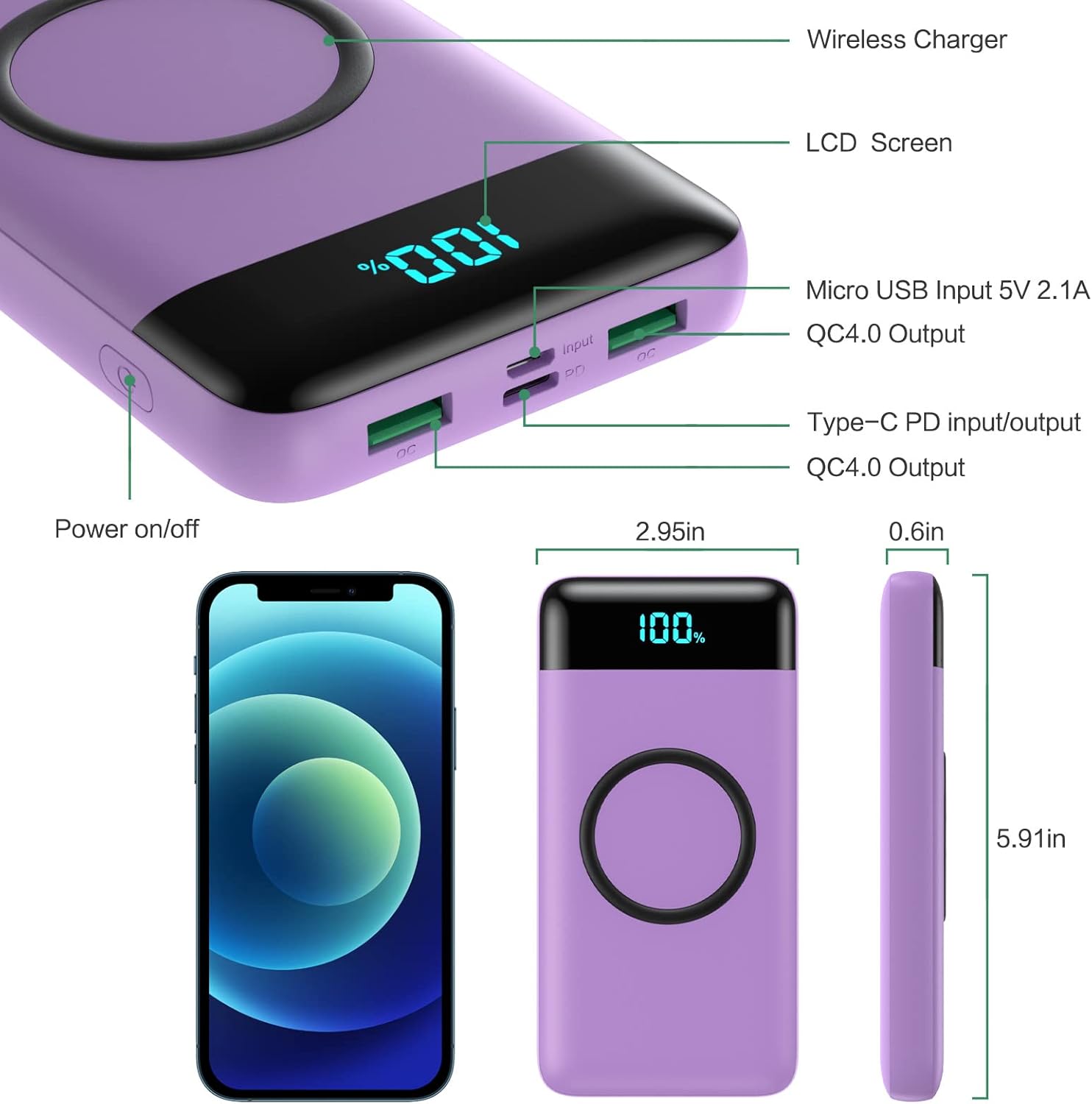
Image: A detailed diagram highlighting the Wireless Charger area, LCD Screen, Micro USB Input (5V/2.1A), QC4.0 Output, Type-C PD Input/Output, and Power On/Off button, along with product dimensions.
- Pad ngecas nirkabel: Located on the top surface for wireless charging compatible devices.
- Smart LED tampilan: Nembongkeun persén batré sésanatage.
- Tombol Daya / Pareuman: Ngaktipkeun power bank sareng nembongkeun.
- Micro USB Input (5V/2.1A): Pikeun ngecas deui power bank.
- Type-C PD Input/Output (25W PD 3.0 5V/3A): For fast charging the power bank or compatible devices.
- Dual QC 4.0 USB Outputs (5V/3A): For fast charging compatible devices via cable.
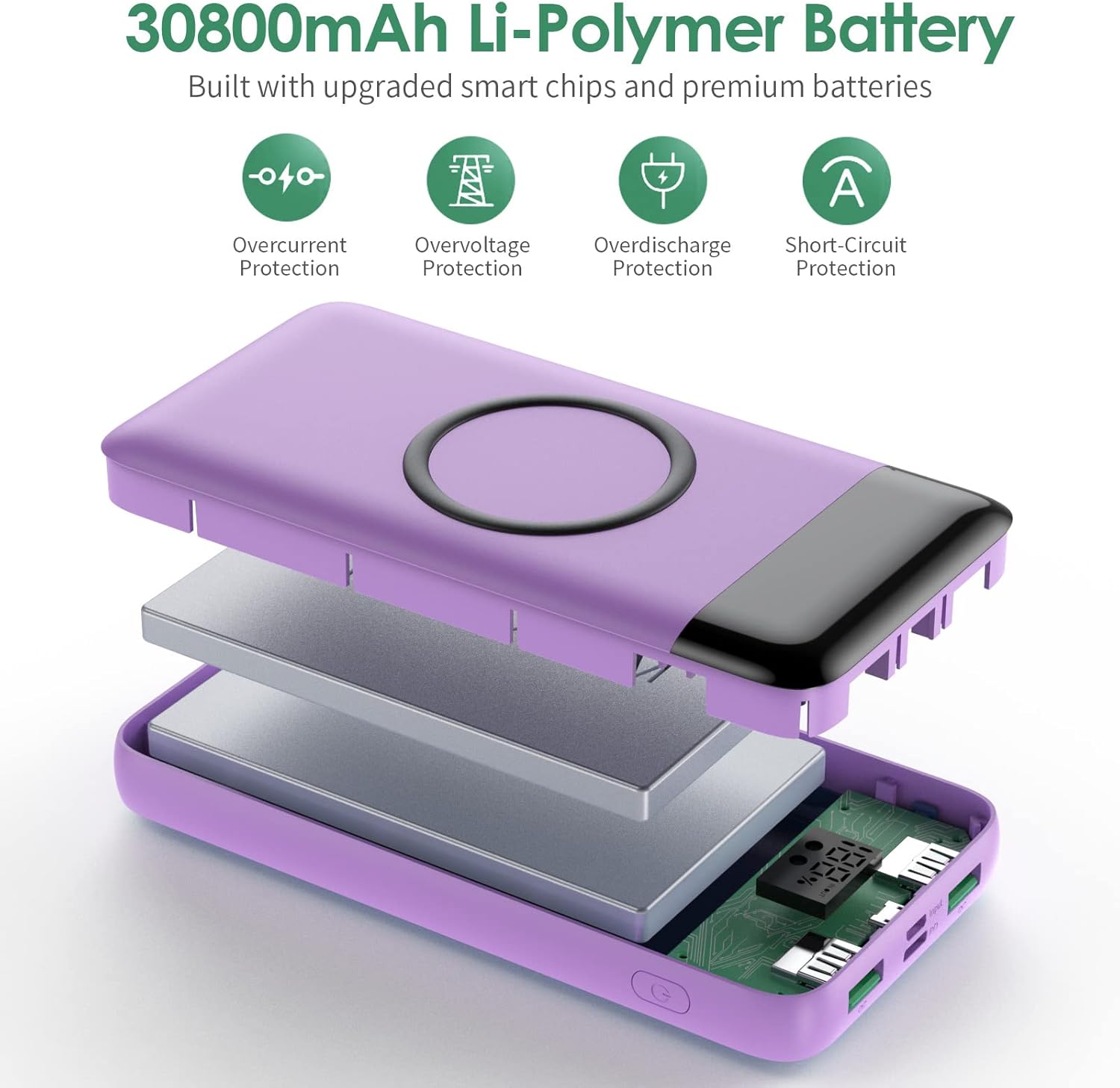
Gambar: Hiji ngabeledug view of the power bank showing its 30,800mAh Li-Polymer battery and smart chips, highlighting overcurrent, overvoltage, overdischarge, and short-circuit protection features.
4. Setup jeung Pamakéan Awal
4.1. Ngecas Mimiti Power Bank
Before first use, fully charge your power bank. This ensures optimal battery performance and longevity.
- Connect the provided Micro USB cable to the Micro USB Input port on the power bank, or use a USB-C to USB-C cable (not included) with the Type-C PD port.
- Connect the other end of the cable to a suitable USB wall adapter (not included).
- The LED display will show the charging progress. Charge until the display reads 100%.

Image: Illustration showing the power bank being recharged via a Type-C 25W PD charger (approx. 3.5 hours) and a Micro standard 2A charger (approx. 9 hours).
Catetan: Charging times vary depending on the input method. Using a 25W PD Type-C charger will significantly reduce recharge time compared to a standard 2A Micro USB charger.
5. Parentah Operasi
5.1. Ngecas kabel
- Press the Power On/Off button once to activate the power bank and view persen batrétage.
- Connect your device's charging cable to one of the QC 4.0 USB Output ports or the Type-C PD Input/Output port on the power bank.
- Sambungkeun tungtung kabel anu sanésna kana alat anjeun. Ngecas bakal dimimitian sacara otomatis.
- The LED display will show the power bank's remaining charge.
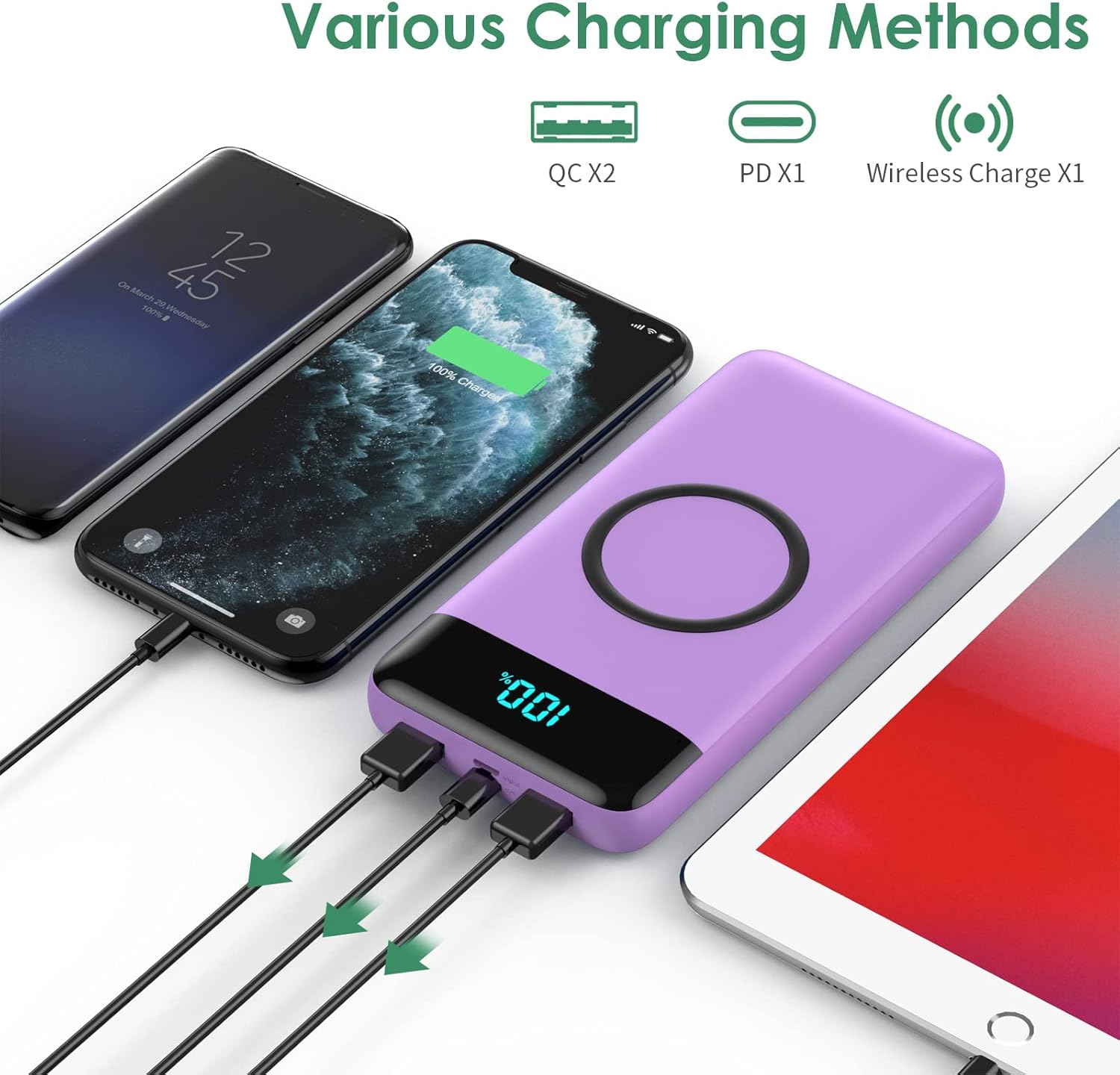
Image: The power bank simultaneously charging multiple devices (two smartphones and a tablet) using its various output ports.

Image: A smartphone connected to the power bank via a USB-C cable, indicating 75% charge and PD 25W fast charging.
5.2. Ngecas nirkabel
- Press the Power On/Off button once to activate the power bank.
- Place your wireless charging-compatible device directly onto the wireless charging pad on the top surface of the power bank. Ensure the device is centered for optimal charging.
- The LED display will indicate wireless charging is active, and your device should show it is charging.
- For best results, remove your phone case if its thickness exceeds 5mm.

Image: A smartphone placed on the power bank's wireless charging pad, showing 75% charge and the wireless charging symbol, with power output options (5W, 7.5W, 10W, 15W) displayed.
Catetan penting: This wireless portable charger is not suitable for wireless charging of Bluetooth headphones.
6. Pangropéa
- Jauhkeun power bank tina suhu anu ekstrim, sinar panonpoé langsung, sareng cairan.
- Bersihkeun alat ku kaen anu lemes sareng garing. Ulah make bahan kimia kasar atawa bahan abrasive.
- Simpen bank kakuatan dina tempat anu tiis sareng garing upami henteu dianggo.
- To maintain battery health, fully charge and discharge the power bank at least once every three months.
7. Cara ngungkulan
| Masalah | Mungkin Cukang lantaranana | Solusi |
|---|---|---|
| Device not charging via cable. | Power bank pareum; kabelna rusak; alatna teu cocog; batré power bank béak. | Press the power button; try a different cable; ensure device compatibility; recharge the power bank. |
| Alat teu ngecas nirkabel. | Device not centered; phone case too thick; device not wireless charging compatible; power bank battery is depleted. | Reposition device; remove thick phone case; ensure device supports wireless charging; recharge the power bank. |
| Power bank teu ngecas. | Charging cable faulty; wall adapter faulty; port damaged. | Try a different charging cable and wall adapter; contact support if ports appear damaged. |
| LED display is blank. | Power bank is off; battery is completely depleted. | Press the power button; recharge the power bank. |
8. Spésifikasi
| Fitur | Rincian |
|---|---|
| Kapasitas | 30,800 mah |
| USB Input (Micro USB) | 5V / 2.1A |
| USB Input (Type-C PD) | 25W PD 3.0 (5V/3A) |
| USB Output (Dual QC 4.0) | 5V / 3A |
| Kaluaran nirkabel | 5W, 7.5W, 10W, 15W Maks |
| Kaluaran Daya Max | 25W |
| Dimensi produk | 5.9 x 2.9 x 0.6 inci |
| Item Beurat | 13.7 ons |
| Nomer modél | HX160Q2 |
| Jenis Batré | Litium Polimér |
| Fitur husus | Wireless Charging, LCD Display, Ultra-large capacity |
9. Garansi jeung Rojongan
FOCHEW provides a 24-garansi sasih for this product, along with a 60 poé jaminan duit-balik. For any questions, technical support, or warranty claims, please feel free to contact the FOCHEW support team. Refer to the product packaging or official FOCHEW websitus pikeun inpo kontak.


