1. Bubuka
Thank you for choosing the Baseus Portable Charger. This 10000mAh slim battery pack is designed to provide fast and efficient charging for your mobile devices on the go. Featuring 20W Power Delivery (PD) and Quick Charge (QC) capabilities, it ensures your devices are powered quickly and safely. This manual provides essential information on product features, setup, operation, maintenance, and troubleshooting.

Gambar: Hareupeun view of the Baseus Portable Charger, showcasing its sleek design, LED indicator lights, and charging ports.
2. Émbaran Kasalametan
Please read all safety warnings and instructions before using this product to ensure safe operation and prevent damage. Keep this manual for future reference.
- Ulah nepi ka power bank kakeunaan suhu anu ekstrim (di luhur 60°C/140°F) atanapi sinar panonpoé langsung.
- Ulah muragkeun, dibongkar, atanapi nyobian ngalereskeun alat nyalira.
- Jauhkeun tina cai, Uap, sareng bahan anu gampang kaduruk.
- Entong dianggo upami bank listrik ruksak, bareuh, atanapi bocor.
- Anggo ngan ukur kabel sareng adaptor ngecas anu disertifikasi.
- Jauhkeun tina jangkauan barudak.
- Buang produk sacara tanggung jawab nurutkeun peraturan lokal.

Image: Diagram illustrating the 8 built-in safety protections of the Baseus Portable Charger, including overcharge, overdischarge, overvoltage, overheating, overpower, restoration, short circuit, and overcurrent protection.
3. Eusi Paket
Pastikeun yén sadaya item aya dina pakét anjeun:
- 1x Baseus 20W Power Bank
- 1x 30cm USB A to USB C cable

Image: Visual representation of the package contents, showing the power bank, USB-A to USB-C cable, and user manual.
4. Produk Langkungview
The Baseus Portable Charger features a compact design with multiple ports for versatile charging.
4.1. Fitur fisik
- Lampu Indikator LED: Four blue LED lights indicate the remaining battery capacity. Each light represents approximately 25% charge.
- Tombol Daya: Ngaktipkeun power bank sareng mariksa tingkat batré.

Gambar: Deukeut view of the power bank's LED indicator lights and the orange power button.
4.2. Palabuhan
- Palabuhan USB-C: Supports 20W Power Delivery output and 18W input for fast recharging.
- Port USB-A: Supports 18W output for charging devices.
- Port USB Mikro: Supports 18W input for recharging the power bank.

Gambar: Leuwihview of the power bank's ports (Micro USB, USB-A, USB-C) and a list of widely compatible devices including iPhones, Samsung Galaxy, Google Pixel, Nintendo Switch, earbuds, and handheld fans.
5. Setélan
5.1. Ngecas Mimiti Power Bank
Before first use, fully charge your Baseus Portable Charger.
- Connect the included USB-A to USB-C cable to the USB-C input port of the power bank.
- Connect the other end of the cable to a compatible 18W (or higher) wall charger (not included).
- The LED indicator lights will illuminate to show charging progress. All four lights will be solid when fully charged.
A full charge takes approximately 2 hours and 48 minutes with an 18W charger.

Image: The Baseus Portable Charger connected to a wall adapter for recharging, with an indication that it fully recharges in 2.8 hours.
6. Parentah Operasi
6.1. Ngecas Alat Anjeun
The power bank supports fast charging for a wide range of devices.
- Connect your device's charging cable to either the USB-C output port or the USB-A output port on the power bank.
- Sambungkeun tungtung kabel anu sanés ka alat anjeun.
- Bank kakuatan bakal otomatis mimiti ngecas alat anjeun.
- To check the power bank's remaining battery, press the power button once.
The 20W PD USB-C output can charge an iPhone 15 up to 50% in approximately 30 minutes.
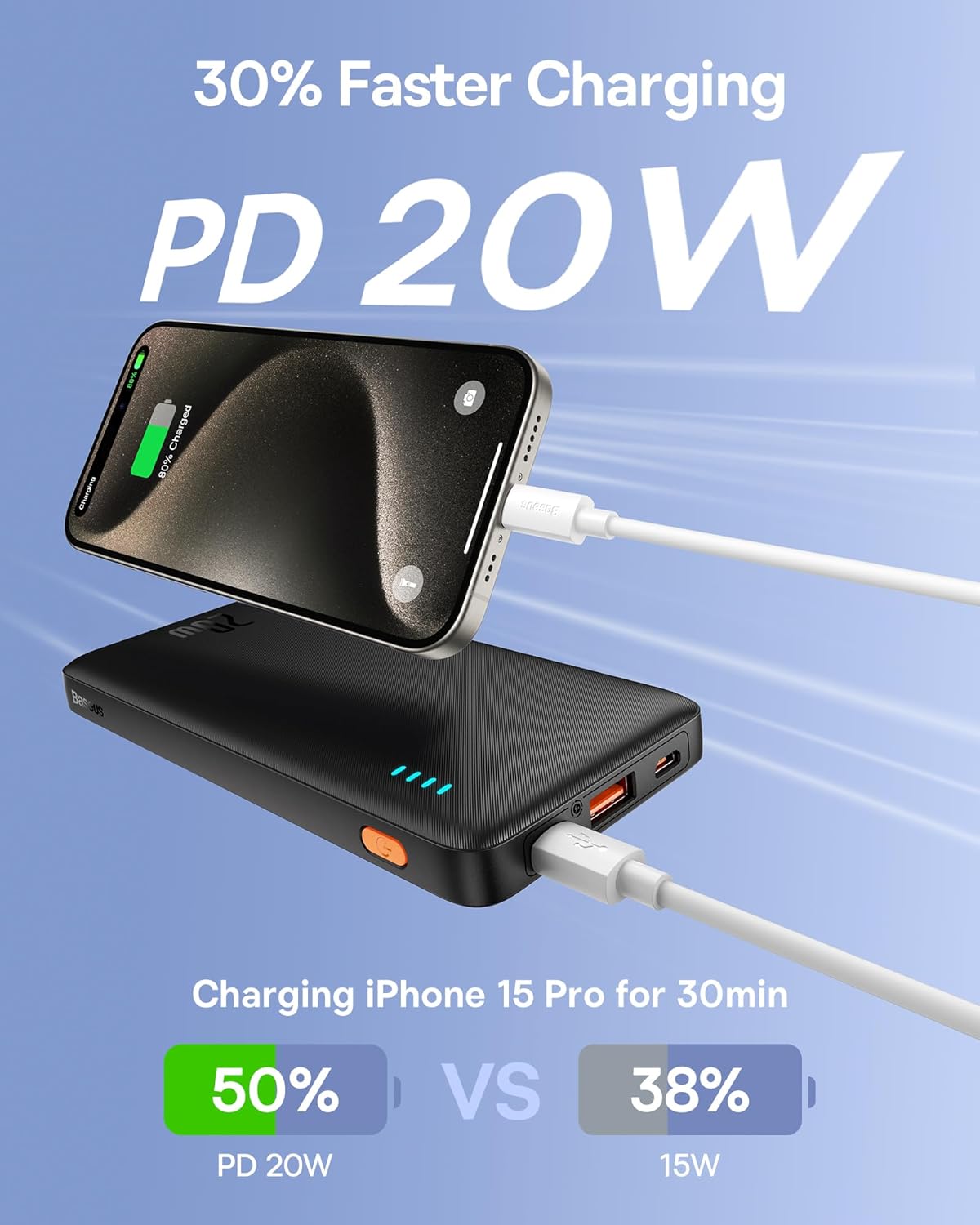
Image: An iPhone 15 Pro being fast-charged by the Baseus Portable Charger, demonstrating 50% charge in 30 minutes compared to 38% with 15W charging.
6.2. Ngecas Bareng
You can charge two devices simultaneously using both the USB-C and USB-A output ports.

Image: The Baseus Portable Charger connected to and simultaneously charging two smartphones, one via USB-C and one via USB-A.
7. Pangropéa
- Bersihkeun bank daya ku kaén anu lembut sareng garing. Ulah make bahan kimia kasar atawa bahan abrasive.
- Nyimpen dina tiis, tempat garing jauh ti sinar panonpoé langsung jeung suhu ekstrim.
- Upami teu dianggo kanggo waktos anu lami, ngecas power bank sahenteuna tilu bulan sakali pikeun ngajaga kasehatan batréna.
- Avoid physical shocks or impacts to the device.
8. Cara ngungkulan
| Masalah | Mungkin Cukang lantaranana | Solusi |
|---|---|---|
| Power bank teu ngecas. | Masalah kabel atanapi adaptor; power bank dicas pinuh; portna rusak. | Try a different cable or wall adapter. Ensure the power bank is not already full. Try a different input port if available. |
| Alat teu ngecas tina power bank. | Power bank is empty; cable issue; device incompatibility; power bank in standby. | Recharge the power bank. Try a different charging cable. Ensure your device supports charging from a power bank. Press the power button to activate output. |
| Ngecas lalaunan. | Non-fast charging cable/adapter; device not supporting fast charge; multiple devices charging. | Use a fast-charging compatible cable and adapter. Ensure your device supports PD/QC. Charging multiple devices simultaneously may reduce individual charging speeds. |
| Indikator LED teu jalan. | Power bank is off; internal malfunction. | Pencét tombol daya. Upami masih teu ngaréspon, hubungi dukungan palanggan. |
9. Spésifikasi
| Fitur | Rincian |
|---|---|
| Nomer modél | PPAP10 |
| Kapasitas batré | 10000 Miliamp Jam-jaman |
| Dimensi produk | 6 x 0.7 x 2.7 inci |
| Item Beurat | 11.4 ons |
| Input (USB-C) | 18W Fast Re-charging |
| Kaluaran (USB-C) | Pangiriman Daya 20W (PD) |
| Kaluaran (USB-A) | Ngecas Gancang 18W (QC) |
| Warna | Obsidian Hideung |
| Fitur husus | LED Indicator Lights, 9 Built-in Safety Protections |

Image: Diagram showing the dimensions of the Baseus Portable Charger: 6 inches in length, 0.7 inches in thickness, and 2.7 inches in width.
10. Garansi jeung Rojongan
Baseus products come with a standard warranty. For specific warranty terms and conditions, please refer to the warranty card included with your product or visit the official Baseus websitus.
For technical support, troubleshooting assistance, or warranty claims, please contact Baseus customer service through their official channels. You can often find contact information on the product packaging or the Baseus brand store on Amazon.
Baseus Brand Store: Visit Baseus Store on Amazon


